How I prompt AI to build good looking demos
文章目录
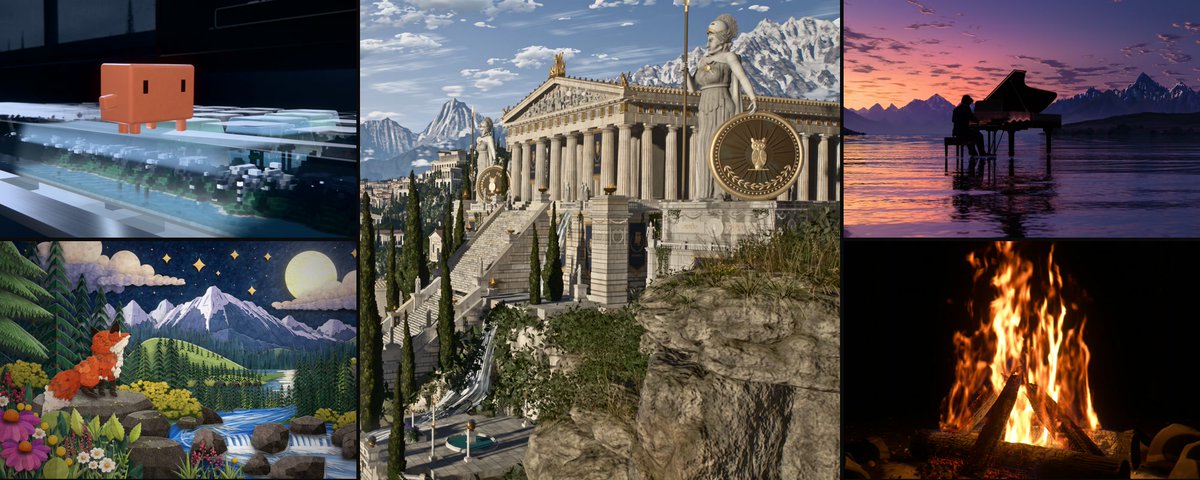
Under every demo people ask me for the prompt. So I went through my demos, and this article is about my prompting tips on how to make impressive demos and how I prompt in general.
1. Use a short prompt with strong references
The most important thing I learned is that the references carry most of the quality in your prompt. The text stuff "barely" matters.
Like they say, a picture is worth a thousand words. The images will show how the light, colors, and materials are, which is hard to describe in words.
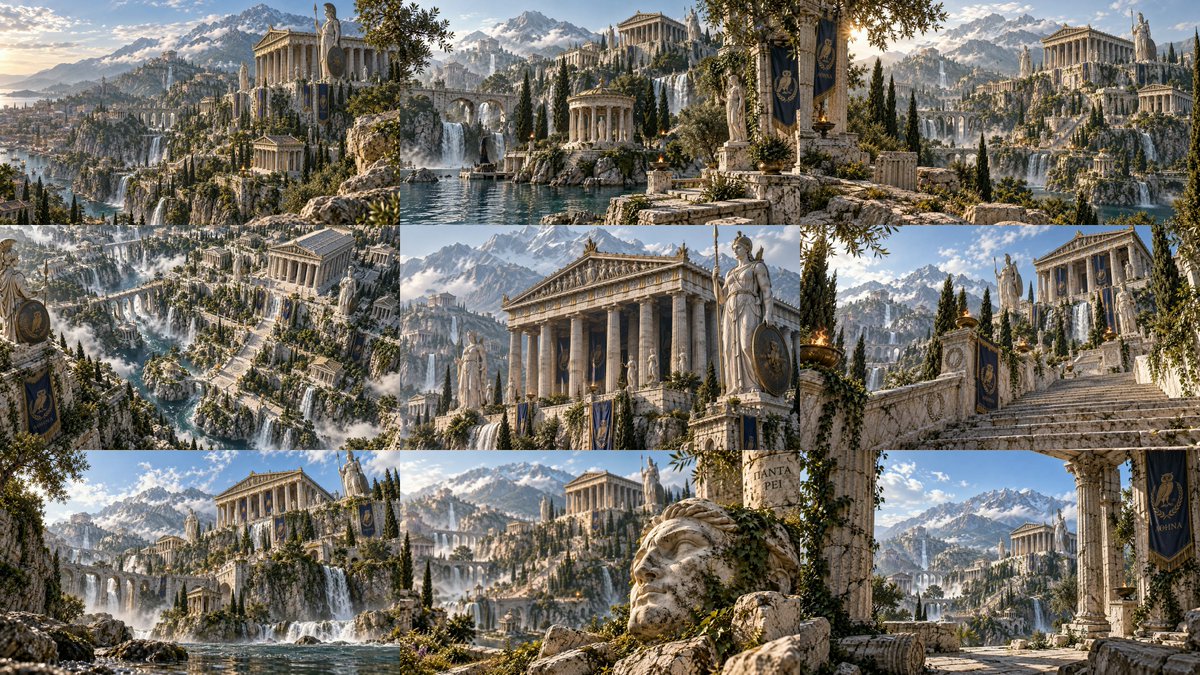
So most of my big demos start with 9 to 12 reference images and a short prompt:
Ancient Greek world: 9 reference images
2. Generate your target first
For 3D demos I usually create the reference images with GPT Image Gen. Then I give them to Opus 5.5 and tell it to build or clone that in code.
Reference images on the left, results on the right
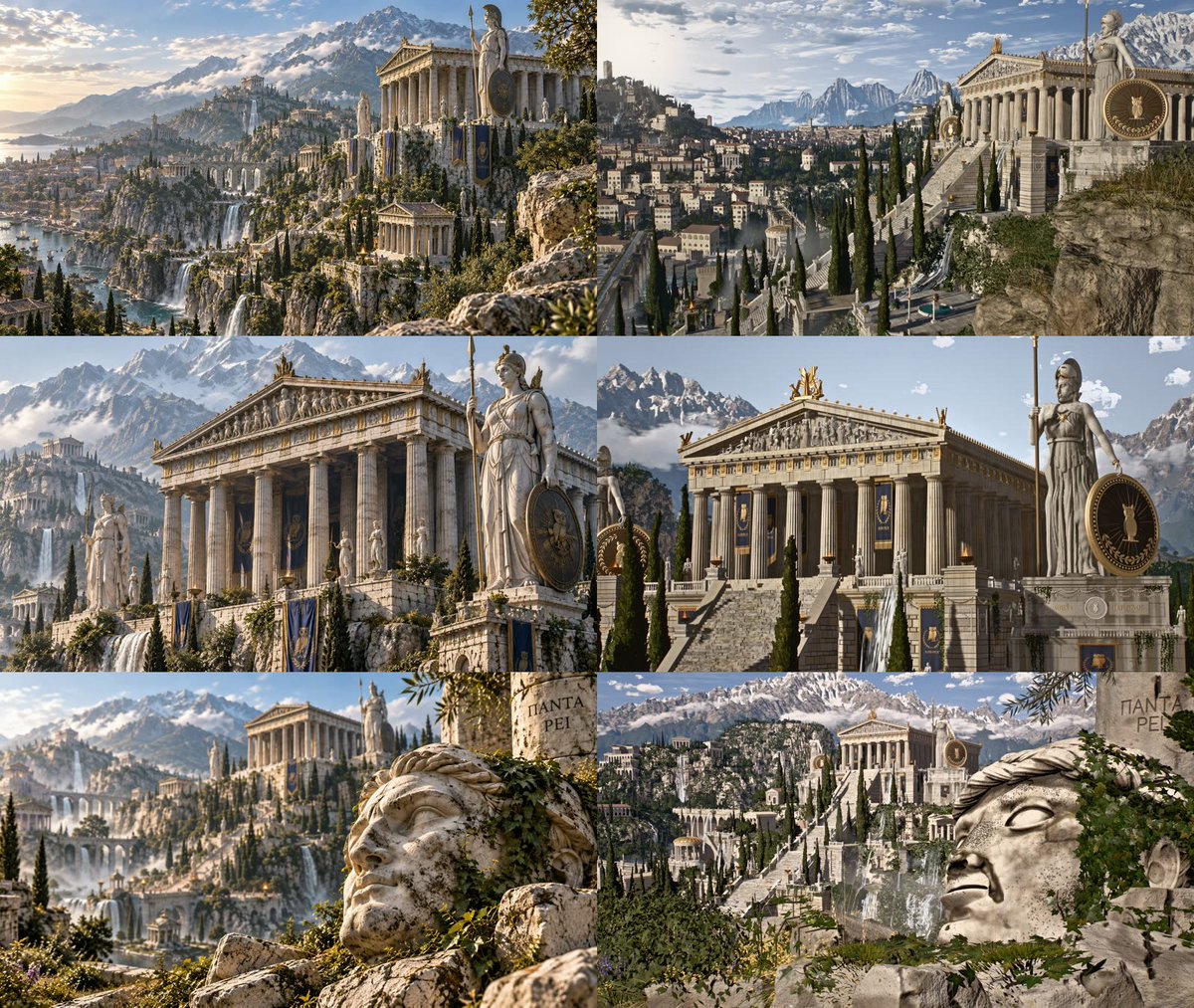
(The result looks pretty impressive, but the moment you put it next to the references it suddenly doesn't look THAT good anymore. With more time to iterate you can surely get even closer, BUT there are limits, and future models will probably help.)
References don't always have to be copied 1:1 either. For my night city stills I gave Opus 5.5 a set of generated images and asked for the same quality and mood, but in its own art style and code as well. When you provide good reference images, models are amazing at creating something similar in that style.
3. Where I get references for UI and motion
For websites, apps and launch videos I use mimages from real products as references. Something I use most of the time is Mobbin. It has many website sections + apps from professional websites that you can use as references.
https://mobbin.com/?referrer_workspace_id=02ebbc50-20f0-42fb-8222-a66cb42b26b0 (The Mobbin link is an affiliate link. You can get 10% off your first three months, and I may receive a commission at no extra cost. I'm only recommending it because I really like it)
Another one is just X. Like some design/websites posts and you will see more possible inspo on your timeline.
For motion design I use reference videos. The important part is how you tell the model to use them:
-
analyze every video frame by frame
-
write down every small effect, transition and timing in a list
-
take inspiration from all of them, but never copy one element 1:1
4. Set the bar with a number/percentage
"Make it look good" or just "make it really nice looking" doesn't tell the model much. BUT a number does.
From the Greek world prompt:
"Match the references as closely as possible (aim for 99.9%)." "Iterate for as long as it takes. Don't stop before it matches the references." (and you might also use a /goal for these types of tasks)
From my pianist film:
"98% close to the reference images is the minimum bar. If a frame doesn't hold up next to them, it isn't done at all and you need to continue iterating."
Is 99.9% realistic? Probably not. But the number tells the model that the job is not done when it first works. And Opus 5.5 especially, and GPT Astra 6.1 as well, are really good at iterating on and evaluating their own work.
Two more things that help:
-
I tell it my own estimate. If it says it's at 90% and I think it's at 60-70%, I tell it exactly that, so it knows how high my expectations are.
-
For videos I use ratings. For example: "the reference videos are about an 8.5/10, yours needs to reach at least 9/10". (not an achievable goal, but AI always rates itself higher, so it's pretty useful)
5. Give it time
The same model gives you something completely different in 20min vs 20h. So I always give a time budget, and for demos it's usually a minimum:
"This task should take at least 8h. If you are done after 2h, something is wrong."
For the big ones I tell it that it might take days. The Greek world took:
-
about 45h in total
-
55 subagents, up to 12 in parallel
-
~45k lines of JavaScript
-
~11M output tokens
-
around $1.8k to $2.3k at Opus 5.5 API prices (ran on my Max plan)
Small jobs get the opposite: a hard cap like "max 1.5h". Otherwise it will work for wayy too long.
6. Make sure it doesn't stop early
Some models love to stop early (Argon and back then Opus 5) and give you a summary of what they did.
In August I built a sakura tree world with Opus 5, and that was exactly the problem. So I turned my "tree" method into a skill: /unlazy. https://github.com/Leonxlnx/unlazy
You split the task into subtasks, split those again a few layers deep, and every single leaf gets as much effort as the whole task would normally get.
But this is not really necessary for newer models like Opus 5.5.
The forest I made with GPT 6 Astra in Codex started basically that way: "First search for the /unlazy skill, read it fully, and use it throughout the entire task. Treat this as a major visual build lasting at least 5 hours."
7. Render a few frames first, video later
Rendering a 4K video on a laptop takes hours (well, at least on my integrated GPU 😭). The final render of the Greek world alone was about 13h of GPU time. So to save time, I always add:
"Render the matching shots as stills and show them to me first. Don't render the video before I approve."
It works in rounds and sends me screenshots after each round, without pausing. I give feedback whenever I get the chance to look at Claude's work, and it keeps going. The final video only gets rendered once the screenshots are good enough.
8. Let another model judge
The agent that built something is the worst judge of its own work. So I let other agents rate it, with zero context:
"Rate it with subagents that have no context. Don't stop before it reaches 9.2/10." (you can also use other models, for example GPT 6.1 Sol, to judge Opus 5.5's work!)
9. Everything is code (most of the time)
"Use zero external assets. Every mesh, texture, shader and effect has to be generated in code."
I do that most of the time, and there are two main reasons:
-
it's the impressive part, people often don't believe it lol
-
it forces the model to actually build things instead of downloading a tree, so I can showcase what the current frontier models are really capable of
Sound is where it gets tricky still (at the moment - will probably change for the next releases in the next 2 weeks). Sometimes code-made music turns out great, like in the Chinese landscapes or the alpine lake. But a lot of code-made sound effects sounded cheap, especially in launch videos. That's why I often tell it to use professional free sound libraries instead.
This is also why we built earshot. ;) https://github.com/Leonxlnx/earshot
Same for launch videos in general: real logos and real photos look better than SVG people.
10. Ban the slop
Every prompt has a list of things the model is not allowed to use:
-
eyebrow labels
-
monospace uppercase text
-
random serif fonts
-
beige color
-
01 / 02 / 03 counters
-
glowing orbs
-
shockwave rings popping out of everything
-
em dashes
For the Clawd film it was simply: "No slop such as [...list above], I want art and creativity. Don't use random fonts, I want a clean animation of Clawd."
11. Give feedback with targets
"Make it better" doesn't work well. What works:
-
Colors: "the sky should be way bluer, the blossoms more pink, the grass greener and sometimes slightly yellow". My most common feedback on 3D builds is that the colors are too grey.
-
Timecodes: "seconds 18-38, the clouds don't look real"
-
Marked screenshots: draw on them and send them
-
Distance: "the trees in the distance look undetailed in half-wide shots"
Also, if you can't say what you don't like, go ask the model to describe what it built. Then you'll probably have the words for it.
Some extra tips
Add "If you have questions, ask me now. Otherwise start building", because you DON'T want the agent asking you questions in the middle of the night.
I also put my usage limits into the prompt: use about 99% of the 5h limit in those 5h, but never hit 100%. Otherwise it burns everything in 2h and waits for 3h.
Example full prompt
This is the full Greek world prompt (Opus 5.5 xhigh + 9 reference images):
Build me a massive, ultra-detailed 3D world in three.js based on the 9 reference images I attached.

Rules:
- Zero external assets. Every mesh, texture, shader and effect has to be generated in code.
- Match the references as closely as possible (aim for 99.9%): composition, scale, materials and especially the colors. Cinematic and realistic, not oversaturated, but also not grey or washed out.
- Detail everywhere. Nothing should look copy-pasted or simple. Every building, tree, rock and waterfall gets care, and the world has to read as ultra detailed even from far away.
- Waterfalls and water have to look realistic.
- My GPU is weak (integrated Radeon 780M), so keep it efficient and get the quality from offline rendering instead.
- Work only inside this project folder.

Process:
- Iterate for as long as it takes (hours or days). Don't stop before it matches the references.
- Render the matching shots as stills and show them to me first. Don't render the video before I approve.
- After I approve: render a cinematic ~1 minute showcase video in 4K at 30fps with slow camera moves through the different scenes, no text on screen, impressive from the very first frame, and free cinematic background music from the web (credit the artist).
I turned this into a skill: /cook
I named this whole strategy the Cook Loop and turned it into a skill for y'all to use! It basically does everything above automatically: it will ask questions it has right away, will really use your references and compare its build with them, set a number/percentage as the bar and a time floor, works in rounds of iterations, lets fresh-context critics agents rate it, waits for your approval before the final render, and also bans some of the slop.
npx skills add Leonxlnx/cook
Then attach your images and then /cook in Claude code or Codex:
/cook build this ancient greek world in three.js, match the attached 9 references
github.com/Leonxlnx/cook
Demos from this article
-
Ancient Greek world: https://x.com/LexnLin/status/2111582260818239777 (repo: github.com/Leonxlnx/athenaion)
-
Clawd film: https://x.com/LexnLin/status/2110389810258968965
-
Alpine lake: https://x.com/LexnLin/status/2112560562609803311 (repo: github.com/Leonxlnx/procedural-alpine-lake)
-
10 Chinese landscapes: https://x.com/LexnLin/status/2112264777309491443 (repo: github.com/Leonxlnx/shanshui)
-
Golden temple: https://x.com/LexnLin/status/2110657641831956870 (repo: github.com/Leonxlnx/golden-temple)
-
Afterglow pianist film: https://x.com/LexnLin/status/2114422260346110358 (repo: github.com/Leonxlnx/afterglow)
-
Night city stills: https://x.com/LexnLin/status/2116201656450793714
-
Motion video (3B tokens): https://x.com/LexnLin/status/2110013871532490973
You can find all my demos with videos and repos here: leonlin.de/demos
I will share more prompts and demos soon. If you have questions, leave a reply! Hope this helped :)