How to Use AI for Crypto Research (DENSE GUIDE)

文章目录
I've spent the past two years diving deep into using AI for crypto and financial research. This article compiles all my learnings thus far.
If you're into the crypto markets, I can guarantee you'll find value here.
Whether you're an active trader or a passive investor, AI is one of the best financial research tools we have today, and not using it does your portfolio a disservice.
In today's read, I've split things into three distinct sections:
-
Section I: Essential Research Toolkit
-
Section II: Building Custom Tooling
-
Section III: Advanced Strategies & Execution
Let's get right into things:
*P.s. You'll notice I've linked quite a few of my other articles throughout this. If you want to go deeper, just bookmark and read them. Even though this is a dense guide, I can't compact everything into one read. *
Section I: Essential Research Toolkit
In this section, I'll outline the tools I consider "essential."
For complete beginners, this is where to start, and it is the section 100% of investors/traders can extract value from.
The Basics
*In terms of the basics, I don't want to spend too much time here as you guys are probably familiar with these tools; rather, I just want to give you guys a brief overview *
- Claude
It should be no surprise that Claude is on my list. It honestly deserves its own article.
Claude is my daily driver, and the brain of my entire research stack. Nearly every other tool on this list feeds data into it.
Here's how I use it (TL;DR):
-
Opus 5.5 for deep analysis. Tokenomics breakdowns, whitepapers, audits, etc.
-
Research mode for big questions. Running dozens of deep searches across the web.
-
Connectors for real data (more on exact connectors to hook up later)
-
Claude Code for automation. Custom dashboards and automations.
-
Claude Design. To put together cool visuals and branding. (i.e, @mileshighclub_)

One of the most underrated features is projects. I like to keep a dedicated crypto research projects folder that stores all my context.
Here's a setup prompt to get you started:
CRYPTO RESEARCH PROJECT INSTRUCTIONS

You are my crypto research analyst.

MY PROFILE
- Timeframe: [e.g. 6 to 24 month holds]
- Risk tolerance: [low / medium / high]
- Current holdings: [list]
- Sectors I focus on: [e.g. AI, DeFi, infrastructure]

RULES
- Always pull live data from connected tools. Never quote prices,
  market caps, TVL, or unlock figures from memory.
- Cite the source for every number.
- If a number can't be verified, say so clearly.
- Always include the bear case, even if I don't ask for it.
- Never tell me whether to buy or sell. Give me the evidence and
  the risks.

OUTPUT FORMAT
- Start with a 3-line summary
- Then the detailed analysis
- End with key risks and what to monitor
-
**Grok **
Grok is hands down the best LLM for crypto research. Grok can tap directly into 𝕏, and if you're reading this, you know CT is the best place to spot alpha.
I've found Grok helpful for:
-
Sentiment analysis
-
Analysing tweets/long-form posts
-
Spotting and finding underrated creators
-
Capturing the latest news
One of my most-used prompts:
X SENTIMENT SCAN

Search X for posts about [token / sector] from the last 7 days.

1. Summarise the main narratives being discussed.
2. Which accounts are driving the conversation? Separate
   builders, researchers, and traders from anonymous or
   promotional accounts.
3. How has sentiment changed compared to the previous week?
4. List any concerns, criticisms, or red flags being raised.
5. What's being said that isn't reflected in the price yet?

Link the most important posts so I can read them myself.
-
**Perplexity **
A massively underrated tool. Perplexity Finance is very good, and I use it regularly.
With Perplexity, you can:
-
Create custom watchlists
-
Query data
-
Create visuals based on their data
-
Track filings, revenue reports, and other important data
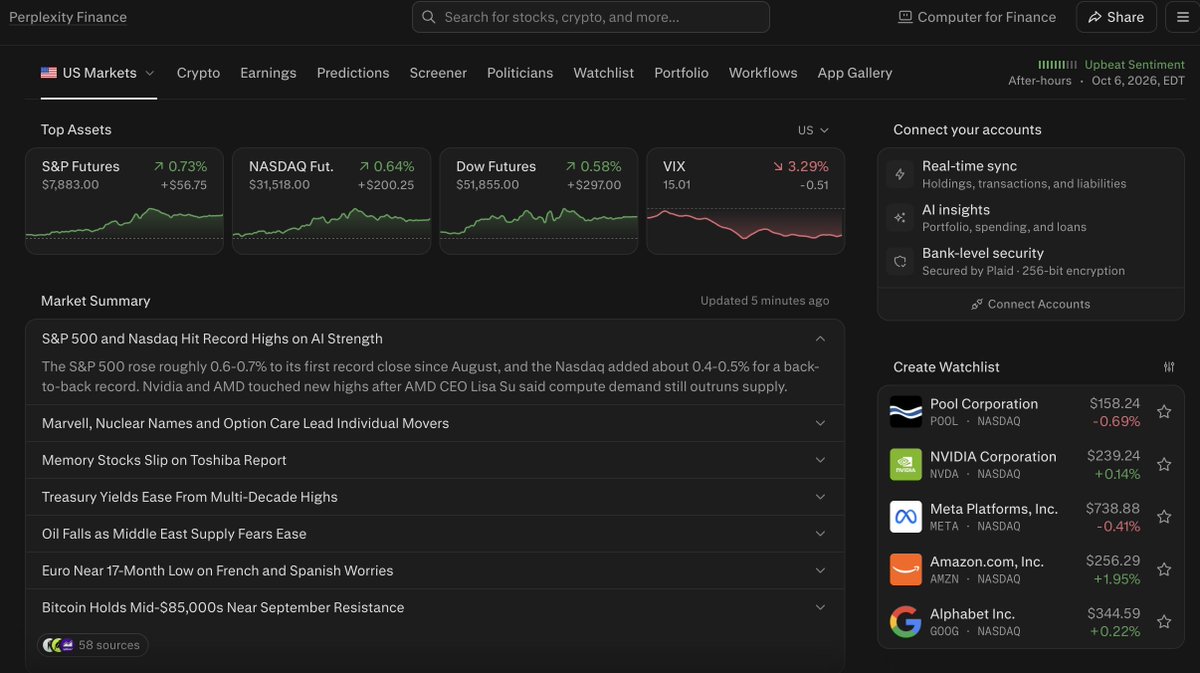
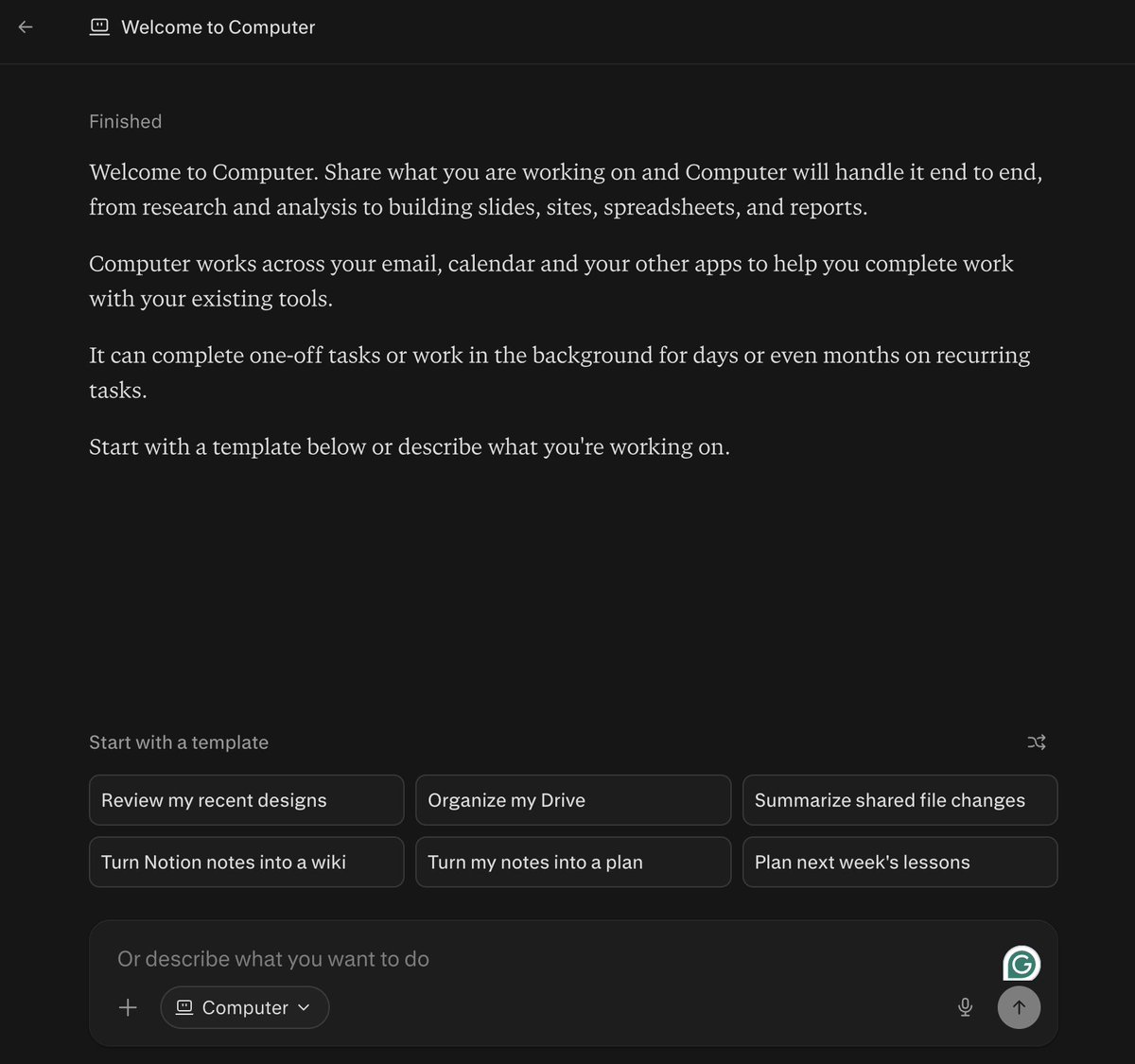
Inside Perplexity, you also have access to 'Computer,' which you can use for full-stack automations and research workflows.
-
**NotebookLM by Google **
I don't heavily rely on Gemini for crypto-specific research (right now), but I do use a combination of NotebookLM + Gemini for pulling data from YouTube.
You can create custom journals where you extract transcripts from recent finance videos, and you can query them. A pretty cool use case.
You can use YouTube video info to create mind maps, cool visuals, etc., to help you visualize data, and if you're a visual learner, it's a good tool to lean into.
-
**Agent Harnesses (Codex/Claude Code)**
I also rely on terminal harnesses for more advanced workflows, which we'll get into later in this article.
I bounce between Codex and Claude Code depending on which one has the strongest model right now.
6. Agentic Tools
I use a few various agent tools:
Grok Bot: Again, Grok Bot is king because it can plug directly into 𝕏
Muse: Personal needs (like creating research spreadsheets)
Dots: I'm still playing around with how Dots fit into my daily crypto workflows, but it's a good general agent to have on standby.
*That pretty much summarises my daily toolstack. *
MCP Tooling
This is where things get fun. You'll use MCPs to build the custom tools we dive into later on.
Quick explainer first: MCP (Model Context Protocol) lets Claude plug directly into live data sources. For example, if you connect a CoinGecko MCP to Claude, you can then prompt Claude for data from CoinGecko directly.
By now, pretty much every major crypto analytics company has an MCP, but here are some of my favorite connections:
-
CoinGecko: Good for all things requiring live market data
-
DefiLlama: TVL, fees, revenue, and DEX volumes.
-
Tokenomist: Unlock schedules, vesting, and supply data.
-
Dune: Custom on-chain analysis across every major chain.
-
Lunarcrush: Best for social sentiment data
-
TradingView MCP: Allows agents to actually tap into your charts
If you're curious how to set any of these up, read here:
Features
*Essential features you need to tap into while researching *
-
Projects: Save your investment criteria, holdings, rules, and other important context.
-
Markdown files: Get used to creating these. They hold all your context. If you're on Mac, make sure you have TextEdit installed.
-
Research mode: Runs dozens of searches (Claude + Perplexity).
-
Web search: Pulls live news, announcements, and updates
-
Artifacts: Cool way to visualise data
-
Skills: Save your research process (like a token deep dive) as a skill
-
Scheduled tasks: Run research automatically
-
Claude in Chrome: Lets Claude browse sites without an MCP.
Crypto x AI tools worth using
Strong crypto-native AI tools that I like
-
Kaito Pro: Combines AI with a very strong dataset to pull from
-
Messari Copilot: Messari is already one of the best research tools available. Copilot lets you tap into a vast data ecosystem.
-
Nansen: Whale watching + smart money insights.
-
ChainGPT: ChatGPT but for crypto research.
Section II: Building Custom Tooling
Everything we touched on above is a plug-and-play solution. Easy to use, but lacks customisability.
In this section, I want to cover some useful custom tools I've built using the essential tools listed above.
- Backtesting Engine
I recently built a custom backtesting engine with Claude Code + various plugins like the TradingView MCP.
This automation allows me to test crypto and $BTC trading strategies and find genuine outliers that I can apply in my own trading.
How to build your own:
-
Source strategies online (TV, Quantpedia, etc.)
-
Inject the source code into Claude
-
Tell Claude to backtest the strategy using real market data
-
Tell Claude to create a dashboard visual like the one below to see the outliers
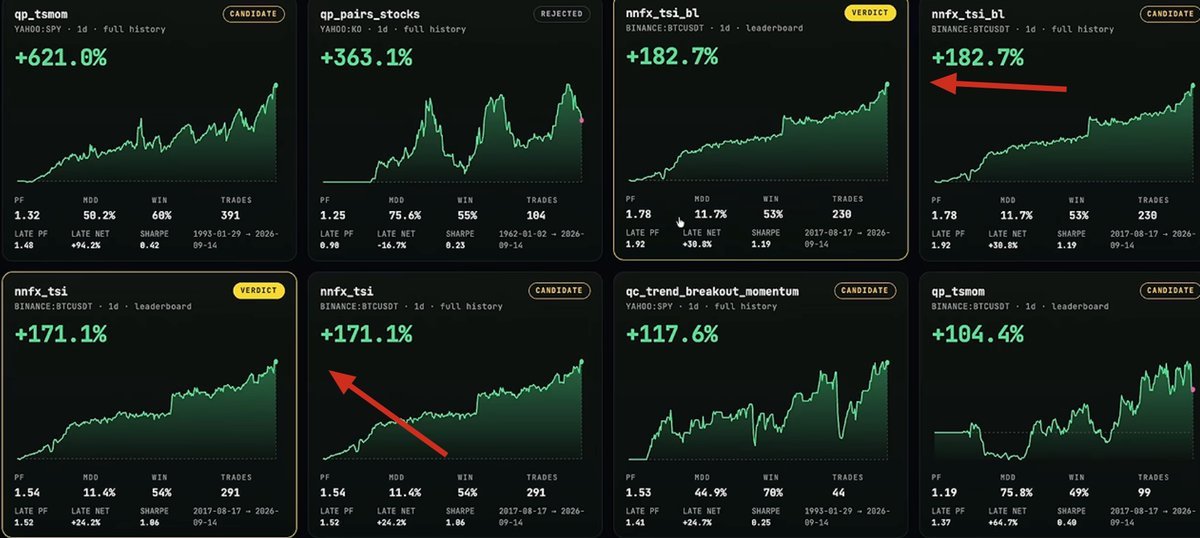
If you're interested in building this workflow, I go in-depth here:
-
**Agentic Crypto Trading (plug-and-play solutions)**
Agentic trading is one of the most powerful ways to leverage AI in crypto/markets.
One of the strongest solutions right now is Robinhood agents.
You can deploy an agent portfolio to build strategies, trade on your behalf, and more.
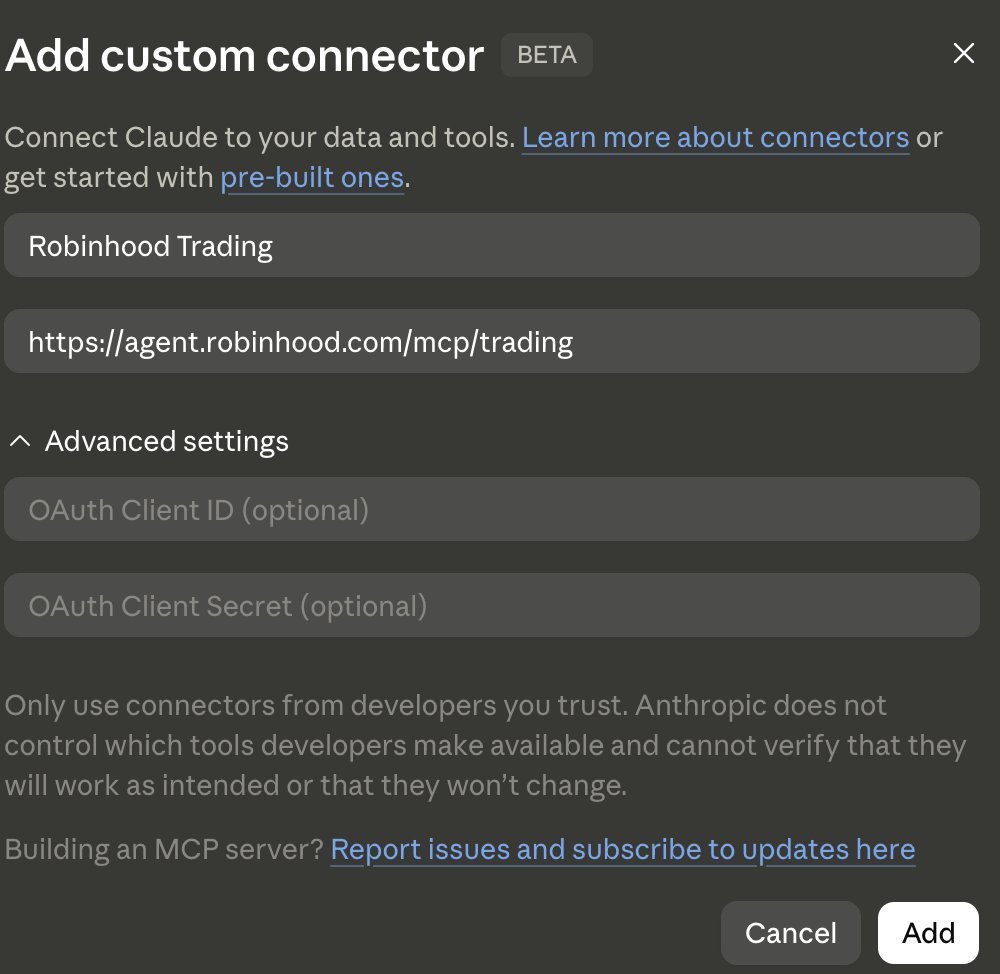
In your AI tool of choice, set this up:
Settings → Connectors → Add custom connector. Paste in:
https://agent.robinhood.com/mcp/trading
-
**Coding Custom Pine Scripts & Indicators **
Another cool use case for AI in trading is building custom Pine Script indicators.
For example, you can code an indicator that replicates your strategy and gives you buy/sell signals based on your rules and context you set.
Here's how:
-
Write out your strategy rules as clearly as you can (entries, exits, stop loss, timeframe)
-
Paste them into Claude with the prompt below
-
Copy the code into TradingView's Pine Editor
-
Click "Add to chart"
-
If anything errors or looks wrong, paste the error back into Claude and ask it to fix it
PINE SCRIPT INDICATOR PROMPT

Write a Pine Script v6 indicator for TradingView based on my
strategy:

MY RULES
- Entry: [e.g. price closes above the 200 EMA and RSI crosses
  above 50]
- Exit: [e.g. RSI crosses below 40 or price closes below the
  50 EMA]
- Stop loss: [e.g. 2x ATR below entry]
- Timeframe: [e.g. 4H]
- Filters: [e.g. only take longs when BTC is above its 200 EMA]

REQUIREMENTS
- Plot clear buy and sell signals on the chart
- Show stop loss levels
- Add alerts for every signal
- Make every parameter adjustable in the settings
- No repainting: signals must only trigger on confirmed candle
  closes
- Add comments explaining each section of the code
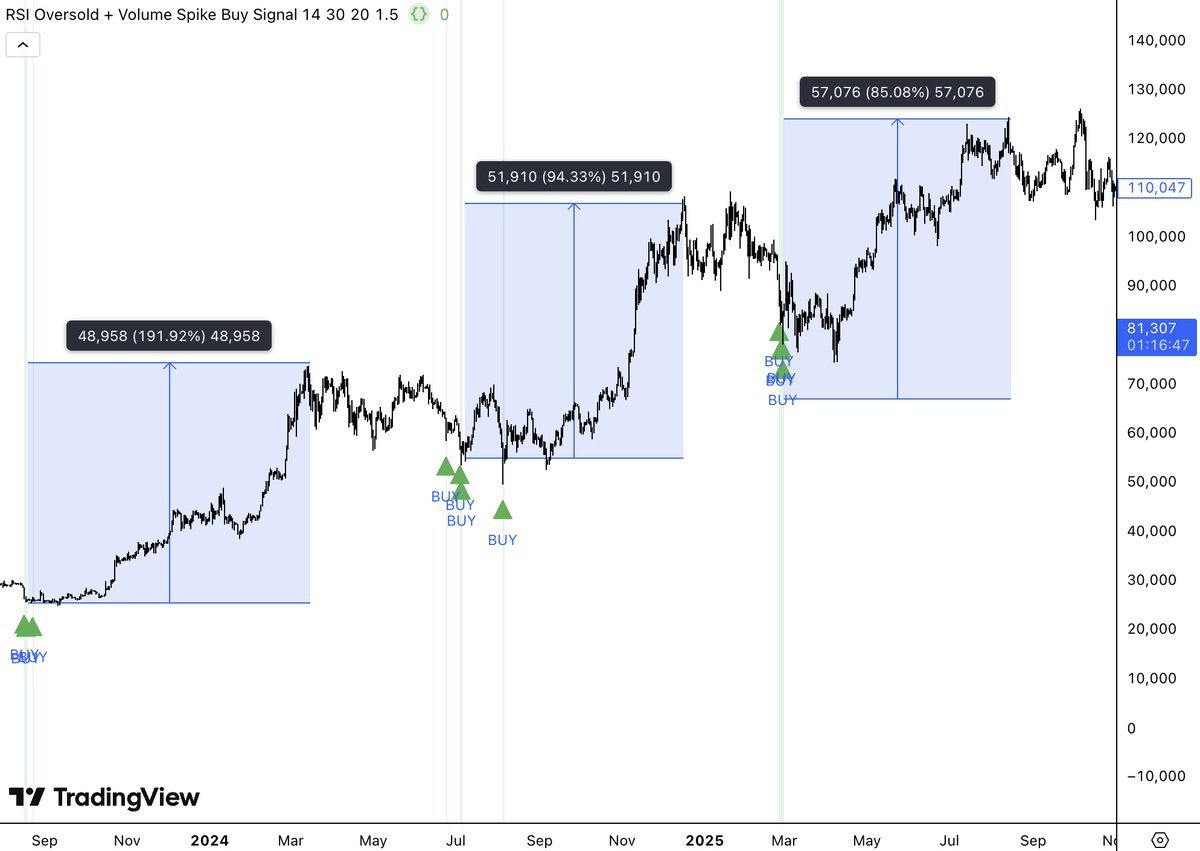
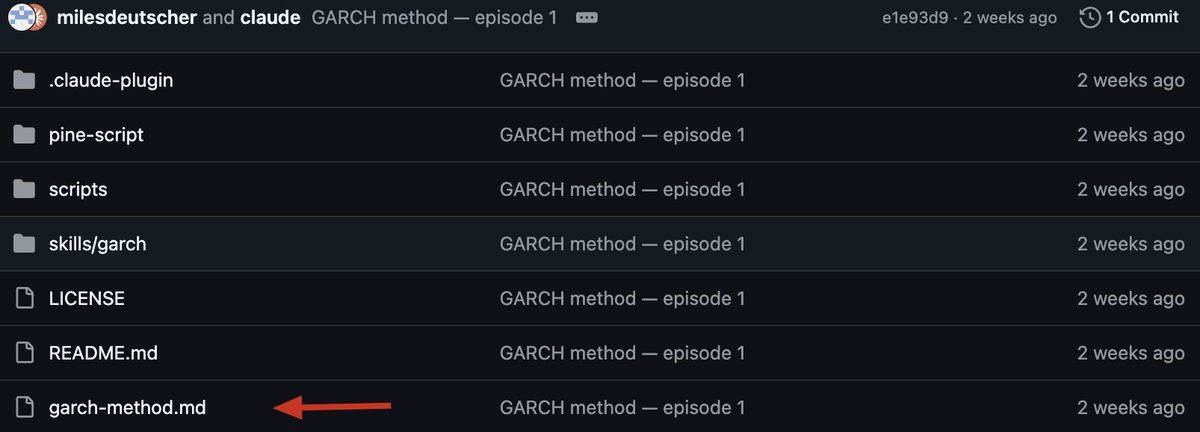
If you want a free indicator to use now, I created the "Garch Method" indicator. A literal quant framework that you can plug into your TradingView charts:
100% free 👉*** https://github.com/milesdeutscher/garchmethod***
-
**Creating an AI CFO**
This is one of the lowest-hanging fruit workflows you can set up right now.
You can create a custom "CFO" dashboard.
Most people have their money spread across exchanges, wallets, brokerages, and bank accounts, with no single view of how it's all performing.
Claude can pull it together and act as your personal CFO.
Here's what mine tracks:
-
Net worth: total value across every account, updated with live prices
-
Allocation: % in crypto, stocks, cash, and by sector
-
Performance: P&L per holding and overall, vs BTC and the S&P 500
-
Risk flags: overexposure to one asset or sector, upcoming unlocks on tokens I hold
-
Cash flow: monthly income, expenses, and how much I'm investing
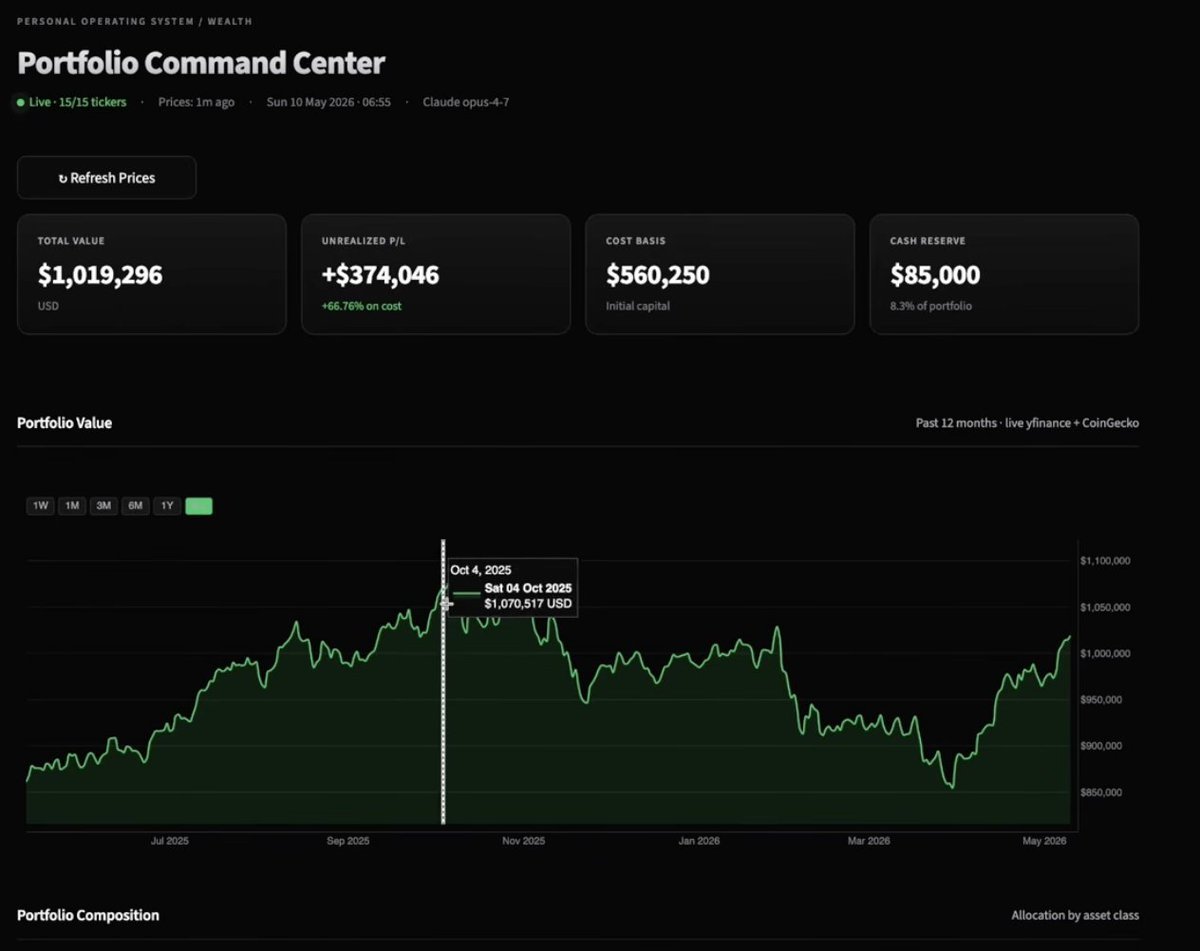
How to set it up:
-
Export your holdings from each exchange and brokerage as CSV files (most have this under account history or reports)
-
Upload them to your Claude research Project
-
Connect CoinGecko for live crypto prices
-
Run the prompt below
-
Save the dashboard as an artifact so you can reopen and update it anytime
AI CFO PROMPT

Act as my personal CFO. I've uploaded exports of my holdings
from [list exchanges, wallets, brokerages].

Build me an interactive dashboard that shows:

1. NET WORTH
   Total value across all accounts using live prices.

2. ALLOCATION
   Breakdown by asset class (crypto, stocks, cash) and by sector.

3. PERFORMANCE
   P&L per holding and overall. Compare to BTC and the S&P 500
   over 30 days, 90 days, and 1 year.

4. RISK FLAGS
   - Any single holding above [e.g. 20%] of my portfolio
   - Any sector above [e.g. 40%]
   - Any token I hold with an unlock in the next 60 days

5. MONTHLY SUMMARY
   What changed this month, what's performing best and worst,
   and three things I should review.

Keep it clean and easy to scan. Flag any data you couldn't
verify.
-
**Agentic Swarms **
It's worth mentioning that you should probably be using agentic swarms for crypto research.
Meaning: you launch a "team" of AI agents that each have specialised roles.
For example: you launch a team of agents, one dedicated to tracking price and alerting you of big dips, another that watches CT for alpha, etc.
Grok Bot is best for these swarm teams.
These are just a few of the AI research workflows I've personally built. If you want to dive deeper into any of these, I have articles on my profile that break each one down.
Some other custom tools to consider building:
-
Trade journal
-
DCA planner
-
Custom watchlist + alerts - connected to Telegram or WhatsApp for alerts
-
Airdrop opportunity tracker
Just be careful not to build a tool that already exists for cheaper. No point in spending hundreds of dollars on a tool that exists for $20/mo.
Section III: Advanced Strategies & Execution
*This is for the traders who want AI to actually execute on their behalf. *
Building a Crypto Trading Bot
Your three options:
-
Pre-built exchange bots (Binance, Blofin): easy to start, but limited and fee-heavy.
-
No-code platforms (Composer, Robinhood): good for grid, DCA, and portfolio bots, but you'll hit a ceiling fast.
-
Build your own: full control, and simpler than it sounds.
Building your trading bot in 3 steps:
Step 1: Set up the brain and the hands.
Claude is the brain that runs the strategy. An MCP connection is the hands that execute. For stocks, Alpaca is free and has paper trading. For crypto, grab an API key from your exchange and connect it:
I want to automate my trading with the [exchange] MCP. Connect my
API key and build a dashboard to manage my trading.
Step 2: Engineer the strategy. Brain dump your entire strategy into a fresh Claude chat and turn it into clear rules:
Create a markdown file of my entire trading strategy based on
[brain dump].
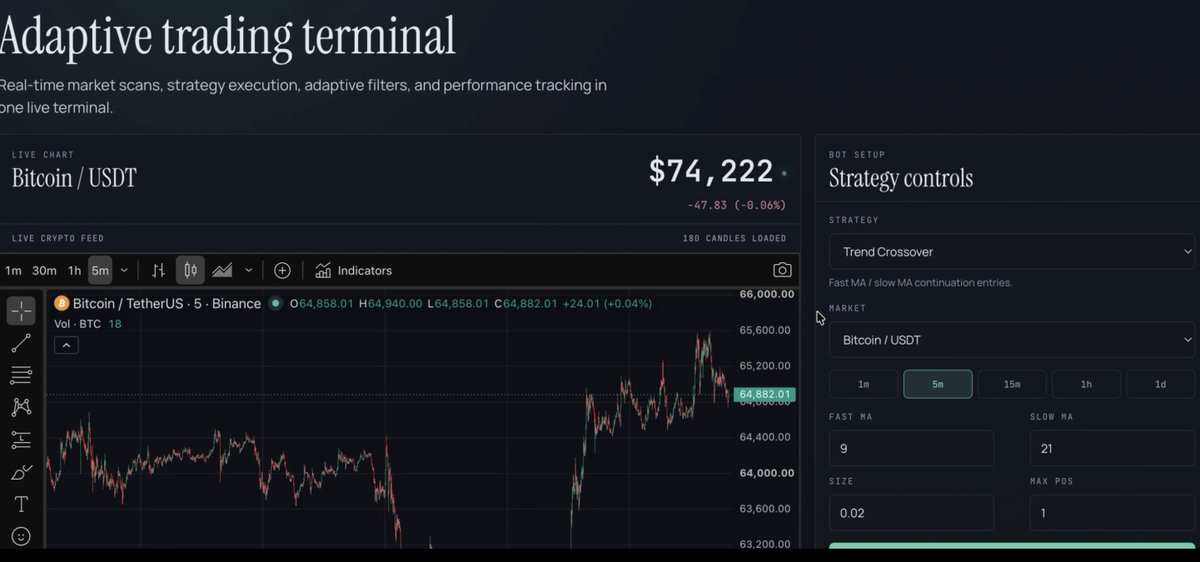
Step 3: Build a trading terminal / dashboard
This allows you to execute your strategy by utilising your exchange connection.
Multi-Model Trading
This is the most advanced build in the article, and the most powerful AI trading bot setup I've found so far.
You can pair two models together to make powerful bots. For example, Jev + Opus 5.5.
The architecture:
-
Opus 5.5 (the brain): runs backtests and designs the strategy.
-
Jev (the decision layer): reads live market data and returns probabilities.
-
Your strategy: stop loss, take profit, position sizing, risk limits
-
The exchange (the hands): executes the trade
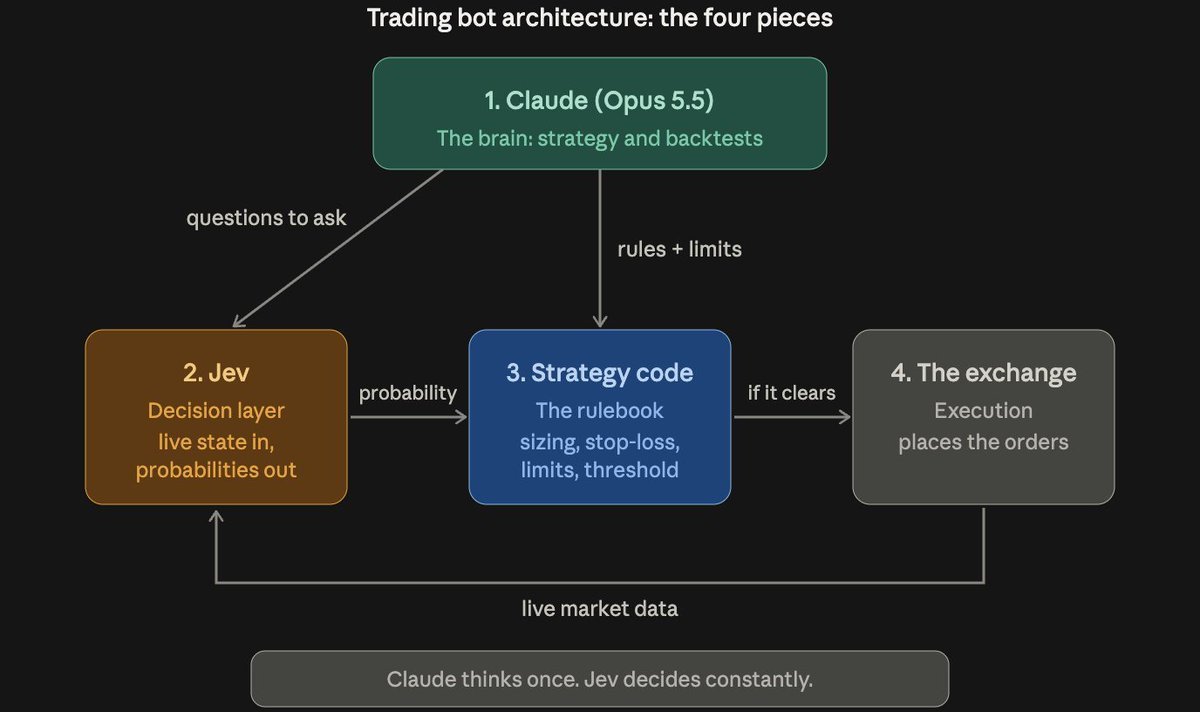
This setup is quite complex. I recommend reading the article below if you're interested in executing a multi-model trading bot.
TL;DR for building trading execution:
Gather your trading rules/context → Connect your AI to your exchange (MCP/API → Build a dashboard to actually execute
Prediction Markets Edge
You can leverage models like Jev to gain an edge in prediction markets.
Your edge comes from one question: does the market have the probability wrong?
That's exactly what AI is good at. It can research an event from every angle, weigh the evidence, and give you its own probability estimate.
How it works:
-
Pull the markets: grab the current odds via an MCP/API connection.
-
Research each one: Claude digs into the news, data, historical base rates, and expert views
-
Estimate the probability: Jev gives its own number
PREDICTION MARKET EDGE PROMPT

Here are prediction markets I'm watching, with current odds:
[market question + current Yes price for each]

For each market:

1. RESEARCH
   Search for the latest news, data, and expert views. What are
   the historical base rates for events like this?

2. YOUR ESTIMATE
   Give your own probability that it resolves Yes, with your
   reasoning. Be specific about what drives the number.

3. THE GAP
   Compare your estimate to the market price. Flag any market
   where the gap is more than [10] percentage points.

4. WHAT COULD MAKE YOU WRONG
   What does the market know or price in that you might be
   missing?

5. FINE PRINT
   Summarise the resolution rules, liquidity, and time until
   resolution. Flag anything ambiguous.

Rank the markets by size of the gap. Do not tell me what to
bet. Show me the evidence.
Some other advanced ways to use AI:
-
Identifying and copy-trading smart wallets
-
Portfolio stress testing simulations
-
Hedging real-world risk
My advice: just start with 1-2 workflows and build upon them over time.
Wrapping Up
I hope you guys found this guide helpful. I know there was a lot of information here, so feel free to read it a couple more times.
If you enjoyed this article, be sure to follow me @milesdeutscher. I cover AI, investing, crypto, and financial markets.
For deeper AI insights, follow me @aiedge_.
Lastly, if you can, please Like/Repost this article so others get the chance to see it.💙
-Miles