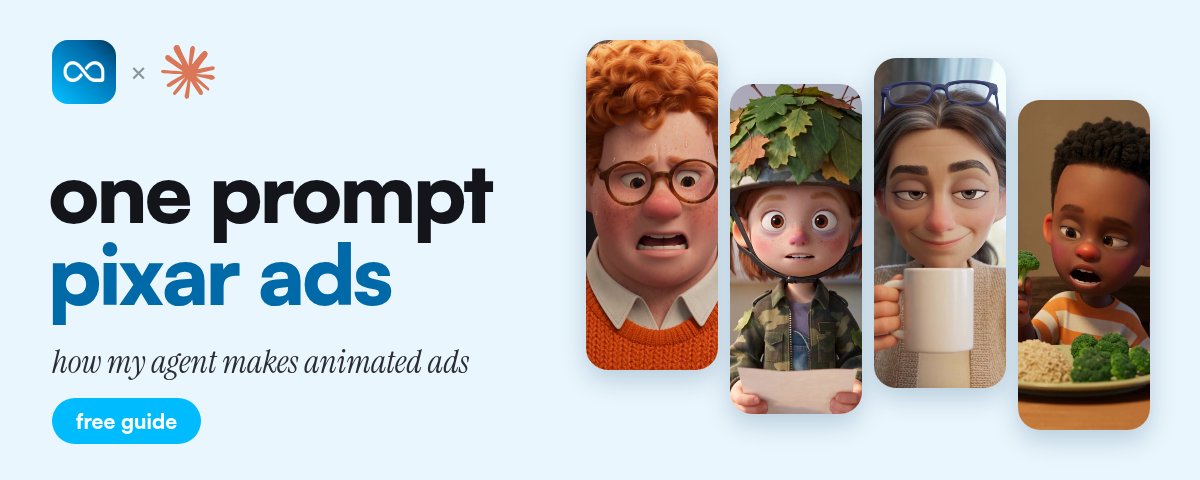
The Full Guide To One Prompt Pixar Ads
文章目录
部分视频或图片暂未收录,已在正文保留提示;需要时可查看原文。查看原文 ↗
brands pay $250 for a 40+ second animated ad.
mine run 2 minutes, and the longest one runs 2:58. i didn't animate a single frame of any of them.
claude writes the script, and my agent turns it into the finished ad: the cast, every scene, the voiceover and the edit.
this is the full format. why pixar ads work, the script, the build, and how to turn 1 story into a whole batch.
What's Inside
-
why pixar ads stop the scroll
-
why one prompt matters
-
the 6 step build
-
3 stories that worked
-
turning 1 script into a batch
-
the mistakes that cost the most
-
the easiest way to start
Why Pixar Ads Stop The Scroll
most ads in the feed look the same now. a face, a product, a kitchen.
a pixar story breaks that pattern in the first second. it lets you show the problem, blow it up, and turn a normal script into something people actually stop to watch.
it also adds the one thing most ad accounts are missing, which is creative diversity.
same direct response idea underneath. completely new visuals on top.
Why One Prompt Matters
every other tool caps a generation at 8 or 10 seconds. so a 60 second animated ad means 7 clips, 7 prompts, and an editor stitching them together by hand. then the main character comes back with a different face in clip 4.
my agent has an animation tab that takes the whole script and hands back a finished ad. the script sets the length.
that's the only reason 2 minute story ads are even possible to make every week.
The 6 Step Build
Step 1: Pick The Style
open the animation tab and pick your style.
claymation is the most consistent, it comes out right basically every time. pixar is close behind. there's also a zach d style, which is great for anything that happens inside the body.
run the same script through 2 of them and see which one suits your product.
Step 2: Get The Script
don't start from a blank page. start with an ad concept that already works.
find a long running competitor ad, pull the transcript, and give it to claude with your product page. my prompt:
"analyze why this ad works, then rewrite it for my product: [URL]. keep the hook, structure and CTA, but turn it into a script that would work well with a visual animated story with clear actions, scenes and reactions."
the ONE rule for animation:
write it like something is happening, not like someone is explaining.
a dad who can't get off the floor beats a voiceover listing ingredients every time.
if your competitors already run animated ads, take those and have claude adjust the script for your product.
Step 3: Drop Your Product In
upload a product image and give it a name.
the name you type here has to match the product name in the script, word for word. that's how it knows where the product belongs, and it builds that scene around your actual product.
Step 4: Paste The Script And Pick A Voice
paste the script, pick a voice, and pick your aspect ratio: 9:16 for tiktok and reels, 16:9 if it's going on youtube
under the script box it tells you what you're about to get before you spend anything: the length, how many images, and how many clips.
read that before you hit generate. if the length is wrong, fix the script now, not after.
Step 5: What My Agent Does While You Wait
this is the part that used to take hours.
first it builds a character sheet. every character in the script gets designed properly, with a colour palette and expressions, before a single frame gets made.
that's why the same guy shows up in every scene instead of a new one each time. character consistency is the thing that breaks on every other tool.
then it reads the script and splits it into scenes and a storyboard
after that it generates every image, animates every clip, matches it all to the voiceover, and cuts it into one finished video.
done by hand, that's prompting scene by scene, regenerating characters that keep changing faces, and hours in an editor lining clips up to the audio.
Step 6: Download And Run It
once it's finished, download the ad and start testing it.
if the voice isn't right, hit regen audio. don't rebuild the whole thing for one bad voice.
if you want captions or b roll on top, that's in the editor tab, in the same place.
3 Stories That Worked
Story 1: The Dog Who Bought A Mattress (2:58)
a dog loses his bed to his exhausted mom. her mattress sags so deep he calls it the canyon, so he tries to fill it with everything he loves.
then he orders her a new one by accident. the mattress doesn't show up until the halfway mark.
Story 2: The Dad And The 14 Grocery Bags (2:00)
a dad can't get off the floor without making "the noise." he tries 14 grocery bags in one trip and loses the oranges on the driveway.
then ray from next door walks past with the twins, the groceries and a coffee. the creatine gummies show up just under a minute in, as the answer to "what are you on?"
Story 3: The Jeans Button And The Breadsticks (2:00
this probiotic ad is told by a jeans button and his buttonhole. 6 years together, and every basket of breadsticks almost splits them up.
the probiotic shows up 46 seconds in, as the thing that keeps them together.
The Structure All 3 Share
-
a struggle everyone has lived
-
a character you'd actually watch
-
the product shows up late, as the answer, not as an interruption
nobody shares a mattress ad. people share the dog who bought his mom a mattress.
Turning 1 Script Into A Batch
don't stop after one generation. take the same script and:
-
test it in pixar, claymation and zach d styles
-
change the first 5 to 10 seconds, which is the hook
-
swap the character or the setting
-
run a new script through the same setup
-
remake your existing winning ads as animations
you don't need 30 brand new ideas. you need a few proven scripts, packaged enough different ways to find the winners.
The Mistakes That Cost The Most
-
a script that explains instead of shows. if nothing happens on screen, the animation has nothing to animate.
-
a product name that doesn't match. if the name on the upload and the name in the script are different, the product won't land in the right scene.
-
skipping the preview. the length, image and clip count sit right under the script box, so check them before you spend.
-
rebuilding for one bad voice. regen audio fixes the voice without touching the scenes.
-
stopping at one style. the same script can win in claymation and die in pixar, so you only find out by running both.
The Easiest Way To Start
take your best performing ad, or a long running competitor ad. rewrite it as a visual story with claude, generate it in 2 different styles and launch both.
that's your first animation test.
one script. two completely different ads. no animator, no editor.
Get My Full Setup
i put my full setup in one place: the claude prompt, the product naming trick, and every setting i use.
follow me and comment "PIXAR" and i'll send it to you.
(need to follow so the dm goes through)
沿着这个主题继续读
从一篇文章,找到相关的教程、经验和阅读路径。