Inside Episode 1: The Oath
文章目录
部分视频或图片暂未收录,已在正文保留提示;需要时可查看原文。查看原文 ↗
We're sharing our workflows, from script to final edit, so you can learn alongside us and use these techniques in your own creative projects.
Recently, we’ve partnered with Wonder Studios on a series of short episodes drawn from The Odyssey and the wider Epic Cycle.
Our goal is simple: get honest, critical feedback from filmmakers and use it to improve Grok Imagine’s image and video models.
We’re building these episodes in public with a small crew of 3-5 creatives. The quick turnaround on each episode lets us improve quickly and share what we learn with anyone curious about using AI in their creative work.
Below, director Dev Walker and the Wonder Studios team share their tips on using Grok Imagine in making Episode 1: The Oath.
Write Your Script
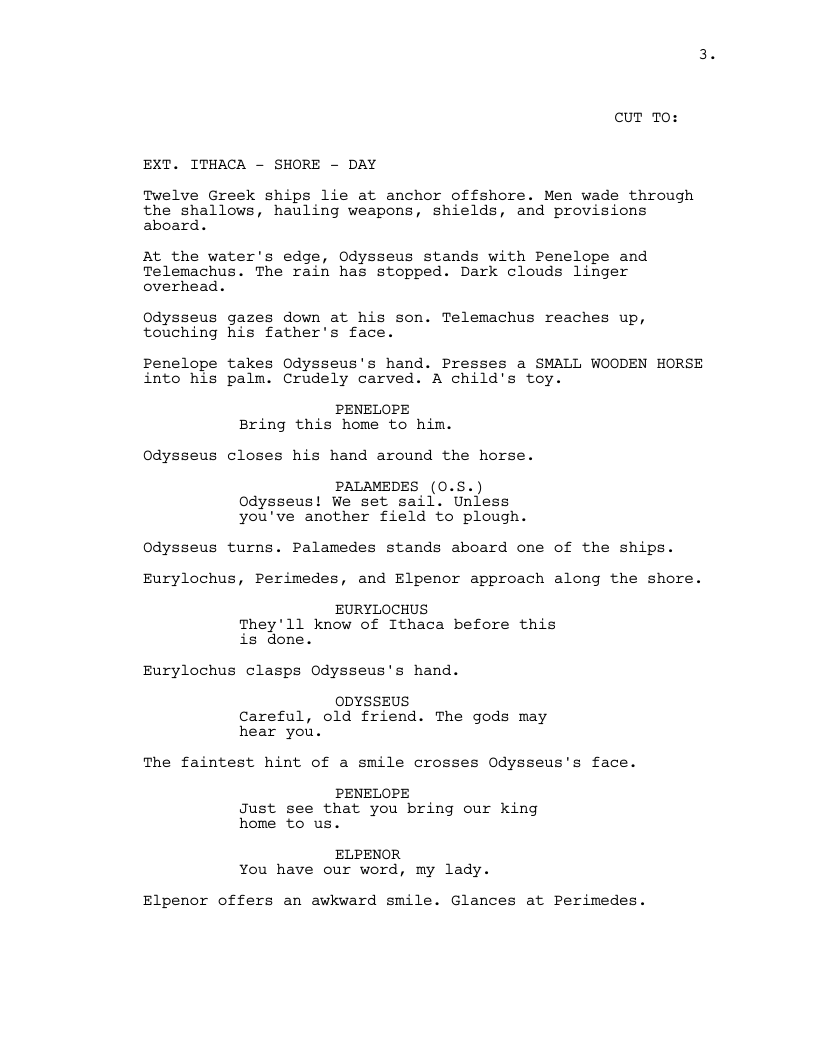
Episode 1 adapts a scene from the Cypria, the lost prequel to the Iliad. All that remains is a brief summary of the story: Odysseus fakes madness to escape the Trojan War, and is found out. We had to imagine everything else, from the dialogue to the characters’ faces.
Because the episodes live on social media, we originally planned to keep them to about 5 minutes each. We’re giving upcoming episodes even more runtime to allow the story and the characters to develop, though the episodes will still be short.
List Every Shot
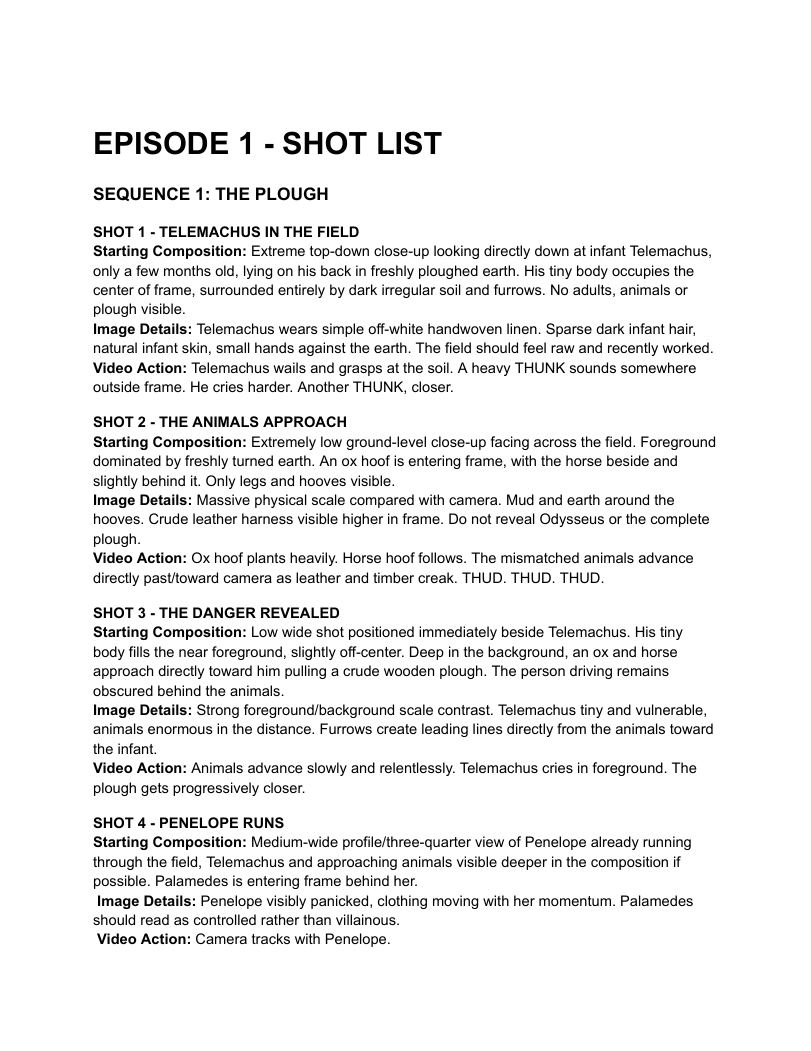
Before you generate anything, write a shot list.
For every shot, note the shot size, lens, camera movement, action and the exact dialogue. The more specific you are, the more consistent your results will be.
Keep your files organized from the start. Name folders by scene, then by A-roll or B-roll, for example SCENE1_FIELD_BROLL. Once you’re generating dozens of takes per shot, this makes it far easier to find the right clip when you’re editing.
Use the Canvas on Grok Imagine
Put everything on one canvas. Every frame, prompt and take lives there, grouped by shot. Lay takes side by side to pick the best one and check continuity across a scene: faces, wardrobe, lighting.
Make Your Character Sheet
Keep it simple. A close-up, a full front and a full back, on plain grey.
If the character ages or changes costume, make a new sheet.
For example, Odysseus has three.

Build Your Character Prompt
The character prompt helps keep their face the same in every shot. You'll still see the occasional face drift, but here is an example of the prompt we used for Odysseus.
An ultra-photorealistic cinematic character reference sheet for ODYSSEUS, King of Ithaca, ancient Mycenaean Greece circa 1200 BCE.
CHARACTER: Rugged Greek man, late 30s to early 40s, olive skin, strong Mediterranean features, deep-set brown eyes, prominent nose, shoulder-length wavy black hair, thick full black beard. Lean, muscular build. Weathered, intelligent face with a serious, commanding expression.
COSTUME: Dark brown knee-length wool tunic with subtle embroidered trim, weathered dark leather scale armor, leather belt, forearm bracers, wrapped leather boots, and a short bronze sword in a leather scabbard. A heavy charcoal-brown wool cloak draped asymmetrically over his shoulders, fastened with an ornate golden brooch depicting a hunting dog gripping a spotted fawn in its forepaws, the fawn struggling to escape, intricately sculpted in raised gold. The brooch is prominently visible on his right shoulder. Authentic handmade materials, worn leather, heavy textured wool, aged bronze.
LAYOUT: Single wide 16:9 image divided into THREE VERTICAL PANELS with thin white dividing lines. LEFT: Large three-quarter facial close-up, looking slightly toward frame right. Detailed facial features, hair, beard, cloak, and gold fawn brooch. CENTER: Full-body FRONT VIEW, standing naturally with arms relaxed, entire costume visible from head to boots. RIGHT: Full-body BACK VIEW, showing the cloak's full drape, hairstyle, and footwear. All three panels must depict the EXACT SAME MAN wearing the EXACT SAME COSTUME, with identical proportions, materials, and accessories.
PHOTOGRAPHY: Professional Hollywood costume reference photography. Neutral medium-gray seamless studio background, soft diffused studio lighting, natural skin texture, realistic fabric and leather detail, subtle film grain. Grounded historical realism, not fantasy.
STRICTLY PHOTOREALISTIC. No illustrations, no CGI appearance, no text, no labels, no additional characters.
Build Your Locations
Episode 1 has five locations:
-
the field
-
the palace
-
the shore
-
the ship
-
the camp outside of Troy
Every prompt names the shot size, time of day, mood, camera, lens and film stock.
Keep One Look Across All Shots
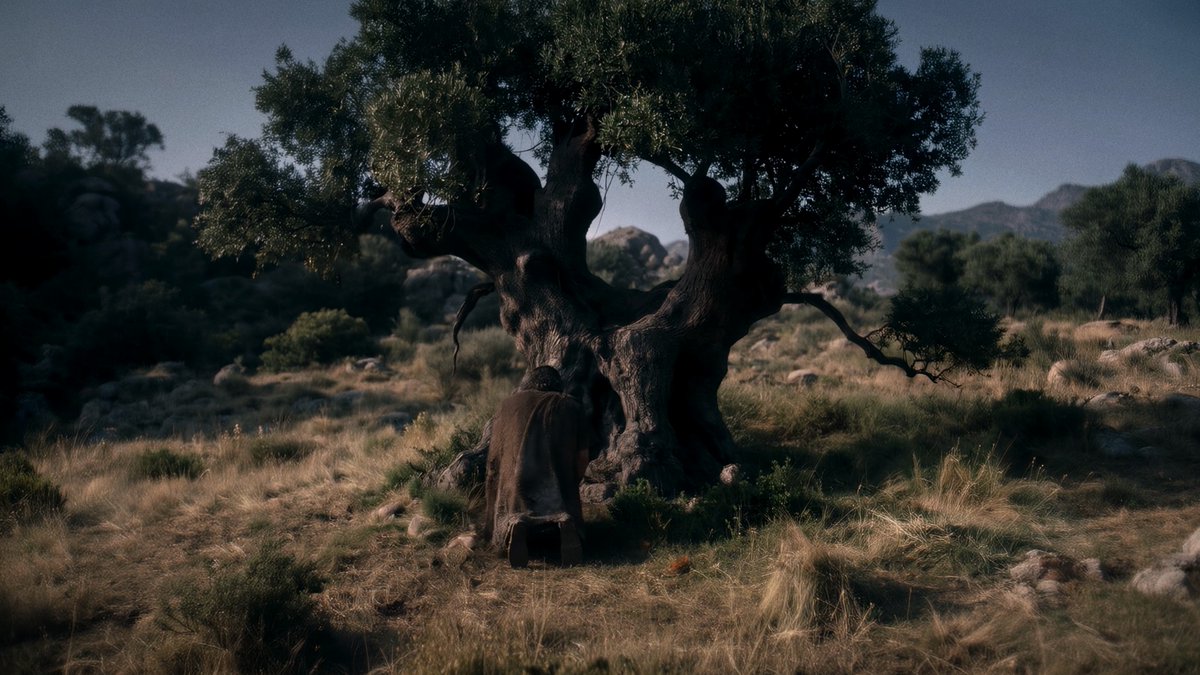
Start from a mood board or a style reference image, then name the camera, lens and film stock in every prompt.
We did not name any director when prompting; rather, the look came from early-2000s period epics.
Build Your Keyframes
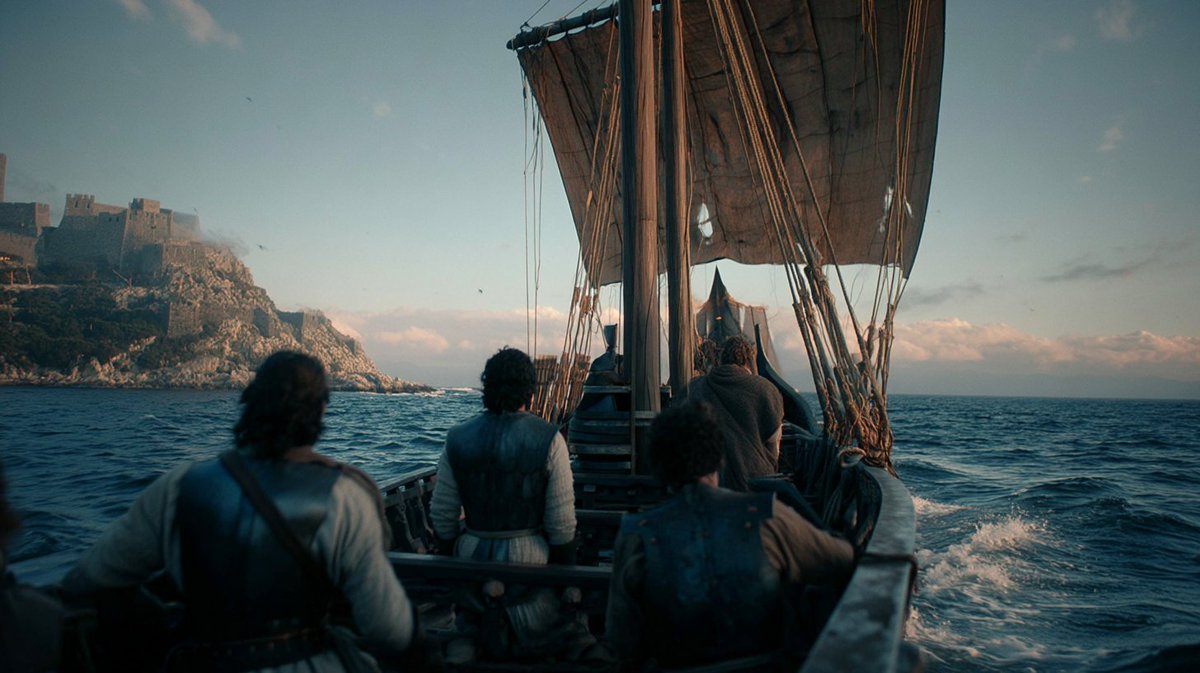
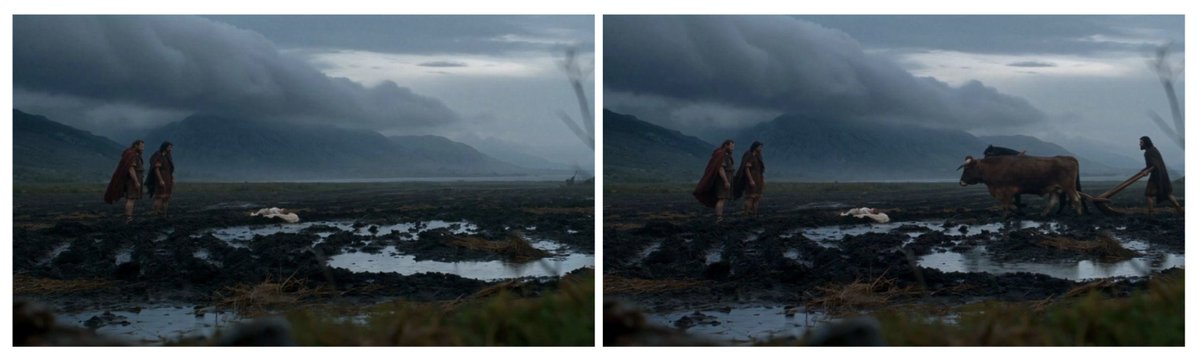
Put the character from your sheet into each relevant location to get the keyframes you'll animate. If the still frame isn't right, your animated video won't be right either. We recommend spending time on making sure that your keyframe shots are great before moving on to animating.
Write Your Video Prompts in Blocks
Use 7 blocks:
-
camera
-
action
-
environment
-
physics
-
audio
-
SFX
-
constraints
If a prompt fails, make it shorter. More detail rarely fixes the issue.
Here's the full prompt for our opening shot.
[Camera & Style] Photorealistic 2000s historical epic, ancient Aegean world circa 1200 BCE. Shot on 35mm film with vintage spherical lenses. Naturalistic 24fps motion, subtle film grain. MASTERFUL CINEMATOGRAPHY. ONE CONTINUOUS SHOT. Use the three reference images as sequential visual guides for the action. Preserve the EXACT camera composition, perspective, landscape, lighting, and character appearances. EXTREME WIDE SIDE PROFILE. Completely STATIC, LOCKED-OFF CAMERA. No camera movement throughout the shot. [Subject Motion / Action] The shot begins matching IMAGE 1. FRAME LEFT: Menelaus and Palamedes stand together in the muddy field, watching toward FRAME RIGHT. Their bodies remain mostly still as strong gusts of wind blow their heavy cloaks. CENTER: Infant Telemachus lies on a cream linen blanket directly on the flat muddy ground, surrounded by shallow puddles. FRAME RIGHT: The black horse and brown ox gradually enter from OFFSCREEN RIGHT, walking toward FRAME LEFT. The BROWN OX is closest to camera, with the BLACK HORSE walking alongside it on the far side. Their movement progresses naturally through the composition shown in IMAGE 2. Odysseus follows behind the animals, gripping BOTH wooden handles of the primitive plough. By the end of the shot, the composition matches IMAGE 3, with Odysseus, the plough, and both animals fully visible. The animals continue walking slowly toward FRAME LEFT, pulling the plough through the thick mud. Palamedes and Menelaus remain standing together, watching their approach. [Environment & Atmosphere] Heavy rain falls continuously across the vast, desolate agricultural field. Strong, irregular gusts of wind sweep across the landscape. CRITICAL: THE WIND VISIBLY BLOWS THE MEN’S CLOAKS. Menelaus’ dark red cloak billows and flutters in the wind. Palamedes’ dark brown cloak moves naturally around his body. Odysseus’ dark cloak also blows and ripples as he walks behind the plough. CRITICAL: THE PLANTS AND TALL GRASS IN THE EXTREME FOREGROUND SWAY AND WHIP NATURALLY IN THE WIND. The blurred foreground vegetation bends under stronger gusts, then partially returns upright. Individual stems and leaves move independently. Rain falls diagonally during stronger gusts. Dark storm clouds hang over the distant mountains. Atmospheric mist softens the horizon. [Physics & Details] Realistic animal walking mechanics and weight distribution. The brown ox and black horse move together at a steady pace, their hooves sinking into the saturated soil. Mud compresses beneath their weight. Small splashes and displaced water accompany each step. The wooden plough remains physically connected to both animals and cuts through the muddy earth. Odysseus maintains a firm grip on both handles while walking behind it. Clothing responds realistically to changing wind intensity. Heavy, rain-soaked wool moves with believable weight and resistance. Foreground plants react continuously to the wind, with occasional stronger gusts producing more pronounced movement. Rain creates visible ripples across puddles and runs naturally over the muddy furrows. [Audio] NO MUSIC. NATURAL SOUND ONLY. NO DIALOGUE. Heavy rainfall, gusting wind, distant thunder, animal breathing, hooves squelching through mud, wooden plough creaking, and wet footsteps. [SFX] Wind rushing through foreground vegetation, rain striking puddles, wet fabric flapping during stronger gusts, subtle harness creaking, and mud displacement beneath the animals’ hooves. [Restrictions / Constraints] ONE CONTINUOUS SHOT. NO CUTS. IMAGE 1 IS THE EXACT STARTING COMPOSITION. IMAGE 2 ESTABLISHES THE ANIMALS ENTERING FRAME. IMAGE 3 IS THE EXACT ENDING COMPOSITION. STATIC LOCKED-OFF CAMERA THROUGHOUT. NO PAN, TILT, ZOOM, DOLLY, TRACKING, OR CAMERA SHAKE. PRESERVE THE EXACT LANDSCAPE AND FRAMING. MENELAUS AND PALAMEDES REMAIN FRAME LEFT. TELEMACHUS REMAINS CENTER. ODYSSEUS AND ANIMALS ENTER FROM FRAME RIGHT. THE BROWN OX MUST BE CLOSEST TO CAMERA. THE BLACK HORSE MUST BE FARTHER FROM CAMERA. ODYSSEUS ALWAYS WALKS BEHIND THE PLOUGH HOLDING BOTH HANDLES. THE ANIMALS MUST WALK TOWARD FRAME LEFT. ALL CHARACTERS AND ANIMALS MUST BE FULLY VISIBLE BY THE FINAL FRAME. HEAVY RAIN THROUGHOUT. STRONG WIND MUST VISIBLY MOVE THE MEN’S CLOAKS. FOREGROUND PLANTS MUST SWAY AND BEND IN THE WIND THROUGHOUT THE SHOT. REALISTIC WIND AND FABRIC PHYSICS.
Use Middle Keyframes
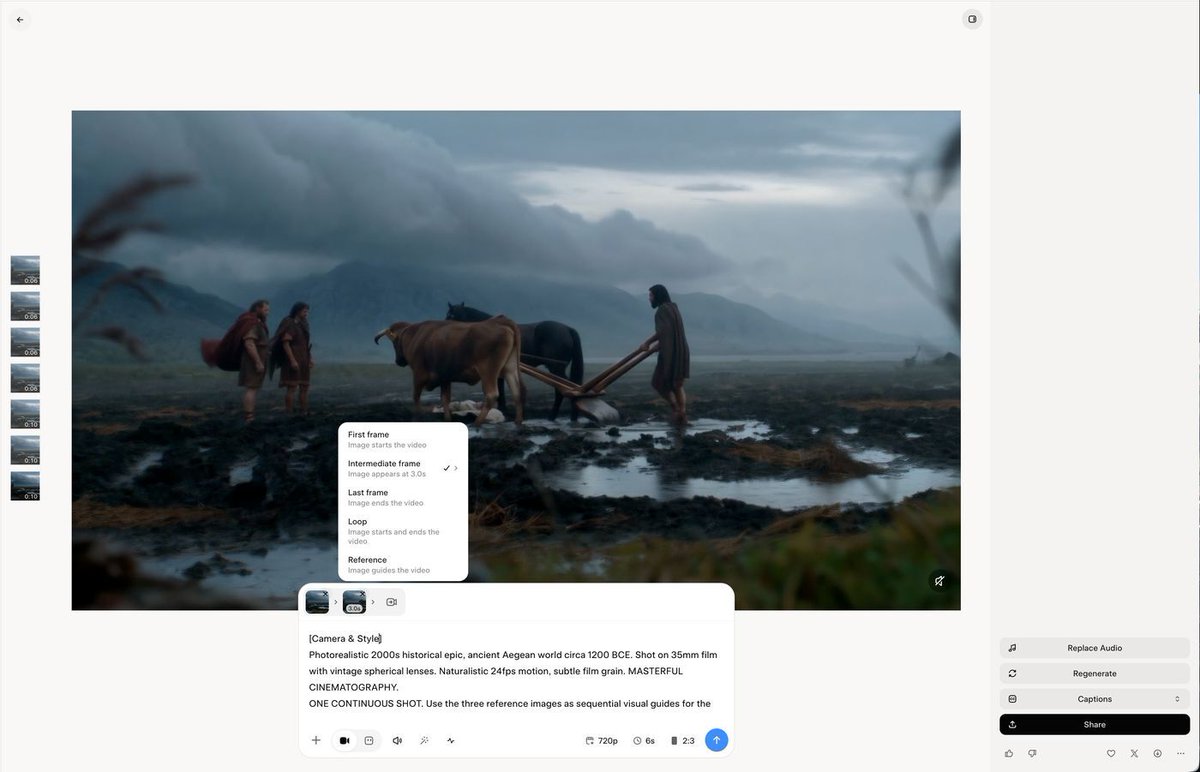
Grok Imagine lets you add a frame between the start and end frames.
You can choose the exact time when it lands.
For example, we used this when we needed Odysseus to enter on cue with a plough.
Write the Camera into Every Prompt
Use a static camera to set the scene. Go handheld when the fighting starts.
Here's our go-to handheld prompt:
Unstabilized handheld combat camera POV, violent jagged shake, the camera swinging, rolling and tilting wildly, the horizon tipping off-level with every stride, hard vertical bounces, sudden sideways whips, lurching drops and jolts, focus hunting and snapping, the frame barely holding the chaos. Chaotic, never aligned, never smooth, like a camera held by someone crouching inside a shadowed threshold tracking urgent movement. Fast, urgent, real-time speed, no slow motion.
Finish in the Edit
Editing, sound and color took about 18 hours. Most sound effects came straight from Grok Imagine. We added music and a color grade on top.
Now it's your turn!
Make the short film that's been stuck in your head forever, and keep going until it looks the way you pictured it.
Watch Episode 1: The Oath here.
Try Grok Imagine at grok.com/imagine