I gave my Hisense TV a new home screen
文章目录
部分视频或图片暂未收录,已在正文保留提示;需要时可查看原文。查看原文 ↗
I hate the VIDAA home screen. It is slow, it is full of apps I never asked for, and Hisense gives you no way to change it.
So one Sunday night I sat down with Eleven, the reverse engineering app I've been building, and asked its agent a simple question: "hi can you see the hisense tv". By Monday afternoon the TV was booting into a launcher I wrote. No root, no firmware flash, nothing bricked.
Here is how it went.
The TV already has a back door
Every VIDAA TV runs a service called RemoteNow. It is MQTT over TLS on port 36669, and it is how the official phone remote talks to the TV. The client certificate it expects is shipped inside open source Hisense libraries, so you don't need to break anything to use it.
You connect, the TV shows a 4-digit code, you type it in, and you are paired. From there you can press any key on the remote, open apps, switch inputs and change the volume.
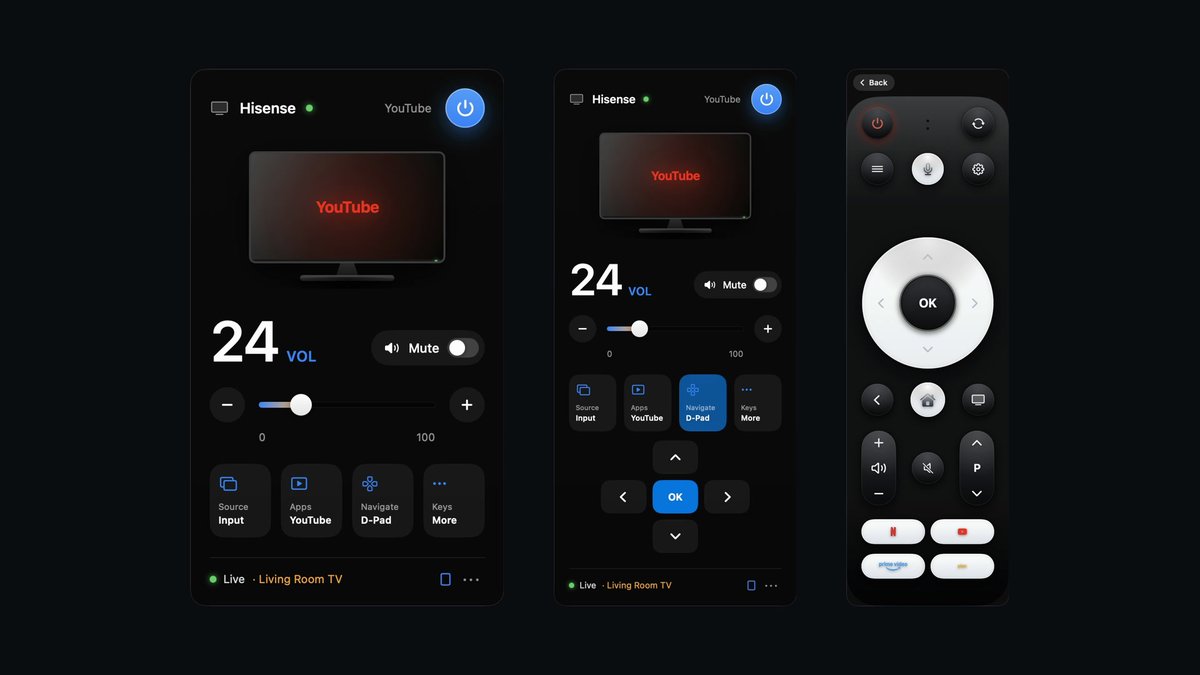
That was enough for a first project: a macOS menu bar remote called hisensebar. It is SwiftUI, it sits in the menu bar, and it can type text into the TV, which matters later. It has a glass panel, a D-pad view and a full remote.
The launcher is just a web page
I was ready to pull the firmware apart. I asked the agent how. Then I stopped and asked a better question: do we need to replace firmware at all, or can we just change the HTML launcher and call it a day?
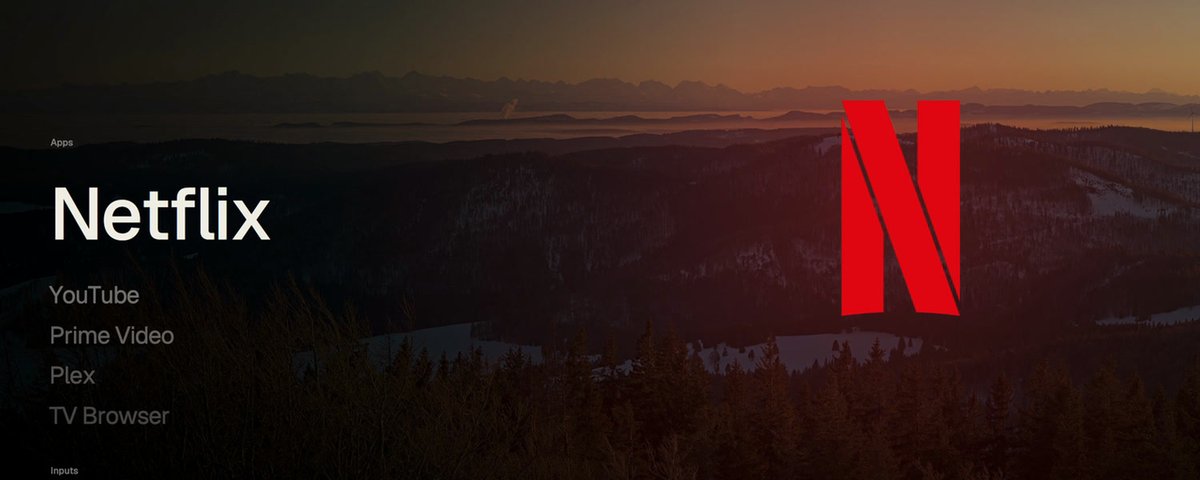
It turns out VIDAA has a hidden developer installer. Open the TV Browser, type hisense://debug, give it a name and a URL, press Install. Your web page shows up on the TV as an app.
No sideloading. No store. No risk to the OS. The TV remote's keys arrive as normal keyboard events, so the whole thing is a web page with arrow key navigation.
It rendered nothing
The first version was normal HTML and CSS. Glass panels, blurred backgrounds, two 4K wallpapers cross-fading behind them. It looked great in Chrome on my Mac.
On the TV it was a blank screen. No errors in the console, no crash. It simply did not draw.
The TV's browser is Chrome 77 on a small GPU. A dozen blurred layers stacked over two 4K photos was more than it could composite, and instead of failing loudly it gave up quietly.
So I threw out the DOM
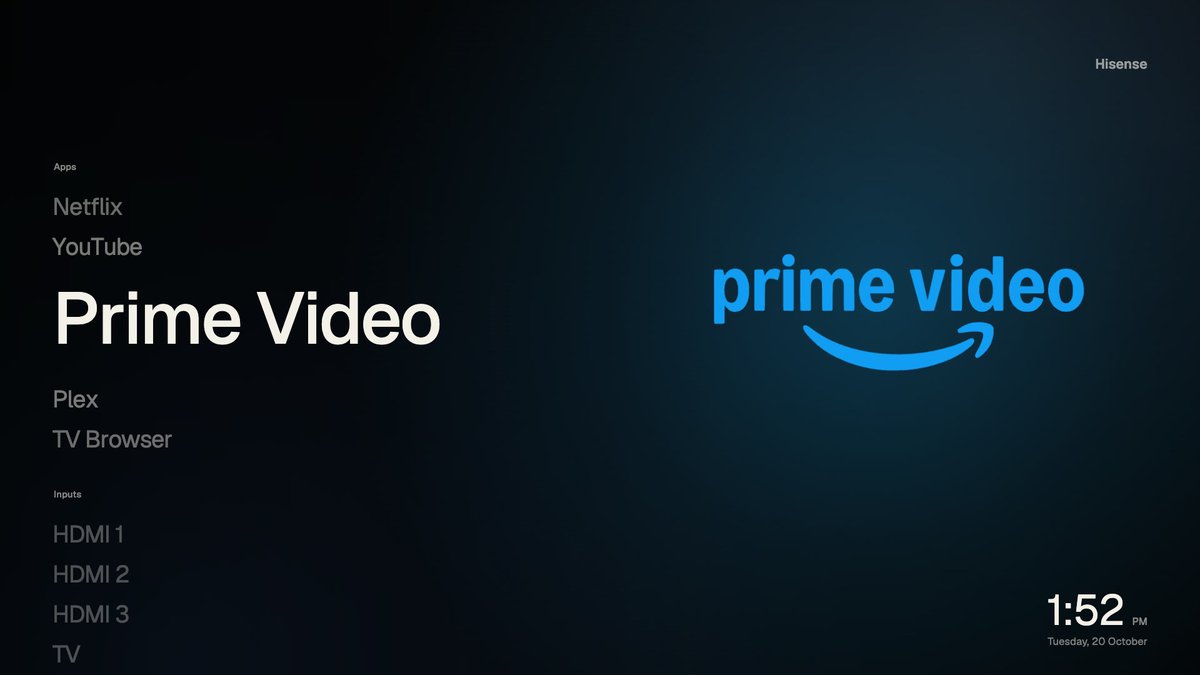
The current launcher is one <canvas> painted by JavaScript. One bitmap, one GPU layer, nothing for the compositor to fight over.
Everything that looks expensive is faked. The glass is a pre-blurred, quarter-size copy of the wallpaper. Shadows are drawn once and reused. Titles are rendered to sprites ahead of time, one per idle slot, so the first visit to a row doesn't stall. When focus moves, only the strip that changed gets repainted.
Then I measured on the real TV
Desktop numbers mean nothing here, so every change was timed on the TV itself:
-
12 fps for the first canvas version
-
25 fps after baking the fades and caching the glow
-
27 fps with partial repaints
-
35 fps after rendering at 720p and letting the TV upscale
The last one surprised me the most. Drawing fewer pixels and letting the hardware scale them did more than any clever trick. On a 55 inch screen from across the room, you can't tell.
Pressing OK actually does something
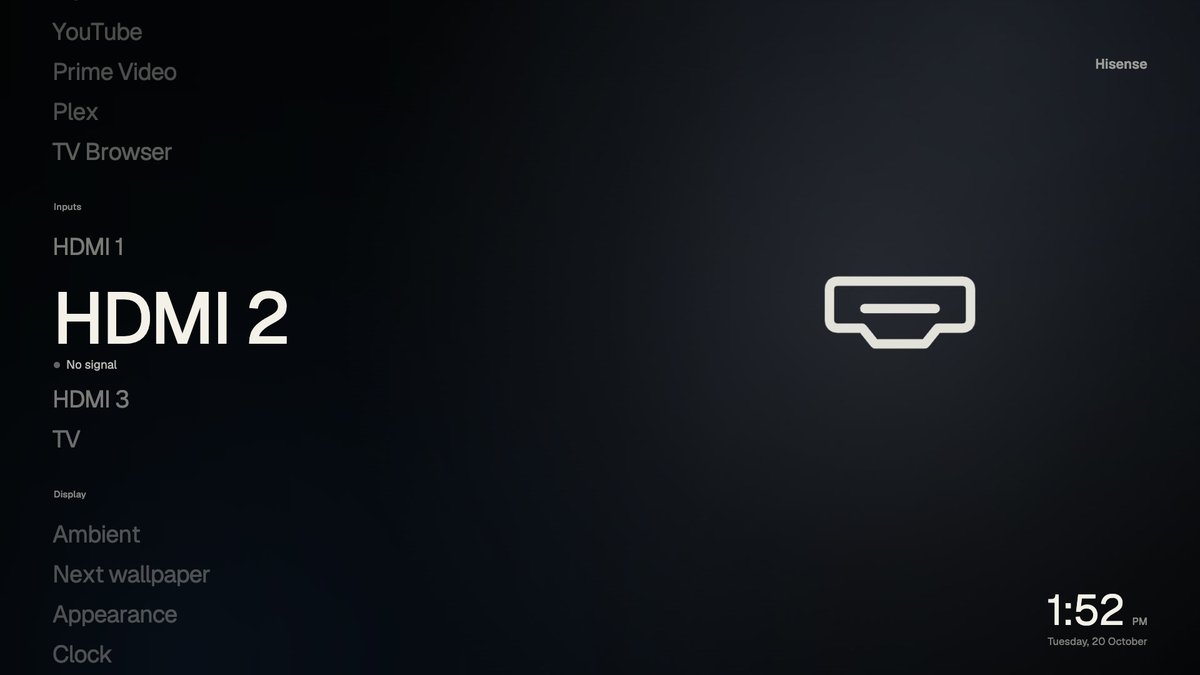
A web page on the TV can't launch Netflix or switch to HDMI 2 by itself. So a small Python server on my Mac sits in between. The launcher calls /api/launch or /api/source, and the server sends the matching command back to the TV over the same MQTT channel the remote uses.
Apps get their real logos. Inputs show live signal status. Pick one, press OK, and the TV does it.
Taking over the home button
VIDAA still won't let you set a default launcher. So I cheated.
A 70-line Python script asks the TV what it is showing every 3 seconds. The moment it sees VIDAA's home screen, it opens mine. You get about a second of their UI, then yours. It is a hack, and I'm fine with that.
What doesn't work yet
The server runs on my Mac, so when the Mac sleeps the buttons stop working. The launcher still draws, it just can't control anything. A Raspberry Pi in a drawer would fix this, and that is the next step.
The home takeover is also polling, not a real replacement. If Hisense ever closes hisense://debug, the launcher stops installing. I'd rather say that up front.
How it was built
Most of this was done in conversation with the agent inside Eleven. It found the TV on the network, worked through the pairing, typed hisense://debug into the TV browser for me through the remote channel, and wrote most of the canvas renderer while I complained about the wallpapers. I made the calls about what to build and what looked wrong. It did the digging.
The wallpapers are Wikimedia featured pictures under CC BY-SA, credited in the repo.
Get it
Both projects are open source under MIT:
-
The launcher, the TV server and the home watcher: github.com/Zfinix/vidaa-launcher
-
The menu bar remote: github.com/Zfinix/hisensebar
The README walks through pairing, running the server, installing with hisense://debug and turning on the home takeover.
The TV was never the hard part. Learning its limits was. Once I stopped fighting the hardware and built for it, a day was enough.
Next up: the Xiaomi.