How to Reverse Engineer Anything with AI (REA - FULL GUIDE)
文章目录
部分视频或图片暂未收录,已在正文保留提示;需要时可查看原文。查看原文 ↗
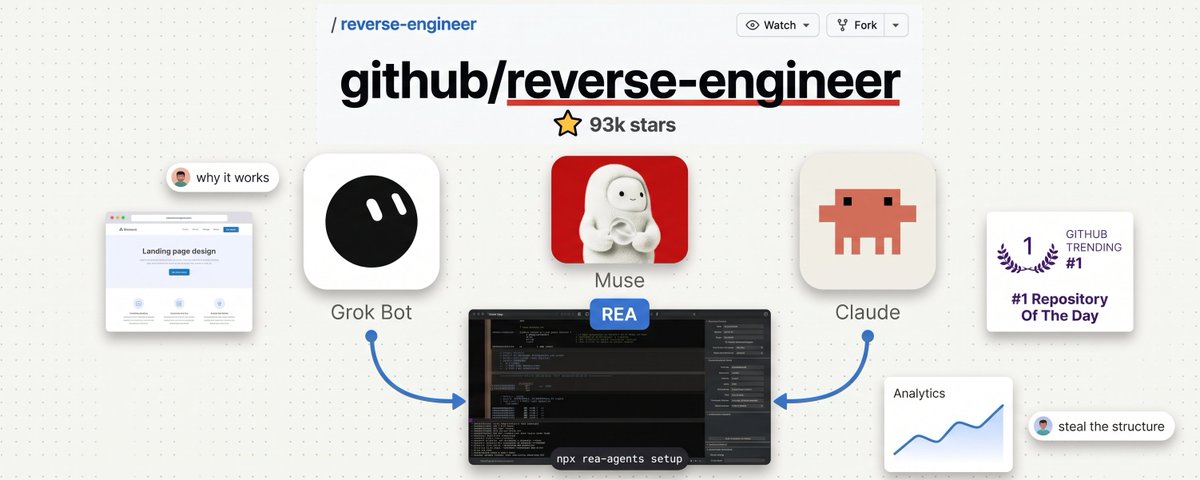
There’s a 335,000-star GitHub repo that lets your AI agent reverse-engineer literally any app, website, or feature you’ve ever wanted for yourself.
It's called REA (Reverse Engineer Anything), and it's extremely powerful.
Point Claude, or any agent, at a feature you like, and it’ll figure out exactly how it works, map out an implementation plan, and build you your own version.
Most people have no clue this exists, but I'm glad you've come across this article.
This is your full beginner's guide to REA - starting from scratch.
*Before we dive in, I have to highlight @0xMovez's article, which is how I discovered REA myself. *
You should check out his technical read:
My guide today will be more focused on implementation for beginners:
REA: ELI5
Simply put, REA is a free, open-source tool that lets your AI agent look inside software.
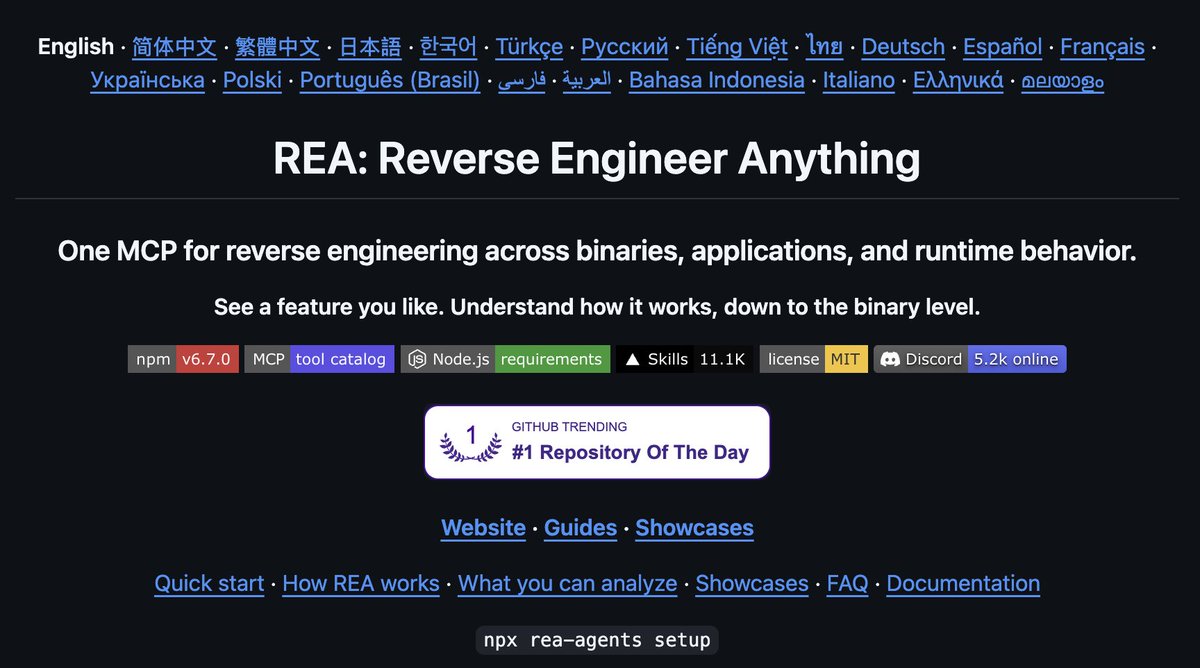
https://github.com/morluto/rea
Claude is incredible at reading, reasoning, and writing code. But on its own, it can’t open an app on your computer and figure out how it works.
REA is essentially the way your agent can digest features, code, websites, apps, and so on.
After using REA to understand the broad architecture, your agent can use that information as a starting point.
REA supports over 20 types of software, but for most people it comes down to four buckets:
REA 20+ softwares
-
Websites
-
Desktop apps: including apps like Notion, Slack, and Discord, which are built on web tech and are surprisingly easy to inspect
-
Mobile apps: Android apps
-
Native software and games
Where REA is practically useful
The REA team published real case studies showing what it can do.
Including: Reverse-engineering Notion's custom clipboard feature, rebuilding 90s video games & more.
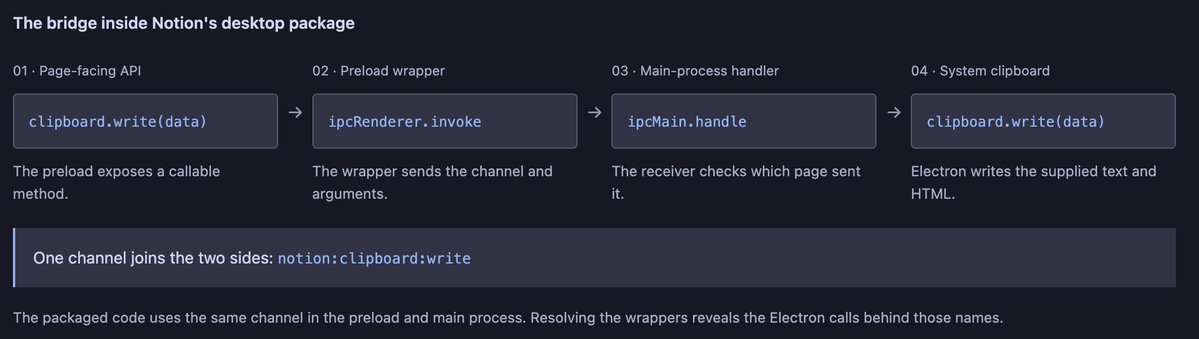
Notion case study: https://rea.tools/showcase/notion/
I've personally found the real unlock with REA is basically stealing features from your favorite apps and using them yourself.
How REA works
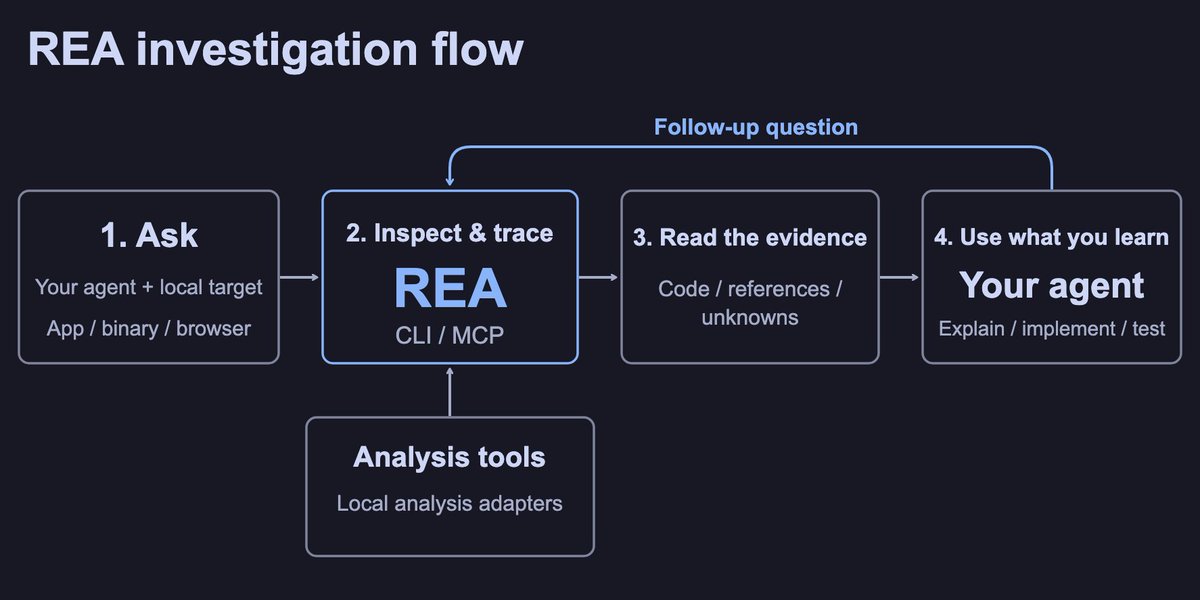
Under the hood, REA plugs into your agent through MCP (Model Context Protocol), a universal adapter that lets AI agents use outside tools.
REA runs fully locally.
MCP
How to set up REA
This takes about 5 minutes. You only need two things: an AI agent and Node.js. You have two installation methods:
- Terminal
To install in your terminal, run this:
npx rea-agents setup
While installing, you'll be prompted to choose which AI agent you want to connect.
You can pick from:
-
Grok Build
-
Claude Code
-
Codex
-
Gemini CLI
It adds REA to your agent along with a set of workflow instructions, so your agent knows how to actually use it.
Optional: Install the terminal command
If you want to use REA outside your agent:
npm install --global rea-agents
rea --help
2. Automated agent install
Your second installation option is to run this prompt.
(this is the easiest method - it just tells your agent to do all the work for you)
Install REA (Reverse Engineer Anything) and connect it as an MCP server.

Check that Node.js is version 22.19 or newer is running.

Run:
npx rea-agents@latest setup
(or the equivalent for my agent if you know a better command).
Show me the full setup plan and any configuration changes before you apply them.
After I approve, finish the setup and register REA as an MCP server named rea.
For Grok Bot / custom MCP agents, use the launch command:
npx -y rea-agents@latest mcp
Verify the installation (run npx -y rea-agents@latest doctor or list the available REA tools) and confirm the tools are callable.
Do not install anything else or make unrelated changes. Only set up REA.
After whichever install method you pick, run a health check.
Terminal health check:
npx -y rea-agents@latest doctor --client claude_code --json
Claude Code/ agent set up:
"Run a health check on REA - ensure everything is ready"
Once set up, you can begin prompting:
Understand how search works in the Notes app, show me the evidence, and build a
similar feature for my project.
Tip: You can run this through your agent so it understands the full scope of the installation.
https://github.com/morluto/rea/blob/main/docs/installation.md
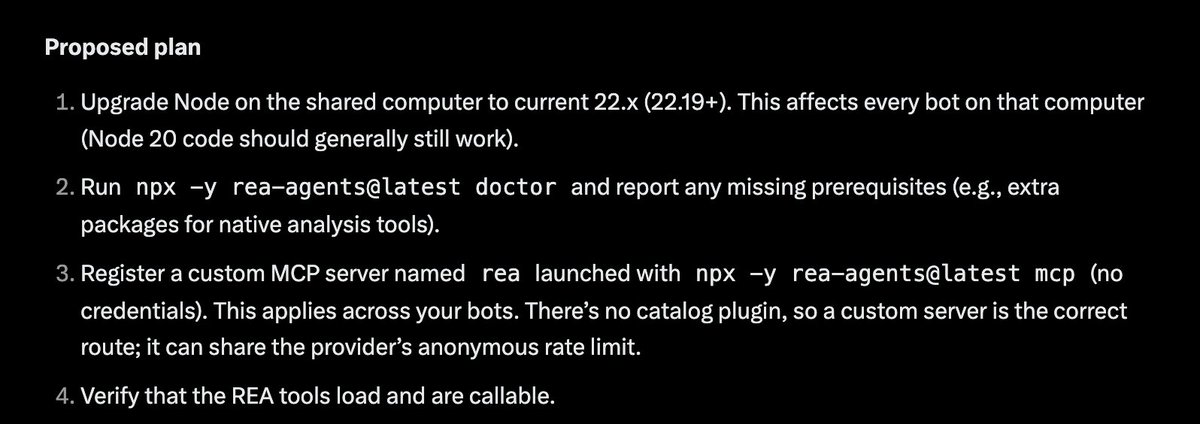
I personally tested the agentic setup on Grok Bot, and I like how it returned a proposed plan before installing anything:
How to use REA
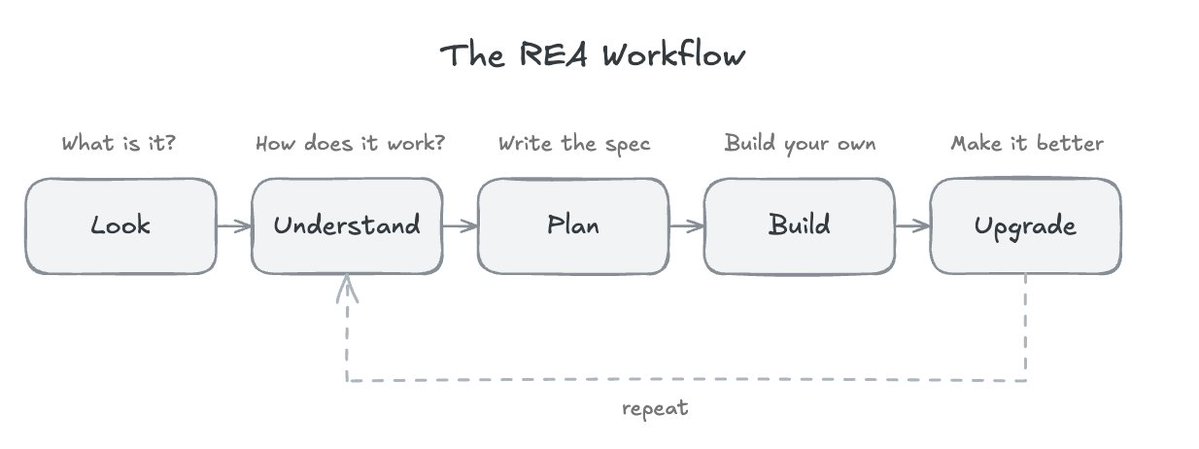
My five-step framework for getting the most out of REA:
-
Look: figure out the general architecture of a feature
-
Understand: break down exactly how the feature works
-
Plan: turn that understanding into a spec
-
Build: use the spec to create a custom version
-
Iterate: make it better
REA Workflow
Step 1: Look
A prompt for your agent to gain an understanding of what it's working with:
THE FIRST LOOK

I want to understand how [FEATURE] works in [APP].
It's located at [FILE PATH or URL].

First, tell me what kind of app this is and which REA tool fits best.
Don't start deep analysis yet.

Then give me a short overview: what it's built with, and where you'd
look first to find [FEATURE].
Step 2: Understand "x-ray"
Investigate core features:
THE FEATURE X-RAY

Investigate how [FEATURE] works in [APP] using REA.

Explain it to me in plain English, as if I'm not a developer:
- What happens step by step when a user uses this feature
- What data it uses, and where that data comes from
- How the main pieces connect to each other

Show me the evidence for each conclusion. Clearly separate what you
confirmed, what you're inferring, and what's still unknown.
Step 3: Plan
Build a spec based on the feature:
THE BLUEPRINT

Based on your analysis, write a build spec for my own version of
[FEATURE].

Describe the BEHAVIOUR only:
- What the feature does, written as clear requirements
- The data it needs
- How it should handle edge cases and errors
- A list of test cases to prove it works

Don't include any of the original app's code, names or assets.
Someone who's never seen the original should be able to build it
from this document alone.

Save it as spec.md.
Step 4: Build
Begin building the SPEC doc for your own custom feature:
THE BUILD

Read spec.md. Build this feature for my project at [PROJECT PATH],
using [TECH STACK, or "whatever fits my project best"].

Build it step by step and test each part as you go.
When you're done, run every test case in the spec and show me the
results.
Step 5 (optional): Upgrading & iterating
Tip: You can even create /loops to automatically iterate.
THE UPGRADE

Now that you understand how [FEATURE] works in [APP], tell me:
- 3 things it does well that my version must keep
- 3 weaknesses, frustrations or missing pieces
- How we could make my version genuinely better

Then update spec.md with the improvements.
You can also run REA as a skill in tools like Perplexity Computer.
Alternatively, you can turn REA into a Claude/Grok skill yourself, too.
Launching a REA Agent Swarm
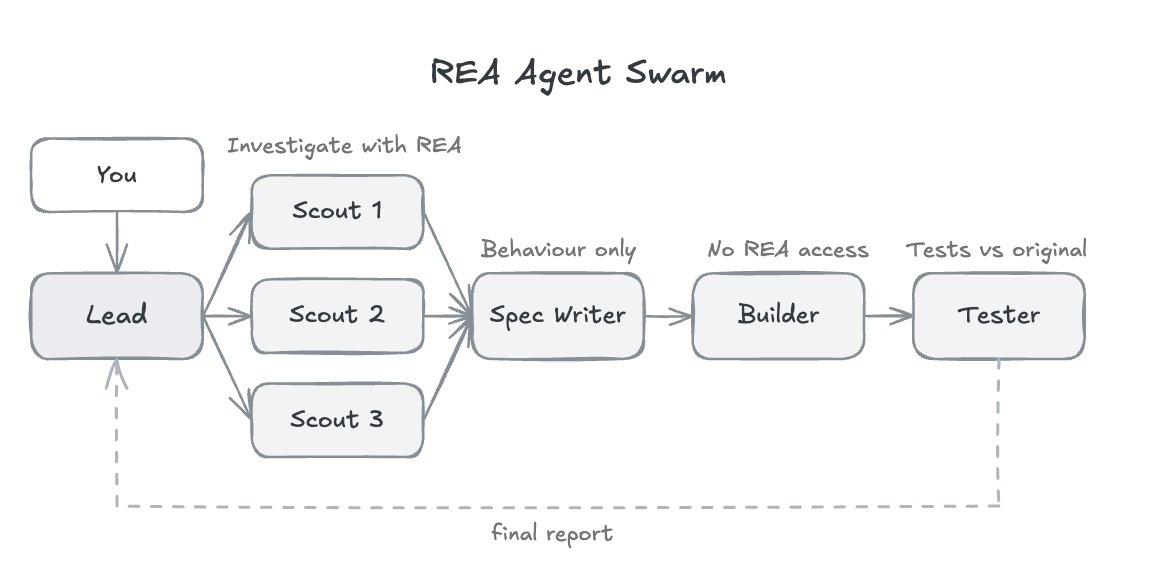
This is one of the coolest use cases for REA. You can launch an agent swarm team.
Agents that explore multiple features, build SPECs at the same time, and actually execute build plans simultaneously.
The good news is Claude already has this feature built in (subagents).
The team
Your swarm mirrors the workflow from the last section:
-
Scout: uses REA to investigate one feature and report back with evidence
-
Spec Writer: turns the scout reports into a behavior-only spec
-
Builder: builds from the spec, with zero access to the original app
-
Tester: compares your version against the original and reports the gaps
Step 1: Create the agents folder
In your project, create a folder called .claude/agents/.
Step 2: Add Four Agents (you can also add more)
SWARM SETUP PROMPT

Create four subagents in .claude/agents/ for reverse engineering with REA:

1. rea-scout: investigates ONE feature in a target app using REA.
   Tools: Read, Grep, Glob, Write, mcp__rea__*. Effort: high.
   Picks the right REA tool for the target type, starts with an overview,
   traces the feature from user action to result, and tags every finding
   as CONFIRMED, INFERRED or UNKNOWN with evidence. Saves its report to
   reports/[feature-name].md. Only analyses software I own or am
   authorised to examine.

2. rea-spec-writer: reads reports/ and writes spec.md.
   Tools: Read, Write.
   Behaviour only: requirements, data model, edge cases, error handling
   and test cases. Never includes code, internal names, file paths or
   assets from the original app.

3. rea-builder: builds from spec.md and nothing else.
   disallowedTools: mcp__rea. isolation: worktree.
   Builds step by step, tests as it goes, then runs every test case in
   spec.md and reports results.

4. rea-tester: compares the original app's behaviour with the rebuild.
   Tools: Read, Grep, Glob, Bash, Write, mcp__rea__*.
   Runs both through normal, edge and error inputs. Saves comparison.md
   with a match rate, every difference, and a severity for each
   (cosmetic, minor, major).

Keep each description short so you know when to delegate. Show me the
four files when done.
Step 3: Launch the swarm
Back in Claude Code, you can start prompting.
"Investigate [app] with my agent swarm team." etc.
Step 4: Watching the swarm work
I recommend setting up:
-
reports.md
-
spec.md
-
comparison.md
Closing Tips
-
Remember, you can use REA with a variety of agents (Opus 5.5 is the best generalist)
-
Remember, you can adjust the effort level of Opus (or your coding agent)
-
A cool use case: reverse-engineering your most-used apps
-
You can copy/paste this entire article into your agent and have it digest, install, and run all the prompts & commands I've attached
-
Build a spec library: it's worth building a spec database - this way you can store all the features you're building upon
I hope you found this guide valuable. I know there was a lot here, so feel free to come back to it as you build with REA.
If you like this content, be sure to follow me here @milesdeutscher. Every week I break down the AI tools, systems, and research that actually give you an edge - whether that's in your finances, business, or just general AI tooling.
For deeper AI insights, follow me over on @aiedge_.
I also have a 100% free Skool community where you can learn these tools.
👉** https://www.skool.com/milesdeutsche**r
-Miles💙