How I’d Build a Faceless YouTube Channel From Scratch in 2026
文章目录
部分视频或图片暂未收录,已在正文保留提示;需要时可查看原文。查看原文 ↗
In January, YouTube deleted or emptied sixteen of the biggest AI slop channels on the platform. Between them they had about 4.7 billion views, 35 million subscribers and an estimated $10 million a year in revenue. In August, YouTube announced that starting February 1 it will ask new creators for twice as many watch hours before they can share in ad revenue. And on October 1, it told the Shorts feed to stop rewarding channels that re-upload other people's clips with nothing added.
That is the ground you're standing on if you start a faceless channel today. A lot of the guides out there were written before any of it happened.
I'm not telling you this to scare you. I'm telling you because 2026 is also the first year the line between a faceless channel that gets wiped out and one that earns is written down in public, with dates attached. When you can see the line, you can build on the right side of it, and the right side is less crowded than you'd think.
Maybe you've already paid for a voice tool. Maybe you have forty tabs open about CPM and a notes app full of channel names. Maybe you watched a guy in a rented sports car explain passive income and you're seventy percent sure he's lying and thirty percent sure he isn't. Good. That mix of hope and suspicion is the right frame of mind for this business.
By the end of this guide you'll know how to pick a niche with a scorecard instead of a gut feeling, research what already works without copying anyone, script with AI without producing the kind of video that gets flagged, earn more per view, earn money that doesn't depend on YouTube's mood, and turn one channel into a small operation with a team. It's long on purpose. Read it in two sittings, then keep it open for the days you're stuck.
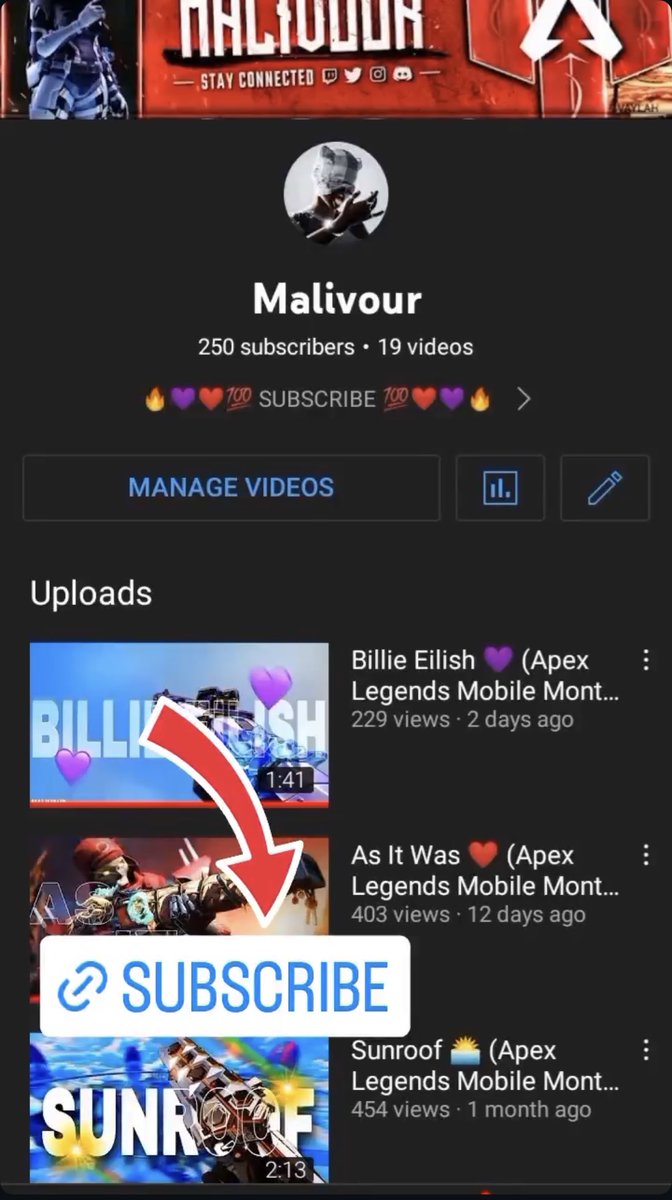
I started on YouTube as a gamer and the channel was called Malivour who played a lot of Fortnite and Apex Legends, and my first channel flopped. I didn't care, because it was just for fun. That fun carried me through gaming montages, a crash course in copyright from using other people's songs, and music channels in 2020, until I found CMS distributors and Spotify money. Then I had my first $10k month, and it stopped being a game. I set out to learn faceless content properly, and my first seven channels flopped, one after another. This guide exists because I took the long, painful route so you don't have to.
How to use this guide
Two quick notes before we start.
First, every date and number about YouTube's rules in here was current on October 8, 2026. Platform rules move. Before you act on anything that involves money or monetization, open the linked policy page in YouTube's Help Center and read the current version. Treat this guide as the map and the Help Center as the road sign.
Second, I'll give income and RPM numbers as ranges or examples, never as promises. Anyone who guarantees you a number is selling you something. When I use a made-up character like Priya or Marcus, they're there to show the mechanics. They aren't results you should expect.
If a word confuses you, there's a glossary at the very end. RPM, CTR, AVD, retention and CMS are all explained there in plain English.
Part 1: What changed on YouTube in 2026 (read this before you spend a dollar)
Picture two channels started in the same week.
Channel A uploads four videos a day. Every video is a narrated list over stock footage, same intro, same voice, same structure. Only the topic changes. It worked for a while, because it was cheap and nobody was checking.
Channel B uploads two videos a week. Each one is a researched story about a company that collapsed, with its own angle and a script that somebody obviously argued with before publishing. It grows slowly.
In 2024 those two channels were treated more alike than they should have been. In 2026 they aren't. The news below explains why, in order.
January 2026: "AI slop" becomes an official enemy
In his annual letter, YouTube CEO Neal Mohan gave "managing AI slop" its own section and said the platform would build on its systems for fighting spam and clickbait to reduce the spread of low-quality, repetitive content. He was careful to add that AI itself is a tool for expression, not something YouTube wants gone.
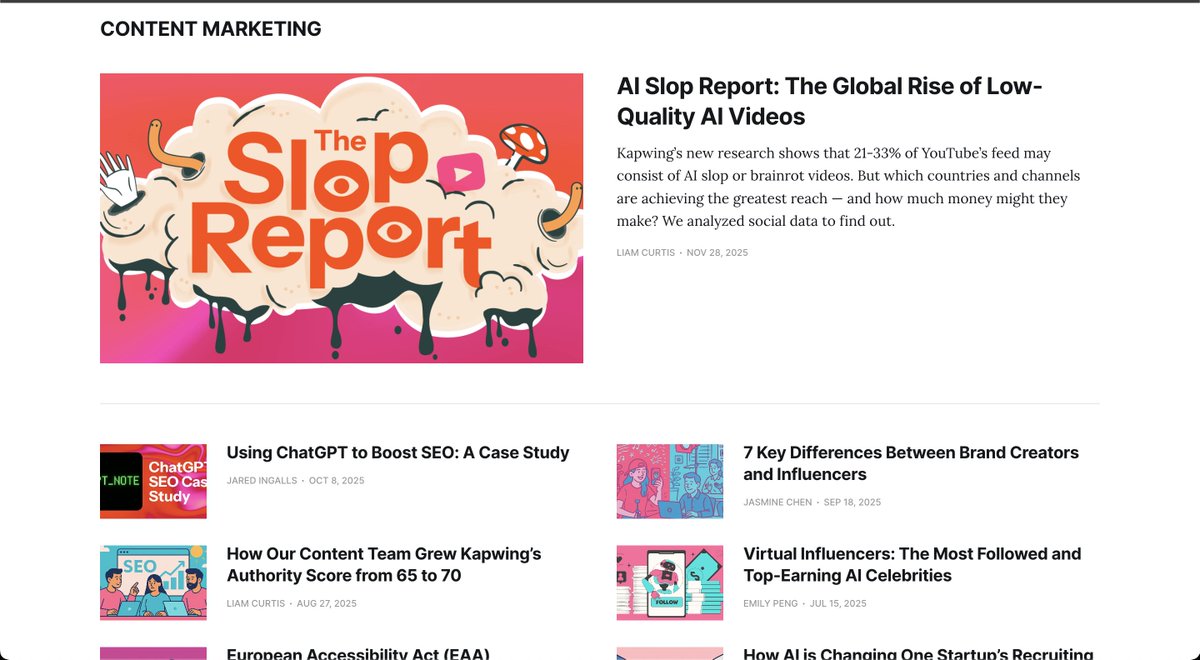
Within weeks, the video tool company Kapwing counted that 16 of the 100 most-subscribed AI slop channels it had tracked were gone. Eleven were deleted outright and five had every video removed while the account stayed up. Together they had roughly 35 million subscribers and 4.7 billion lifetime views. A separate Kapwing study had found that about one in five of the first 500 videos recommended to a brand new account was AI slop.
Notice what got hit: channels that pumped out machine-made videos with no human decisions in them. Not channels that used AI as one tool inside a real editorial process.
Kapwing's official blog
The policy itself: "inauthentic content"
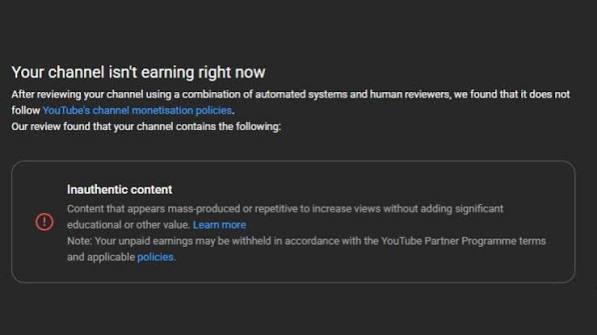
On July 15, 2025, YouTube renamed its old "repetitious content" monetization rule to "inauthentic content." YouTube said at the time it was a clarification, not a new rule, because mass-produced and repetitive content was never eligible to earn. Its own examples were channels that upload narrated stories with only superficial differences between them, and slideshows that all carry the same narration.
The current wording on the Help Center page talks about content that is mass-produced, generic, repetitive or manipulative. It describes templated content as the kind that feels repetitive after you watch a few videos in a row from the same channel. YouTube reviews the channel as a whole, not just one video.
Here's what the rule does not say. It does not say you need a face. It does not say you can't use AI. It does not say you can't use an AI voice. It says that if your videos look like they were stamped out of one mold with nothing of you in them, you shouldn't expect to be paid for them.
A good test, and I use this one myself: open your last five uploads side by side. If a stranger could swap the titles and nobody would notice, you have a template problem.
March 2026: viewers get a say
In March, YouTube started testing a pop-up on mobile that asks viewers whether a video feels like AI slop, on a five-point scale from "not at all" to "extremely." YouTube hasn't said how those answers are weighted. Critics point out that people are mediocre at spotting AI and that a feature like this can be abused by rivals.
Around the same time, several outlets reported that YouTube's systems seemed to favor videos with a visible human host, and that some faceless creators were hiring cheap on-camera hosts to compensate. Treat that part carefully. YouTube has not announced any rule against faceless channels, and its own policy says no human has to appear on screen. What the reports do suggest is that the viewer-trust signal matters, and that a consistent personality, even a synthetic or voice-only one, gives people something to attach to. We'll come back to that in the AI avatar section.
May 2026: AI labels become automatic
Since May, YouTube has been labeling photorealistic AI-generated or heavily AI-altered video automatically, whether or not the creator ticked the disclosure box. On long videos the label sits directly under the player. On Shorts it's an overlay on the video. If you made the video with YouTube's own AI tools, or the file carries C2PA metadata that marks it as AI, the label can't be removed.
YouTube's creator liaison, Rene Ritchie, said a label on its own doesn't trigger penalties in recommendations and doesn't affect monetization eligibility. YouTube also widened its face-based removal request system so adults anywhere can ask for AI-altered videos using their likeness to be taken down.
The practical rule that has been in place since 2024 still holds. You must disclose realistic content that could be mistaken for real: a real person made to say or do something they didn't, altered footage of a real event, or a realistic scene that never happened. You don't have to disclose when AI only helped you write a script, brainstorm ideas or generate captions. For sensitive topics like health, news, elections and finance, the label is displayed more prominently.
My advice: when you're unsure, tick the box. The label costs you nothing and it removes an argument you never want to have.
August 10: the monetization bar doubles
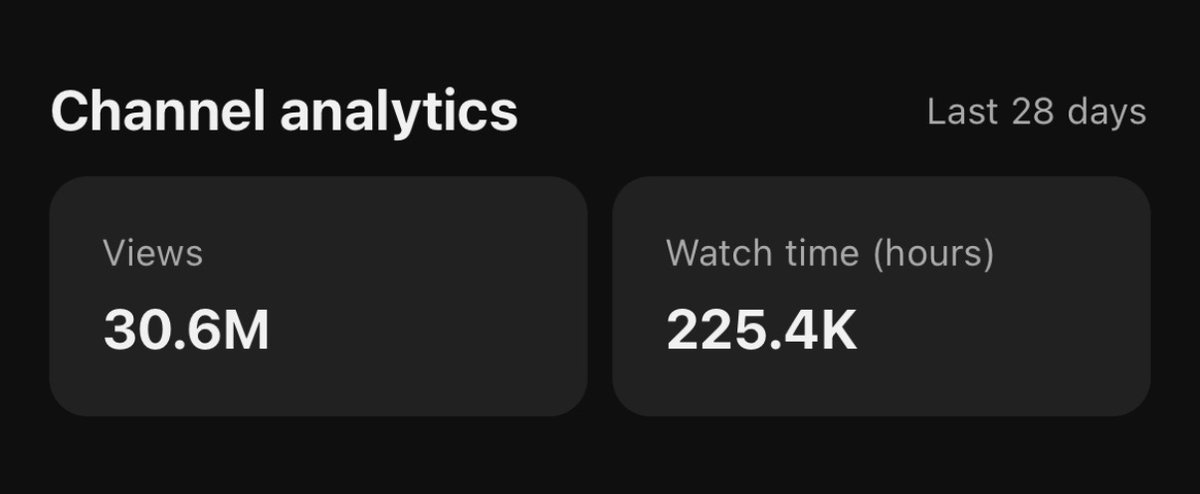
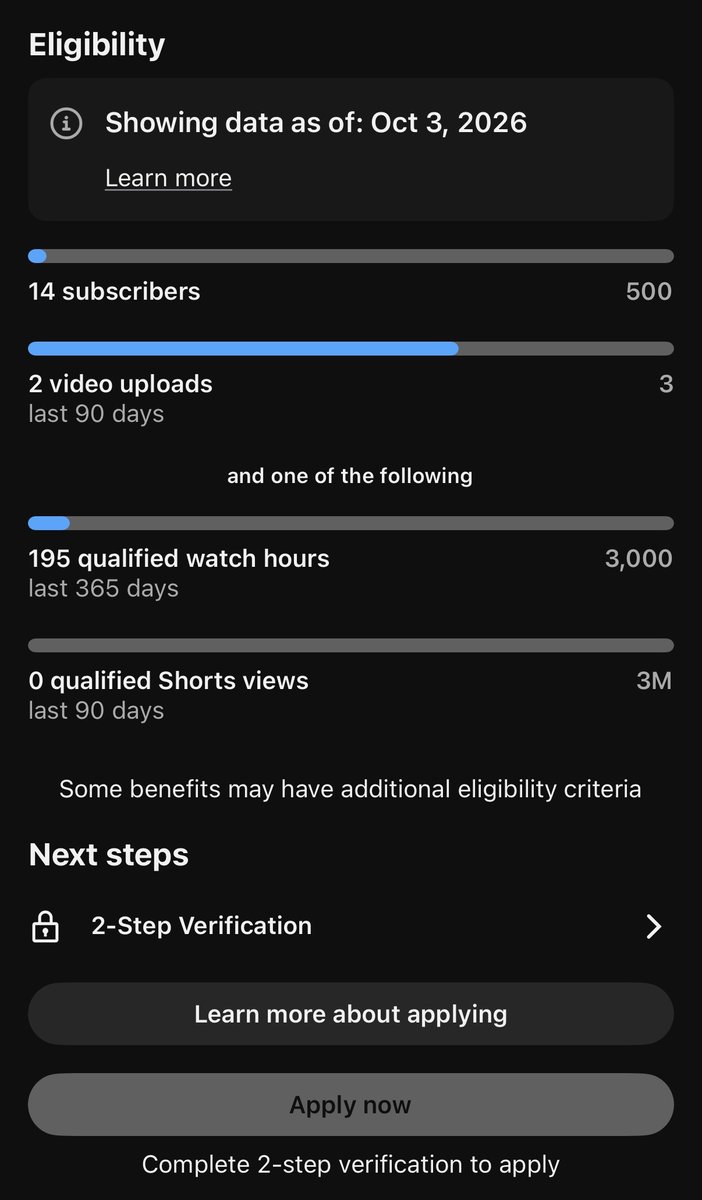
This is the big one. YouTube announced that from February 1, 2027, new applicants to the Partner Program will need 1,000 subscribers plus either 8,000 public watch hours in the past 365 days or 20 million Shorts views in the past 90 days. Today the bar is 4,000 hours or 10 million Shorts views. Creators already in the program are not affected by the new entry bar. The 500-subscriber tier that opens fan funding and shopping features stays where it is.
A second change touches existing partners too. From the same date, a channel needs 10 million qualified Shorts views in a rolling 90 days to keep earning from Shorts ads. Drop below it and you keep your long-form earnings, and Shorts revenue switches back on when you cross the line again. YouTube says it will add milestone-based rewards for smaller Shorts creators.
Beginner math, because it matters: watch hours are views multiplied by how long people actually watch. If your average view lasts 8 minutes, 4,000 hours is about 30,000 views. Under the new rule it's about 60,000. One view that lasts 8 minutes counts the same as sixteen views that each last 30 seconds. That's why long videos with strong retention just became more valuable than ever for anyone who wants to be paid by YouTube.
As I write this, there are 116 days until the old bar disappears. If you're close to it, that's a real deadline. If you're at zero, don't panic. Build for the new bar, because it will be the bar for everyone who comes after you, and a channel built to clear 8,000 hours is a healthier channel anyway.
It also changes the whole game for everyone who read the headline and thought "so I can't make money." You can. You'll just need more than one income stream, which is the subject of Parts 12 and 13.
October 1: Shorts now favor original work
A week ago, YouTube said its Shorts recommendation system will further prioritize original content and cut the reach of channels that mostly re-upload other creators' clips without adding anything of their own. YouTube's liaison said voice-overs, minor technical edits and template-based bulk changes don't count as adding something. Commentary, analysis, your own storytelling and your own footage do.
Two details matter. This is about reach in the Shorts feed, not about monetization eligibility, which is governed by the reused content policy. And if you cut Shorts from your own long videos to promote them, you shouldn't be affected.
TV is now YouTube's biggest screen
Nielsen's July 2026 report put YouTube at 14.2% of all US television viewing, a record and the top spot among all streaming services. YouTube has said it records more than a billion hours of daily TV watch time. In September, YouTube added a "Views (Co-Viewed)" metric to Advanced Mode in Analytics that estimates how many people are watching together on a shared screen like a living room TV. It doesn't change your public view count or earnings, but it shows your reach more truthfully.
If you have faceless long-form content, you are already making television. Part 11 covers how to design for that.
Late August to September: new money tools
On August 27, YouTube added Amazon to its Shopping affiliate program, so eligible US creators can tag Amazon products directly in Shorts, long videos and livestreams and earn commissions. You need to be in the Partner Program, in YouTube's US Shopping affiliate program, and have an Amazon Associates or Influencer account linked. YouTube says videos with shopping tags get more than double the product clicks of description links alone. Reporting inside Studio shows daily totals but not per-product breakdowns.
In September, YouTube also reorganized its paid promotion rules under a "Branded Content" policy, with an updated "Includes paid promotion" label and automated detection that may add the label for you. You're still expected to disclose yourself.
And in the advertiser-friendly guidelines, YouTube made a series of updates from August to October that matter if you cover documentary, news or politics: clearer monetization rules for depictions of death in educational, documentary or news content, and in October, a clarification that certain public-interest content, like congressional proceedings and debates over ongoing government actions, can earn ad revenue.
So what does all of this mean for you?
Six decisions. Everything else in this guide hangs off them.
-
Every video needs an angle only your channel would have. Not a better template. An actual point of view.
-
Make your human judgment visible. Script choices, edits, a consistent voice or persona, a stated opinion.
-
Vary your formats. If every upload has the same skeleton, you're asking to be grouped with the slop.
-
Disclose realistic AI, and don't impersonate real people. Ever.
-
Own something besides your YouTube channel. An email list, a product, an affiliate stack. The monetization bar is rising and the platform can change its mind. Your list can't.
-
Weight long-form and search. Shorts are your advertising department. Long videos, especially ones that older and TV audiences watch to the end, are where durable value sits.
Hold onto those six. Now let's build.
Part 2: The core idea. You don't have to invent anything
I know the heat this is going to draw, so I'll say it plainly: you don't need to create everything from scratch.
Some creators are so obsessed with being original that they ignore years of free information sitting in front of them. Their ego wins, and their channel sits at 300 subscribers. Meanwhile the creators growing fastest are doing something that looks almost boring. They study what already works, figure out why it works, and apply the lesson to their own audience.
That isn't stealing. Copying someone's script, thumbnail or footage is stealing, and after October 1 it's also a reach penalty on Shorts. Studying the decisions behind a video is how every craft has ever been learned.
Every successful video is a public case study, published for free. The title shows what made people curious. The thumbnail shows what earned the click. The opening shows how the creator caught attention in the first seconds. The pacing shows how they kept it. The comments show what people loved, hated and wanted next. Someone paid for those lessons with months of work and money, and the results are sitting right there.
What to learn from, specifically
For any video you admire, pull it apart into these pieces:
-
the title and what curiosity it creates
-
the thumbnail and what the eye lands on first
-
the hook (the first 5 to 30 seconds)
-
the retention structure, meaning where the story re-hooks you
-
the pacing and where it speeds up or slows down
-
the story structure from setup to payoff
-
the topic and why it was chosen
-
the comments, especially the repeated questions
-
the upload frequency of the channel
Separate copying from studying
The clean line I use is this.
Copying is taking someone's script, thumbnail, editing or concept and recreating it with almost nothing of yours added.
Studying is working out the underlying reason it worked and using that reason in your own way.
Say you notice the strongest channels in your niche use short, curiosity-driven titles. You don't copy their titles. You study how they create curiosity without explaining everything before the click. Say you notice successful videos show the payoff in the first ten seconds. You don't copy their intro. You apply the retention principle to your topic. Say you notice one clear subject beats a cluttered thumbnail. The lesson isn't "make that thumbnail." The lesson is that clarity usually beats cleverness.
Pattern recognition is the actual skill
One creator doing something could be personal taste. Five successful creators doing the same thing is probably strategy.
So don't study one channel. Study several. If all five put captions on from the first second, they probably know a lot of people browse with sound off. If all five open on conflict, long introductions are probably costing them viewers. If all five thumbnails have one subject and large text, it's not an accident.
Study the channels one level ahead of you, not just the giants. The biggest channel in your niche has things you don't: a big subscriber base, a team, a brand, years of trust. Their strategy might not work for you yet. The most useful channel to study is often the one that just went from 10,000 to 100,000 subscribers. They just broke through the ceiling you're standing under. Go look at what changed right before the growth: titles, thumbnails, narrower niche, a new format, a series that clicked.
Study the outliers. If a channel normally gets 20,000 views and one video got 2 million, that's a hundred times its average. Something about the topic, timing, packaging or format connected with a much bigger audience. Your job is to figure out what.
Compare winners with the same channel's failures. The best lesson is often in the difference between the video that took off and the one right next to it that didn't.
Build a swipe file
A swipe file is just a folder where you save examples. Make it from day one and put these in it: thumbnails that stopped your scroll, titles that made you click, hooks you couldn't ignore, story structures, interesting transitions, comments that reveal what viewers want, and every outlier you find. Tag each with the niche and why you saved it. In a month you'll have a better education than most paid courses give you.
Study more than you publish
"Just keep posting" is half advice. If you repeat the same strategic mistake a hundred times, you don't have a hundred videos of experience. You have one video of experience repeated a hundred ways.
Post consistently, yes. But analyze harder than you post. Instead of publishing a thousand videos to find out what works, study a thousand successful ones and start from a smarter place.
Add your own value
The thing that makes all of this legitimate is that you bring something. That could be:
-
better research
-
better storytelling
-
better commentary
-
better visuals
-
better pacing
-
a different audience
-
a different language
-
more context
-
a unique perspective
The goal isn't to become a weaker copy of another channel. The goal is to take a proven concept and execute it better, or aim it at someone nobody is serving.
Part 3: Setting up the channel and warming it up properly
Before the first upload, the foundation. None of this is glamorous, and all of it is where beginners trip.
The basics, in order
-
Create a Google account you'll use only for this business. Turn on 2-step verification right away. You'll need it to apply for monetization anyway, and a hijacked channel is the fastest way to lose everything.
-
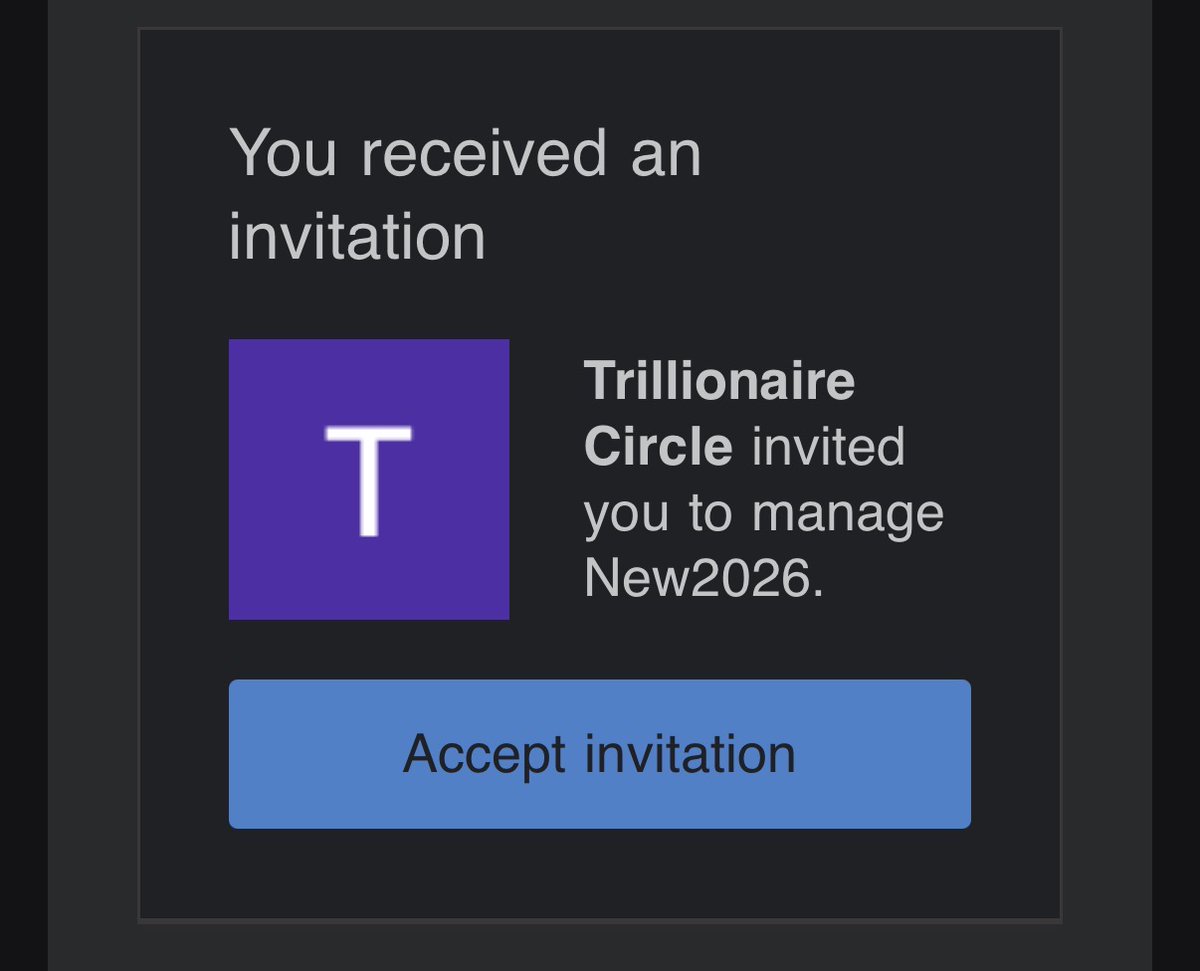
Create the channel. You can use a Brand Account, which lets you add managers and editors without sharing your password. I'd recommend that from day one, because you will hire help eventually.
-
Pick a name and handle that's easy to say out loud and spell after hearing it once. Check that the handle isn't confusingly close to a bigger channel.
-
Profile picture and banner. Canva is fine. Keep it simple and readable at tiny sizes.
-
About section and channel description. Write it for humans: who it's for, what they'll get, how often you post. A line or two of keywords inside natural sentences is enough.
-
Verify your account. Several features, including custom thumbnails and longer uploads, depend on verification. Studio's Feature eligibility page lists exactly what's locked on your channel. Use your own phone number. Don't use rented or temporary numbers, because you may need to receive a code from that number again later, and losing it means losing access.
-
Set your upload defaults in Studio: category, language, and the right audience setting. Most faceless channels are "not made for kids" unless you really are making children's content.
What "warming up" really means
New accounts sometimes behave differently from established ones, and it's easy to see why. Imagine you run a platform that gets flooded with spam. A brand-new account appears, makes a channel within minutes, and uploads a pile of videos in the same hour. That pattern looks like automation, so you'd treat it with suspicion too.
So warming up is simply giving your account a normal history before you start posting aggressively:
-
Use the account like a human for a week or two. Browse, watch videos in your niche, subscribe to channels you actually like, leave real comments.
-
Finish the profile and verification before you upload.
-
Upload your first few videos at a sane pace. One or two a week is a perfectly good start.
-
Don't blast ten videos on day one, and don't change your channel name every other day.
That's it. There isn't a hidden button.
Don't let "warming up" become a guru myth
This is where a lot of beginners lose months, so let me be blunt.
-
There is no magic warm-up routine that guarantees views. Views come from videos people want to watch.
-
"Trust score" is not a number you can see. People use the phrase to describe the sense that some accounts get a fairer shake than others. Don't build your strategy around a hidden number you can't measure.
-
Proxies don't make a channel successful. Neither do fancy browsers.
-
Don't confuse account infrastructure with content quality. I've watched people spend three weeks perfecting a setup for a channel that had nothing worth recommending.
Proxies and anti-detect browsers: what they are, and why you probably don't need them
A proxy routes your internet traffic through another IP address. An anti-detect browser changes the fingerprints your browser leaves behind so that separate accounts don't look like they're coming from the same machine.
People use them to run lots of accounts without those accounts being linked together. Beginners obsess over them because online forums treat them like a secret weapon, and because it feels more productive to shop for tools than to make a video.
For most legitimate creators they're unnecessary. You have one or two channels, run from your own devices, with your own identity. There's nothing to hide.
They also carry real risks. Using tools to evade platform enforcement is exactly what gets networks of accounts removed together. Cheap proxies can be insecure. And you can end up with a business that only works if you keep hiding from the platform that pays you.
My rule is short: don't build a business that requires you to hide from YouTube. If you ever catch yourself adding more steps to avoid being noticed, stop and ask whether the channel is something you'd be proud to put your real name on.
A related one: never use a family member's or friend's identity to open extra AdSense accounts. AdSense is one account per person, and the people who do this tend to lose money and relationships in the same week.
Channel and account structure
-
One Google account can hold multiple channels. Brand Accounts let you separate them.
-
Existing history helps. If you already have a Google account with years of normal use and a channel with real views, putting a new channel under that account isn't a trick. It's just how the platform works.
-
Multiple channels make sense in two situations: when one channel has proven itself and you're expanding into a neighboring topic, and in a small "fishnet" test where you try two or three niches for a couple of months to see which one the audience picks.
-
Don't launch twenty channels before you've validated one. Twenty weak channels teach you nothing and cost you everything in attention. One channel with a real winning video teaches you more than twenty with 200 views each.
-
Give editors and managers access through channel permissions. Never share your password.
Part 4: How to research what already works
This is the biggest skill in the whole guide, so I'm giving it room. If you only do one thing from this article, do this: spend your first week studying and your second week making. Most beginners do it the other way around and spend month six wondering why nothing lands.
Break every video into its parts
When you study a video, don't watch it like a viewer. Watch it like a mechanic. For each video you care about, write down:
-
the topic
-
the title
-
the thumbnail
-
the hook
-
the first 30 seconds
-
the story structure
-
the video length
-
the editing pace
-
the voice
-
the music
-
the visuals
-
the pattern interrupts (moments where something changes to wake you up)
-
the retention moments (places where the story re-hooks you)
-
the call to action
-
the comments
-
how often the channel uploads
A spreadsheet works fine. One row per video, one column per item. After ten videos your eye starts doing it automatically.
Ask the same questions every time
Pick the video and ask:
-
Why did this thumbnail get clicked?
-
Why this title and not a more obvious one?
-
Why does it open this way?
-
Why does it reveal that piece of information at that exact moment?
-
Why is the video this long?
-
Why did this topic beat the channel's average?
-
Where does the pacing change?
-
What made people comment?
-
What made people watch until the end?
The last one is the best question in this list. Retention is where money lives, and the answer is rarely "the topic was good." It's usually that the video kept making a promise and then partly keeping it.
The competitor research system
Study 5 to 10 channels, and choose them on purpose:
-
Two or three giants so you can see the ceiling and the polish.
-
Three channels at your size or just ahead of you. They're the ones whose tactics you can actually copy-study this month.
-
One or two with a recent breakout. A channel that stalled at 8,000 subscribers for a year and then hit 80,000 in four months is a gold mine. Something changed.
-
One or two brand new channels that started in the last six months. They show you what works now, with no legacy audience helping.
For each, look at the last 20 uploads and write down the outliers, the average, the upload rhythm, and what they quietly stopped doing. Channels also give away what's failing: when a channel abandons a series, that series probably didn't pay.
A made-up scenario to make it concrete. Priya wants to start a history channel. She lists five channels. Studying 20 uploads each, she notices four of them open in the middle of an event instead of at the beginning, most run between 14 and 18 minutes, and the biggest outliers on three channels all involve ordinary people caught in historic events rather than generals and kings. Nobody told her any of that. It was just sitting in the data. Her angle becomes obvious: "the person standing nearest to the event." That's not copying anyone. It's a pattern turned into an angle.
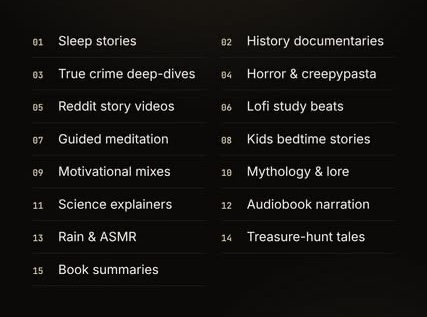
Outlier research
An outlier is a video that crushed its own channel's normal. If a channel normally gets 20,000 views and one video got 2 million, that's 100 times its average. Something connected with a much bigger audience, and you want to know what.
When you find one, investigate in this order:
-
The topic. Is it big in general, or just big to this channel's audience?
-
The timing. Was there news, a release or a trend that week?
-
The thumbnail. What did the eye land on?
-
The title. What curiosity gap did it create?
-
The format. List, story, explainer, comparison?
-
The hook. How did it open?
-
The audience. Who was it clearly for?
-
Search demand. Did people already search for it?
-
External events. Anything outside YouTube pushing it?
To find out whether it was the topic or the packaging, run two checks. First, look for other channels that covered the same topic and flopped. If lots did, the topic isn't the secret. Second, look for the same packaging style on different topics that also worked. If it repeats, the packaging is the secret. Doing this for ten outliers teaches more than any tutorial.
Save every outlier to your swipe file with a one-line note: "why I think this worked."
Where to look
YouTube search with the filters set to "This week" or "This month" and sorted by view count. Each channel's Videos tab sorted by Popular. Google Trends for timing. Reddit and forum threads for the questions people keep asking. And the comment sections of videos you've studied, because comments are demand written in plain text. Tools like vidIQ, TubeBuddy and various outlier finders can speed this up, but they change and get renamed constantly, so learn the manual method first.
Part 5: Finding content gaps, the 100 niches, and picking yours
Demand beats supply
Think of YouTube as a market. Viewers create demand. Creators provide supply. The best opportunities show up when lots of people want something and few creators are serving it well.
Gaps usually look like one of these:
-
topics people clearly want that creators aren't covering
-
popular topics where the existing videos are poor
-
audiences nobody is serving in their language or at their level
-
channels that upload slowly, so fresh demand goes unanswered
-
channels with weak thumbnails
-
channels with flat, textbook storytelling
-
formats that crush in one niche and haven't reached another
That last one is my favorite, because it's the closest thing this platform has to a cheat code.
Format transfer
You don't need to invent a format. You find one that already works and ask where else it could work.
-
Documentary storytelling = sports. Everyone covers highlights. Almost nobody tells the full, researched story of a single season collapsing.
-
Podcast-style fast editing = history. History channels tend to be slow and reverent. Quick cuts and a conversational voice feel new there.
-
Celebrity news structure = internet personalities. Same rhythm of rumor, receipts and reaction, aimed at an audience that follows creators instead of actors.
-
Mystery storytelling = business. Treat a company's collapse like a case file: cold open, suspects, evidence, reveal.
-
Long-form documentary = gaming. Gaming is full of clips and rankings. A tightly scripted 30-minute documentary about one game's development hell stands out.
The question to ask is always the same: "Where else could this work?"
A ten-minute demand check
Before committing to a topic, spend ten minutes on this:
-
Search the topic on YouTube. Note how many good results from the last 90 days exist.
-
Check the view counts against the size of the channels. Small channels getting big views means the audience is hungry.
-
Type the topic into YouTube's search bar and note the autocomplete suggestions. Those are real searches.
-
Look at Google Trends for the last 12 months. Rising, flat or dying?
-
Read the comments on the top three results. If people are asking for something the video didn't deliver, that's your opening.
If the results are old, thin or badly made while the views are healthy, you've found a lane.
The 100 niches
The database is sorted below so you can think in categories. Don't treat this as a menu of equals. Treat it as a list of hunting grounds, then run the scorecard in the next section.
Story and Mystery (the retention monsters) True crime, cold cases, unsolved mysteries, urban legends, ghost stories, conspiracy theories, ocean mysteries, space mysteries, historical disasters, natural disasters, sports disasters, animal attacks, dangerous places, abandoned places, abandoned mansions, lost civilizations, ancient technologies.
Wealth and Luxury (aspiration sells) Billionaire stories, billionaire lifestyles, business empires, company collapses, startup failures, tech companies, tech failures, luxury mansions, celebrity homes, superyachts, private jets, luxury cars, luxury watches, luxury hotels, expensive restaurants, expensive objects.
Money and Self-Improvement (high CPM, buyer audiences) Stock market, investing, real estate, cryptocurrency, passive income, side hustles, productivity, habits, memory, mental models, cognitive biases, stoicism, psychology, body language.
Science and Space (evergreen) Space, Mars, black holes, astronomy, quantum mechanics, physics, scientific discoveries, future technology, AI, AI automation, deep sea, rare species, extinct animals, dangerous animals, wildlife, animal rescues.
Entertainment and CultureCelebrity stories, Hollywood, music industry, movie theories, TV breakdowns, anime, gaming history, meme history, internet culture, behind the scenes, athlete stories, sports controversies, extreme sports.
Food, Travel, Lifestyle and TechStreet food, weird foods, food history, food science, nutrition, hidden travel destinations, fitness, workouts, bodybuilding, recovery, performance, cybersecurity, software, gadgets, technology, tech conspiracies, innovation.
Added for 2026 (seven that are especially live right now) World politics and geopolitics, personal finance for retirees, AI news explained, game launches and gaming news, product comparisons and buying guides, immigration and visa explainers, sleep and relaxation long-form.
That's 100.
Risk flags that save you months
Some niches carry extra baggage. Know it before you commit:
-
Copyright-heavy: movie theories, TV breakdowns, anime, music industry. You'll be tempted to lean on clips. Under YouTube's reused content policy, borrowed footage needs real transformation: commentary, criticism, analysis.
-
Legal-risk: celebrity stories, billionaire stories, company collapses. Stick to documented facts, say "reportedly" when something is reported, and never invent quotes.
-
Misinformation-prone: conspiracy theories and tech conspiracies. Easy views, hard to monetize safely. If you go here, be the channel that explains why a theory spread and what evidence says, not the one that sells the theory.
-
Health claims: nutrition, recovery, performance, fitness myths. Explain research. Don't tell individuals what to take.
-
Graphic content: animal attacks, dangerous places, disasters. Advertisers can limit ads on graphic material. Recent ad-guideline updates are friendlier to educational and documentary treatment of death, but read the page.
-
Kids: anime and some gaming content can drift into "made for kids" territory, which turns off personalized ads and many features.
Choosing your niche: a scorecard, not a vibe
"Pick something you like" is half-useful advice. You do need enough interest to survive video 60. But you also need a business, so score your candidates.
Rate each niche from 1 to 5 on these 13 items. Flip the ones that are "risks" so that 5 always means good.
-
Demand. Are lots of people searching and watching?
-
Competition. 5 means few strong competitors.
-
Audience size. How big is the whole pool?
-
Evergreen potential. Will a video still get views in two years?
-
Trend potential. Can you ride news and spikes?
-
RPM. How well does the audience pay advertisers?
-
Affiliate opportunities. Are there products these viewers buy?
-
Digital product opportunities. Can you sell guides, templates, courses?
-
Production difficulty. 5 means easy to make faceless.
-
Copyright risk. 5 means low.
-
Monetization risk. 5 means low risk of limited ads.
-
Number of available topics. Can you name 100 videos right now?
-
Audience purchasing power. Do these people have money to spend?
An example, with made-up scores that show the method rather than the truth:
Criterion Retirement money (55+) True crime Game news (GTA 6) Demand 4 5 5 Competition 3 2 1 Audience size 4 5 5 Evergreen 5 4 2 Trend potential 2 3 5 RPM 5 3 2 Affiliates 5 2 3 Digital products 5 2 3 Production ease 3 3 3 Copyright safety 5 3 2 Monetization safety 3 3 4 Topic count 4 5 3 Purchasing power 5 3 2 Total (out of 65) 53 43 40
Look at what the scorecard says. Game news is a spectacular short-term spike and a poor long-term business. Retirement money is quieter and sturdier. True crime lands in the middle. That doesn't mean game news is a bad idea this month. It means you should know what you're signing up for. I'll show you how to ride it in Part 7.
The intersection that matters: demand plus monetization plus production plus sustainability. A niche that wins on three and fails on one will quietly drain you. A niche that scores decently on all four will carry you.
Then use the fishnet idea: test two or three niches for two months with the same quality bar, and let viewers pick. You don't have to guess. You just have to be willing to drop the ones that stay silent.
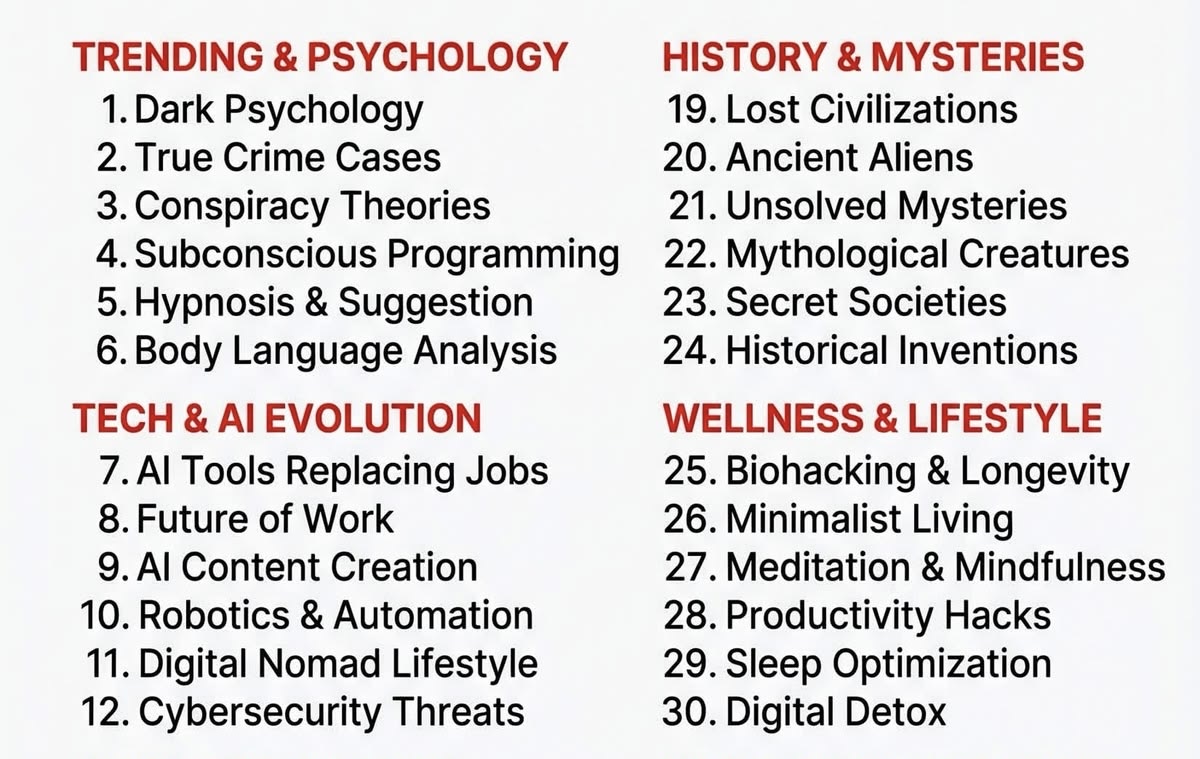
Run your own scorecard and drop your top-scoring niche in the comments. I read them, and the interesting ones turn into next week's breakdown.
Part 6: My recommended niche, world politics, and how to stay safe in it
If I were starting a faceless channel this month and had to choose one niche with a straight face, I'd seriously consider world politics. Here's the reasoning, and the places where it can bite you.
Why it works
The topics renew themselves. Wars, elections, trade disputes, sanctions, summits, diplomacy, economic consequences. Something happens every day that a large number of people want explained. You'll never stare at a blank ideas list. In the US alone, the midterm elections land on November 3, and every cycle like that creates months of "how does this actually work" demand.
The stakes are already attached. In most niches you have to manufacture curiosity. Here the event does it for you. You don't need to fake "something crazy happened." A war, an election or a tariff changes people's lives, and viewers feel that before you say a word. Your script only has to organize the stakes, not invent them.
The audience skews adult and global. Large US and UK audiences, plus plenty from everywhere else, many with real purchasing power. Advertisers in finance, insurance, business and news pay attention to this crowd.
Most of the competition is weak. A lot of faceless political channels are Wikipedia rewrites over stock footage with a flat voice and no point of view. If you bring research, structure and honest analysis, you stand out quickly.
The money, with honest ranges
Published RPM figures for politics, news and finance-adjacent content disagree wildly. I've seen well-run channels with US and UK audiences quoted anywhere from the high single digits to the 20s per thousand views, and finance sitting above that. Gaming and entertainment sit far lower, often a few dollars. Treat every published range as a rough neighborhood, never a promise, and check your own Studio after your first 10,000 views. Two things drive political RPM: how advertiser-friendly your topic and tone are, and where your viewers live.
One more point on money: long-form analysis earns far more per viewer than short clips, and it pairs naturally with an email list and affiliate or product revenue, which we'll build in Parts 12 and 13.
Staying safe in political content
This is the part that decides whether the niche pays you or ends you. YouTube isn't allergic to politics. It is allergic to inflammatory, misleading and fabricated politics. The line is analysis versus provocation, and here's how you stay on the right side.
-
Analysis over inflammatory commentary. "Here's what happened and why it matters" is safe. "This politician is destroying the country" is a rant.
-
Facts over rage bait. If the video works only because it makes people furious, it won't build the trust that long-term channels need.
-
Use primary sources. Government documents, court filings, transcripts, official statements.
-
Show multiple perspectives, even briefly. It's more honest and it protects you.
-
Only use documented claims. If you can't point to where something came from, cut it or label it clearly as unverified.
-
Never fabricate quotes. Not even "paraphrased in the style of." Quote or don't.
-
No misleading thumbnails. The thumbnail has to be a fair preview of the video.
-
Separate fact from opinion on screen and in the script. Say "the report shows" and "I think."
-
Verify current events before you publish. News moves faster than your edit.
-
Don't use realistic AI imagery of real politicians. A synthetic video of a real person saying or doing something they didn't is exactly what the disclosure rules and deepfake removal tools target.
The research stack for political topics
-
Primary sources first. Government websites, official statements, legislative records, court documents.
-
Reputable journalism second. Established outlets with corrections policies.
-
Multiple independent sources. If only one outlet reports a claim, say so.
-
Date everything. A fact from last month can be wrong today.
-
Keep a source log for every video. One line per claim, with a link. It makes your script better and your appeals stronger if anyone ever questions it.
Also worth knowing: in October, YouTube updated its ad guidelines to say certain public-interest content, such as congressional proceedings and debates over ongoing government actions, can earn ad revenue. Read the Help Center page for the exact wording before you build a format around it.
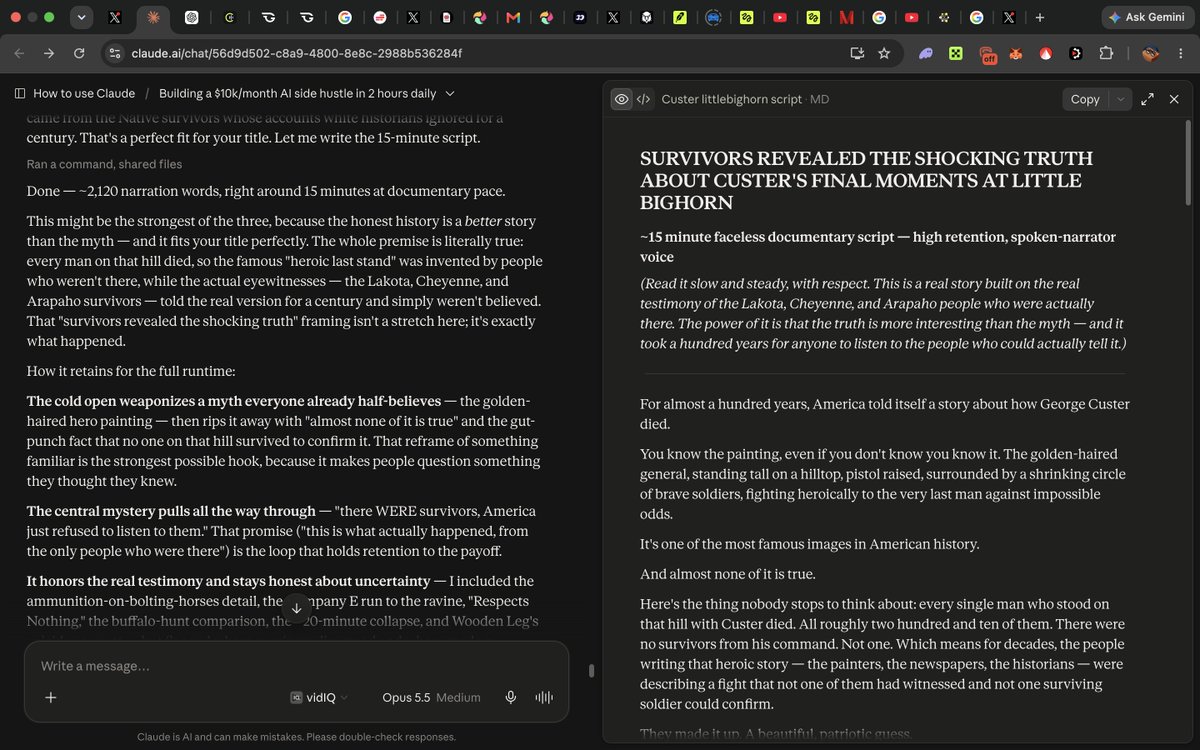
Part 7: GTA 6 and the other big demand spikes happening right now
Some opportunities are boring and permanent. Some are loud and temporary. GTA 6 is the loudest one of the year, and if you know how to treat it, it can feed a channel for months.
What's actually confirmed
Grand Theft Auto VI launches on November 19, 2026 on PlayStation 5 and Xbox Series X|S. That date has held since Rockstar moved it a second time, after an earlier slip from fall 2025 to May 2026. Pre-orders opened on June 25, digital preloading reportedly starts November 12, and Take-Two reaffirmed the date when it reported earnings in August. There's no PC release date yet. As I write this, launch is about six weeks away.
The story takes place in the fictional state of Leonida, with Vice City at its center, and the trailers introduced two protagonists, Lucia and Jason. Everything beyond what Rockstar has shown officially is rumor, and rumor is where channels get hurt.
Why this is a faceless creator's dream
You don't need a face for gaming news and guides. You need speed, accuracy and structure. The attention around this launch is huge, global, and searching for answers that don't exist yet: what's in the game, how to start, what the map looks like, what the settings should be. Whoever answers those clearly and first picks up search traffic that keeps paying long after the launch buzz fades.
Remember the scorecard from Part 5. Game news scores brilliantly on demand and trend and poorly on evergreen. The trick is to build a mix: a few quick topical videos to catch the spike, and several evergreen videos that keep earning in 2027.
A simple plan for the next six weeks
Now until November 12: build the library
-
"Everything officially confirmed about GTA 6 (and what's still rumor)." A sourced explainer. You can update it as news lands.
-
"Every location in the trailers, explained." Maps and frame breakdowns, with your own commentary.
-
"The real places behind Vice City and Leonida." Great faceless content: photos, maps, comparisons.
-
"The history of Vice City, 2002 to now." This one is evergreen and documentary-style, and it's the kind of video older gamers watch to the end on a TV.
-
"What GTA 6's two protagonists tell us about the story." Analysis rather than leaks.
-
Pre-order and edition explainers that tell people to check the official stores for current prices, since details change.
Launch week: win the search box
-
"First 10 things to do in GTA 6."
-
"Mistakes new players make."
-
"Best settings for performance and visuals."
-
"Full map breakdown."
-
"Easter eggs and details you missed."
-
"What the reviews say," with proper commentary and sources.
Use your own captured gameplay once the game is out. That's both safer and more original, and the Shorts update on October 1 favors original footage.
Late November and beyond: the long tail
-
Guides: money, progression, vehicles, characters.
-
"How long to beat" and "is it worth it" videos.
-
GTA 6 versus GTA 5 comparisons.
-
PC release watch if and when a date appears.
How to earn from it (without waiting for AdSense)
-
AdSense, if you're monetized. Gaming RPMs are usually low, so volume and long videos matter.
-
Affiliate links for the things players actually buy: controllers, headsets, capture cards, storage, console accessories, gift cards. Amazon Associates covers a lot of this, and if you're in the Partner Program in the US, native Amazon product tags can lift clicks.
-
An email list with a lead magnet people want at launch, like a one-page "first night checklist."
-
A small paid guide (more on this in Part 12), such as a $9 beginner's route PDF, once you've played enough to write one worth buying.
-
Sponsorships from gaming gear brands, once your numbers justify it.
The mistakes that get channels burned on launches
-
Fake giveaways and "free download" videos. There's an entire scam economy around big launches. YouTube treats it as spam and scams, and your viewers are the ones who get hurt. Don't touch it, and don't link to anything you can't personally verify.
-
Leak-based channels. Rockstar has historically moved against leaked material, and a channel built on leaks can vanish overnight. Stick to official material and your own analysis.
-
Clickbait that lies. "GTA 6 CANCELLED" will get views for a day and a strike for a year.
-
Pure clip reposting. After October 1, re-uploading other people's footage with nothing added gets less reach on Shorts, and YouTube's reused content rules still apply to monetization.
-
Ignoring the publisher's content policy. Read the current rules for using the game's footage and music before you build a series.
Other demand spikes worth riding this quarter
-
The US midterms on November 3. Explainers on how Congress works, what's at stake, and what the results would change.
-
Black Friday (November 27) and Cyber Monday (November 30). Comparison and buying-guide videos. The honest way to do these is research and comparison, which I'll explain in Part 13.
-
Medicare open enrollment, October 15 to December 7. If you serve an older audience, this is a yearly spike in "how do I choose" searches, and older viewers watch long videos on TVs.
-
AI news and tool explainers. Huge demand, fast decay. The way to win is speed plus accuracy plus a clear opinion.
-
Holiday long-form viewing. Families sit down together in late November and December. Evergreen documentaries do well on TVs.
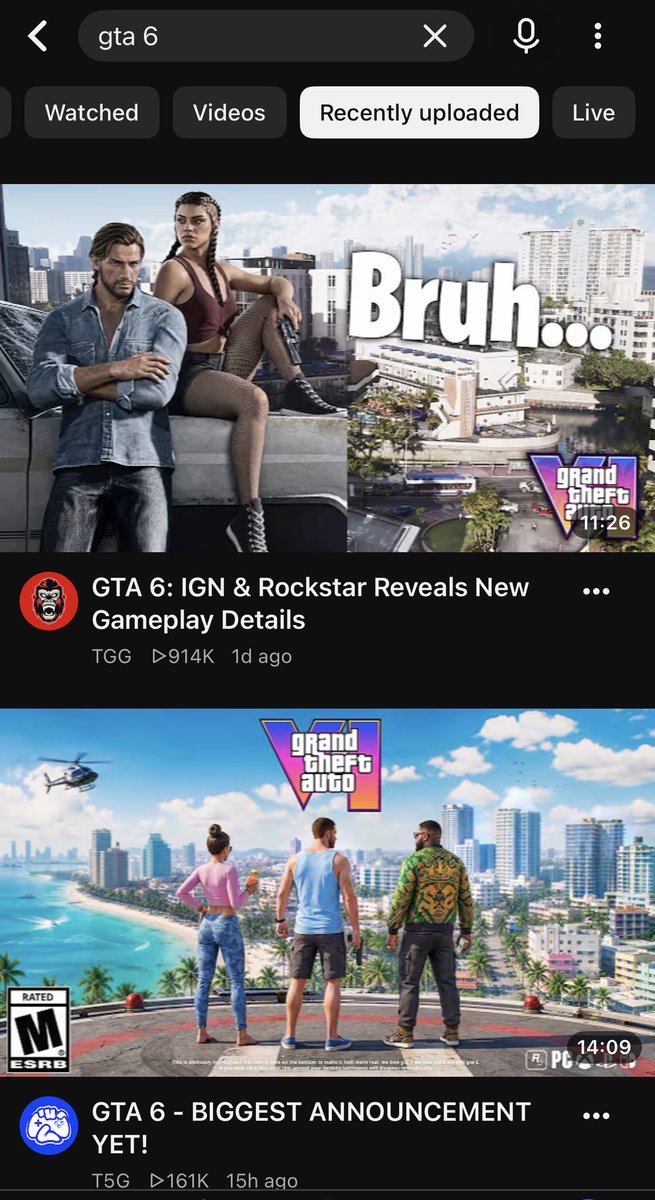
Part 8: AI avatar channels, and how to build your own
Faceless channels tend to hit a wall around video forty. People don't subscribe to a topic. They subscribe to someone. A voice reading facts over stock footage is easy to watch and easy to forget.
An AI avatar gives your channel a consistent someone: a face, a voice, a personality viewers can recognize in a feed and want to see again. Done well, it solves the attachment problem without you ever being on camera. Done badly, it's an uncanny talking head that gets your channel grouped with the slop.
The rules of the road
Before the how-to, the guardrails, because the 2026 changes landed squarely on this part of the business.
-
Photorealistic avatars get labeled. Since May, YouTube applies an AI label automatically to photorealistic AI video, with or without your disclosure. Turn the disclosure on yourself. A label alone doesn't cost you reach or monetization.
-
Never imitate a real person. Not a celebrity, not a creator, not someone you saw on TikTok. YouTube's likeness tools and its expanded removal system exist for exactly this, and so do plenty of lawyers.
-
Be careful with expertise. An AI host explaining a health or money topic is giving the impression of authority. Labels on those topics are more prominent, and viewers are rightly skeptical. Keep to education, cite sources, and don't have your avatar claim credentials. If you cover medical or financial topics, have a qualified human review the scripts.
-
The avatar can't be the whole channel. The policy that matters is still the inauthentic content one. An avatar reading near-identical scripts with minimal variation is the exact thing it describes. The avatar is the host. The research, angle and storytelling are the show.
-
Tell people. Put one line in your channel's About section: "Our host is an AI character." Transparency is a trust-builder, not a confession.
What works
-
A consistent look, voice and personality across every video.
-
A specific point of view: your avatar has opinions, running jokes, a signature opening.
-
Mixing the host with strong visuals so the screen doesn't turn into a talking head for 12 minutes.
-
Short, well-written scripts. An avatar makes weak writing more obvious, not less.
-
Using the avatar for the parts a person would normally do: intros, reactions, transitions and verdicts.
How to make your own AI avatar (step by step)
The tools change every few months. The workflow doesn't.
Step 1: Write the persona sheet. Name, rough age range, personality, how they talk, what they care about, three things they'd never say, one catchphrase or habit. Keep the backstory fictional and keep it short. This document will shape every script.
Step 2: Design the look. Use an image model (ChatGPT's image tools, Midjourney, Nano Banana or similar) to generate the character. You can look at what hosts in your niche wear and how they're framed, to get the energy and style right. Then change everything that would make it recognizably someone: face, hair, age, outfit. Keep going until it's nobody. If you borrowed a vibe from a TikTok creator, the final character should not be identifiable as them.
Step 3: Build a character sheet. Generate a clean sheet on a plain background: front, side, three-quarter view, full body, and a handful of expressions (neutral, amused, serious, surprised). This is your character's DNA. Every future image or clip references it, which is how your host looks like the same person in every video. Consistency is the entire trick.
Step 4: Build location and style sheets. Make a separate sheet for each place your host "lives" (a studio, a desk, a street) from a few angles, and one for visual style: lighting, color palette, camera feel. Decide once and reuse.
Step 5: Choose the voice. Pick a voice that fits your niche's expectations, or clone your own voice (only with your own consent), or hire a voice actor. Read the plan's commercial-use terms before you publish anything.
Step 6: Animate. Use an avatar tool with lip-sync for talking-head segments, or a video generation model for scenes. A prompt formula that holds up: character from the sheet, in the location from the sheet, doing a specific action, camera angle and movement, light direction and mood, style from the sheet. Vague prompts like "girl talking in her room" are why most AI video looks like garbage. Specific prompts are why some of it doesn't.
Step 7: Write in the persona's voice. Use your research brief and your JSON template (Part 9) but add the persona sheet as a rule. The avatar should sound like someone, not like a report.
Step 8: Assemble. Mix avatar segments with maps, charts, footage and graphics. Add captions. Cut dead air. Disclose.
Step 9: Review like a stranger. Watch the first 60 seconds on your phone with the sound off, then with it on. Do you believe the character? Would you subscribe to this person?
A made-up example
Say you run a gadget comparison channel with an AI host called Juno. Juno is dry, a little skeptical, and ends every video by ranking the products "from least to most likely to end up in a drawer." That one habit makes the channel recognizable. Your About section says Juno is an AI host. Your videos are built from real research: spec sheets, hundreds of customer reviews, and independent test results, summarized honestly. Juno never claims to have used anything. She says "I've read 400 reviews of these so you don't have to." That's honest, and it's a better hook than a fake review anyway.
Hybrid options
Some creators now hire a real person to host or just do voice. That's a legitimate way to solve the human-signal problem, and it's one reason I'd test a voice actor against an AI voice early. Let the retention graph decide.
If you've already tried an AI host, tell me in the comments what broke first. I'm collecting the answers for a follow-up, and I'll credit anyone whose story I use.
Part 9: AI research and scripting that doesn't produce garbage
Type "write me a 30-minute YouTube script about the 2008 financial crisis" into any AI model and you'll get something that looks like a script and plays like a school essay. You've seen it. The hook is soft. The language repeats. The transitions are the same four phrases. A detail from minute three contradicts one from minute twenty. And somewhere in there are one or two facts that sound great and never happened.
Why generic prompts fail
-
Weak hooks that begin with background instead of tension.
-
Repetitive language and rhythm.
-
Generic storytelling that could be about anything.
-
Fake facts. The model fills gaps with plausible-sounding inventions.
-
Poor pacing, with no reason to keep watching.
-
Repetitive transitions ("But that's not all", "Now, let's dive in").
-
Character and name inconsistencies in long scripts.
-
No retention structure at all.
The fix: a pipeline, not a prompt
Don't go Prompt → Copy → Upload. Go Research → Brief → Outline → Script → Review → Rewrite. Every step has a different job, and a human is in the loop at each one.
The structured prompt (your JSON)
Instead of paragraphs of instructions, give the model a structured template with every decision already made. Models follow structured fields far more reliably than loose requests, and you can reuse the same template for every video in a genre, which keeps quality steady. Here's a starting point:
{ "video_title": "The Day a Bank Disappeared Overnight", "audience": "adults 35 to 65 who like business history and watch on TV", "total_word_count": 3000, "number_of_sections": 8, "words_per_section": 375, "hook_style": "cold open in the middle of the tensest moment, no greeting, no 'in this video'", "tone": "calm, curious, slightly dry humor", "vocabulary": "plain English, explain any jargon in one sentence", "narrator_personality": "a well-read friend telling a story over dinner", "character_registry": [ {"name": "Person A", "role": "bank chairman", "locked_facts": "from the research brief only"}, {"name": "Person B", "role": "regulator", "locked_facts": "from the research brief only"} ], "story_structure": "cold open, background, rising stakes, turning point, fallout, reflection", "cliffhangers": "end sections 2, 4 and 6 on an unanswered question", "curiosity_loops": "open one new question every 60 to 90 seconds and close it later", "emotional_beats": ["unease", "disbelief", "anger", "relief", "reflection"], "cta": "one soft subscribe mention near the middle, never during an emotional peak", "ending": "end on the strongest image, not a summary", "rules": [ "use only facts from the research brief", "mark anything uncertain as [VERIFY]", "never invent quotes", "vary sentence length and avoid repeated transitions" ] }
Fields to keep: title, audience, word count, number of sections and words per section, hook style, tone, vocabulary, narrator personality, character registry, story structure, cliffhangers, curiosity loops, emotional beats, CTA and ending. Adjust the values for each video.
Research before writing (the rule that saves channels)
For anything factual, history, true crime, politics, business, health, follow this order every time:
-
Research the subject using primary sources and reputable reporting.
-
Build a research brief: a plain document of the facts you'll use, each with a source.
-
Verify dates, names, events, statistics, quotes, locations and historical claims against sources.
-
Give only verified information to the AI and tell it to use nothing else.
-
Generate the narrative.
-
Fact-check the finished script line by line against the brief.
A simple prompt for step 2: "Here are my sources. Build a research brief with a dated timeline, the key people and their roles, the exact numbers, any direct quotes with their source, and a separate list of claims that are disputed or unconfirmed. Do not add anything that isn't in the sources."
The principle to tattoo on your monitor: AI should accelerate research and writing, not replace verification. One confidently wrong video can undo months of trust, and viewers screenshot errors.
The review and rewrite pass
This is where your human judgment becomes visible, which is exactly what YouTube is looking for.
-
Read it out loud. Anywhere you stumble, rewrite.
-
Delete every sentence that could appear in any video about any topic.
-
Add your own details, opinions and examples. If it doesn't sound like a person with a point of view wrote it, it isn't done.
-
Check pacing: is there something new every 30 to 40 seconds, a question, a reveal, a shift in tone?
-
Check names and numbers against the brief.
-
Vary structure between videos. If every script has the same skeleton, your channel starts looking templated.
-
Rewrite the first 30 seconds last, when you know exactly what the video delivers.
You don't need to disclose that AI helped you write or brainstorm. You do need to disclose realistic synthetic content as described in Part 1.
Halfway through this guide, a small favor: if it's saving you time, follow me so you catch the next update. YouTube is changing its rules almost monthly, and I'd rather you hear about it from me than from a deleted channel.
Part 10: Voiceovers, editing, the production pipeline, and hiring help
Voiceovers
Match the voice to what your audience expects before they even hear the first line.
-
True crime: calm, serious, authoritative.
-
History: mature, measured, documentary.
-
Action and survival: energetic, faster, a bit urgent.
-
Romance and drama: warm, emotional, expressive.
Tools include ElevenLabs and a growing list of other text-to-speech options. A few practical points that matter more than which one you pick:
-
Commercial rights. Free plans usually restrict commercial use or require attribution. Read the license and upgrade before you monetize.
-
Voice consistency. Same voice, same settings, every video. Viewers notice a change.
-
Pronunciation. Names and places trip up every voice. Use phonetic spelling or a pronunciation dictionary and listen to the full audio before editing.
-
Pauses. Control them with punctuation. A line break and a short sentence do more than any setting.
-
Emotion and speed. Slightly slower for serious topics, slightly quicker for action. Test with a stranger.
-
Human alternatives. Your own voice or a hired voice actor often earns more trust. Faceless doesn't mean voiceless.
-
Never clone a real person's voice without their consent. That's both an ethics and a disclosure issue.
Editing: what you actually need
You don't need Hollywood effects, constant transitions or insane animations. You need things that keep a viewer watching:
-
relevant visuals for every line
-
strong pacing
-
movement on screen
-
captions when they help
-
music
-
sound effects used sparingly
-
pattern interrupts, small changes that reset attention
-
no unnecessary dead space
The editing rule: the visual should support what the narrator is saying at that exact moment. If the narration says "the market collapsed," the screen shouldn't be a stock shot of a skyline. It should be a chart, a headline, or a photo that proves it.
Sources for visuals: maps, charts, data visualizations, archival footage, photographs, screenshots, general B-roll, and AI-generated visuals where appropriate. Check licenses every time. Public domain material, such as many US government works, licensed stock, and properly attributed Creative Commons all work. A random clip you found does not.
An edit-pass checklist:
-
Does something on screen change every few seconds?
-
Does each visual match the line it sits under?
-
Are captions readable on a phone and on a TV?
-
Is the music quiet enough to hear the voice clearly?
-
Is every silence intentional?
-
Are the first 30 seconds the strongest 30 seconds?
The production pipeline
The whole pipeline, start to finish:
Research → Topic → Script → Voice → Assets → Edit → Thumbnail → Upload → Analytics
Each stage can be tightened without losing quality:
Stage Slow way Better way Research Random browsing A saved source folder and a template brief Topic Gut feeling Outlier and demand check from Part 4 Script Blank page JSON template plus your rewrite pass Voice Re-recording whole files Fix by section, keep a pronunciation list Assets Hunting during editing A scene list built from the script before you start Edit One timeline from scratch A reusable template with captions, music bed, lower thirds Thumbnail Redesigning every time One consistent template, new subject each time Upload Rushed A checklist: title, description, chapters, end screen Analytics Checking when anxious One scheduled weekly review
An example solo week: research and pick topics on Monday, script on Tuesday, voice and asset gathering on Wednesday, edit on Thursday, thumbnail and upload on Friday, and a 45-minute analytics review on Saturday. Sunday off.
A realistic timeline. Your first video may take 15 to 20 hours, and that's normal. By around video twenty, 5 to 8 hours per video becomes reasonable if you've built templates. That's the moment you're ready to delegate, because you know what good looks like.
Hiring editors: when to stop doing it yourself
Stop editing when your time is more valuable doing research, scripting and strategy, and when you can clearly describe what a good edit looks like. Not before. If you can't explain what "good" is, you can't judge anyone else's work.
Where to find editors: X, Discord communities for creators, Fiverr, Upwork, and creator communities where people share portfolios.
What to look for:
-
a portfolio relevant to your niche
-
speed
-
clear communication
-
an understanding of retention, not just effects
-
the ability to follow a style guide
-
reliability. Boring, but it's everything.
Always run a paid test video first. Give them one script, your style guide, and a deadline. Watch what they do with the brief, not just the result.
The principle that saves money: the cheapest editor isn't the cheapest editor. Picture Marcus hiring someone at half the price. Each video comes back needing four hours of fixes, so Marcus is effectively editing it himself and paying for the privilege. A better editor costs more, needs 20 minutes of feedback, and returns his weekends. Always count your own time.
Protect yourself:
-
Give access through channel permissions, never your password.
-
Write down what you're buying: deliverables, deadlines, revisions, and who owns the finished work.
-
Keep your source files and project templates somewhere you control.
-
Pay people on time. Good people talk to other good people.
Part 11: The RPM game, long-form, TV and ads
Views are not revenue. Say it out loud, because it changes how you pick everything.
Two channels can each get 500,000 views in a month. One earns $1,500 and the other earns $7,500. Same platform, same effort, five times the money. The difference is RPM, revenue per thousand views, counted after YouTube's cut. If you want the beginner version: RPM is what you actually take home for every 1,000 views. CPM is what advertisers pay before YouTube's share, and it's usually higher.
What decides your RPM
-
Audience location. US, UK, Canada and Australia viewers generally pay more than viewers from lower-income advertising markets.
-
Niche. Finance, business, insurance and software attract the biggest ad budgets. Gaming and general entertainment attract smaller ones.
-
Audience age. Older audiences tend to have more spending power and are valued more by many advertisers.
-
Advertiser demand, which shifts week to week.
-
Video length, because longer videos can carry more ad breaks.
-
Viewer intent. Someone searching "best way to compare Medicare plans" is worth more to an advertiser than someone scrolling a meme feed.
-
Seasonality. Q4 is usually the strongest quarter, and January and February are usually the weakest. We're about to enter the good stretch.
-
Content type, meaning whether the content is advertiser-friendly.
-
Watch time. More minutes watched usually means more ad impressions.
-
Ad suitability. Videos with limited ads earn less, which is why tone and topic matter.
Published RPM tables vary wildly between sources, from "finance pays $4 to $12" in one place to "$15 to $40" in another. That tells you something useful: nobody really knows your number. Use ranges as direction and trust your own Studio.
Long-form strategy
Videos over 8 minutes can carry mid-roll ad breaks, which is the simplest reason long-form out-earns short-form per viewer. More importantly, from February, long-form watch time will be the more realistic route into the Partner Program for most new channels.
Ways to use length:
-
8 to 20 minute videos that earn their length.
-
Longer documentaries when the story deserves it.
-
Compilations of your own work (not other people's clips).
-
Sleep content and extended viewing, where viewers settle in for an hour.
-
Long-form stories for audiences that watch on TVs.
One rule above all of them: don't make a video longer just to make it longer. Retention still decides everything. A padded 20-minute video that loses half its audience at minute four performs worse than a tight 11-minute one. Cut until it hurts, then add only what makes the viewer want the next minute.
Also be careful with extended formats that are the same visuals and the same audio looped for hours. Those can look repetitive to YouTube's review. Add real variation and real value.
Repurposing into long-form
One research effort can feed many formats, and that's the real advantage of this model. Take one 20-minute true-crime video and look at what it can become:
-
the individual story
-
a compilation of five stories
-
a two-hour collection for a lean-back viewing session
-
a sleep-friendly version with calmer pacing
-
a themed documentary that connects several cases
Same research, many products. Just don't stamp out ten copies that differ only in the title. New cuts need new framing, new intros and new transitions, or you're back in template territory.
Optimizing for TV
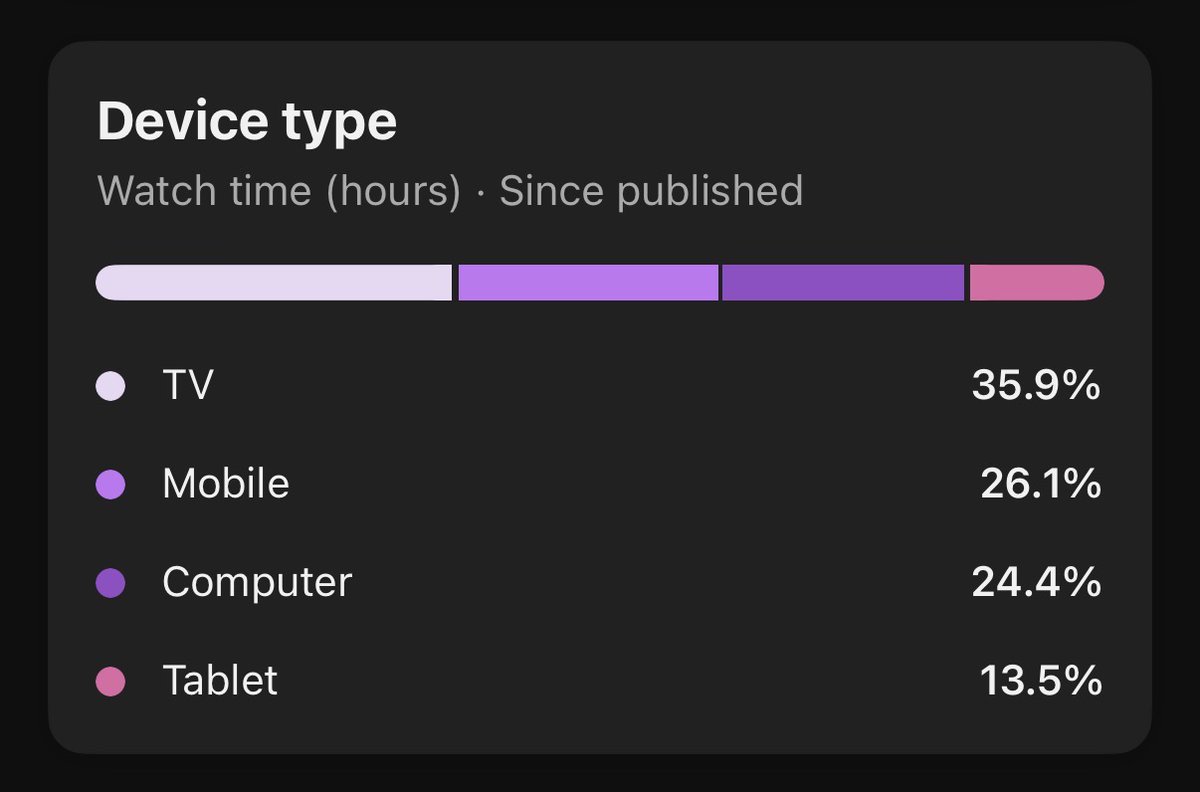
The TV audience is now YouTube's biggest, and a lot of faceless content is made for exactly that audience: long, narrated and easy to watch from a couch. Design for it:
-
Thumbnails readable from a distance. Big subject, large text, strong contrast. Stand ten feet from a TV and look.
-
Clear visuals that don't need a phone-size screen to understand.
-
Strong composition. One focal point.
-
Audio quality. TV speakers expose bad mixes. Keep voice clear and music low.
-
Longer sessions. Suggest your next video at the end and mention it in a natural line.
-
Test it. Cast your thumbnail to an actual TV once.
Check the new "Views (Co-Viewed)" metric in Analytics Advanced Mode to see how many people watch together on a shared screen. Since a family sitting in front of a TV is a different advertiser audience than one person on a phone, it explains why TV RPMs can run higher.
Ad strategy that doesn't wreck retention
-
Don't break the viewer's experience with too many interruptions. Ads placed at natural breaks beat ads placed every ninety seconds, especially for calm, immersive content.
-
Understand that Premium revenue exists. When viewers with a Premium subscription watch, you're paid from their subscription fees based on watch time. Long, well-watched videos earn this even with no ads.
-
Match your strategy to your content. A tense story wants fewer breaks. A tutorial can handle more.
-
YouTube offers ad-category controls in Studio. Learn what's available, but treat them as settings to understand, not RPM hacks. Blocking or allowing a category doesn't change who your audience is.
-
Keep an eye on the advertiser-friendly guidelines page. It was updated in August, September and October, and changes matter to documentary, news and gaming creators.
Part 12: Monetization beyond AdSense, build a business you own
If I could tattoo one section on the back of every beginner's hand, it would be this one.
You don't own YouTube. You rent attention on it. The platform can change thresholds (it just did), change recommendations (it just did that too), or review your channel and decide you're not eligible. If your entire income runs through one platform's mood, you don't have a business yet. You have a job with a very unpredictable boss.
So alongside the channel, you build an audience that belongs to you. The simplest path looks like this:
YouTube → Lead Magnet → Email → Offer
The email list
Why: you don't own your subscribers on YouTube, but you do own your email list. An algorithm change doesn't erase that relationship.
Lead magnets that work for faceless channels:
-
a checklist
-
a one-page PDF cheat sheet
-
a short guide
-
a template (a script outline, a budget sheet, a planning spreadsheet)
-
a resource list
-
a mini-course by email
The best lead magnet solves a small, specific problem your video just made someone aware of. If your video explains Medicare open enrollment, the magnet is a one-page "questions to ask before you choose a plan" checklist.
Setup in an afternoon:
-
Pick an email service (many have free tiers: Kit, beehiiv, MailerLite and others).
-
Create a simple sign-up page.
-
Make the lead magnet in an hour.
-
Put the link in the first line of your video descriptions, pin a comment with it, and mention it once in the video.
-
Write a short welcome sequence of three to five emails that deliver the magnet, introduce you, share your best video, and ask what people want to learn.
-
Include an unsubscribe link and your business address. Those are legal requirements in many places.
Ebooks and digital products
Once your list is growing, you can sell something you made. Common formats and price points:
-
a $9 ebook
-
a $19 guide
-
a $29 manual or playbook
-
a paid newsletter
-
templates and spreadsheets
-
a short course
Use a simple platform to sell (Gumroad, Payhip and similar). Write the product from the exact questions your comments keep asking. AI can help with the outline and the first draft, but you must do the real work: fact-check, add your own examples, and make something you'd be happy to refund. Describe what it does honestly. Don't promise income or health outcomes.
The simple math (with honest assumptions)
This is how small percentages become real money. These rates are examples, not forecasts.
Say your channel gets 200,000 views in a month. If 1.5% click your description link, that's 3,000 visitors. If 30% of them join your email list for a good lead magnet, that's 900 new subscribers a month. After six months you'd have around 5,400 subscribers.
Now run a launch week for a $20 guide. If 2% of that list buys, that's 108 buyers, or about $2,160. That's a hundred people paying twenty dollars, a number that stays meaningful because it lands on top of your ad revenue, and because the list is still there next month to launch the next thing.
Your actual rates will be different, and some niches convert far better than others. The point is the shape: a modest percentage of a growing list is a reliable second income, and it doesn't need AdSense approval.
The boring stuff that protects the money
-
AdSense tax information. Submit it. If you don't, YouTube can withhold part of your earnings. Rates depend on where you live, so ask a tax professional.
-
One AdSense account per person. Don't open extras under other people's names.
-
Copyright and fair use. Fair use is a legal defense, not a permission slip. Add commentary, criticism or analysis, use only what you need, and prefer material you own or license.
-
Music. Use licensed libraries or YouTube's audio library. "Found it online" isn't a license.
-
Business structure. Once income is steady, ask an accountant whether a business entity makes sense for you.
-
Disclosures. Affiliate relationships and paid promotions must be disclosed clearly. More on that next.
Part 13: Affiliate marketing, treated as a system, not a link
Most beginners treat an affiliate link like a lottery ticket: post it, hope for a viral video, collect. The people earning real money treat it like a small machine with five parts that all have to work. (Use Glitchy its the best aff network) https://app.glitchy.com/?ref=148307
Audience → Content → Click → Landing page → Offer → Conversion
If any link in that chain is weak, the whole thing pays you nothing.
Choosing offers: the order matters
Beginners sort by payout. That's backwards. Pick in this order:
-
Demand. Does your audience actually want this? Look at your comments and search data.
-
Competition. Are twenty other channels already pushing the same thing the same way?
-
Conversion. Does the offer actually convert? Ask the network or merchant, and test with small traffic.
-
Payout. Only now.
A quick example of why. Out of 1,000 clicks, a $10 offer that converts at 5% earns $500. A $50 offer that converts at 0.5% earns $250. The smaller offer wins by double. This is what people mean by EPC, earnings per click. $0.50 versus $0.25. Chase EPC, not headline payout.
Affiliate content strategy
Don't just say "buy this." Make the video itself genuinely useful. Formats that work, in rough order of honesty and trust:
-
Problem and solution videos: "Why your Wi-Fi drops and what actually fixes it."
-
Tutorials: how to do something, with the tools you recommend shown in use.
-
Comparisons: "I read 1,000 reviews of five budget microphones so you don't have to." This is the safest, most useful faceless format.
-
Reviews, but only of things you really used. A faceless creator can still screen record real use.
-
Use cases: who it's for and who should skip it.
-
Before and after, only with real before and after.
-
Case studies, only with real results and screenshots.
Disclosure goes first, not last. Put "Affiliate link, I earn a commission if you buy" right next to the link, in the first line of the description, and say it once in the video. That's good manners and, in most countries, the law. Read each program's rules too. Amazon's, for instance, restricts where its links can appear.
A made-up example: you publish a 12-minute video, "5 Budget Microphones Compared (From 1,200 Real Reviews)." The first line of the description says "Affiliate links below, I earn a commission." You summarize real reviews and independent tests, explain who each mic suits, and say clearly which ones you haven't touched yourself. That video can rank for years, earn from AdSense and affiliates at the same time, and survive scrutiny. A fake AI "customer" claiming to love the microphone can't do any of those things.
Multi-platform distribution
Don't wait for one platform to carry you. Each does a different job:
-
TikTok: volume and discovery.
-
YouTube Shorts: longevity and discovery.
-
Instagram: conversion and audience building.
Create once, adapt, distribute. Cut Shorts from your own long videos (that's the original content YouTube is rewarding) and repost the same idea in each platform's native style. Keep Shorts as the advertising department and your long videos as the business.
Faceless affiliate content, and testing
Faceless-friendly formats: creator-style voiceover videos, slideshow content, screen recordings, voiceover over product footage, and demonstrations. AI-generated spokespeople can explain things. They should not play fake customers who "tried it," which is both deceptive and increasingly regulated.
Then test. Don't make one creative and pray. Test:
-
multiple hooks
-
multiple scripts
-
multiple visual styles
-
multiple hosts or avatars where appropriate
-
multiple calls to action
Then scale what wins and kill what doesn't, without emotion.
Landing pages
Sending cold traffic straight to a merchant's page isn't always optimal. A short page of your own can warm people up and raise your earnings per click. The flow becomes Content → Landing page → Offer, and a good page has:
-
a strong headline that matches the video
-
the problem, stated plainly
-
the solution
-
the benefits
-
social proof, but only legitimate: real reviews, real numbers, real sources
-
trust signals
-
a clear call to action
-
a visible disclosure
You can build one in an hour with a no-code tool or an AI page builder, point a domain you bought for around ten dollars a year at it, and update it any time. Keep it simple. One offer, one button, clear steps. A beautiful page that breaks the momentum of the video loses money.
Building the affiliate team
Eventually you stop doing the work and start running it. You find the offers and set strategy. Editors produce content. Researchers or writers create scripts. You review. That's the move from creator to operator, which is the subject of Part 15.
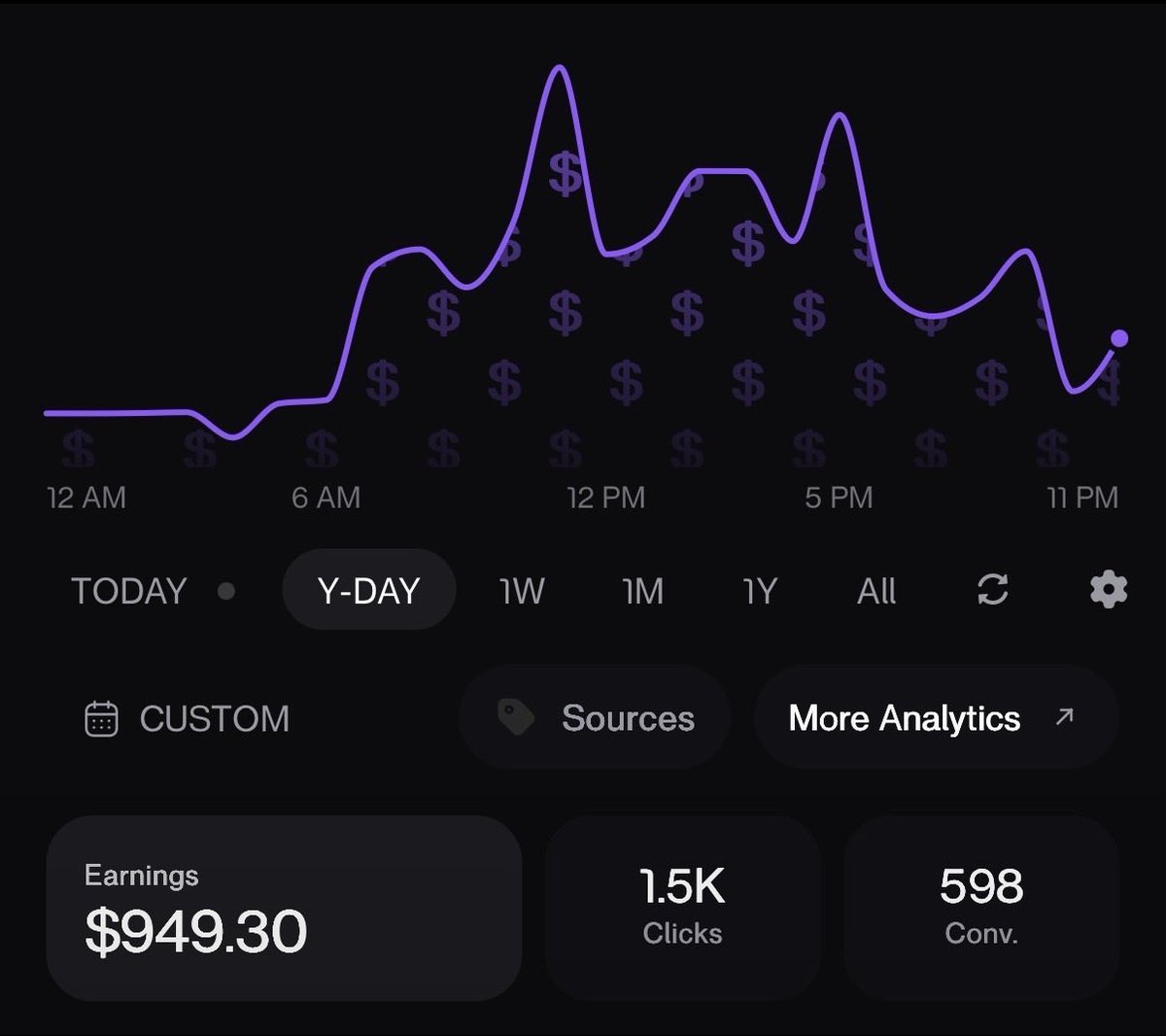
Part 14: CMS networks, explained without the guru fog
Once you spend enough time in this world, someone will tell you about "CMS access" as if it's a cheat code. It isn't. So what is it?
What a CMS is
CMS stands for Content Management System. In YouTube's partner world, it's the back-end toolset YouTube gives to media companies, music labels, rights holders and networks. It lets them manage channels linked to them, administer rights, handle copyright tools, view assets, and sometimes get dedicated support. Individuals could get CMS access in the past. Today that's rare, and mostly reserved for real companies.
The three kinds
Affiliate or "linking" CMS. Your channel is linked to a network. There's an earnings relationship between the channel and the network. The benefits are limited. It does not make bad content safe.
Managed CMS. More extensive management. The network typically needs YouTube's approval to link a channel. It offers rights and support features and more sophisticated infrastructure. Networks are picky because they carry some responsibility for what they link.
Music CMS. Built around music and rightsholders. Catalog management, rights administration. Only relevant if you're a rights owner.
The myths to throw out
-
A CMS is not automatic monetization.
-
A CMS is not immunity from YouTube's policies.
-
A CMS does not guarantee views.
-
A CMS is not a magic RPM multiplier.
-
A CMS is not permission to upload stolen content.
-
A CMS does not protect low-quality content from consequences.
The most important one: a CMS should never be treated as a laundering system for low-quality or policy-violating content. Networks check what they link, and most are strict. If your content wouldn't survive review on its own, linking it won't save you. If someone offers to link you for a fee and promises protection from enforcement, walk away. If they're also the person who sold you the course on how to qualify, double that.
Why it's worth understanding: when you learn how networks and rights actually work, you stop thinking like a hustler and start thinking like an operator. Real business owners protect real assets, and they have no patience for people playing games with their infrastructure. Be that kind of operator.
Part 15: Scaling from one channel to an operation
If you've gotten this far, you're already ahead of most people who start channels. This final stretch is about turning one working channel into something that doesn't depend on you doing every task.
Principle 1: Double down on winners
When you find a winning niche, format, topic or series, don't abandon it because you're bored. Scale what's working.
Say three of your last twenty videos clearly beat the rest, all about "ordinary people caught in historic events." The move is not to pivot to a new idea. It's to make ten more in that vein, with new angles, new eras and new structures. And that's the caution: doubling down is not copying yourself. Keep varying the format inside the winning theme so the channel doesn't start to look templated, which is the one thing YouTube is looking for.
Principle 2: Focus
Focus is a skill, not a personality trait.
-
Work in long, uninterrupted blocks, 90 minutes works for many people.
-
Put your phone in another room.
-
Protect your best hours for scripts and strategy, and schedule email and admin for the low-energy hours.
-
Fewer projects, finished.
Principle 3: Reflect
Once a week, ask:
-
What's working?
-
What's failing?
-
What changed?
-
What's slowing us down?
-
What should we stop doing?
-
What should we automate?
-
What needs a system?
-
What's the next bottleneck?
Write the answers down. Pen and paper is fine. You'll forget your goals in the middle of the grind if you don't have a system for revisiting them.
Principle 4: Build the team
Start with yourself. Learn research, scripting, editing, thumbnails, analytics and uploading, enough to judge each one. Then delegate in this order: editor, researcher, scriptwriter, thumbnail designer, channel manager, operations. Always hand off the task that costs you the most time for the least strategic value first.
Principle 5: Hire carefully
Look for work ethic, communication, speed, reliability, initiative, the ability to follow a system, and the ability to improve. A paid test project reveals most of it. People who've finished hard things before usually finish yours.
Principle 6: Pay your best people
If someone directly contributes to growth, keeping them is cheaper than replacing them. Replacing a strong editor means weeks of lost output and retraining. Don't build a business that depends on underpaying everyone, because the good ones leave and the weak ones stay.
Principle 7: Lead from the front
As the owner you set the standard and the pace. Communicate clearly. Don't disappear for ten days. Don't micromanage every frame either. Build systems, such as style guides, templates, checklists and scorecards, that let people work independently, and then trust them to.
Principle 8: Calm execution
There's speed, and there's rushing. You want fast and deliberate, not fast and chaotic. Rushing produces typos, wrong facts, missing disclosures and videos you're embarrassed by in a week. Calm speed comes from systems: checklists, templates, a clear definition of "done."
Principle 9: Recovery
Rest, sleep, breaks, days off. Burnout kills more channels than algorithm changes do. The goal isn't "work 20 hours today." The goal is to build a machine you can run for years.
The operator mindset
This is where everything ties together.
The beginner asks, "How do I make a video?"
The creator asks, "How do I make three videos a week?"
The operator asks, "How do I build a system that produces thirty high-quality videos a month without everything depending on me?"
That shift, from person who does the work to person who designs the work, is the transformation this guide has been aiming at. YouTube automation was never about removing work. It's about turning the work into systems.
Part 16: The complete roadmap, your first week, and the mistakes to dodge
The whole thing on one page
-
Study successful channels
-
Identify the patterns
-
Find a demand gap
-
Choose a niche using the scorecard
-
Build the channel properly
-
Research topics
-
Create verified research briefs
-
Generate structured scripts
-
Create voiceovers
-
Produce visuals
-
Edit for retention
-
Package with title and thumbnail
-
Publish consistently
-
Study your analytics
-
Improve the format
-
Raise your RPM
-
Add affiliates
-
Build an email list
-
Create digital products
-
Hire your first team members
-
Document the systems
-
Replicate what works
-
Scale into multiple channels
-
Become the operator instead of the worker
What I'd do this week
Day 1: Open a spreadsheet and study 5 channels. Fill in 10 rows. Day 2: Run the demand check on three niches and fill in the scorecard. Day 3: Create the Google account, the Brand Account channel, the profile and the verification. Day 4: Write your persona sheet or voice choice. Build your JSON template. Day 5: Research and write your first brief and first script. Day 6: Record the voice, gather visuals, and edit a rough cut. Day 7: Finish, add the thumbnail, tick the AI disclosure if needed, and publish. Then start your email lead magnet.
Mistakes that sink new channels
-
publishing ten near-identical videos in a week
-
skipping research and trusting AI facts
-
copying footage or scripts instead of studying principles
-
chasing proxies, tools and "trust score" myths before making a good video
-
ignoring the first 30 seconds
-
quitting after twelve videos
-
depending on AdSense alone
-
fake reviews, fake testimonials or fake customers
-
sharing passwords with editors
-
not checking the retention graph
A short FAQ
Are faceless channels still monetizable in 2026? Yes. YouTube's policy doesn't require a face, and it says AI-assisted channels remain eligible. What it won't pay for is mass-produced, repetitive, generic content.
Do I have to disclose AI? For realistic content that could be mistaken for real, yes. For scripts, ideas and captions, no. When unsure, disclose.
Can I still get monetized before February? If you meet today's bar of 1,000 subscribers and either 4,000 public watch hours or 10 million Shorts views, you can apply now. After February 1 the bar doubles for new applicants.
What if I'm nowhere near that? Build for the new bar and start the owned stack: email, an affiliate stack and a small product. You can earn without being in the Partner Program.
Should I buy a channel or a course? Almost never. A channel's history comes with its problems. Most courses repackage what you just read.
A short glossary
-
RPM: revenue per 1,000 views, after YouTube's cut.
-
CPM: what advertisers pay per 1,000 ad impressions, before YouTube's cut.
-
CTR: click-through rate, the share of people who saw your thumbnail and clicked.
-
AVD: average view duration, how long viewers watch on average.
-
Retention: the graph of how much of the audience is still watching at each moment.
-
Impressions: how many times your thumbnail was shown.
-
YPP: the YouTube Partner Program, the system that shares ad revenue.
-
Outlier: a video that massively beat its channel's normal numbers.
-
Swipe file: your folder of saved examples to learn from.
-
EPC: earnings per click on an affiliate link.
-
CMS: content management system, the back-end tool networks and rights holders use.
The last thing
There's a quiet pattern behind everything in this article. The channels that got deleted in January made videos nobody could tell apart. The channels that will earn through 2027 make videos only they could have made. That's it. That's the whole shift.
You don't need a face. You need a point of view. You don't need a team on day one. You need a system you'll actually follow. And you don't need permission from anyone, including YouTube, to start building something that's yours.
If this helped, follow me. I break down these changes as they happen, and the next update to this guide will cover whatever YouTube does next. And tell me in the comments: which niche are you testing first, and what scored highest on your scorecard? I read every reply, and the best questions become the next deep dive.
Leave a follow, like and retweeet and also comment your niche