it's illegal not to vibe-code ios apps in 2026 (STEP-BY-STEP GUIDE)
文章目录
部分视频或图片暂未收录,已在正文保留提示;需要时可查看原文。查看原文 ↗
You should launch your app this year.
You are literally 7 days from turning your idea into first sale.
Here is how.
Apply for the Apple Developer membership first
The membership costs $99 per year. Apply in advance.
Apple takes time to review it, so you build while you wait.
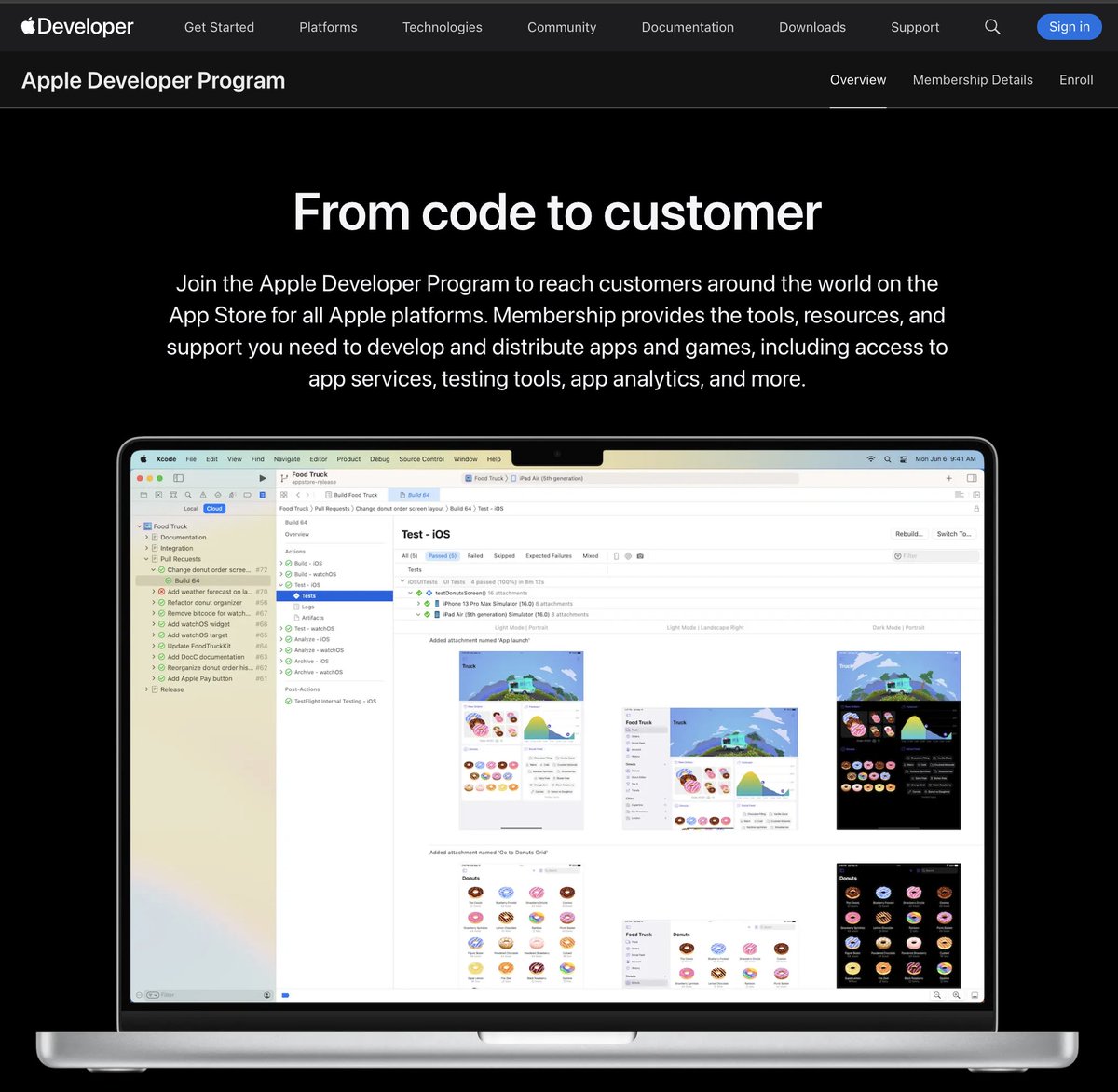
The Apple Developer Program page, where you enroll.
Start building today and your app should be polished in about a week. That's about when your membership gets approved.
Build for a sub-niche, not a category
A lot of beginners make a simple mistake. They build for overcrowded niches with thousands of competitors.
Crowded niche → struggle for a first install → lost motivation → no second app
So avoid really popular niches. Always build for a sub-niche.
Calorie tracker → protein tracker → protein tracker for vegetarians and vegans
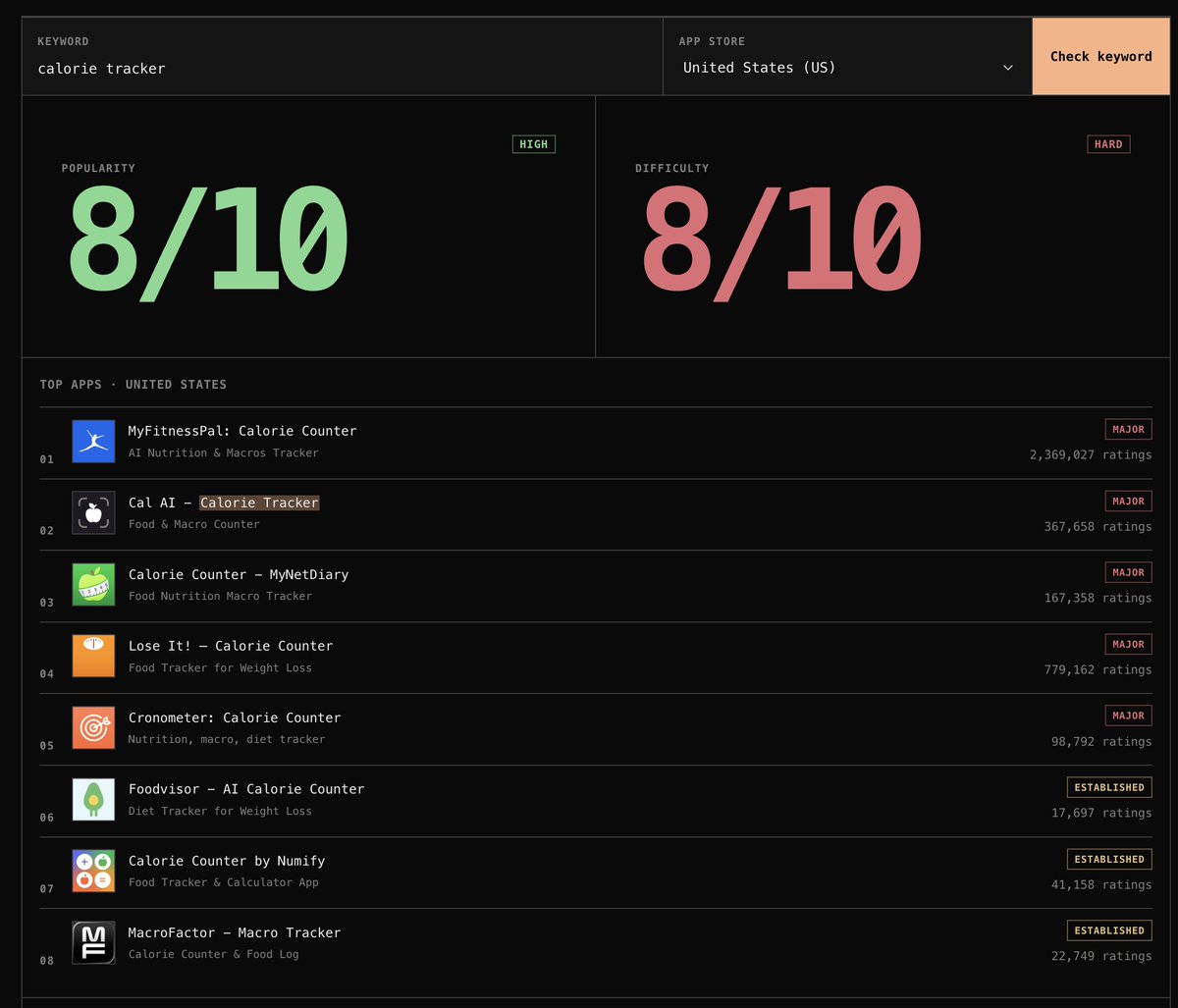
"Calorie tracker" scores 8/10 popularity and 8/10 difficulty. MyFitnessPal leads with 2,369,027 ratings.
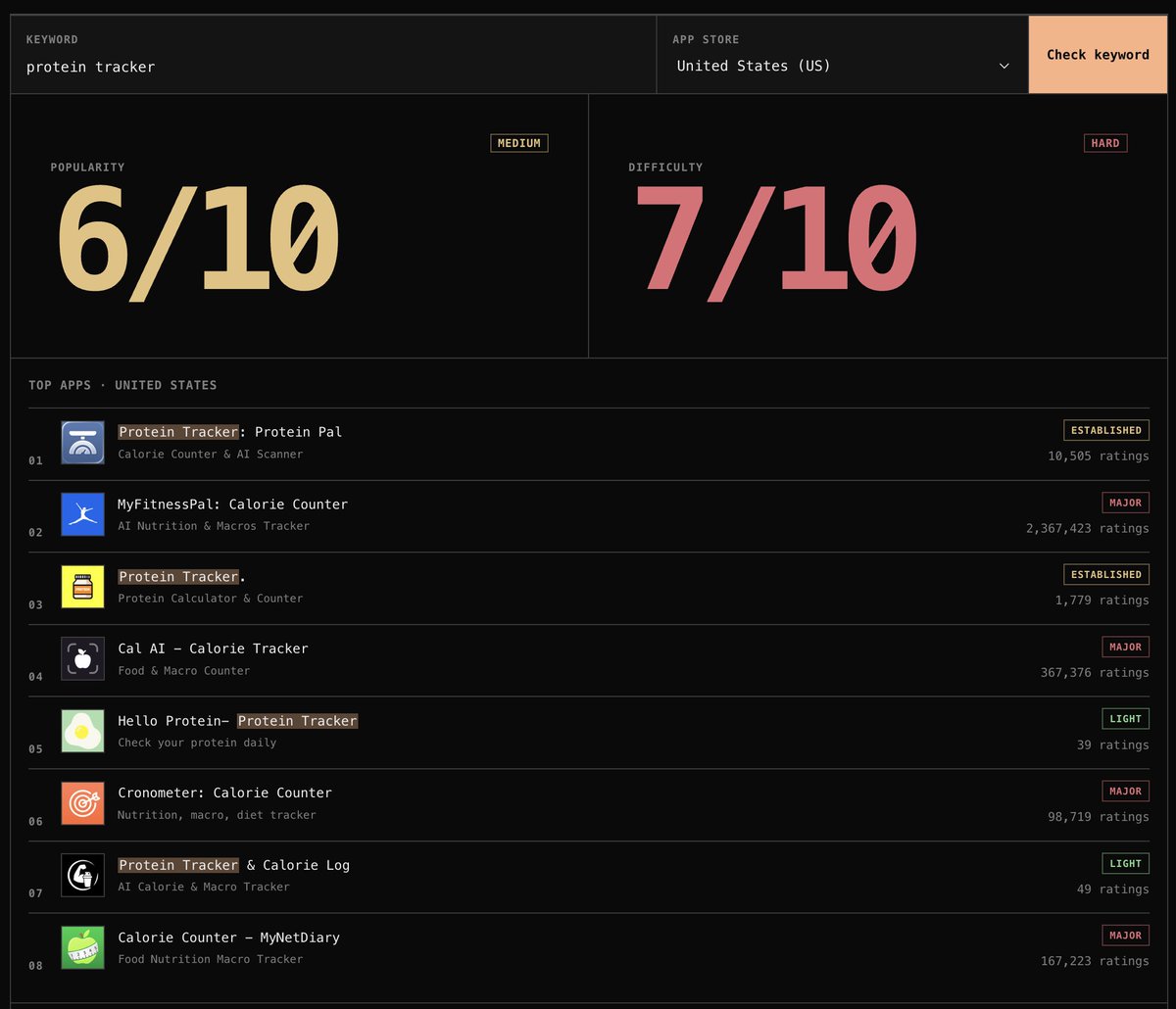
"Protein tracker" drops to 6/10 popularity and 7/10 difficulty.
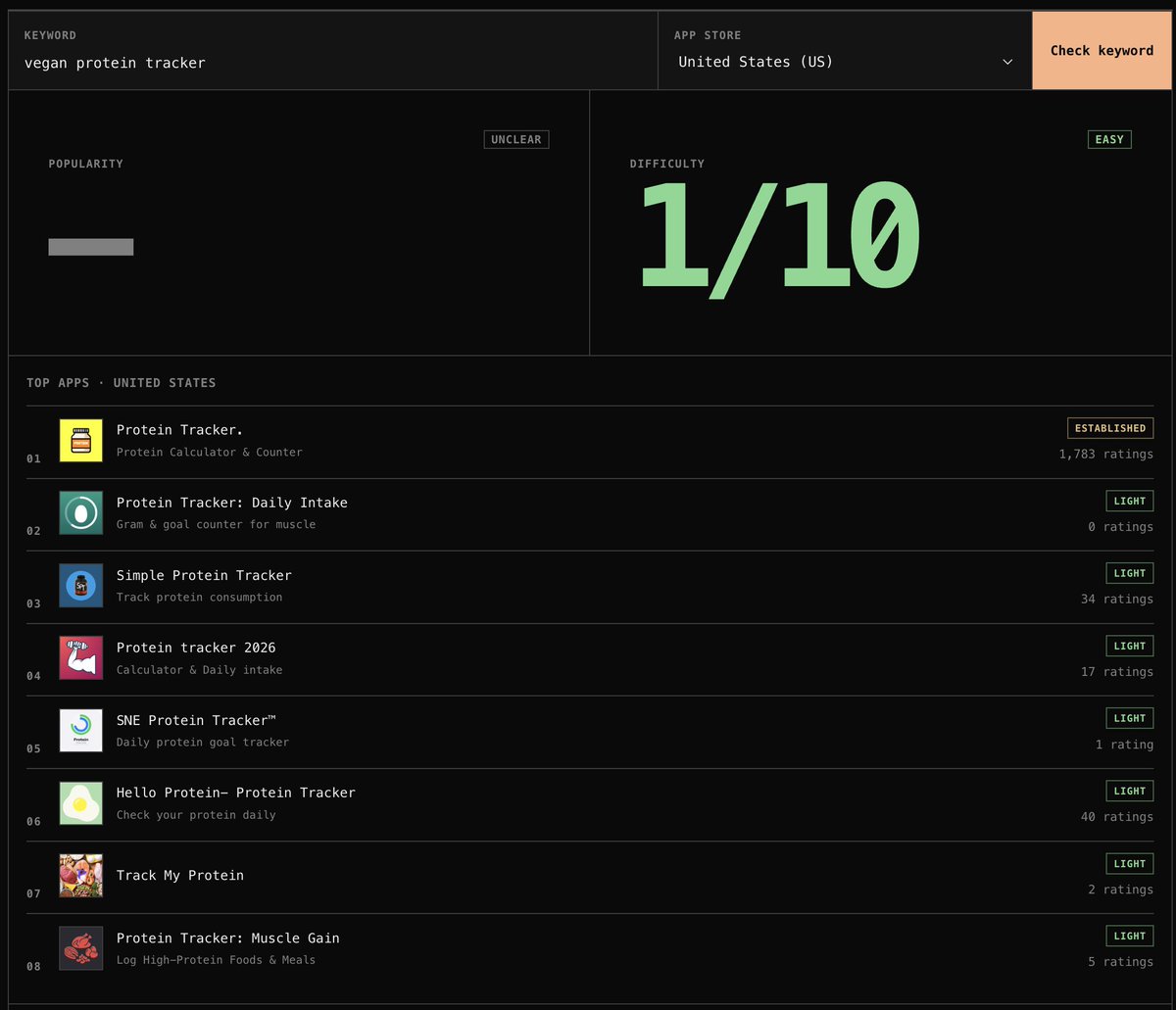
"Vegan protein tracker" shows 1/10 difficulty. Popularity is unclear.
There is less competition in this niche. If you're vegetarian or vegan yourself, you'll have better insight into building for these people.
Pick what excites you, then check the keyword
For a first app, put your passion, talents and hobbies ahead of keyword volume.
You need to be excited about the app. You also need a unique insight that makes it special.
Still, check the keyword with a tool. Sometimes you tweak it to match your passion and still bring App Store traffic.
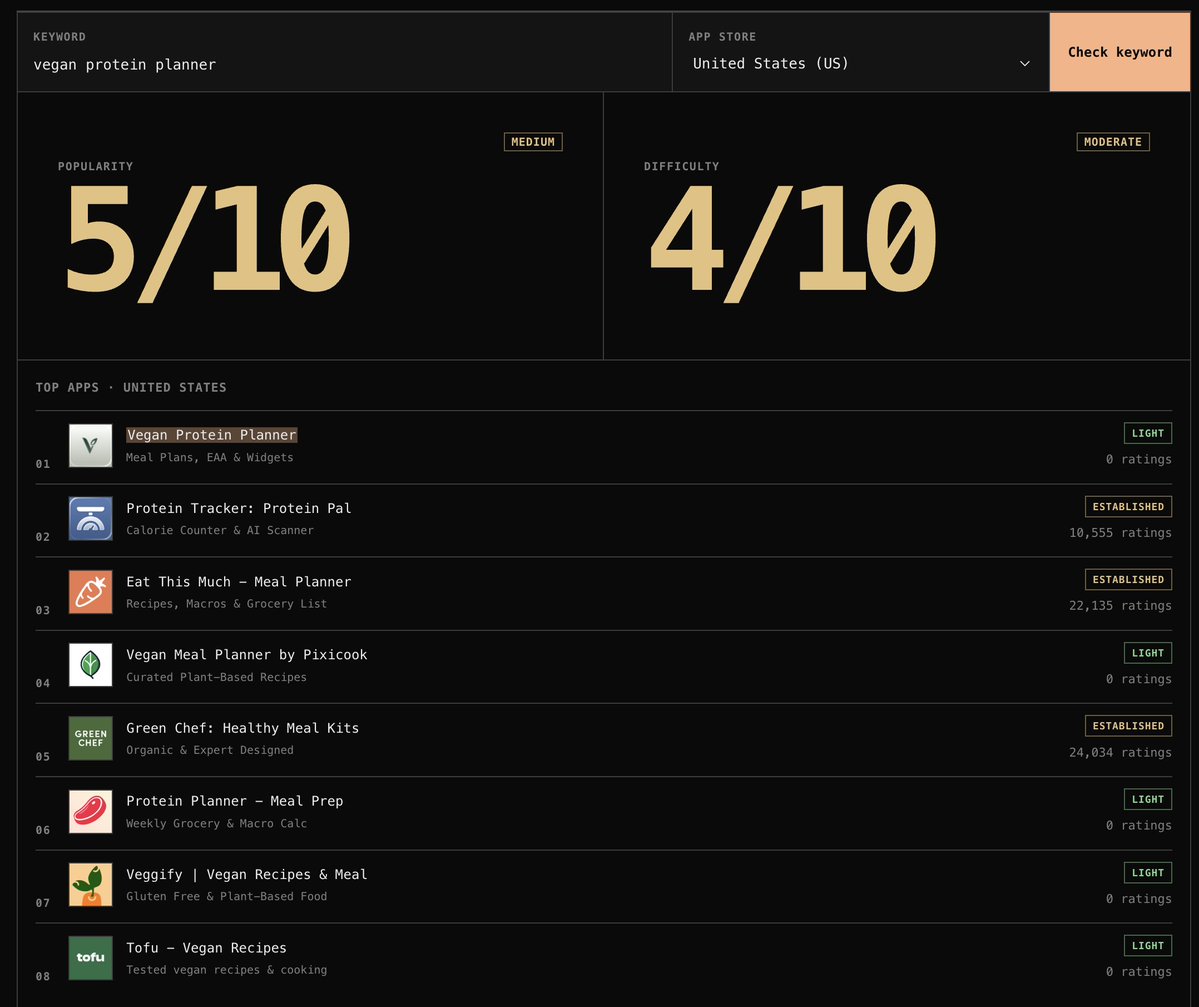
A keyword variation in the same tool: "vegan protein planner" scores 5/10 popularity and 4/10 difficulty.
-
Write down five problems you're excited to solve in a unique way.
-
Check each keyword's volume in our free ActivationPal keyword checker
-
See how much competition each keyword has.
-
Pick the best idea.
Build v1 with Codex if you know the basics
Codex or Claude Code works well if you have some technical experience:
-
You understand how app development works.
-
You know the key concepts.
-
You've published things on the internet before.
The rest of the build comes down to what you tell Codex.
Brief Codex with a 5–10 minute voice dump
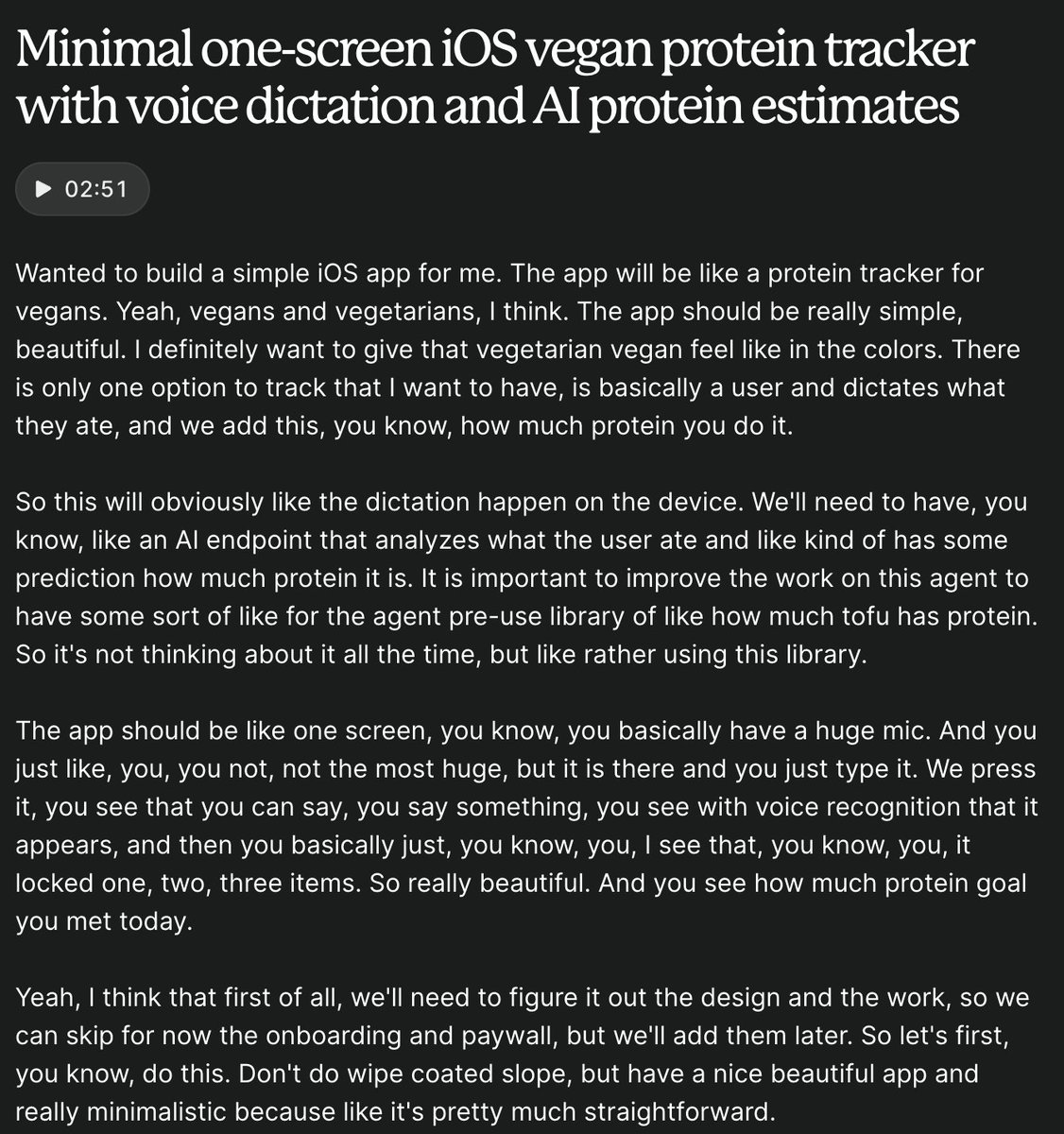
just talk about your idea
A voice message is the easiest way I know to start a new app. Dump every idea into it:
-
The one feature your app does
-
Your ideas for the color system
-
Whether the app should have a mascot
You can tell the agent "make a decision from these choices." Or say "don't decide this yet."
One screen, one feature, no extras
My spec: one screen where you log protein. Only one way to track it.
You dictate what you ate, like a bowl of tofu. The agent scales tofu's protein per 100 grams to one bowl and logs it.
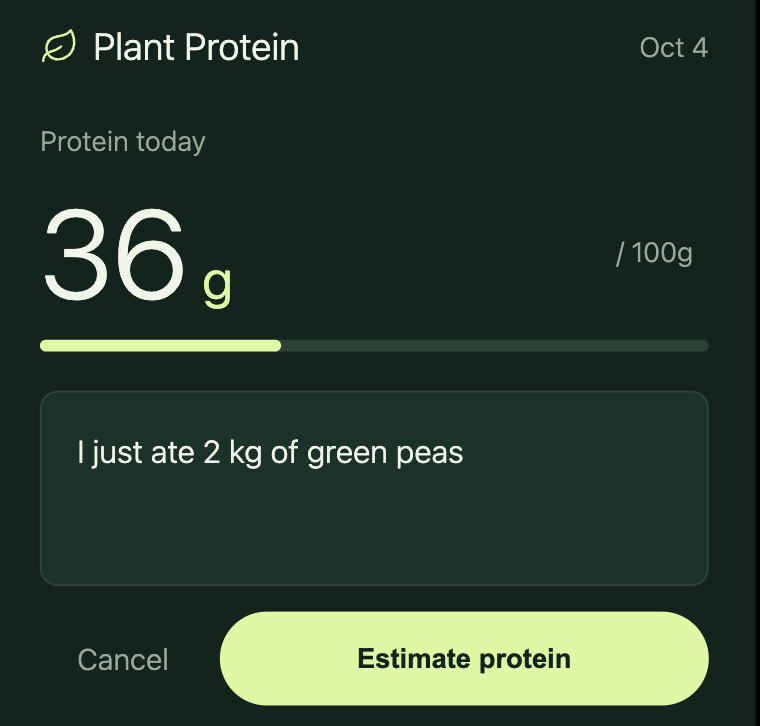
The meal entry box in the app, with an Estimate protein button.
Some users will ask for AI image scanning. Fine, add it in a later version.
Before anyone asks, build what you think is best. Keep your first version really tiny.
Tell Codex: no accounts, data stays on the device
None of my apps have account creation. All the data stays local.
I recommend the same. It makes the first version easier to build.
In this app, AI only analyzes what you ate. It sends the response back to the device.
Spend one hour removing the vibe-coded look
Skip iterating on the agent's first version and you get the vibe-coded design. It's not the end of the world.
But one free hour can make your app feel premium. I follow three rules:
-
Don't overwhelm users. AI agents love adding tips, descriptions and secondary headings nobody needs.
-
No gradients. Pick two colors and use them across the whole app.
-
Reduce taps. Two taps to record and send a meal is a good flow.
Your users are not the stupidest people in the world. They can log protein with one button.
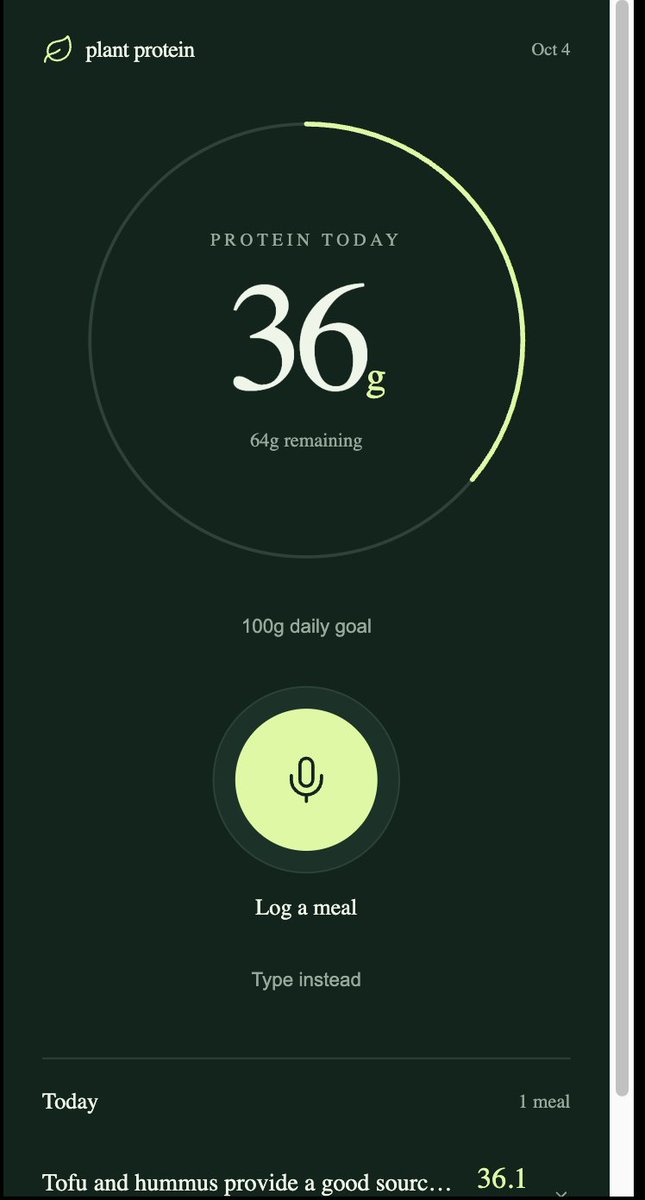
Before: a big progress circle, a Log a meal mic and a Type instead link.
I told the agent to fit everything on one screen. No need for such a big circle.
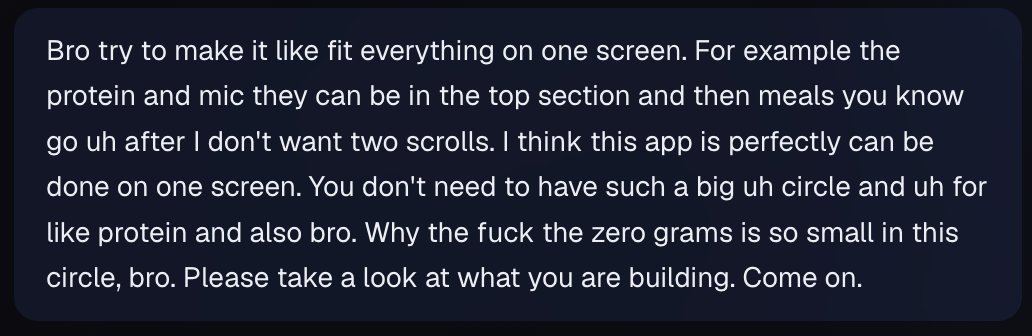
My actual follow-up to the agent: protein and the mic on top, meals below, no second scroll and no big circle.
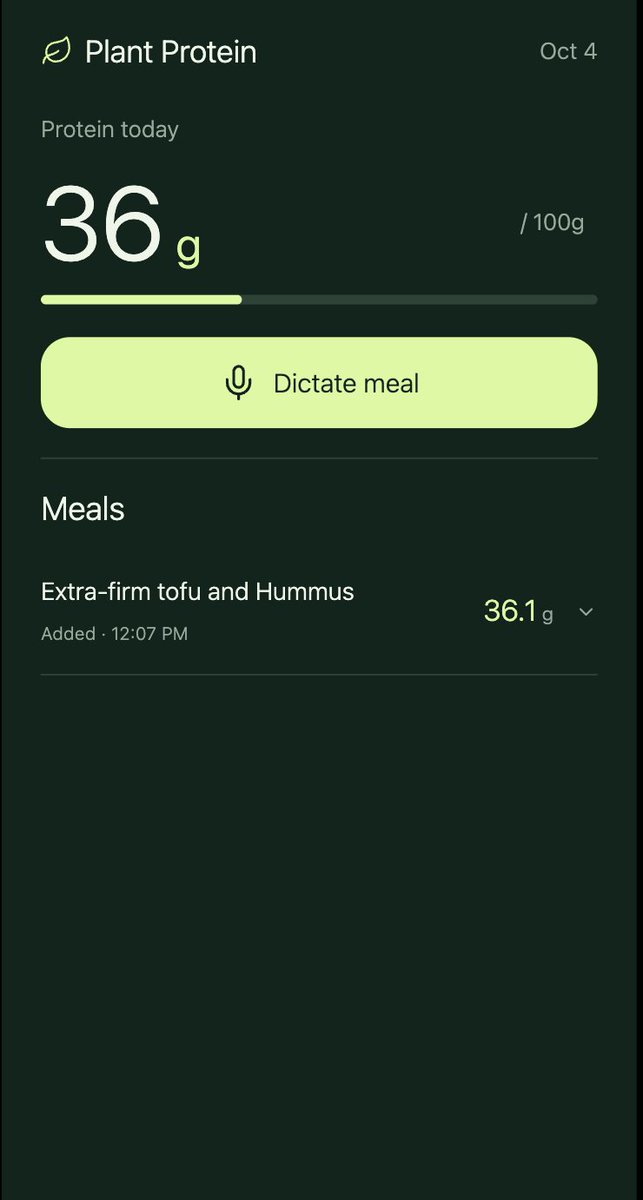
After: one screen, a progress bar, a single Dictate meal button and the meals list.
Use your own app for a full day
Use your app for at least one day. You'll feel every imperfection.
Whenever you think "I don't actually want to do that," fix it.
You have the motivation to keep using your app. Users who don't like it just churn.
Borrow design from a different niche
Have a design reference? Give it to the agent and say "make my app feel like this."
Then Codex has a clear reference.
But don't copy an app in your own niche. Take your style from another niche.
Copy an app in your niche until it's about 80% similar, and you risk an Apple ban if they file a complaint.
Charge with two plans: $5 monthly plus lifetime or annual
Once you love using your app, it's time to monetize.
For subscriptions, I've set up RevenueCat manually for my apps.
-
Monthly plan with a 7-day free trial, around $5 per month
-
Annual or lifetime plan, at $19 or $29 for a simple app
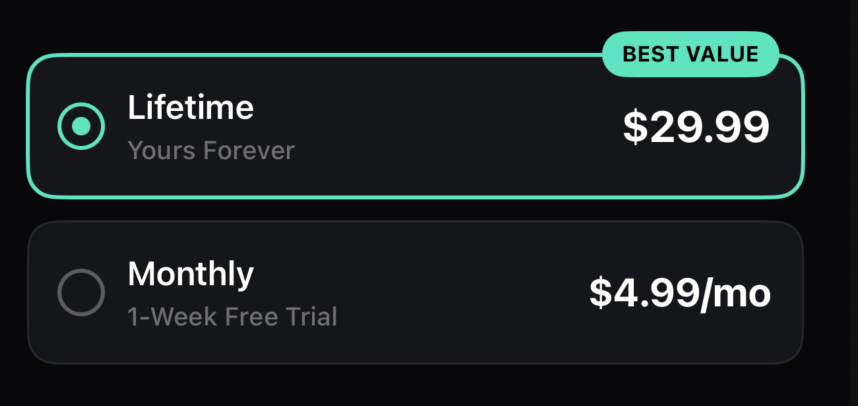
A two-plan paywall: lifetime at $29.99 marked Best Value, monthly at $4.99 with a 1-week free trial.
I go for lifetime most of the time. Users love it, and I get all the money up front.
Expecting high AI costs? Add an annual plan instead.
You can try higher prices. When starting out, go lower to test demand and raise later.
Add onboarding and a paywall from a template
Once pricing is decided, add onboarding and a paywall.
Add your own touch. If you're unsure what converts, stick to a template.
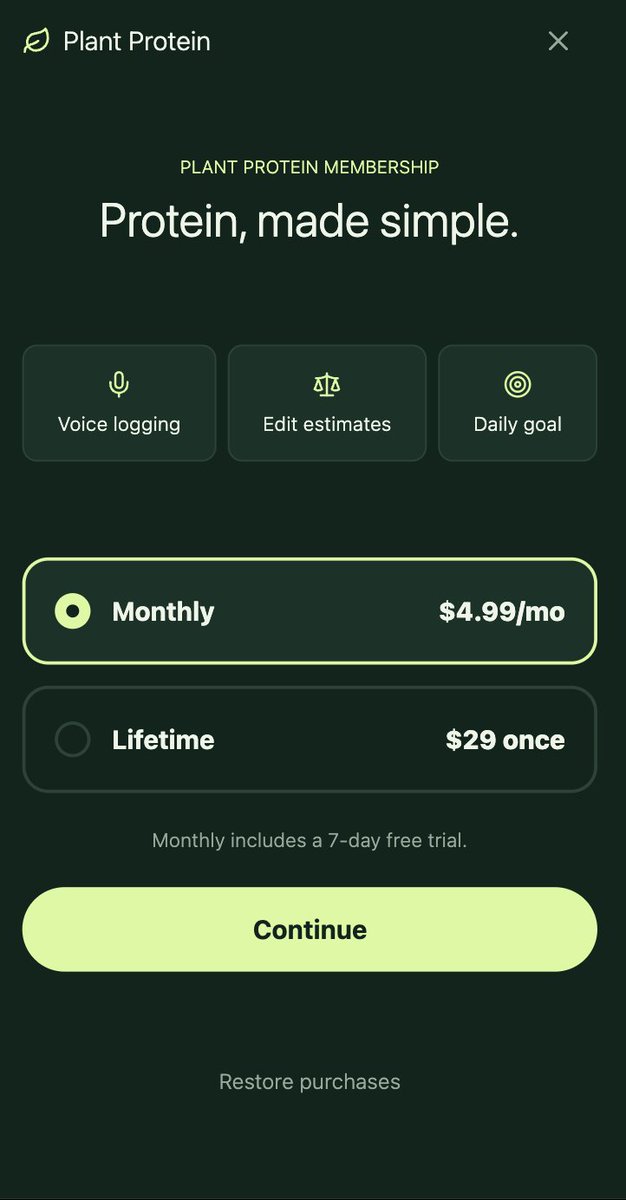
The Plant Protein paywall: $4.99 a month with a 7-day free trial, or $29 once for lifetime.
Treat Apple review feedback as an iteration
Publishing needs screenshots, a logo, metadata and content. Then Apple reviews your app.
Be ready for a few rounds with Apple's review team. They may comment on your paywall, onboarding or functionality.
That's okay. Just iterate on the feedback.
Think they missed something? Reply in App Store Connect and explain.
Maybe you won't need to change anything at all.
Marketing is now the hard part
Building isn't as hard as it used to be. Marketing is honestly the hardest thing now.
You have three main roads:
-
Buy ads
-
Post viral content
-
Do App Store optimization
I personally do ASO. I love covering multiple languages and keywords.
That's not always right for v1. You don't know yet if it's the final version.
Have an audience? Post content about your app.
You can also try Apple Search Ads. Apple gives $100 as a free budget.
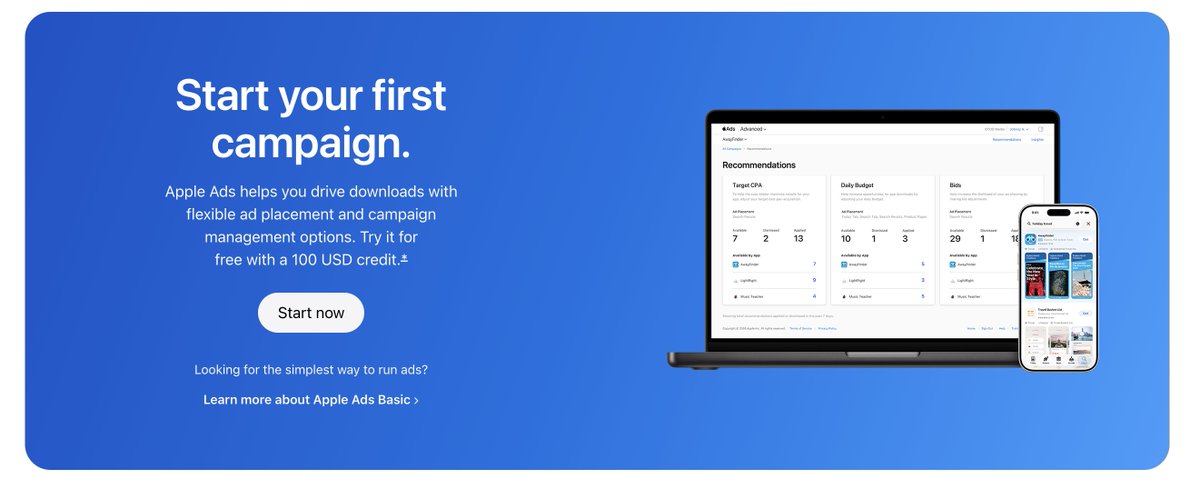
Apple Ads offers a 100 USD credit to try your first campaign.
See if the ads convert with no risk. Stop the campaign when the budget is used.
Then decide whether to keep growing with your own money.
If your first app fails, you have two moves
-
Iterate: change the main keyword and improve your ASO.
-
Build a new app.
Sometimes your first app is just the first step you need to make to build a second app that will make money.
Start with five problems
Write down five problems. Check them in the ActivationPal keyword checker
THEN JUST BUILD IT.