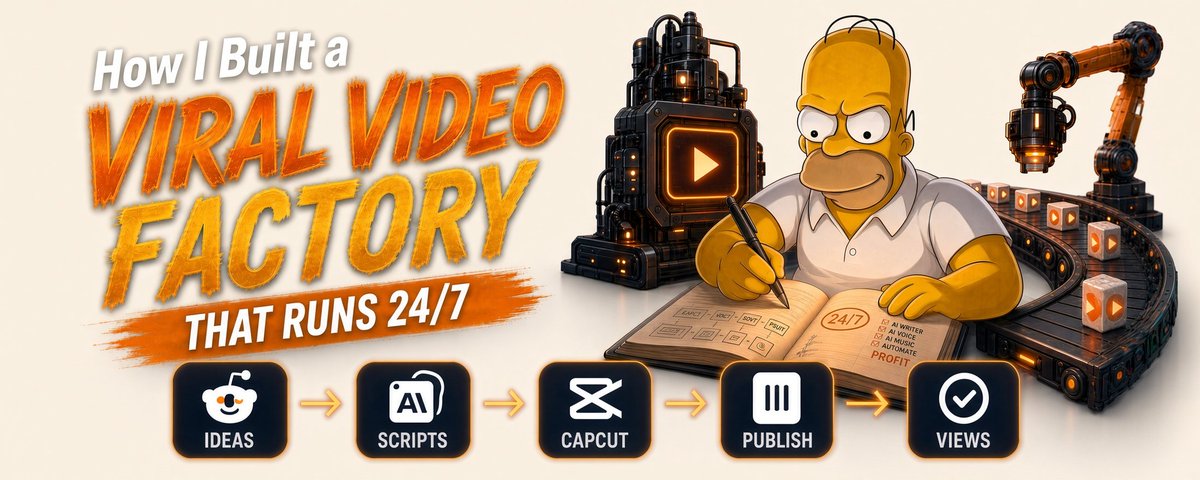
How I Built a Viral Video Factory That Runs 24/7
文章目录
$13,286 last month. 4 tools. Every video I build has already proven itself before I open the editor.
Somewhere in your niche a video is crossing 2,370,000 views this week. You probably saw it. You probably kept scrolling. The people getting paid saw the skeleton under it, dressed it in a new subject and posted before the format went stale.
A format lives 12 days. After that everyone copies it and the feed buries it. Whoever moves first takes the views.
This is the whole build.
The Mistake That Kills Faceless Channels
The usual path: pick a topic you enjoy, make the video you would watch yourself, post it, collect 370 views, quit.
People blame the edit. The edit was fine. The input was wrong.
A video goes viral because its format already worked somewhere else and now carries a subject nobody has seen in it yet. The format is what you keep. The subject gets thrown away after one use.
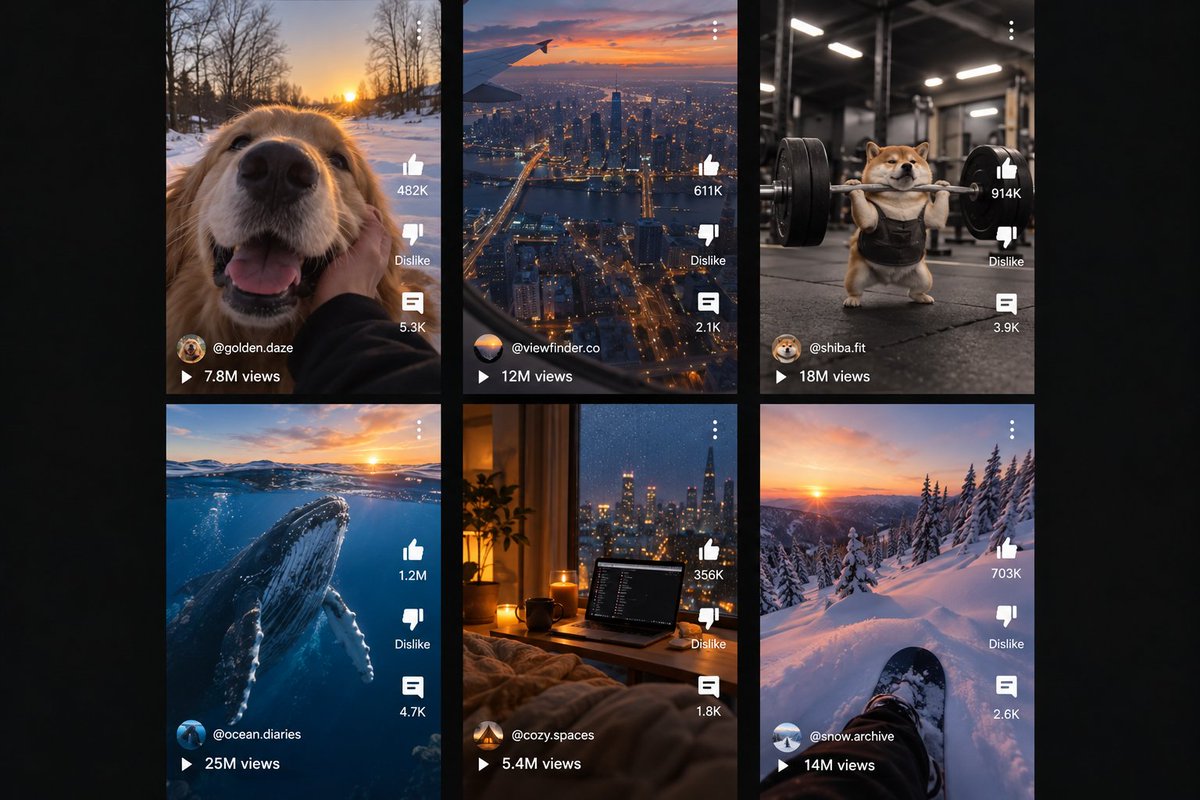
Find the format winning this week. Hand it a new subject before the 12 days run out.
That's the whole model.
The Line
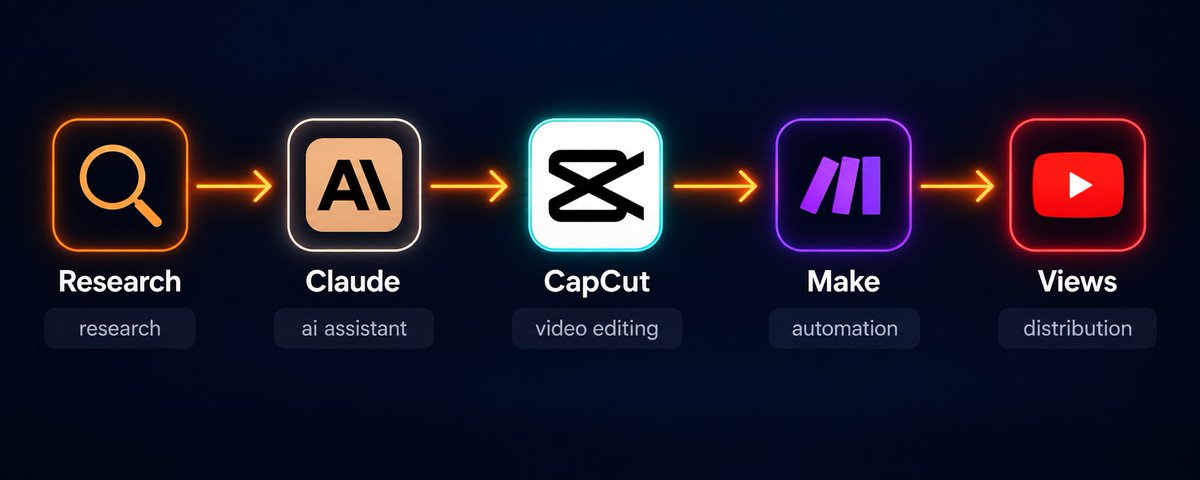
Research → Claude → CapCut → Make → Views
4 tools. Research goes first, every single time.
Step 1: The Research Engine (85% of the result lives here)
Skip this step and the other 3 hand you clean, well-cut videos with no audience.
I stopped asking "what should I post today." The question is "what is beating its own channel right now and why."
Here is how I answer it.
Build the watchlist
Follow 35 faceless channels in one lane: AI stories, history facts, motivation edits, pet clips, whatever you plan to ship. Keep one Google Sheet. Every day, add a row for each video that broke out.
Score every breakout
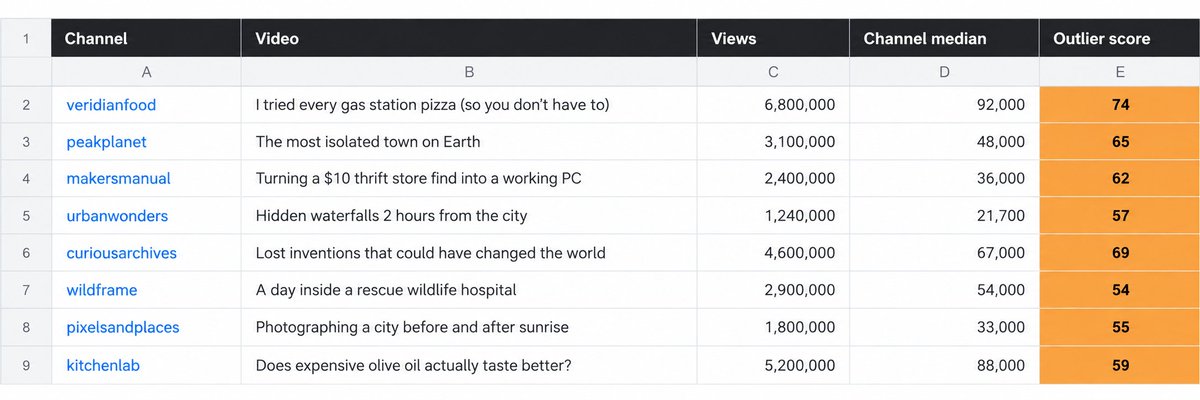
An outlier is a video that pulls far more than its own channel usually does. The math:
outlier score = video views ÷ channel median views
A channel with a 21,700 median posts a video that reaches 1,240,000. Score: 57. That upload found something the rest of the channel never touched. Above 12 is a signal. Above 35 is a format you build on this week.
Raw views lie. A 1,800,000-view video on a channel that averages 4,600,000 is a bad day for that channel. A 1,240,000-view video on a 21,700 channel is a map.
Split the subject from the shape
The subject is what a video is about. The shape is how it is built. Subjects burn out in days. Shapes keep paying for months.
Take "POV: you're the last human on Earth." The subject is loneliness. The shape is "POV: you're the last [X] in [Y]." One row in the sheet gives you the last lighthouse keeper, the last Blockbuster clerk, the last dragon, the last person who remembers the Wi-Fi password. A whole season off one outlier.
Log the first 3 seconds
The opening decides whether anyone sees the rest. For each outlier, write down 2 things: the first frame and the first line of on-screen text. Those 2 cells stopped the scroll. Everything after them only has to keep the promise.
Hand the pattern to Claude
Paste 25 outlier titles and hooks into Claude. It pulls out the shared shape and spins new concepts on your subject.
Pattern extraction prompt:
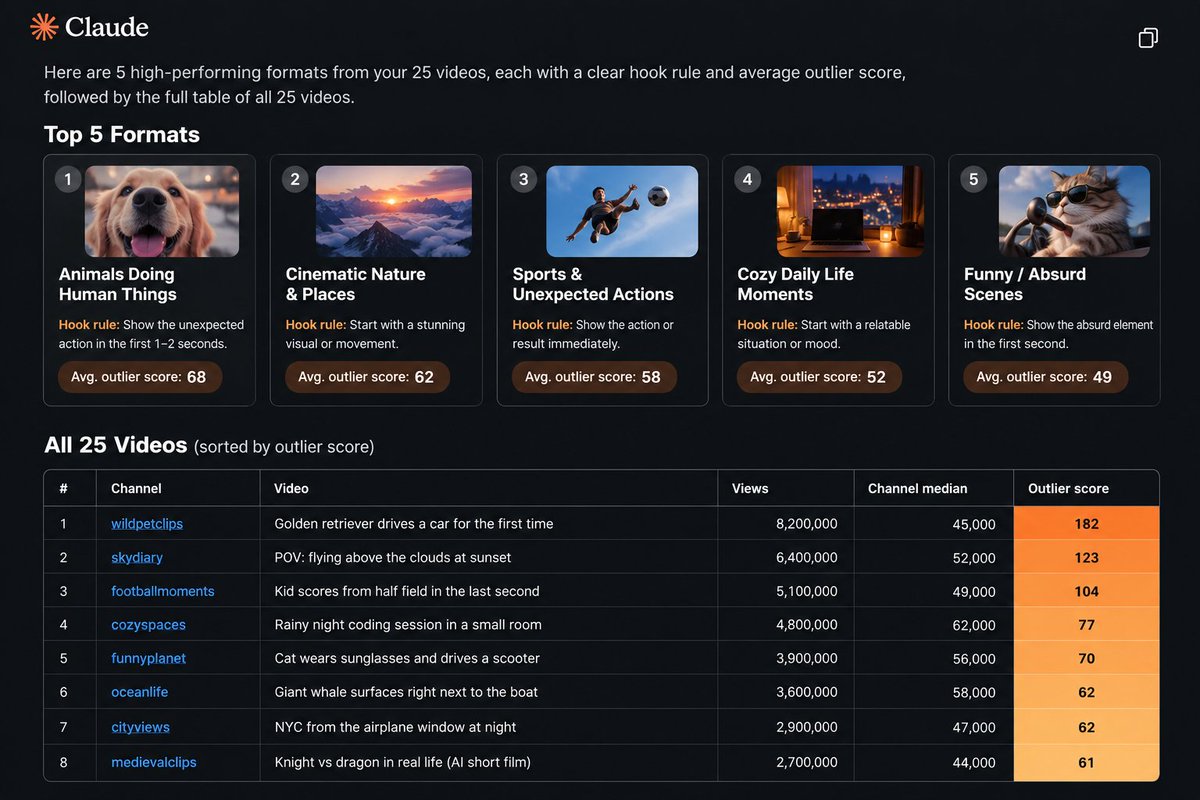
You are a short-form video strategist.

Below are 25 videos that beat their channel's median by 12x or more.
Each row has the title, the first line of on-screen text and the outlier score.

[paste your 25 rows]

Do 3 things:
1. Sort them into 5 repeatable FORMATS (the structure, never the topic).
2. Write the hook rule for each format in one sentence.
3. Rank the 5 formats by how easily they take a new subject.

Skip general advice. Only patterns that show up in this exact data.
Idea generation prompt:
Take format #1 from your last answer.
My subject is [your lane: e.g. deep-sea creatures].

Write 36 video concepts in that exact format.
For each: the on-screen hook line (7 words max) and the one image
or moment that holds the first 3 seconds.

Rank them 1-36 by how hard they stop the scroll. Drop anything generic.
You end up with 36 concepts built on a skeleton that already worked. Zero guessing.
Step 2: The Shapes That Keep Coming Back
The same shapes surface every month. Write them down once and reuse them all year.
POV: you're the [role] when [event] Drops the viewer inside the scene with one line.
What if [familiar thing] but [twist] A curiosity gap that needs zero setup.
The invisible hand Things start moving on their own and the reveal lands at the end.
The satisfying build One process from raw material to finished object, no voice.
1 vs the ladder 1 vs 50, level 1 vs level 99, a small bet that keeps doubling.
The last-second flip An ordinary scene, then the final 3 seconds turn it upside down.
A day as [something that shouldn't have a day] A pebble, a medieval farmhand, a fish at the bottom of the ocean.
Last month each of these carried a different subject past 1,300,000 views. The shape is the part you keep. The subject is the part you swap.
Step 3: Claude Writes Shots, Not Paragraphs
Once a concept is picked, Claude writes for the cut. A script built for reading dies on screen.
Script prompt:
You are writing a 24-second vertical short in this format:
"POV: you're the last lighthouse keeper on Earth."

Write in shots, never in paragraphs. Output:
- on-screen hook text for the first 3 seconds (7 words max)
- 6 shots, one line each, written for AI image generation
- one narration line per shot, at speaking pace
- a final 3-second beat that makes people rewatch or comment

Tone: quiet, uneasy, zero filler. End on an open question, never a bow.
If the concept is thin, Claude asks before it writes. What comes back is a shot list you can build straight from.
Step 4: CapCut Builds the Video
CapCut's AI tools turn the shot list into a finished vertical: generate the frames, animate them, add an AI voice and captions, export at 9:16.
Build instruction:
Build a 24-second vertical (9:16) short from this 6-shot list.
Generate each shot as a moving clip, 4 seconds each, back to back.
Put the hook text over shot 1 for the first 3 seconds, large and high contrast.
Auto-caption the narration with word-by-word highlight in the bottom third.
Lay a low, uneasy ambient bed under it that never covers the voice.
Hold the last shot on the open question. Export for TikTok and Shorts.
Save your recurring characters and locations as assets. A one-off clip becomes a series: same cast, new plot every episode.
Step 5: Make Posts It and Reports Back
The research only compounds when your own results flow back into it. Make closes that loop.
The scenario runs on a schedule:
Trigger: a finished video lands in a Google Drive folder
-
Read the concept, the format tag and the hook line from its row in the sheet
-
Post the vertical to TikTok, YouTube Shorts and Instagram Reels
-
Write titles and tags off the format tag
-
Wait 72 hours, then pull view counts back through each platform's API
-
Write the new outlier score into the same sheet you research from
-
Flag every one of your videos that beat your median by 12x
-
Send a Telegram message naming the format that won this week
Your own hits turn into research. The formats that work for your account rise to the top. The factory learns.
Setup takes 5 hours, once. After that it runs 24/7.
How the Factory Pays
-
Platform payouts Shorts funds and AdSense pay per view. A faceless channel pulling 3,500,000 to 6,800,000 views a month clears $2,300 to $6,700. The research engine is what lifts you off a 17,000-view floor.
-
Selling the channel A channel with 120,000 followers and a proven format sells for $3,500 to $11,000. Grow it on the format library, then sell it.
-
Shorts for clients Creators and small brands pay $90 to $270 per short. One intake form, 12 shorts a month per client on retainer, 2 clients: $2,160 to $6,480 a month. Your cost per short rounds to cents.
-
The sheet as a subscription The most valuable thing you make is the watchlist itself. Package the outlier tracker and the format library as a monthly report. 47 subscribers at $27 is $1,269 a month for research you already run for yourself.
-
Prompt packs Put the Claude prompts and the Make scenario on Gumroad as a "Breakout Finder Kit" at $39. It keeps selling with zero extra work.
The Numbers
-
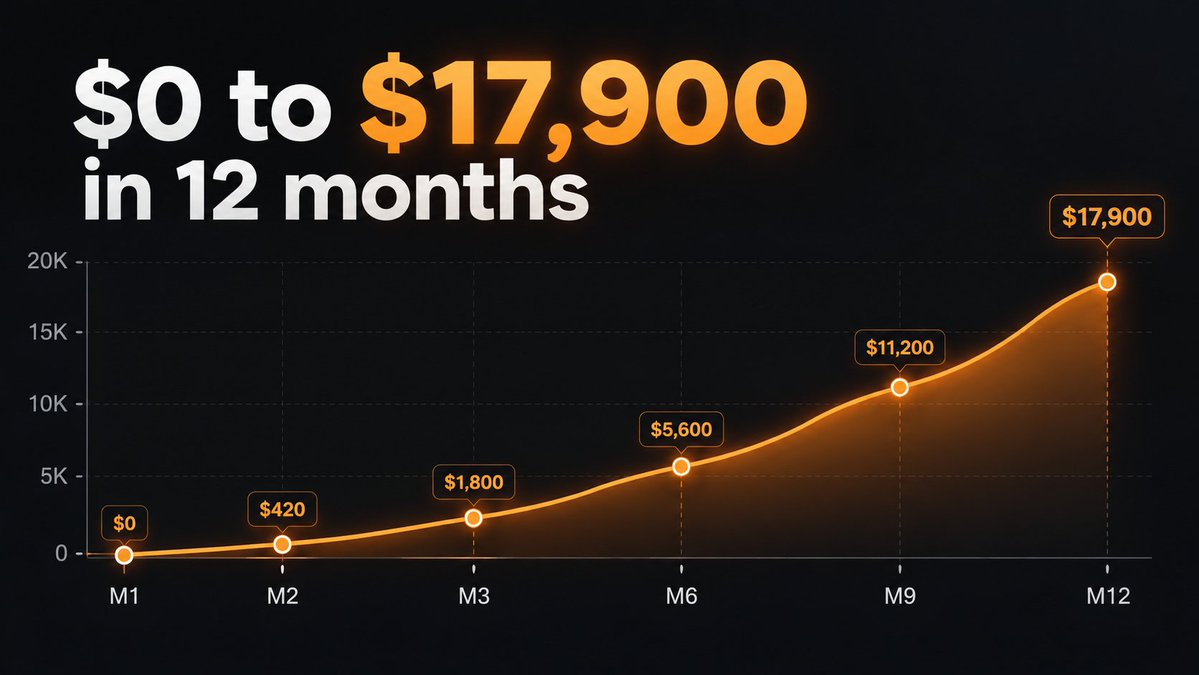
Month 1: setup, $0
-
Month 2: $700 to $1,300
-
Month 3: $2,100 to $3,600
-
Month 6: $5,100 to $7,800
-
Month 9: $7,900 to $11,200
-
Month 12: $12,400 to $17,900
The loop compounds. The sheet gets sharper every month and the hit rate climbs with it.
The Bill
Claude Pro: $20/month CapCut Pro: $14/month Make Core: $9/month Google Workspace: $6/month
$49 a month in. $13,286 out last month.
The Short Version
Most people make the video and then go looking for an audience.
This factory runs in reverse. Find the format that is already winning, give it a fresh subject, then build.
4 tools. One loop. The sheet decides what gets made.