Why Does Generalist Use Insta360 360° Cameras? A Deep Dive
文章目录
This article is based on public material and our own testing. It is an informed reconstruction, not a claim about Generalist’s confirmed internal process.
As one of the first companies to use UMI for data collection at scale, Generalist has always been mysterious and low-profile. Recently, a Forbes documentary revealed more about how its internal data-collection operation may work.
Out of curiosity, I bought an Insta360 X5 to investigate: why would Generalist use Insta360 cameras for this? What might its end-to-end collection workflow look like?
The following is entirely our inference. Please read it accordingly.
-
The evolution of Generalist’s wrist-mounted hardware
-
What 360° mode might enable, and how it could improve post-training accuracy
-
The accidental advantages of consumer hardware
-
A reconstruction of the possible data-processing pipeline
What camera is Generalist actually using for data collection?
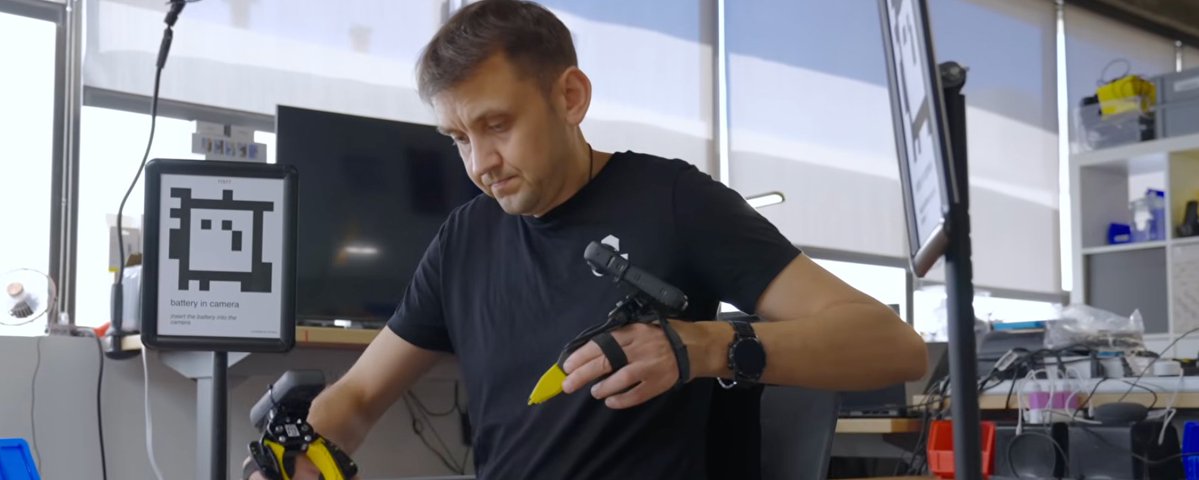
Generalist’s collection method drew attention in the videos released with GEN-0. If you do not look closely, you may miss that the wrist camera is an Insta360 360° camera.
But this was not the earliest generation. An even earlier prototype appears in a photo of Andy Barry with the media.
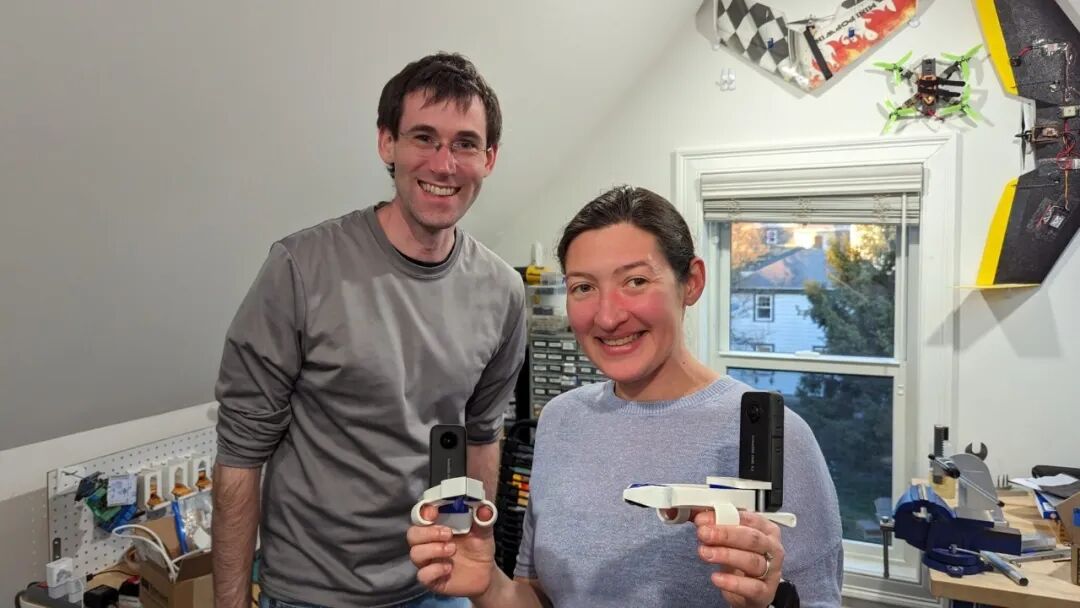
In early prototype photos, a slim 360° camera stands upright on a white handheld gripper. It looks much like an Insta360 ONE X2. By the GEN-0 period, the gripper enclosure, finger structure, and camera angle had changed, and the camera was no longer always mounted vertically.
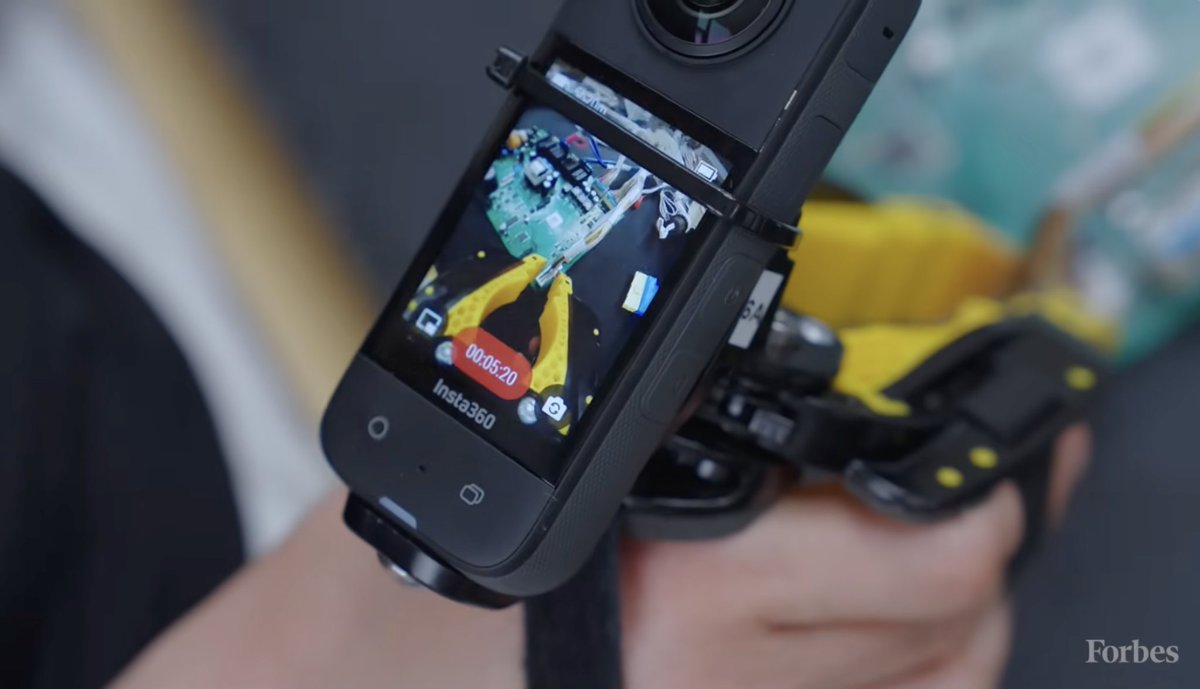
We also found public job listings for data collectors. Micro1, for example, is recruiting people to collect video using Insta360 cameras. There is no direct evidence that Micro1 is a Generalist supplier, although it is a company specializing in data work.
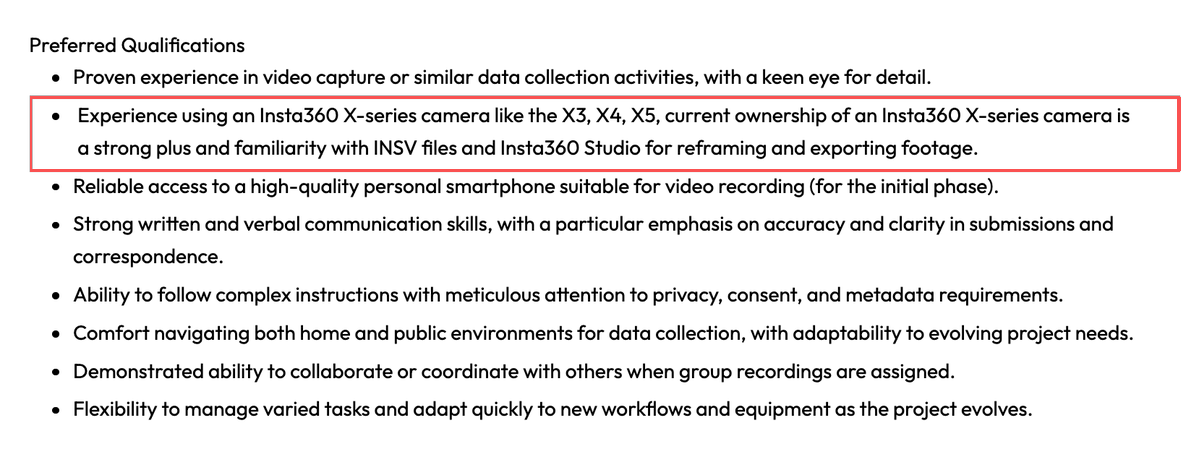
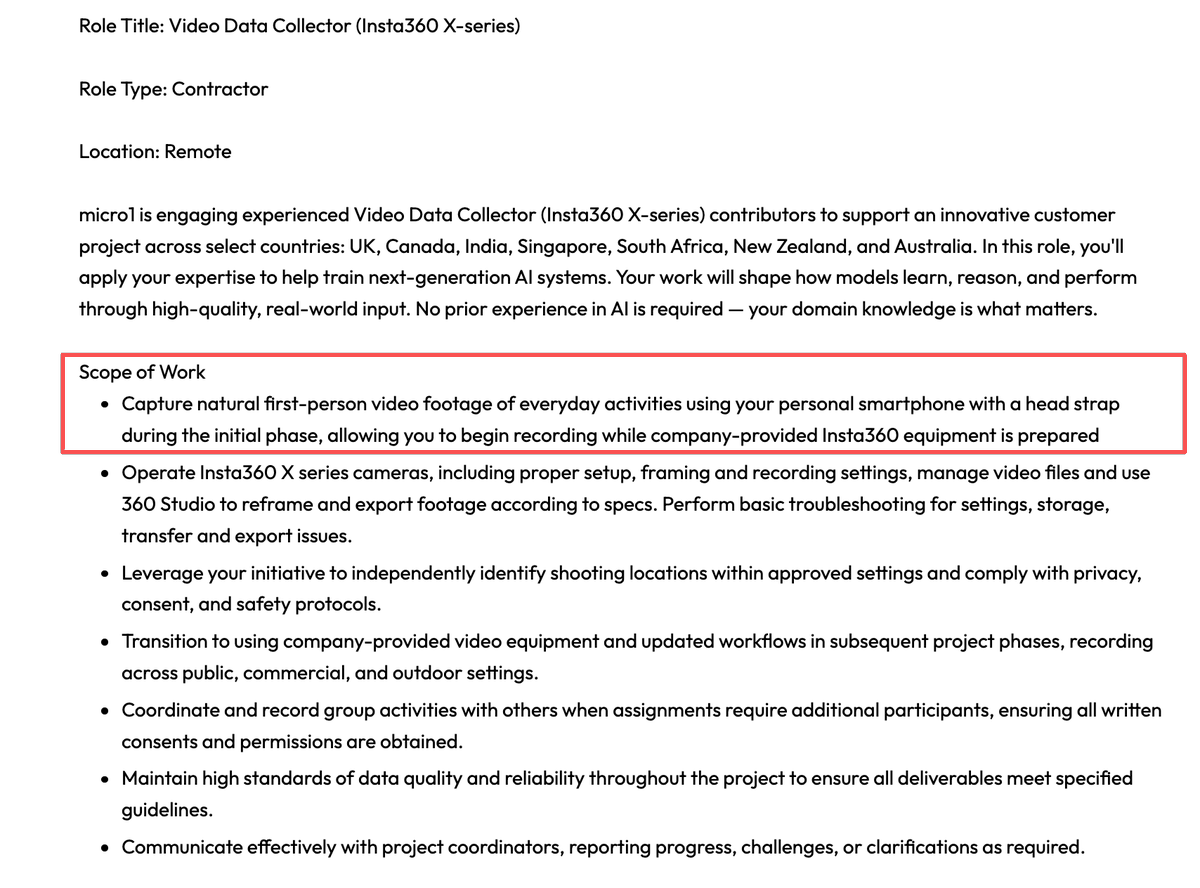
Several details are worth noting. The specified equipment includes Insta360 X-series cameras—X3, X4, and X5—and there are now requirements for iPhones to capture head-mounted views. Generalist previously did not appear to use head-camera views; if the listing is related, that may indicate an additional modality is being added.
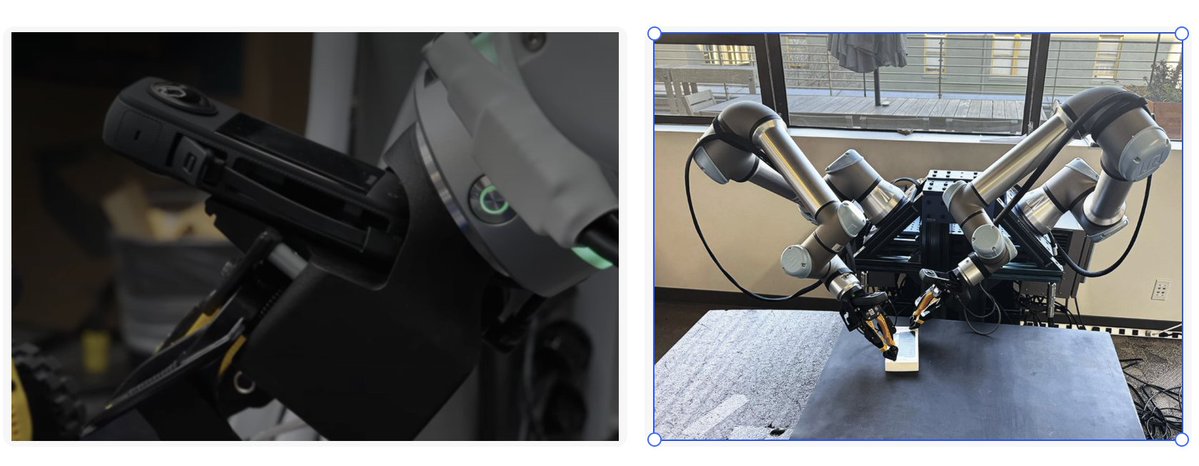
At deployment time, Generalist may be mixing self-developed cameras with Insta360 360° cameras. Some wrist modules have a long, narrow screen and look closer to an Insta360 X3; others are more fully enclosed. Appearance alone cannot establish the exact model, but it is clear that Generalist has kept iterating on the camera, gripper, and mounting method.
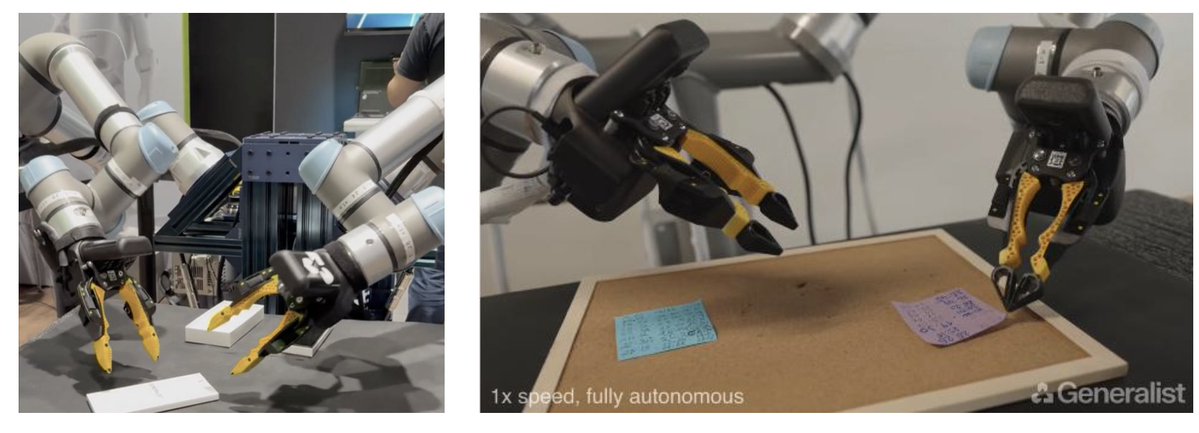
This is interesting. Robotics data collection has many camera options, and the original UMI used a GoPro in a wide-angle configuration. Why might Generalist choose an Insta360 360° camera?
In principle, a wrist camera only needs a wide forward view. Why use 360° capture? I decided to test the question myself.
Why use an Insta360 360° camera? A few hypotheses
To understand this, we first need to return to the camera and localization principles in UMI.
The UMI camera performs two jobs at once: it sees what a person is doing, and it records how the gripper moves. The first becomes visual input for robot learning; the second must be converted into action data.
The original UMI added a fisheye-lens accessory to a GoPro, extending the field of view to roughly 155°. Small mirrors on both sides of the gripper provided additional views that helped the model infer spatial relationships between objects.
How can video reveal where the gripper moved? UMI uses a modified open-source version of ORB-SLAM3, jointly processing imagery with the accelerometer and gyroscope data that the GoPro records in MP4 files.
The difficulty is that, as the UMI team itself notes, even after robustness improvements, SLAM remains the most fragile part of the whole pipeline. White walls and plain tabletops lack texture, while fast movement can cause blur. IMU data can preserve tracking briefly but cannot replace visual references over long periods. The team’s mitigation is to first record a mapping video, create an environment map, then start later demonstrations from that map while continuing to improve it. Known-size markers can also be introduced during mapping to remove initialization ambiguity.
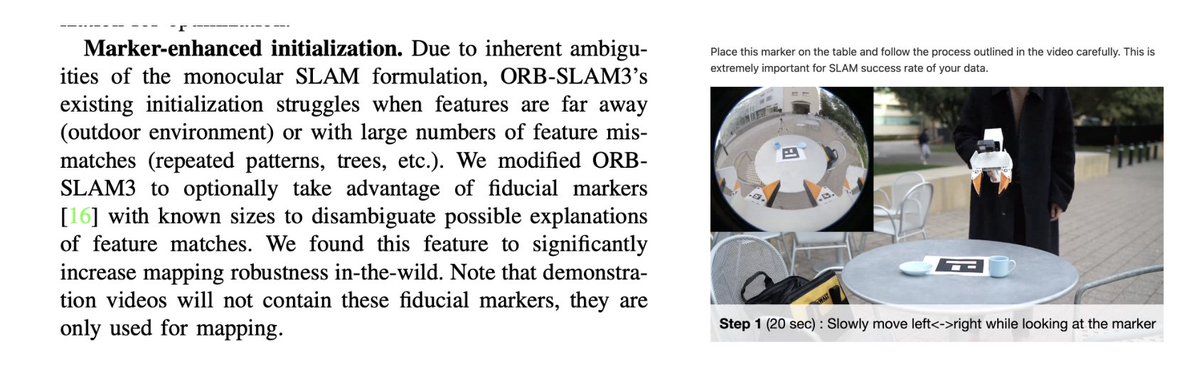
Viewed through that lens, the Insta360 360° camera family offers a larger field of view, whether in single-lens mode or through the forward lens in 360° mode. That is helpful for localizatio
Device / setup
Field of view in one direction
Original UMI: GoPro + fisheye accessory
About 155°
GoPro HERO12 + Max Lens Mod 2.0
Up to 177°
GoPro HERO13 + Ultra Wide Lens Mod
Up to 177°
Insta360 X series
MaxView: 170°; a single fisheye lens in 360° mode: 200°
A larger FOV lets a camera see more of the environment in each frame. In tabletop manipulation, that may include not only the objects close to the hand but also the table edge, chairs, and nearby furniture—creating more trackable feature points. As the camera moves, those environmental features are less likely to leave the frame together, so adjacent frames retain more reliable matches and SLAM is less likely to lose tracking.
At the same time, features distributed in multiple directions provide richer spatial constraints, helping SLAM distinguish translation from rotation more accurately. Thus, a larger FOV can improve the stability and accuracy of pose estimation.
For in-the-wild collection without another localization method, an Insta360 360° camera could therefore offer better localization performance.
But the more interesting question is whether Generalist uses the 360° capture itself. A robot wrist needs forward information; if no 360° signal is used, another ultra-wide action camera might suffice. The Forbes interview provides another clue.
In our understanding, Generalist’s collection may fall into two categories: pre-training collection, meaning large-scale collection in real environments; and post-training collection, usually inside the company, using SOPs and finely specified tasks to improve robot performance. The interview principally records the latter.
A collection workstation appears to be very simple.
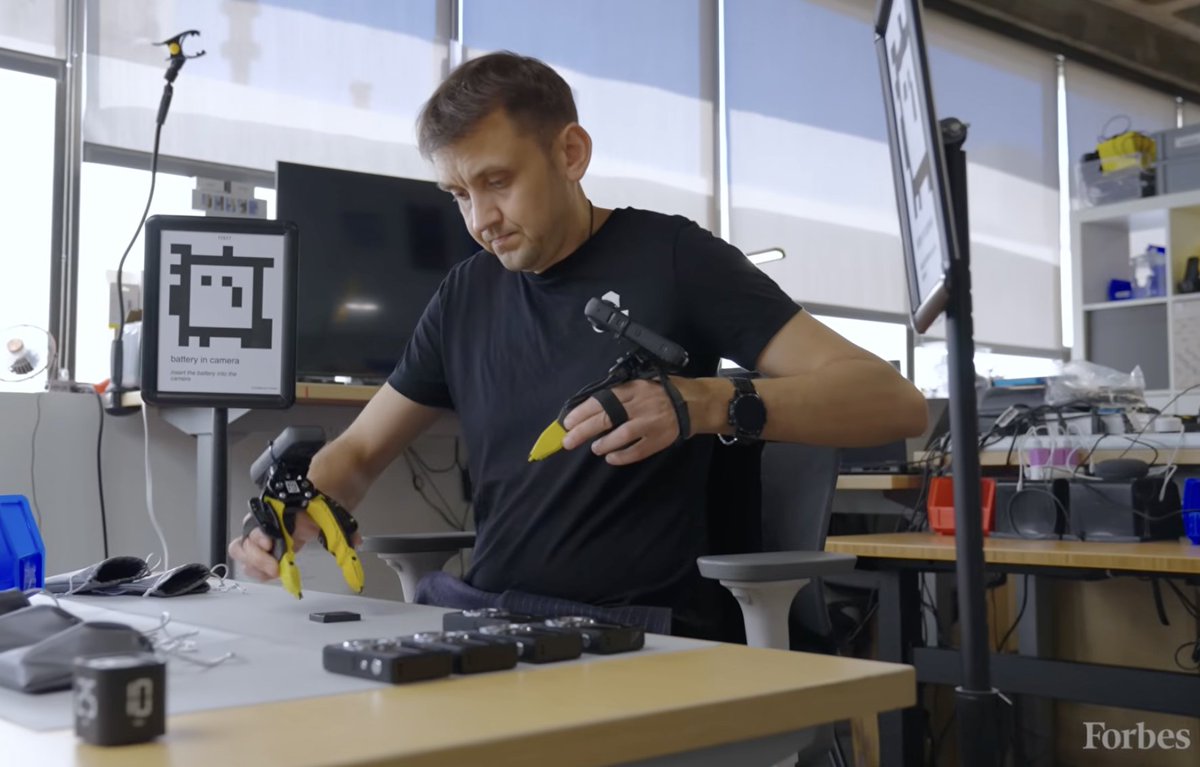
In a previous podcast with Noematrix, we discussed Generalist. Wenchuan raised a sensible doubt: why would two Insta360 cameras alone achieve the accuracy required for post-training? Generalist’s demos are striking.https://www.youtube.com/watch?v=5lcGFmLlP10
Ordinarily, UMI post-training uses solutions such as Tracker UMI, with base stations to improve tracking accuracy.
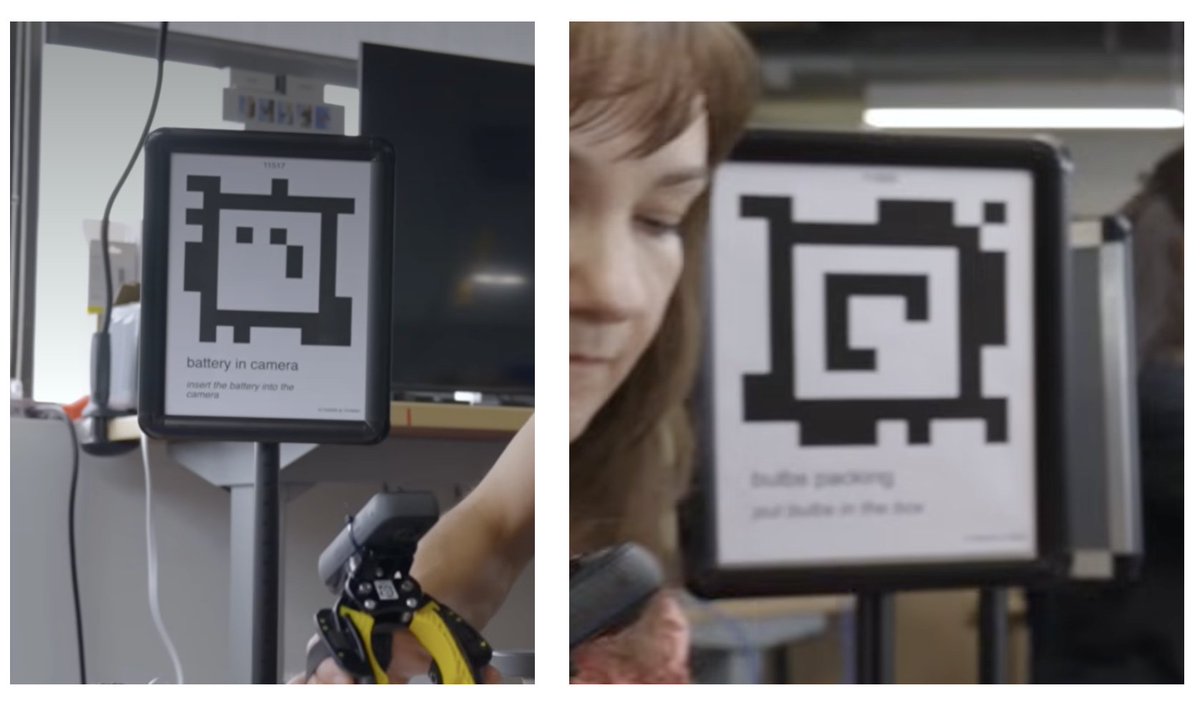
What is interesting is that labeled boards stand on the left and right, facing the backs of the cameras. Zooming in, each board has an AprilTag and a line of SOP text
“battery in camera, insert the battery into the cameras”
The AprilTag assists localization, while the board also labels the task and its SOP. The original UMI needs a map before operation. Why would Generalist place a localization board on both sides?
My reasonable suspicion is that they are using Insta360’s 360° mode.
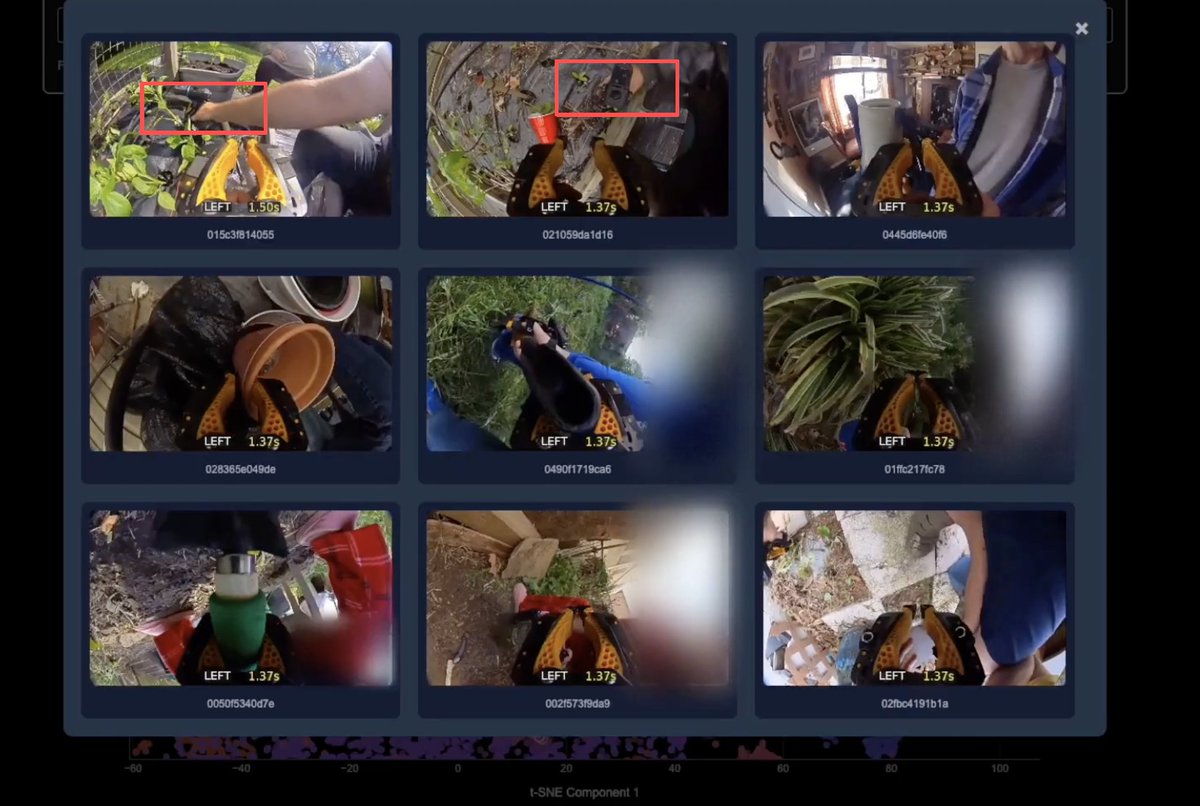
I recorded a video on an X5 and opened the raw file. The same .insv file does indeed contain two fisheye video streams: one faces forward and the other faces the operator. When an ordinary MP4 is exported, only one direction is retained, so the information on the other side is easy to miss.
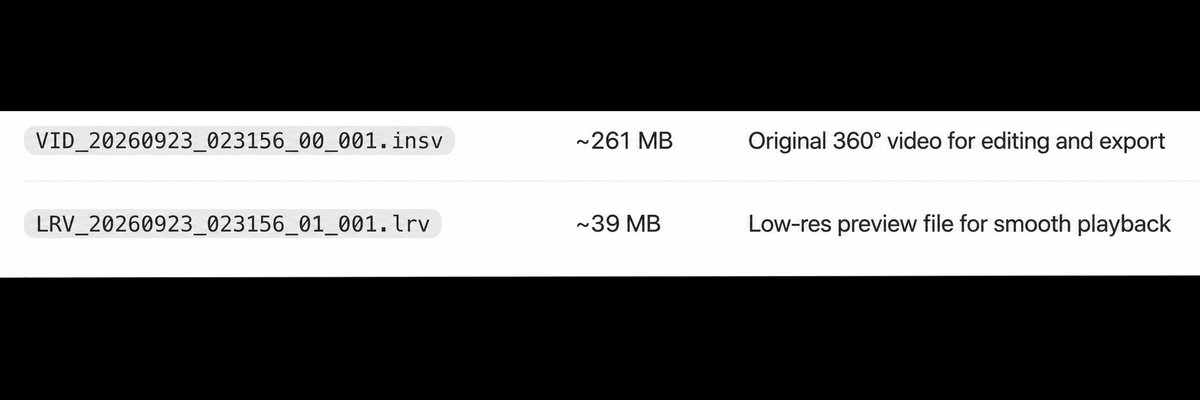
Caption: The raw 360° footage and a low-resolution preview; the original file can be unpacked into two videos.
Using environmental features in each Insta360 camera’s continuous video, together with its recorded IMU data, it is possible to estimate the camera’s motion trajectory. Because the position relationship between camera and gripper is fixed, the gripper end-effector trajectory can be computed from the camera trajectory.
If the rear lens sees a fixed visual code, it can estimate the camera’s relative position and orientation with respect to that code. Combined with the camera pose already estimated for that frame, the system can infer the visual code’s position and orientation in the camera’s map.
Because the visual code does not move, estimates inferred across different frames should theoretically agree. During offline processing, the system can combine measurements across frames and smooth single-detection error, making the code’s map pose more stable. If both left and right cameras use the same set of visual codes as references, the trajectories of both grippers can be placed in one coordinate system.
This design could therefore:
-
provide more accurate scale for SLAM and reduce SLAM drift;
-
more stably locate the visual code in the left- and right-hand SLAM maps; and
-
use one code as a bridge to transform two trajectories into a shared coordinate system.
The primary value of persistent visual-code visibility is therefore more observations for coordinate alignment, making the two hand trajectories align more reliably.
The role of the label boards is then easier to understand. AprilTags have explicit identifiers and corners; with their real-world size and camera parameters, a camera’s position relative to the tag can be calculated. Fixing a board in place gives a moving camera a reference it can identify repeatedly.
The task name may also be recognized and recorded during collection.
Frame rate and image quality: consumer hardware’s accidental contribution
Camera requirements for robotics data collection differ from the requirements for recording an attractive action video. But mature consumer hardware such as Insta360’s can still support robotic manipulation in important ways.
Image clarity directly affects localization accuracy. Robot vision ultimately uses the visual features in each frame. Whether object edges are sharp, tags occupy enough pixels, and rapid motion creates blur all affect later recognition and trajectory recovery.
Across the X series, one obvious trend is that high-speed recording retains increasingly high resolution.
Then there is frame rate.
A high frame rate addresses missing intermediate states during fast movements. At 30 fps, adjacent frames are about 33.3 ms apart; at 100 fps the interval falls to 10 ms, and at 120 fps to about 8.3 ms. When a hand rapidly rotates a tool, or a gripper inserts, flicks, or pinches, a longer interval means more movement occurs between two frames.
With a higher frame rate, displacement between adjacent images is smaller, leaving more continuous information for later feature tracking and trajectory recovery.
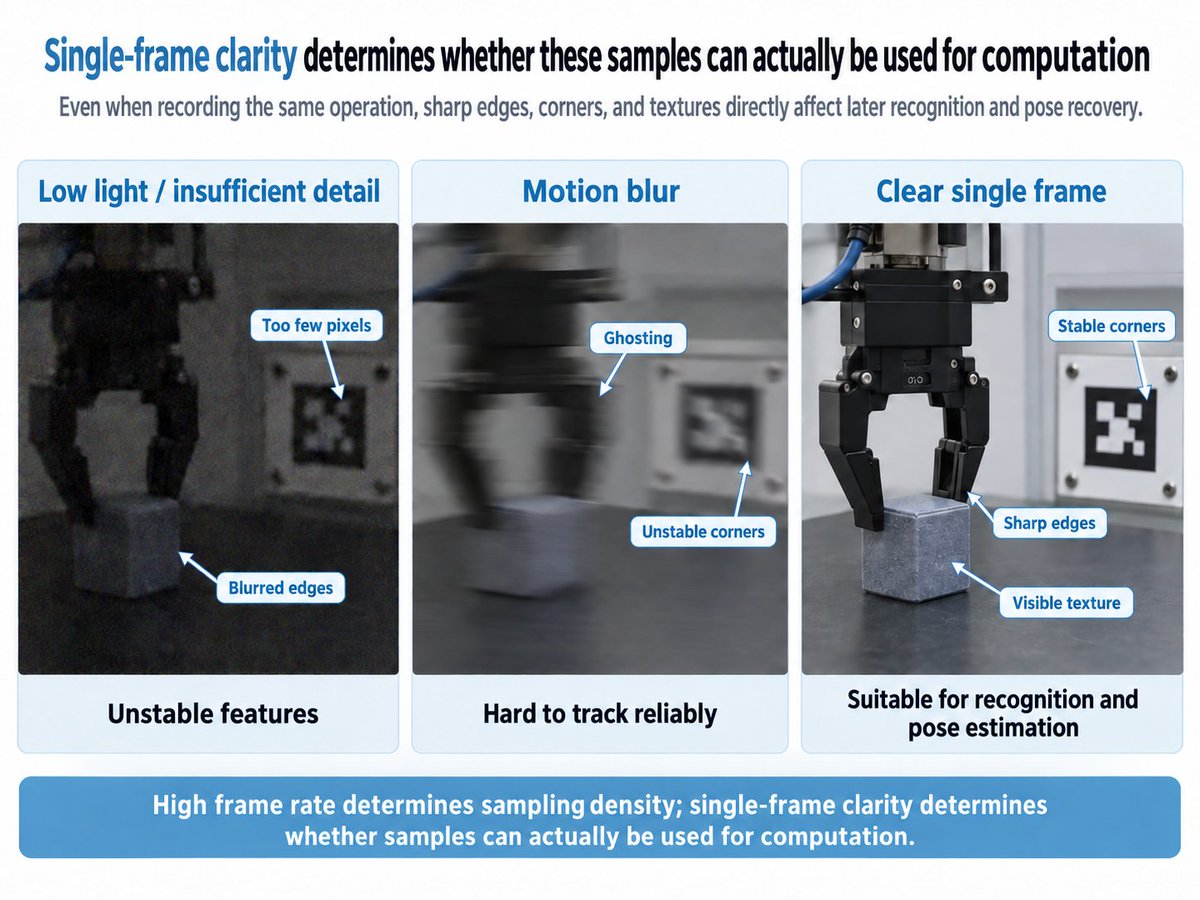
Insta360’s hardware happens to fit both needs: X3 can record 3K at up to 100 fps, X4 raises that to 4K at up to 100 fps, and X5 further reaches 4K at up to 120 fps. At lower frame rates, X5 can still record up to 8K 360° video.
To distribute equipment at scale, production, service, and reliability come first
“Hardware is hard. We have to think really carefully about how to make hardware that scales in the right way. We need to make something that a very, very large number of people can use, because it can’t be a bunch of wires walking around, and it can’t be something you need a PhD to turn on.” — Andy Barry
For large-scale, embodiment-free collection, equipment has to be simple to operate, sufficiently available, reliable in use, and backed by service. That is challenging for a team rooted in algorithms, whereas consumer-hardware companies have already built many of those capabilities.
Consider the reported production numbers. Insta360 produced roughly 815,000 consumer smart-imaging devices in 2022, 1.585 million in 2023, 2.543 million in 2024, and 4.775 million in 2025; reported sales in 2025 reached 3.925 million units. It took Insta360 ten years to reach this scale.
Behind those numbers is a mature supply-chain system. According to its annual report, Insta360 procures core materials itself and works with established manufacturing partners for PCBA, assembly, and finished-product processing, connecting to suppliers such as Luxshare Precision and Sunny Optical.
It would be very difficult for an embodied-AI company to match such manufacturing and supply-chain capacity—and the product reliability it supports—in a short period of time. Imagine shipping devices to Mexico: when one fails, how do you repair or replace it?
Insta360 is present in more than 70 countries, covers more than 10,000 retail stores, and has built service, accessory, and repair networks. It also offers bulk-purchase and customization channels to enterprises. For a large-scale collection team, that after-sales capability is hard to build from zero.
Uploading and batch processing: reconstructing a possible Generalist pipeline
I heard early on that Generalist transfers data through SD cards, which is plausible. Even when we transfer ordinary consumer-electronics footage to a phone, it takes time and often fails. Offline copying may genuinely be the most reliable option.
In its official GEN-0 post, Generalist said it had built dedicated upload appliances, networking, and multi-cloud infrastructure, continuously using tens of thousands of CPU cores to process multimodal data. It did not disclose exactly how cards are read or files parsed. But based on the Insta360 SDK and UMI’s open workflow, we can try to reconstruct the system.
Step one: retrieve the original footage.
Insert a collector’s card into an upload device, then upload the video.
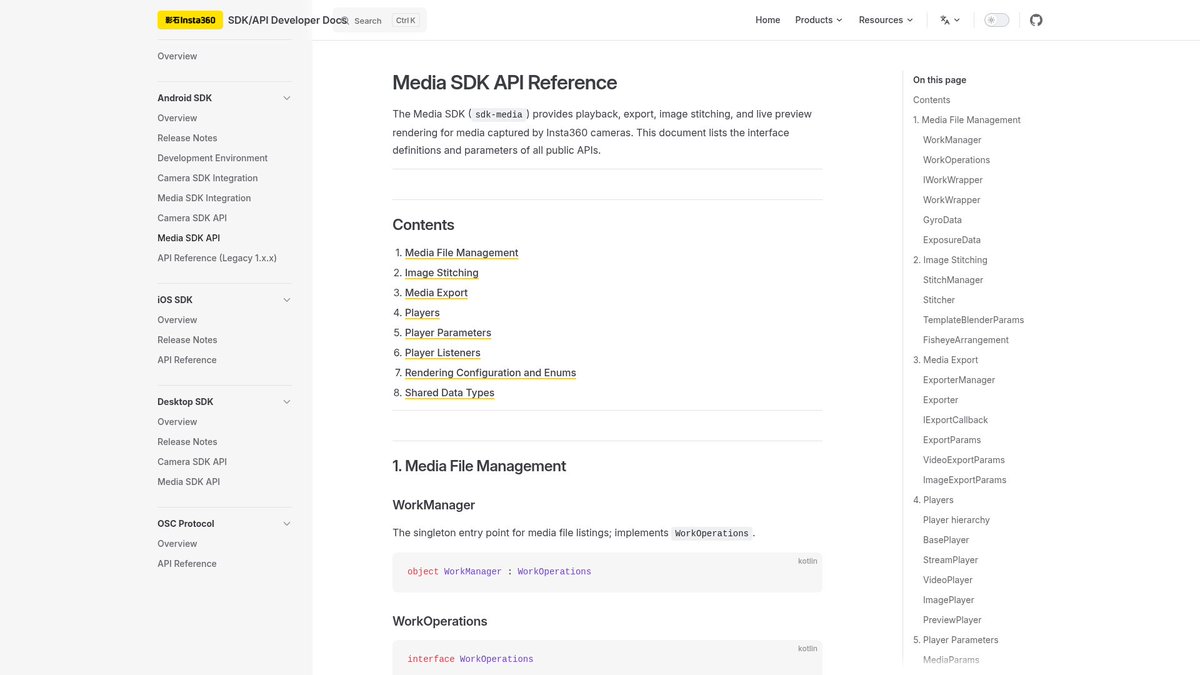
Step two: use an SDK to extract imagery and sensor data in batch.
Insta360’s open interfaces are fairly complete. The Android Media SDK, for example, can enumerate local media, distinguish original files from LRV previews, read frame rate, creation time, and first-frame time offset, and retrieve timestamped three-axis acceleration and angular velocity through getGyroData.
The desktop SDK supports file input, video export, and image-sequence export. One image-sequence mode names images using each video frame’s millisecond timestamp.
Step three: quality-control the data and turn it into bimanual actions in one time base and coordinate system.
Data must undergo human or model-based quality control. The more interesting issue is how position is recovered.
Generalist likely also calibrates lenses and mounting positions, runs offline visual-inertial localization over image and IMU data, and converts camera motion into gripper motion.
For post-training data, the rear lens may offer an additional localization benefit. If it sees a fixed AprilTag of known size, it can add relative-pose observations.
Several parts remain unclear. If you have thoughts, please discuss them in the comments:
-
How are left- and right-hand timestamps aligned? Insta360 device timestamps and file-creation time may help pair recordings, but probably cannot by themselves meet millisecond-level alignment requirements.
-
How are task names and collector information associated with recordings? Insta360 recordings do not carry collector or task metadata. For field collection, perhaps Generalist uses its own task-submission program; for post-training, perhaps models read text on the AprilTag boards or other metadata.
-
How is work divided between Generalist and suppliers? Generalist likely works with several data-collection suppliers, but it is unclear whether they return quality-checked data or Generalist processes all raw data. Micro AI job listings mention Insta360 Studio and even suggest that collectors may process files. It is unrealistic to ask every increasingly distributed collector to sit at a computer and use Insta360 Studio, but this may reflect requirements Generalist places on suppliers. What those operations are remains unknown.
📷
Insta360 should consider selling camera modules; embodied AI may be a meaningful opportunity
Generalist is not the only team using Insta360 hardware.
In its 2025 work on human data, Physical Intelligence mounted a wrist camera on each side. PI’s explanation is that wrist views sit closer to the hand and manipulated object, supplementing more detailed interaction information. In public figures from the paper, the wrist devices look very close in size and form to Insta360 GO 3 / GO 3S.
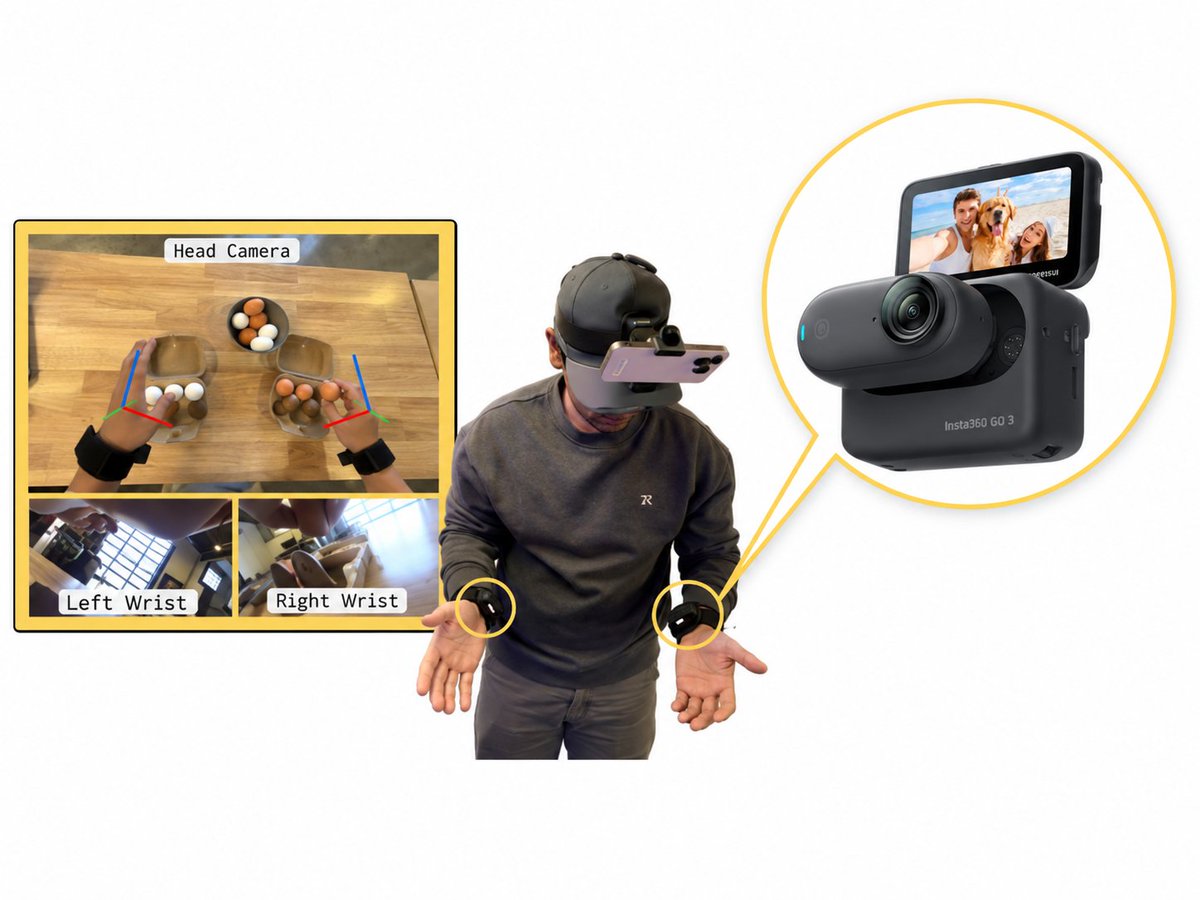
A clearer example is LaST-HD in 2026. Across three real robot platforms, the system uses multiple visual inputs; its left and right wrists explicitly use Insta360 GO 3S cameras to record close-range interaction near the end effector and to feed visual observations into training.
This also explains why the GO series fits this location. The GO 3S camera alone is roughly thumb-sized and weighs about 39 g. It can operate independently from its Action Pod while retaining 4K video, FlowState stabilization, and onboard storage. For a device mounted beneath a wrist, smaller size means it is less likely to hit the tabletop or manipulated objects and less likely to interfere with a person’s motions.
Once data collection scales, hardware becomes a major pitfall. The recently closed Eidon AI put it memorably: “All working devices are alike; every broken device is broken in its own way.”
I have always thought Generalist’s apparent choice of Insta360 was smart: by borrowing a mature consumer product, it can skip some of the difficult work between prototype and mass deployment. Using an existing hardware ecosystem means fewer equipment traps and more room to solve the collection process and data-quality problems.
A 360° camera also leaves room to explore visual SLAM: the front records the operation while the rear observes the environment, providing more references for trajectory recovery. If Insta360 were to package such capabilities into a camera module that is easier to integrate, while exposing more complete calibration, timestamp, and sensor interfaces, embodied-AI teams could take many fewer detours.
Developers have already begun to use consumer cameras to collect robotics data. Insta360 may be able to follow these real uses and make a product better suited to them.