8 internal linking hacks to improve SEO
文章目录
If you want higher Google rankings, but:
↳ You don't have time to write more content.
↳ You don't want to spend your week chasing backlinks.
Then use internal links to help the pages you've already published rank higher.
Automate keyword research and internal linking with Distribb
I analyzed the internal links in 11 public Mailchimp articles. All 11 linked to other educational pages, and 7 linked to product pages in the article body. All 11 also linked to products through the footer. This shows how one site connects its pages; I did not test ranking changes.
Internal links give you a way to work on rankings using the content you already have. You control the pages, the links, and when the edits go live.
Say you sell email marketing software. Someone lands on your article about writing a welcome email, reads the example, and leaves. A link beside that example could take them to your welcome sequence guide. From there, they could find the software that sends the sequence.
Google also follows these connections to discover pages and understand what they cover.
I built an AI agent setup to automate the work, starting with Search Console and ending with specific links to add.
TL;DR
Use Search Console to find pages that already appear in search. Group related content, choose the main guide for each topic, and identify the pages where visitors can become customers.
Have your agent find relevant sentences in existing articles and connect them to those destinations. Give pages around positions 11 to 20 a closer look, add useful destinations to your footer, and write link text that fits each sentence.
Run the check again when you publish new content, then compare search performance for the pages you changed.
What I found in 11 Mailchimp articles
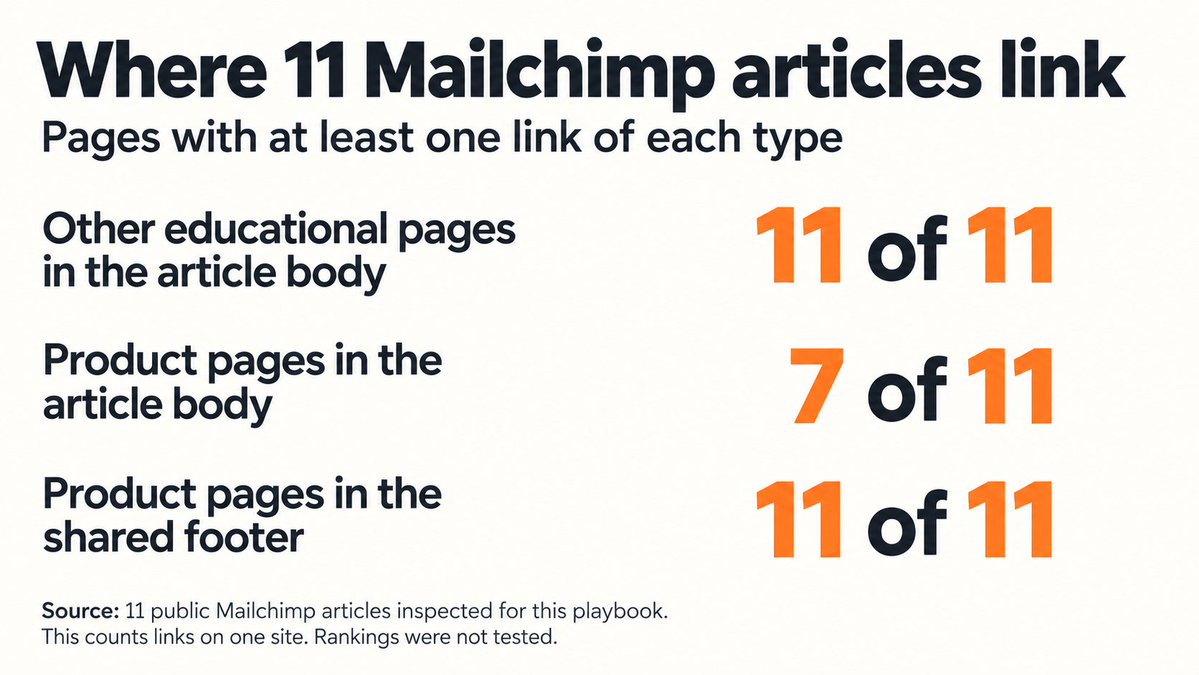
Every article in the sample gave readers a route to another educational page. Seven also offered a product link inside the article body, where the surrounding text could explain why to click.
The footer gave readers another route: all 11 articles linked to the same three product destinations there.
You can use both. Put a relevant link in the explanation and keep your main destinations easy to find across the site.
A support post can lead directly to a product
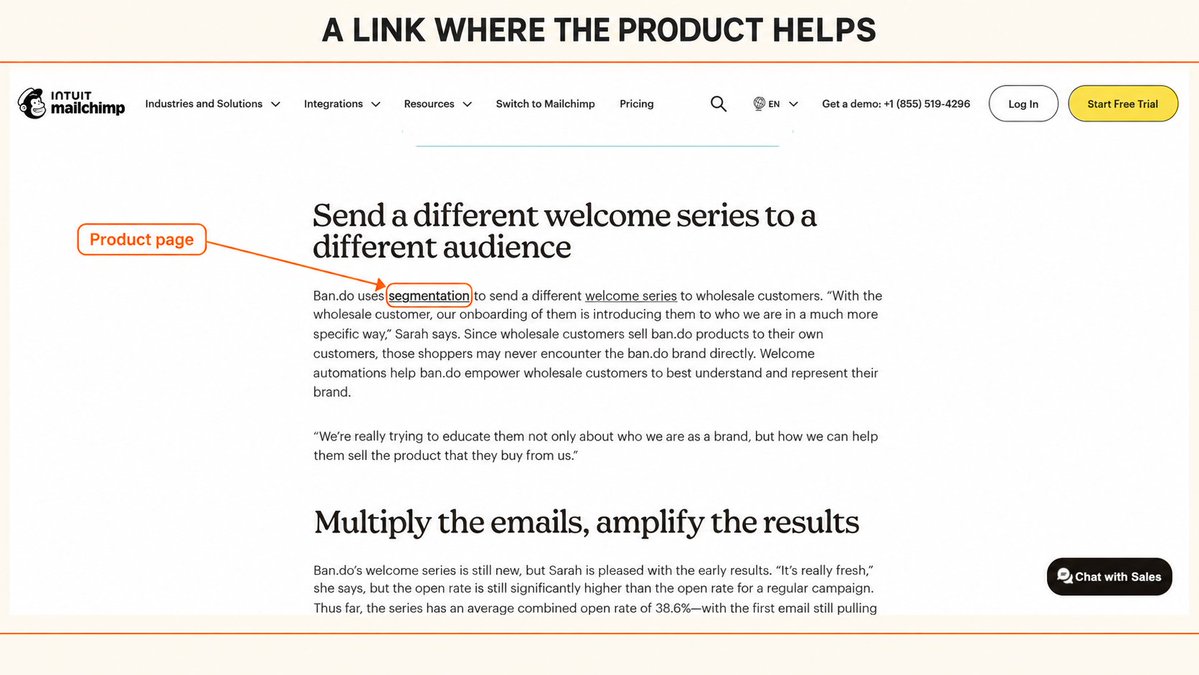
In the sampled welcome email article, Mailchimp explains how a brand sends different emails to different audiences. The word "segmentation" links directly to its audience segmentation product page.
The reader has just seen the task. The link gives them a way to do it.
The 8-step playbook
Give your agent access to Search Console and your website content, or supply exports it can read. Include your existing internal links so it can find connections you are missing.
Use one working list with the source page, destination page, link text, and the sentence that will contain the link. Your CMS connection determines whether the agent can apply the edits or prepare them for you.
I'll use an email marketing software business as the example throughout.
check search console
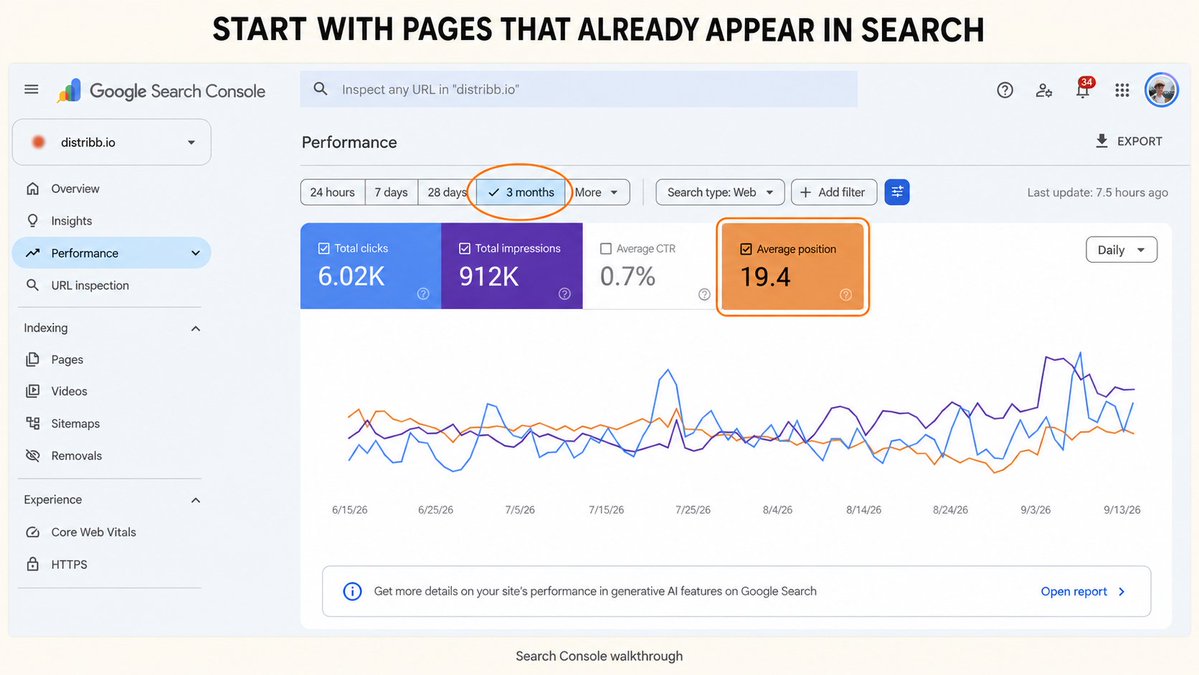
Open the Search results performance report and start with the last three months. Select Web search and the country you serve. Keep the device filter consistent when you compare periods.
↳ Export page performance with clicks, impressions, and average position.
↳ Open a promising page and inspect its Queries tab.
↳ Export those queries so your agent can connect a search to the page that appeared for it.
↳ Compare the latest 28 days with the previous 28 days to spot pages losing visibility.
Suppose your welcome sequence guide appears for "welcome email sequence" and gets impressions, but few clicks. Add that page and query to your working list.
Ask the agent to read the guide and find related articles on your site that could link to it. The useful output is a specific source paragraph and destination.
Average position is an average across the searches in your selected report. Use the page's relevant queries to decide what needs attention.
group your topics
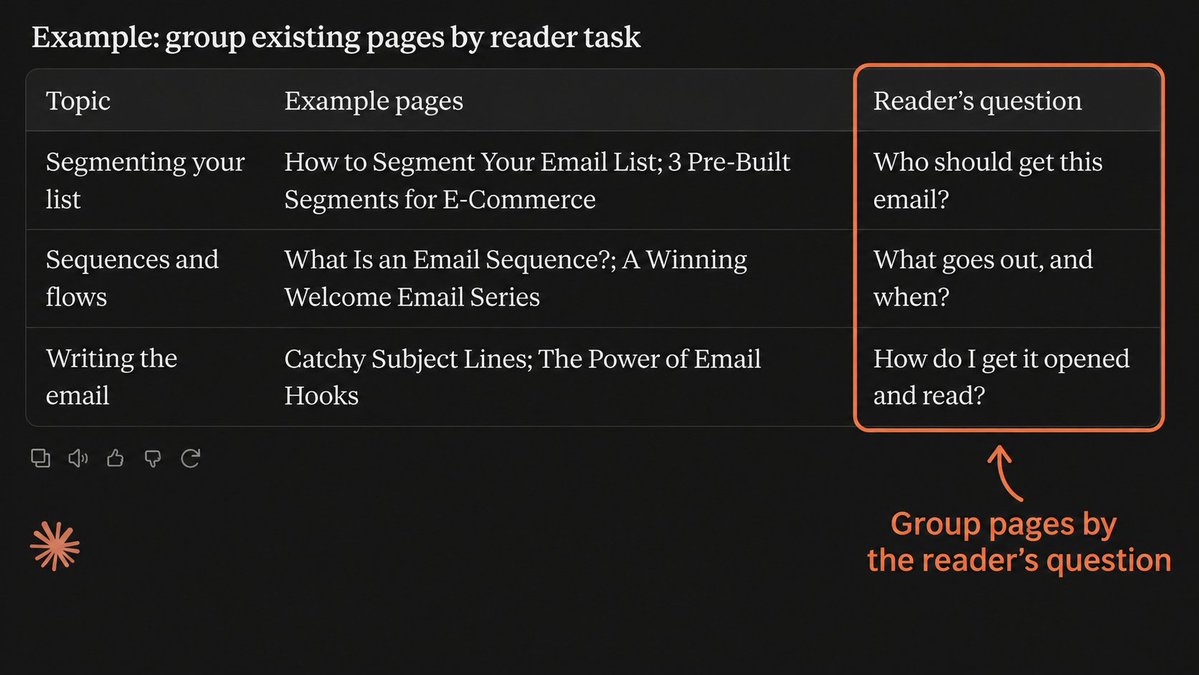
Give the agent your page titles and article content alongside the Search Console export. Ask it to group pages by the question they answer and what the reader wants to do.
For an email marketing website, a welcome email template and a welcome sequence guide belong in the same group. An article about authenticating a sending domain answers a different question, even though all three contain the word "email."
↳ Assign each page to its main topic.
↳ Record the reader's question beside the page.
↳ Flag pages covering the same question for a closer read.
↳ Identify useful connections between topics, such as writing an email and automating its delivery.
Now the agent can look for links inside a relevant group instead of adding them wherever a keyword appears.
pick your pillars
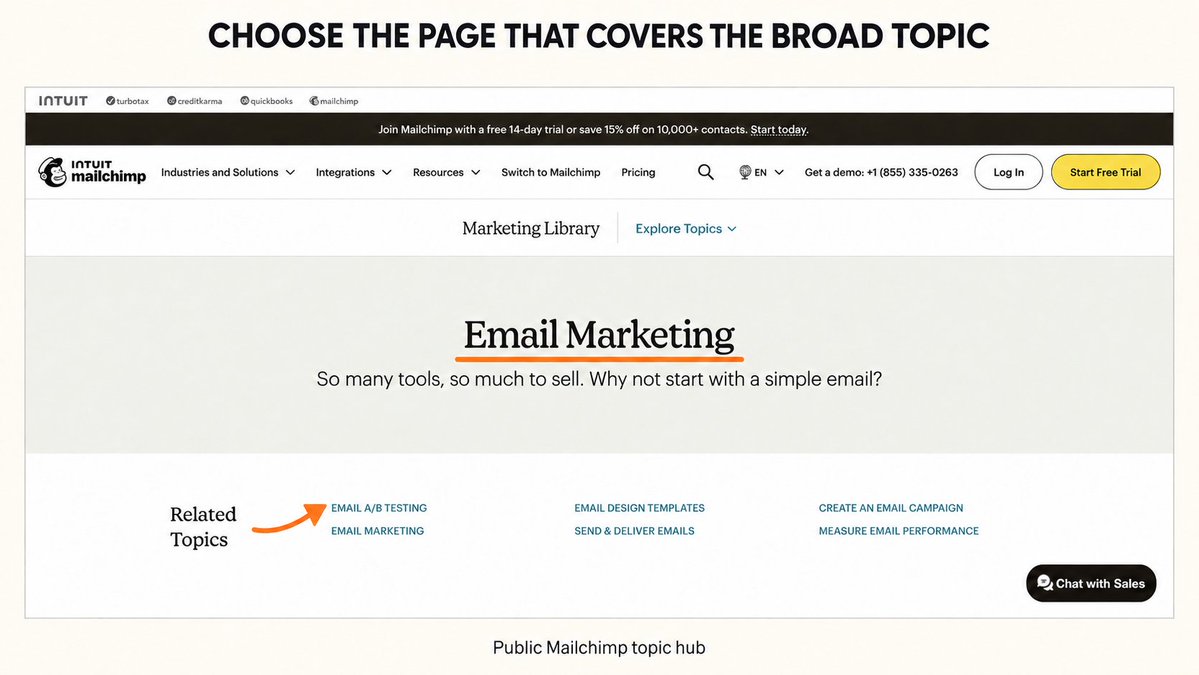
A pillar is the main guide for a topic. It explains the broad subject and links to articles that cover individual questions in detail.
Choose your "Email marketing guide" as the pillar for that topic if it already does that job. It should explain how to build a list and send a campaign, with links to detailed instructions where a reader needs them.
↳ Pick one existing guide for each broad topic.
↳ Check that its content answers the broad question.
↳ Link the guide to its relevant support posts.
↳ Add links back to the guide from those posts where the broader explanation helps.
For example, the pillar's welcome email section can link to your sequence guide. The sequence guide can link back when it explains where welcome emails fit into an email marketing plan.
Related pillars can connect, too. An email marketing guide can link to an email automation guide at the point where it introduces automated campaigns.
pick money pages
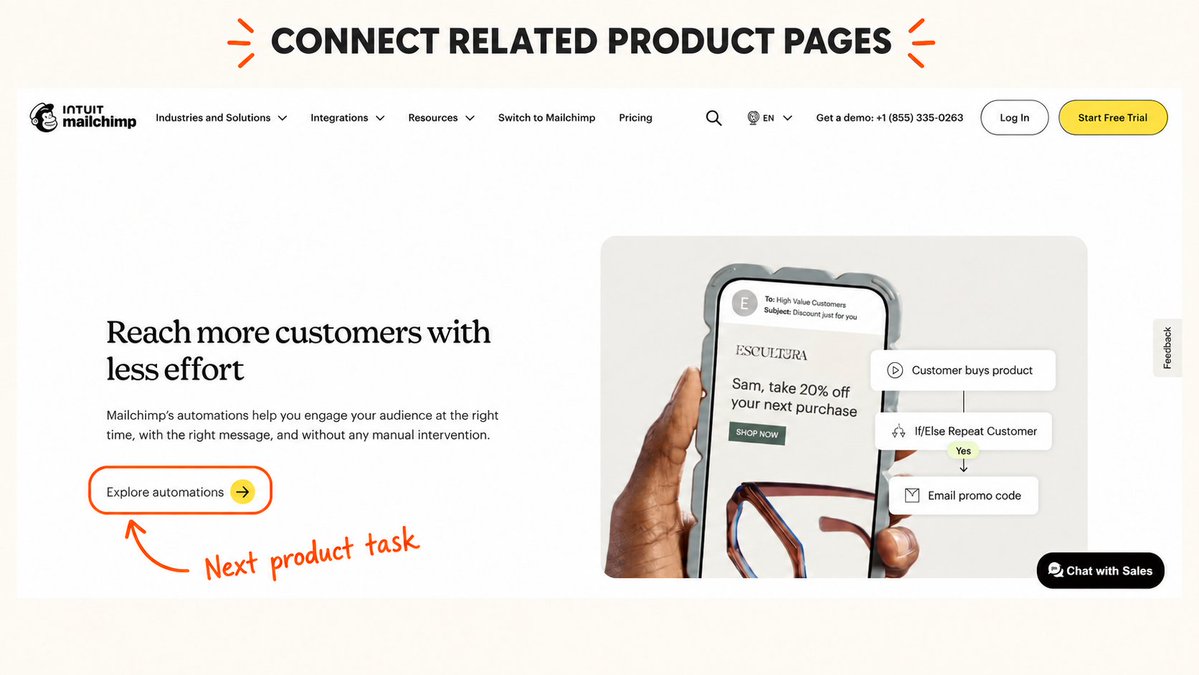
Money pages are where a visitor can buy, book a call, or start a trial. Identify the relevant destination for each topic before asking the agent to add commercial links.
In this example, the "Email marketing software" page explains the product and lets someone sign up. Your blog should connect readers to it when the article reaches a task the product can help them complete.
↳ Assign a relevant money page to each topic group.
↳ Check what the destination actually lets the visitor do.
↳ Find passages in pillars and support posts where that next step fits.
↳ Connect related money pages when readers need to compare or combine the products.
An article about building a welcome sequence might end a setup section with "You can send this sequence with our email automation software." The linked words lead directly to the page explaining that feature.
If that feature page also discusses collecting subscribers, it can link to your signup form product page. Read each direction separately: a link back needs its own useful context.
pick support posts
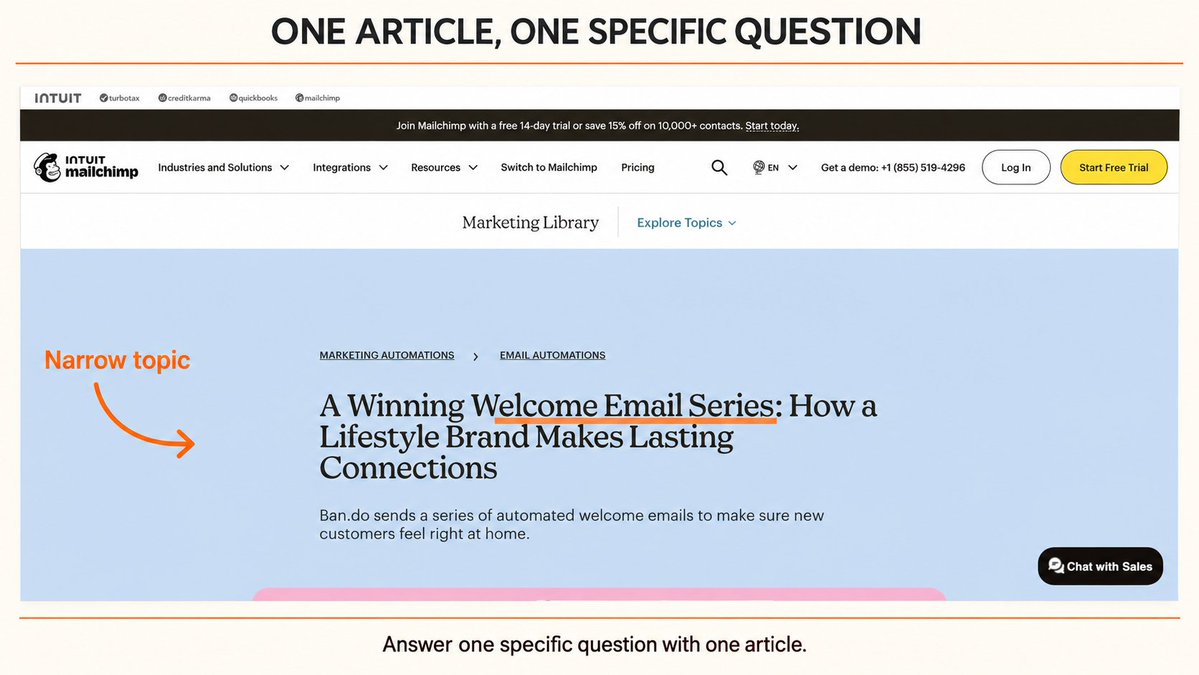
Support posts answer narrower questions inside a topic. Your welcome email template, subject line guide, and sequence tutorial each help with a specific task.
Ask the agent to read those posts and propose links in both directions where they help the reader continue.
↳ Connect support posts that answer the next question.
↳ Link support posts to their relevant pillar.
↳ Add a direct link to the money page where the product fits the task.
↳ Check older posts for places to link to a newly published article.
For example, someone reading the welcome email template might need a subject line next. Link to the subject line guide beside the example email. In the subject line guide, a section on matching the subject to the message can link back to the template.
The template can also link directly to your automation product page when it explains how to send the email after signup. Readers can reach the product from whichever article answers their question.
This is the structure I use. Each arrow means a useful link in the page's content; a two-way arrow means there is a reason to link in both directions.
↳ support posts ↔ support posts → money pages / pillar content
↳ support posts → pillar content
↳ money pages ↔ money pages
↳ pillar content ↔ pillar content
↳ pillar content → money pages
boost pages stuck on page 2 of SERPs
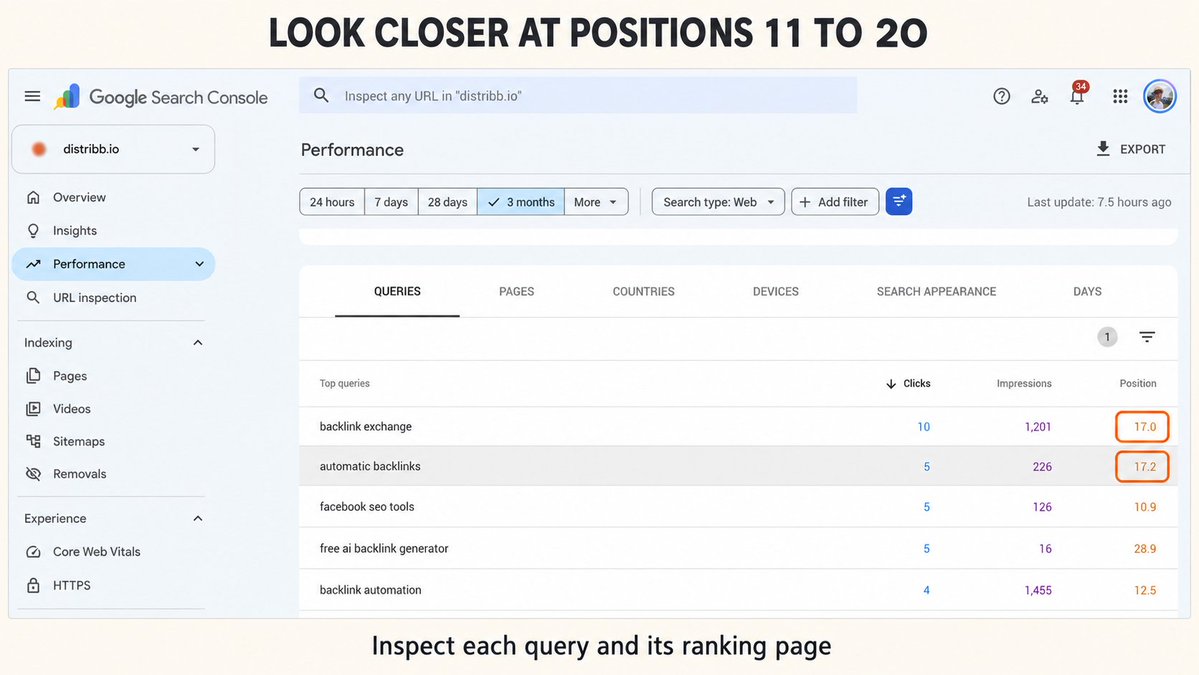
Start with pages averaging around positions 11 to 20 for a relevant query. Then inspect the query and page together, with your target country and device selected.
Ask your agent to find articles that already discuss the same task and could send readers to that page.
↳ Prioritize relevant queries with recurring impressions.
↳ Check that the destination answers the searcher's question.
↳ Find useful source pages that have no contextual link to it.
↳ Draft the exact sentence and anchor text for each proposed link.
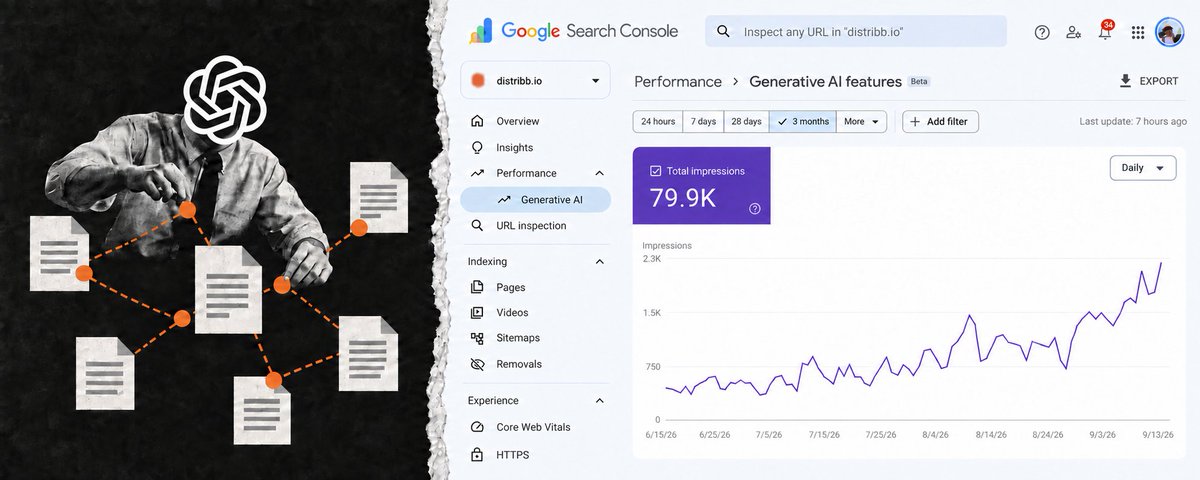
In the Search Console screenshot from Distribb, "backlink exchange" averages position 17.0. I would open that query, check which page appears, and look for existing backlink articles that could link to it.
For the email business, the same process might flag a welcome sequence guide averaging position 14. A welcome email template already explains the first email, so it is a sensible place to link to the full sequence.
Record the query's starting performance and the date you add the link. Check clicks and impressions over the following weeks using the same filters.
Positions 11 to 20 are a way to prioritize work. Confirm the actual search results when you need to see what the page is competing with.
add money and pillar pages as footer links
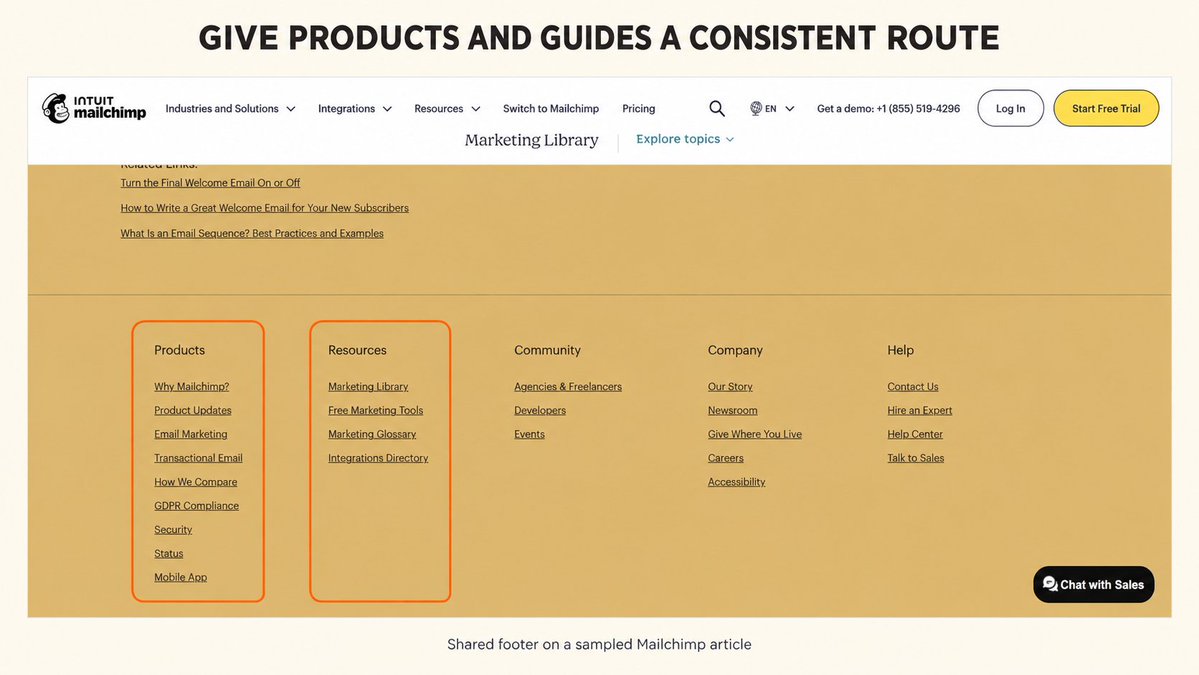
Use your footer to give visitors a consistent route to your main products and guides.
For the email marketing website, that could mean a Products column with "Email marketing software" and "Email automation software," plus a Guides column with the corresponding guides.
↳ Choose destinations useful across the website.
↳ Use short labels that name the destination.
↳ Check that each link reaches the current page directly.
↳ Inspect the footer on desktop and mobile after updating it.
Have the agent prepare the change in your site's shared footer template so it appears wherever that template is used. Keep links inside articles too: the welcome email example is still the place to explain why someone should open the sequence guide.
vary link text
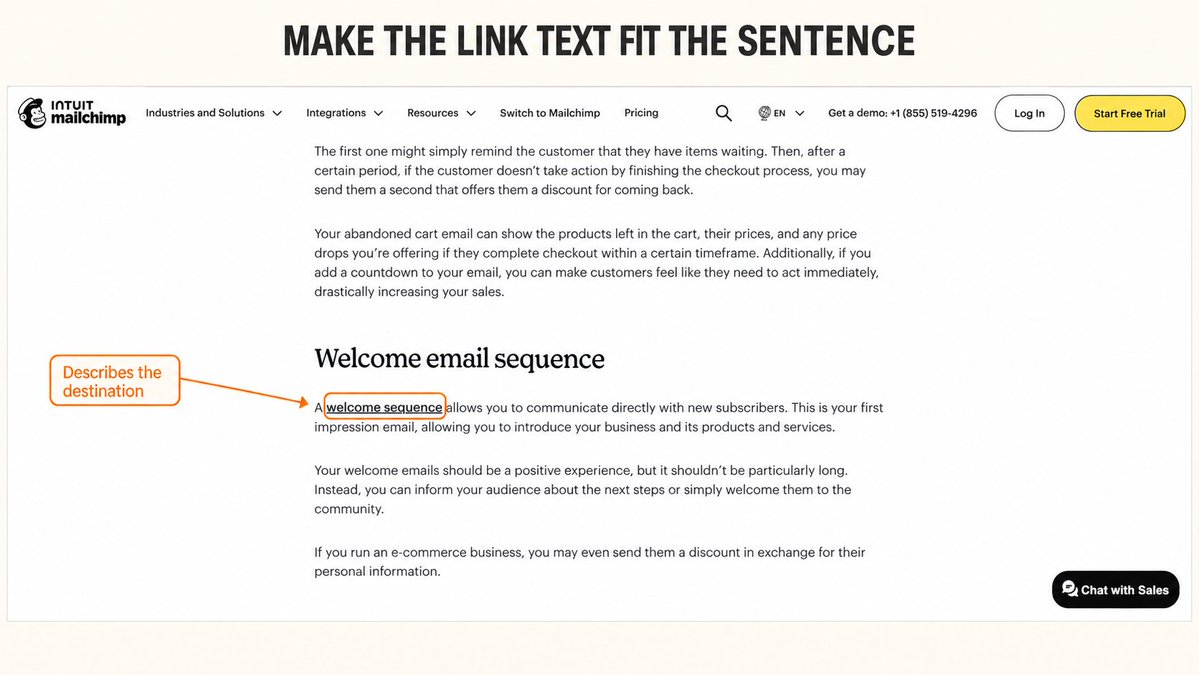
Write the link text for the sentence it appears in. Describe what the reader will get when they click.
I found this in the Mailchimp sample too: "welcome sequence" and "winning welcome email series" link to the same article from different pages. Each phrase fits its surrounding sentence.
The same welcome sequence guide could be linked with:
↳ "welcome email sequence" in your main email marketing guide.
↳ "plan the emails that follow" after a first-email template.
↳ "set up your welcome sequence" in a signup form tutorial.
↳ "welcome sequence examples" in an article discussing examples the guide actually contains.
Ask the agent to show the complete sentence with each suggestion. That makes it easy to spot wording that promises something the destination does not contain.
Let the context create the variation. Reuse the same wording when it is the clearest description, and keep stable navigation labels in your footer.
Automate the playbook
Give your agent this prompt with your website content and Search Console exports:
Build an internal linking plan for my website.

Read my page content, existing internal links,
and Search Console data. Tell me which inputs are missing.

Group pages by topic and the reader's question.
Choose a pillar guide and relevant money pages for each group.
Identify support posts and explain the next useful step
for someone reading each one.

Find pages averaging positions 11 to 20 for relevant queries.
Use consistent country, device, search type, and date filters.
Find existing articles with useful passages that could link
to those pages. Exclude links already present.

Propose contextual links between related support posts,
from support posts to pillars and money pages,
between related pillars, between related money pages,
and from pillars to money pages.
Assess each direction separately.

For each suggestion, return the source URL, destination URL,
existing sentence, proposed sentence, anchor text,
and the reader's reason to click.
Use only real pages you have checked.

Suggest a small set of products and guides for the footer.
Write descriptive anchors that fit the surrounding sentence.
Keep navigation labels consistent.

Save the proposed edits together and show me the changes.
After applying edits, check that the links work
and record each changed page and the date.
Compare search performance using the same filters.
Repeat the check when new articles are published.
Keep the list of applied changes. On the next run, the agent can skip existing links and find older articles that should point to your new content.
Run the playbook in this order
↳ check search console
↳ group your topics
↳ pick your pillars
↳ pick money pages
↳ pick support posts
↳ boost pages stuck on page 2 of SERPs
↳ add money and pillar pages as footer links
↳ vary link text
Use Distribb to plan your topics and add internal links
Thanks for reading.
Borja