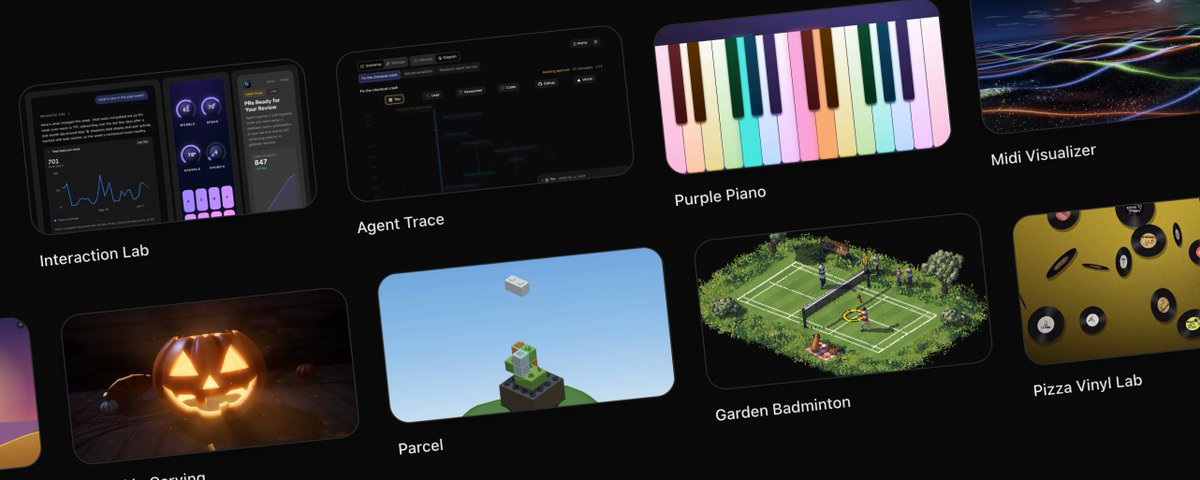
Designers: you need a prototype playground. Here's the prompt...
文章目录
部分视频或图片暂未收录,已在正文保留提示;需要时可查看原文。查看原文 ↗
The most common question I get about how to design with ai and code is what my setup is.
The truth is, this setup is extremely easy to build and copy - I've stood up several versions of this in different contexts: personally, at Amplitude, and now at Ramp.
It's deceptively simple, extremely useful, and if you are serious about being a software designer / maker long term in this era, you should absolutely have your own.
What is a prototype playground?
In its simplest essence, it's:
- an folder that contains rules and a list of sub-apps (your prototypes)
- that uses a shared baseline design system and libraries,
- that's hosted in a fast cloud environment (like Vercel or Cloudflare),
- that has special rules that you curate to help cloud coding agents (Claude Code or Codex) build things for you
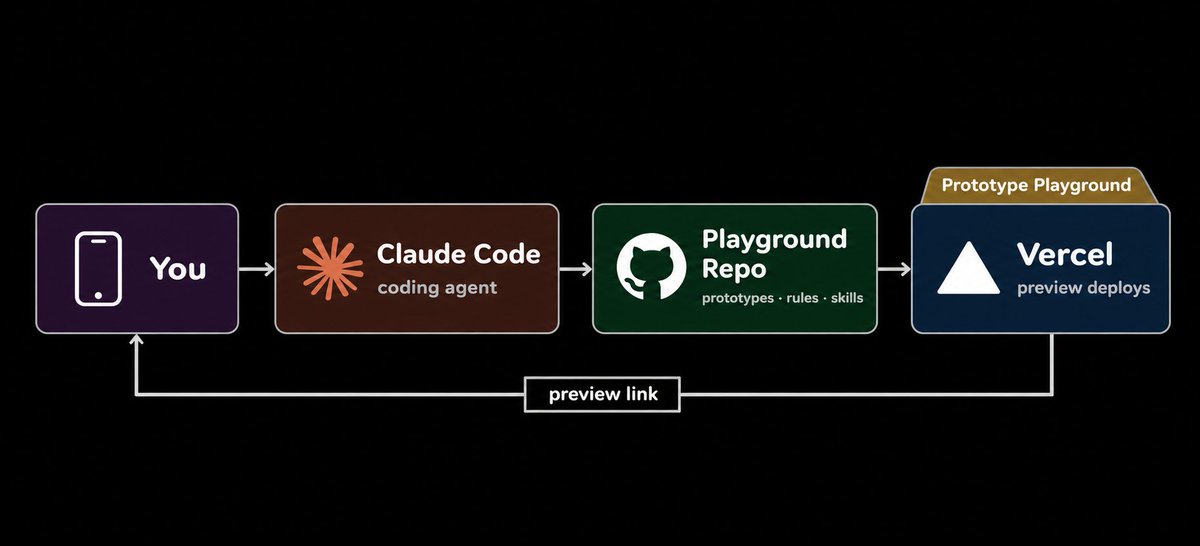
MVP : Minimum Viable Playground
Why make a prototype playground?
This is not the same thing as vibe coding an app or a feature.
It's building your own *prototype-making system*, that reduces the time it takes to go from idea to a live working link to near-zero, enabling you to easily create software prototypes without any of the "app setup stuff".
Having a prototype playground means that you try more ideas.
When it’s effortless to make things you like, you can follow your curiosity with no friction, and it becomes a habit.
Tinkering, for fun. Without needing to create a new project, create a new repository, deploy things, get keys, etc.
You can just say:
Make a prototype of a fullscreen responsive purple piano for kids with big keys and soft presets.
And then see how it feels to play. And when you ask your kiddo what she wants to change, she just says:
I want more colors
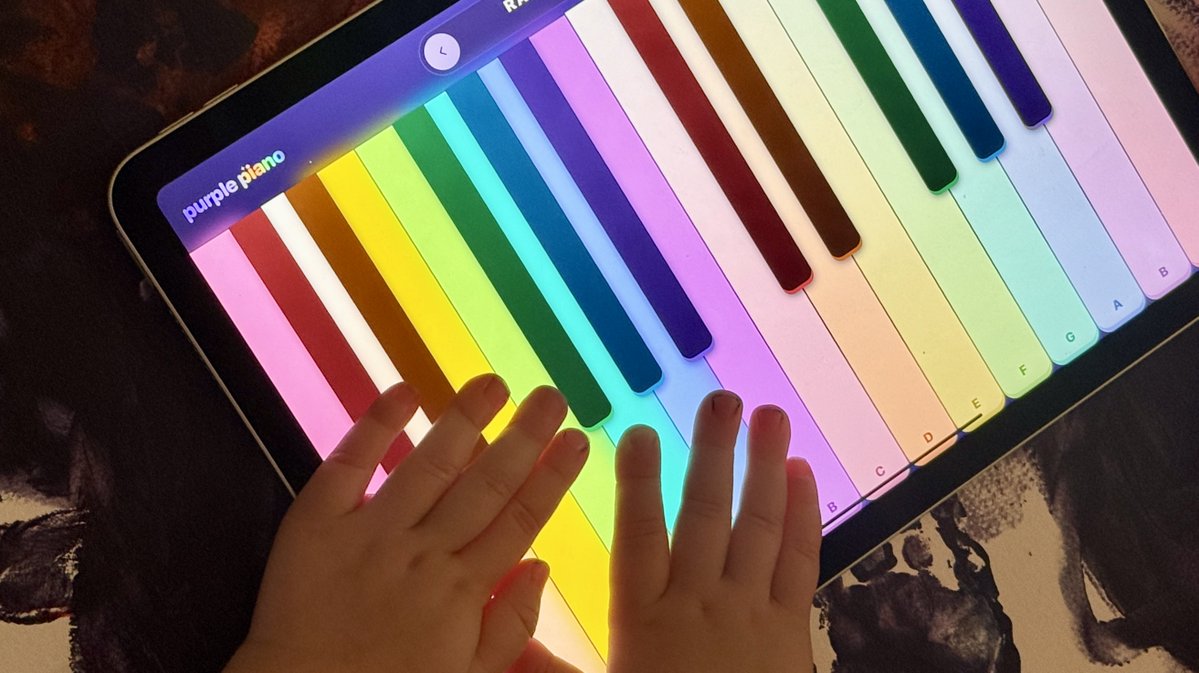
First iteration of purple piano https://purplepiano.app/
And you play together for a while.
...until one day you suddenly you think to ask:
port this into a native ios app
When you have code prototypes that contain their own documentation - you can graduate them into real apps effortlessly.
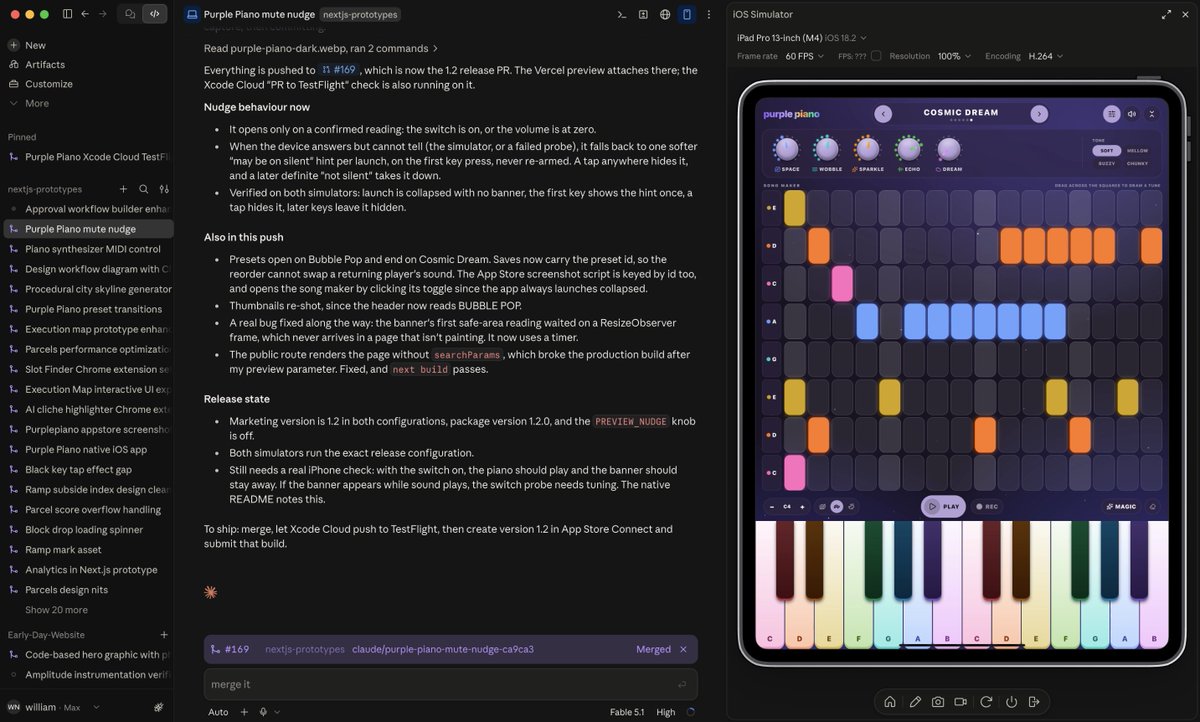
Claude code has a native iOS simulator integration
Making building a habit
Here's what happens when you make building a habit:
You get more reps. You learn more things.
You follow your own path of curiosity.
Loading spinner for Parcels https://playground.willnewton.dev/p/parcel
As you get more reps, you get more confident and ambitious.
That builds a loop: more agency, more reps, and a better sense of what can be done.
“Let’s try” becomes your default mode of thinking.
You learn to build to think.
https://playground.willnewton.dev/p/pumpkin-carving
You can see a cool open source project and instantly remix your own version.
You can keep adding new technologies right when they come out, and the playground keeps getting better.
Each time you add new tools to the playground it's available for every future prototype.
And if you build a prototype playground, you can grow a garden of ideas that you can reference and remix, and it’s all yours, in the cloud, accessible from your phone.
Let's get to what sets it apart from just raw coding agents and slop design:
Rules
These are the rules I accrued after iterating with my playground over months. The point is you can build any kind of design or interaction, from anywhere, on your phone. That's the loop I optimized for. You should tune your own based on how it feels for you to use.
If you want to understand how it works, read on -- if you just want to copy the MD, scroll to the bottom!!
-
Every prototype is a simple, self-contained app. Each prototype lives in its own folder with its own page. Nothing depends on anything else, so nothing breaks anything else. If an idea goes nowhere, it just sits there.
-
Use a good, modern design system to customize. I started with https://ui.shadcn.com/
-
Make all the UI clean and minimal by default. Simple and restrained. No extra editorial labels, no extraneous counts, no sparkle icons, no extra panels. Complexity has to be earned and progressively disclosed.
-
Use control panels to present options. If something has knobs (particle speed, colors, petal count on a procedural rose), they go in a panel off to the side. Include a “randomize” button.
-
Always design mobile first. Everything has to work on a phone screen with real-sized tap targets, because a phone is where I’m usually building.
-
Always include light and dark mode. Every prototype uses shared color tokens instead of hardcoded colors, so both themes come for free.
Some other personal choices:
-
The entire site is password protected, but you can "make a prototype public" and then it gets another URL that's not password-gated (and automatically creates open graph preview images and videos when you do this!)
-
I lean heavily on localstorage so that I don't have any databases at all. One less thing to manage, and my simple apps/prototypes don't need a real database.
-
I like having visual thumbnails of everything so I have scripts that automatically save visual thumbnails and render them in the index :)
Make yours right now. Paste this prompt into your coding agent and ask it to build a prototype playground
But before you do, please like, bookmark & share this with a designer friend who needs to build their prototype playground.
Have fun & happy building!!
# Build a Prototype Playground

You are building a personal prototype playground: one web app that holds many small, self-contained prototypes (apps, games, simulations, tools). The owner will create new prototypes by asking a coding agent, often from a phone, so the system must make every new prototype fast to build, consistent, and hard to break.

Build the foundation first, then write a rules file (`CLAUDE.md` or `AGENTS.md`) at the repo root that every future agent session reads before working.

---

## 1. The Foundation

### Stack (suggested)
- **Framework**: Next.js (App Router) with TypeScript
- **Styling**: Tailwind CSS
- **Components**: shadcn/ui, with all components installed up front so prototypes never wait on setup
- **Theming**: `next-themes`, dark by default, system preference respected
- **Hosting**: Any host with automatic preview deployments per branch or pull request (e.g. Vercel)

### Structure

app/
├── prototypes/
│   ├── [slug]/            # dynamic route
│   └── <prototype-name>/  # one folder per prototype
│       ├── page.tsx
│       ├── metadata.json
│       └── HOW_IT_WORKS.md
├── api/                   # API routes, per prototype as needed
├── page.tsx               # homepage gallery
└── layout.tsx             # root layout + theme provider
components/ui/             # shared design system components
lib/prototypes.ts          # discovers prototypes and reads metadata
public/thumbnails/         # static preview images
scripts/                   # thumbnail capture and other tooling


### Homepage gallery
- Lists every prototype, sorted by most recently updated.
- Each card shows a **static thumbnail image**, never a live embedded iframe. Live embeds boot a full app per card and will crash mobile browsers as the gallery grows.
- Render both a light and dark thumbnail and switch between them with CSS, not JavaScript, to avoid a flash on load.

### Thumbnails
- Write a script that starts a production build, opens each prototype in a headless browser (e.g. Playwright), and saves a small light and dark screenshot per prototype.
- Support flags to capture one prototype, several, or only the ones missing a thumbnail.
- A missing thumbnail should fall back to a "No preview yet" tile, not break the build.

### Privacy
- Put the whole site behind a simple password gate in production (middleware + login page + auth API route).
- Every prototype is **private by default**.
- A prototype can be made public with a `"public": true` flag in its metadata, served at a separate public route (e.g. `/p/<slug>`) that renders the same component. Unknown or private slugs return 404, not a login redirect, so private names don't leak.
- Only make a prototype public when the owner explicitly asks for that specific prototype.
- When a prototype is public ALWAYS create og:img and og:video for the link so it looks great when being shared.

### Prototype creation
- New prototypes are always created by a coding agent, never from inside the app. Don't build a "new prototype" button or a create API.
- The rules file tells the agent exactly how to create one: make a folder under `app/prototypes/`, add `page.tsx`, `metadata.json` and `HOW_IT_WORKS.md`, follow every rule in section 2, capture thumbnails, and open a pull request.

---

## 2. Rules for Every Prototype

Write these into the rules file as non-negotiable.

### Metadata
Every prototype has a `metadata.json`:
json
{
  "title": "My Prototype",
  "description": "What it does",
  "tags": ["tag1"],
  "createdAt": "YYYY-MM-DD",
  "updatedAt": "ISO timestamp",
  "hidden": false,
  "public": false
}

Bump `updatedAt` on every edit so the gallery stays sorted.

### Documentation
Every prototype has a `HOW_IT_WORKS.md`, kept current on every change:
- **What It Does**: 1–2 sentences
- **Architecture**: ASCII data-flow diagram
- **Frontend / API**: bullet points on state, shortcuts, responsive behavior, request/response
- **AI Usage** (if any model is called): model ID, why that model, how it's called, key parameters, system prompt summary, user prompt shape
- **Key Dependencies**, **Component Tree**, **Error Handling**, **File Structure**

### Self-contained and decomposed
- Each prototype lives entirely in its own folder and doesn't depend on other prototypes.
- Never write one giant file. Keep `page.tsx` thin (~60 lines) and split out:
  - `types.ts`: shared types
  - `data.ts`: mock data, constants, config
  - pure logic files (`search.ts`, `utils.ts`): testable without React
  - one file per meaningful UI component, named descriptively

### Design system
- Always use the shared components and design tokens (`bg-background`, `text-foreground`, `bg-card`, `bg-muted`, `text-muted-foreground`, `bg-primary`, `border-border`, etc.).
- Never hardcode colors (`bg-black`, hex values, inline color styles).
- Check the actual component source before assuming a prop exists. Component libraries differ from their docs.

### Clean and minimal by default
- Start with a single centered column (`max-w-2xl mx-auto`). No sidebars, split panels, or tab-heavy layouts unless asked.
- Build only what was asked for. No extra dashboards, charts, or views.
- Fewer elements is better. Every element must justify its existence. Plain badges over colorful ones. No decorative icons.
- Write minimal interface copy. Cut captions that restate labels and hints nobody needed.

### Control panels
- Anything with tunable parameters (speed, color, size, count) gets a control panel, not scattered inputs.
- Consider building a small shared library for this: define controls as a schema, get the panel, persistence, Reset, and **Randomize** for free.
- Every control panel includes a Randomize ("surprise me") button alongside Reset.
- Place the panel to the side on desktop so it never covers the subject; fall back to a bottom sheet on mobile.

### Mobile first
- Everything must work at ~375px wide.
- Tap targets at least 44×44px.
- Icon-only buttons on mobile, labels from `sm:` up.
- No hover-only interactions. Hover states need a visible touch equivalent.
- Code blocks wrap; no horizontal scrolling.
- Modals need visible prev/next or swipe on mobile, not just keyboard shortcuts.

### Light and dark mode
- Design dark-first; light mode must also work, via tokens.
- Never hardcode a `dark` class on a page. The theme is global.
- Use `useTheme()` / `resolvedTheme` only when behavior (not just color) must change by theme, e.g. canvas or WebGL colors.

### Motion
- Rows or sections the user adds or removes animate their height open and closed. Nothing pops in and makes the page jump.
- Use smooth deceleration curves, no bouncy overshoot.
- Respect `prefers-reduced-motion`.
- Verify animations actually run (check computed styles), since animation utility classes can silently do nothing if their CSS isn't imported.

### AI-backed prototypes
- Call models server-side through an API route; never expose keys to the client.
- If a model generates UI or layout, put explicit layout constraints in the system prompt (max columns, no wide tables). Defensive CSS is a backup, not the fix.
- Parse JSON from model output defensively (extract the first `{...}` block).
- Always wrap API routes in try/catch and return proper status codes.

### Storage
- Wrap all `localStorage` access in try/catch.
- Load on mount, not during server render.
- Namespace keys per prototype.

### Thumbnails
- New prototype or any visual change → regenerate that prototype's thumbnails in the same commit.
- Global style change → regenerate all.
- Check the captured images before committing. A stale thumbnail is worse than none.

---

## 3. Workflow Rules

- Work on a branch, push, and open a pull request when done. The PR triggers a build check and a preview deployment.
- End every task by posting the preview link so the owner can open the prototype straight from their phone.
- Before finishing, run lint, type-check, and a production build.
- When something goes wrong and gets fixed, add the lesson to the rules file so it doesn't happen again. The rules file should grow over time.

---

## 4. Suggested Libraries

Add these as prototypes need them. Install new dependencies at the repo root.

| Need | Suggestions |
|---|---|
| 3D / WebGL | three.js, React Three Fiber |
| Physics | Rapier, Matter.js |
| Charts | Recharts, or plain SVG for sparklines |
| Maps | MapLibre GL |
| Text layout / typography effects | `@chenglou/pretext` |
| Audio / synths | Web Audio API, Tone.js |
| AI | Anthropic SDK (or your provider's SDK), server-side |
| Generated UI from JSON | json-render or similar |
| Browser automation | Playwright (thumbnails, visual checks, demo videos) |
| Native app wrapper | Capacitor, if a prototype graduates to the App Store |

---

## 5. Definition of Done for the Foundation

- [ ] App runs locally and builds for production
- [ ] Homepage gallery with search, tags, hidden toggle, and static light/dark thumbnails
- [ ] Password gate in production; public route serving only flagged prototypes
- [ ] Rules file explains how an agent creates a new prototype from start to pull request
- [ ] Thumbnail capture script works for one, several, or missing-only
- [ ] One example prototype that follows every rule above (decomposed files, metadata, HOW_IT_WORKS, control panel with Randomize, mobile-friendly, light/dark)
- [ ] Rules file at the repo root containing sections 2 and 3, written as instructions to future agents