How to run paid ads for your app with an AI employee (Full Workflow)
文章目录
The most neglected channel in consumer apps right now is paid ads.
Everyone is convinced they should be running influencer marketing and UGC…
Which leaves paid wide open for the founders who do it properly.
(I would know, as I was the guy who ran the influencer marketing responsible for scaling Cal AI to a $50M ARR in 18 months).
But most apps shouldn't touch paid ads until they’ve proven they can scale on organic with dialed in messaging and formats they know work for their product.
And even the ones that should be running ads often give up early, because the work never stops when you're doing paid distribution:
> finding what's already working in your niche
> making enough new ads to find a winner
> checking spend every single morning
> deciding what to turn off and what to scale
That's the job of a full-time media buyer/operator, and most app founders can't justify that hire yet.
So in this article I'm going to show you:
> how to know if your app is ready for paid (3 gates)
> whether to start with Apple Search Ads or Meta
> how to find the ads that are already winning in your niche
> how to turn them into angles of your own
> how to hand the daily work to an AI employee who lives in Slack
Let's get into it.
1. Is your app ready to run paid?
Paid ads are the most predictable way to lose money if your app isn't ready for cold traffic.
Before you spend any money on them, your app has to pass 3 gates:
Gate 1: the price gate
Getting a paying user from ads isn't cheap, but is the most direct way to get your product in front of a buyer (ad -> straight to your app store page)
If a subscriber costs you about what they pay you in a year, the best you can do is break even after a year.
And the ad bill is due now, while their money trickles in over a 12 month period*.*
That's how apps with good ads still run out of cash.
Paid works when each user is worth a lot more than they cost you, with enough room to survive the waiting period.
Gate 2: the attention gate
Paid ads need an owner.
Treat them like a side project and they'll stay a side project instead of a lever for growth.
Someone has to look at the account every day, ship new creative every week, and make the call on what to scale.
Until recently that meant a hire.
This is the gate Viktor helps with most, and I'll show you how below.
Gate 3: the funnel gate
If your funnel doesn't convert people who already want your app, it won't convert strangers you paid for.
The paywall benchmarks I used at Cal AI:
> 75%+ of new users reach the paywall
> 10% of those convert
> 5 downloads per 1,000 views (for organic)
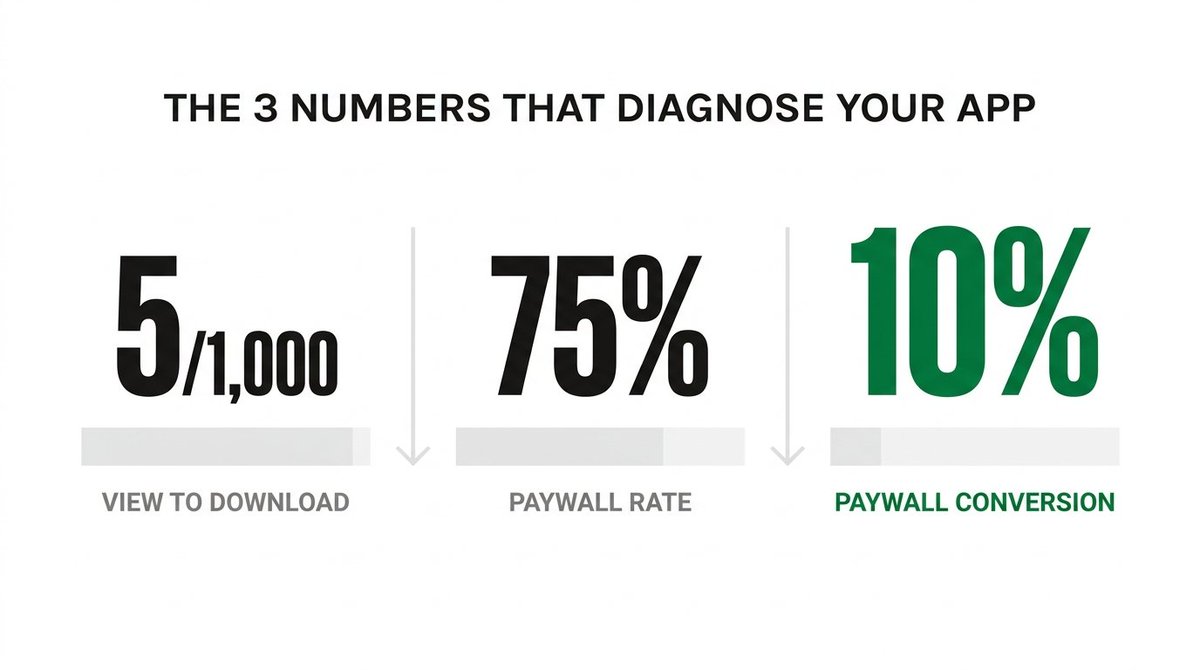
If you're nowhere near those, fix the funnel first.
Paid will only make the leaks more expensive.
The Q4 dilemma
Q4 is the worst time to scale paid, especially for bootstrapped apps.
Every brand on earth is bidding for the same holiday traffic and attention.
So build the whole system now, test small to find your winning formats, and turn the spend up in January.
2. Apple Search Ads or Meta?
Start with Apple Search Ads.
It's the simplest channel in app marketing, and anyone who makes it sound complicated probably wants to sell you their agency services.
You need three sets of keywords:
> your app's name, so you own the top spot when people search for you
> the problem your app solves
> competitor campaigns
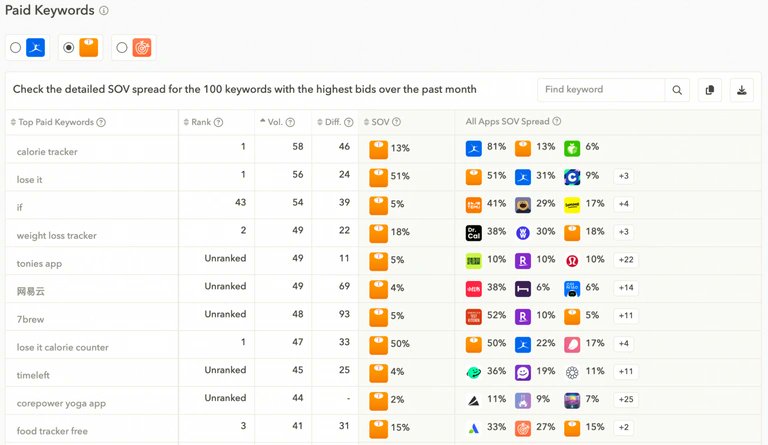
These people are already in the App Store looking for an app like yours (including your competitors), so they are more likely to convert.
The catch is the ceiling.
Only so many people search the App Store, so it tops out fast.
From a funnel stage perspective, Apple Search Ads are bottom of funnel assets that are purely capturing attention and intent from people who are actively searching for a solution
Meta ads are the main vehicle for creating intent from cold traffic.
(I'd still have Viktor draft the keyword list from the research in Job 1. He does the thinking, you paste it in.)
Meta is the opposite.
It's where you create demand from people who have never heard of you, and it scales.
It's also where almost all the work is, because Meta ads are won on quality AND quantity of creative.
Early on you need volume, and know that most of your ads will lose, and that you're paying to find the few formats that will work long term.
Once you find them, you put real money into making those few better.
That loop is where Viktor comes in.
3. The setup
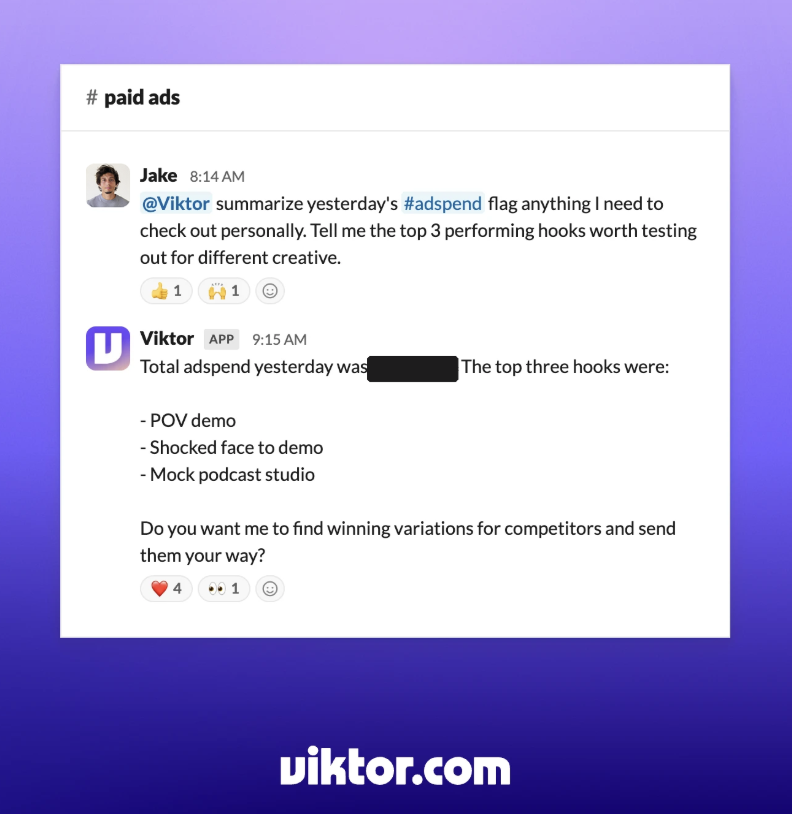
Viktor lives in Slack.
Give him a #paid-ads channel and connect 3 things:
> Meta Ads, so he can check the account
> Google Sheets, for the creative board
> Google Drive, for one folder that holds everything else
That folder holds:
> your brand guide and colors
> app screenshots and product shots
> a one-page doc on what the app does, who it's for, and what it costs
Then test it.
Ask Viktor to read the folder and tell you what your app does and who it's for.
If Viktor gets it wrong, fix the doc before you go any further.
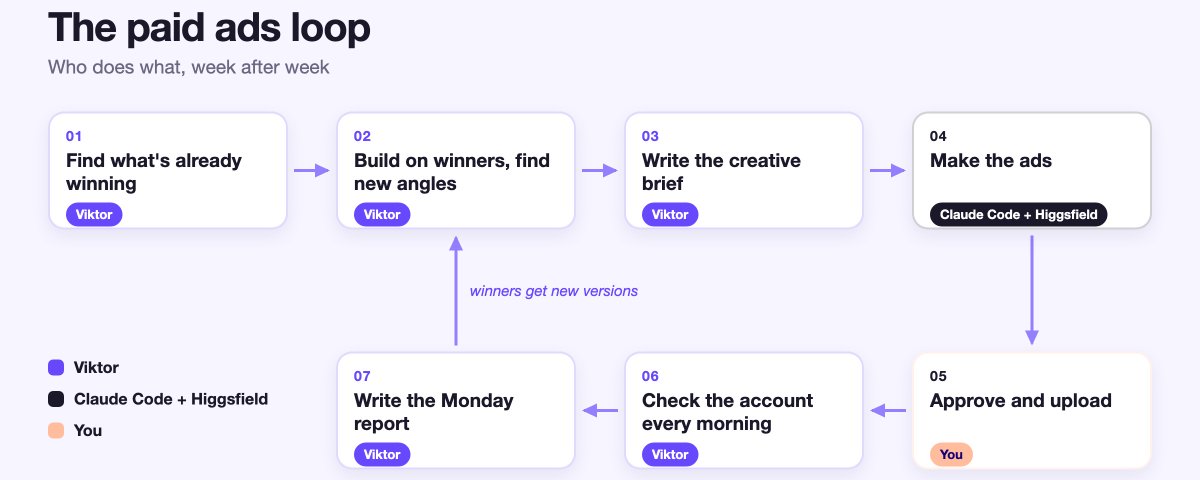
Here's the whole system:
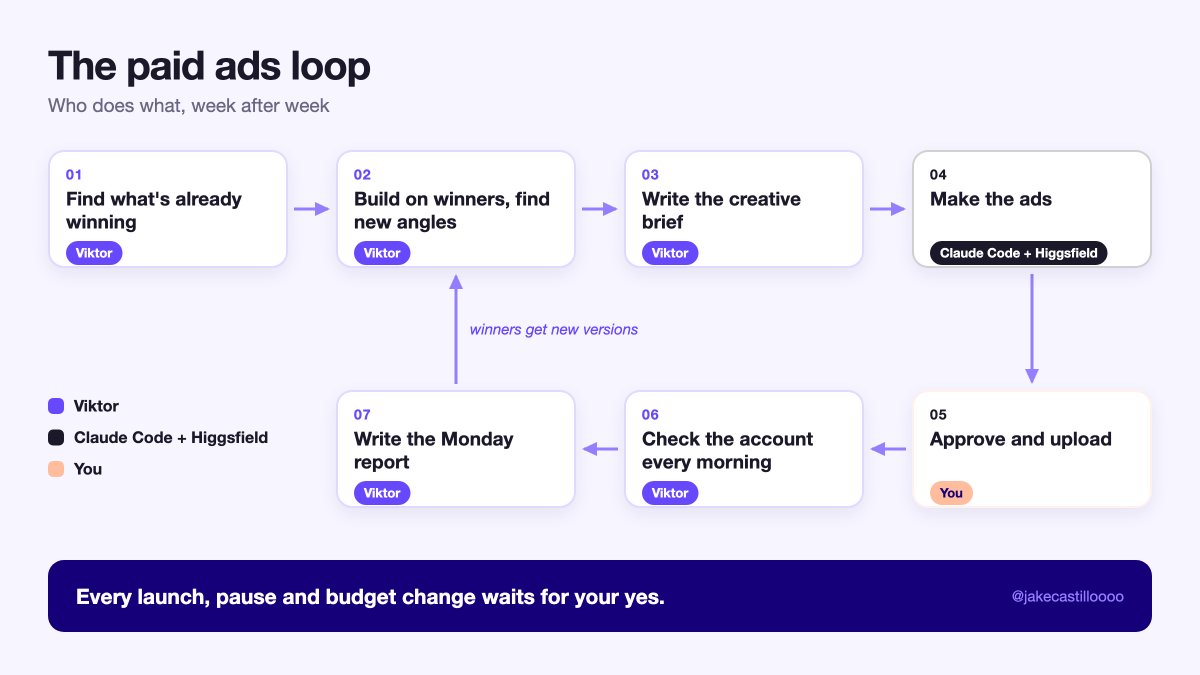
One rule sits over all of it:
Every launch, pause and budget change waits for my yes.
Job 1 (Viktor): find what's already winning
Your competitors already paid to learn what works.
Their ads are the cheapest research you'll ever get.
The first signal I look for is time.
An ad that has been running for months is almost always making money, because nobody keeps paying for a loser.
The second signal is versions.
When a brand runs the same idea in 5 different cuts, they're scaling it.
Here's the brief I gave Viktor:
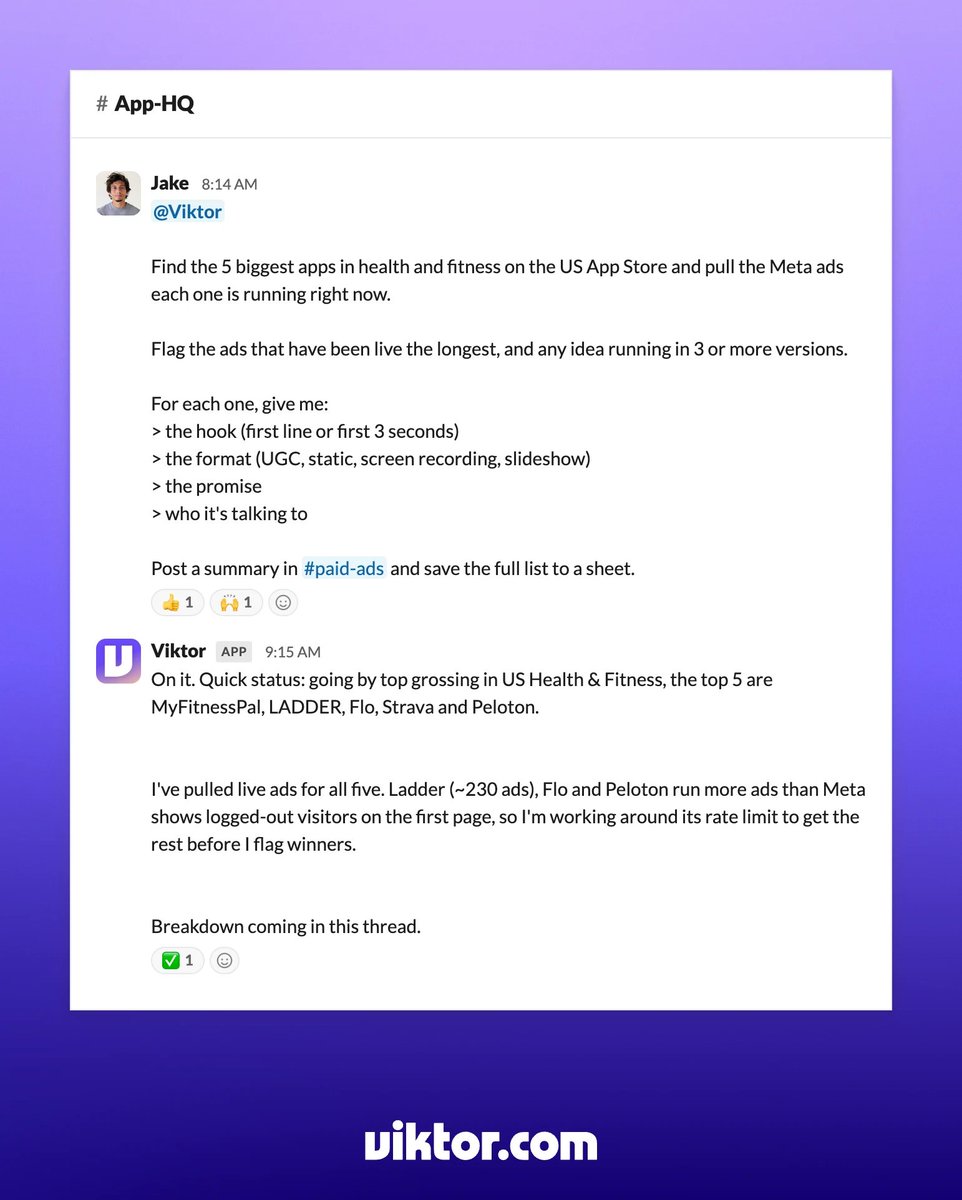
Here's what came back: 68 ad ideas across the top 5 apps, each with its hook, format, promise and a link to the ad in the Ad Library.
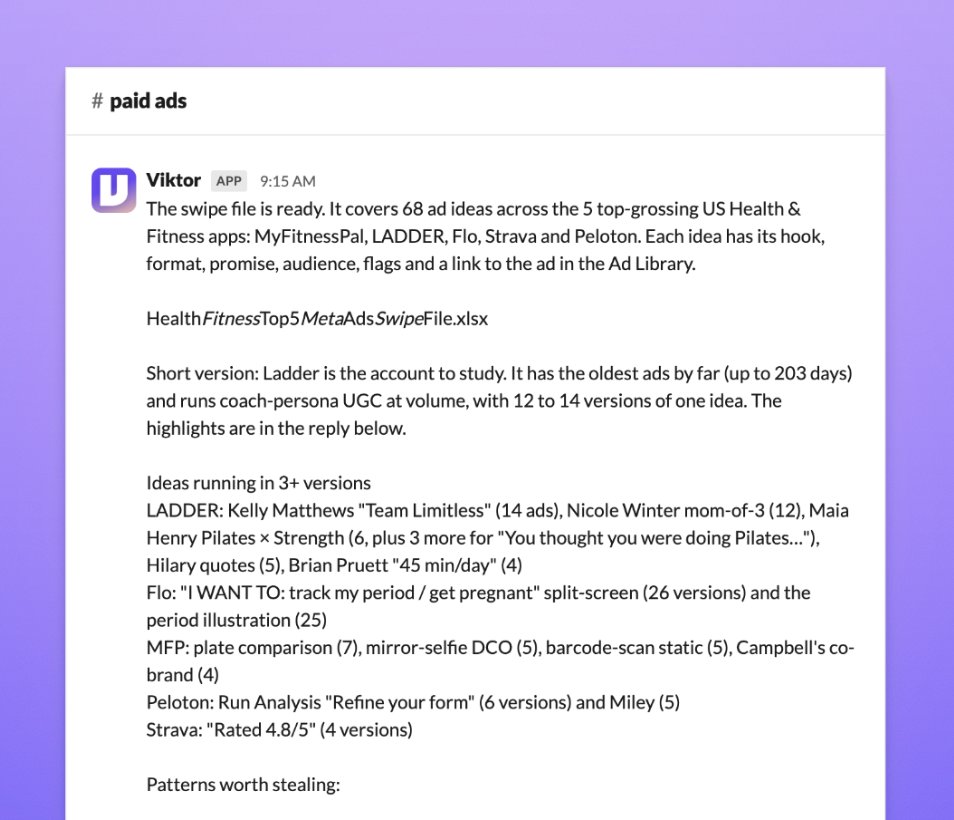
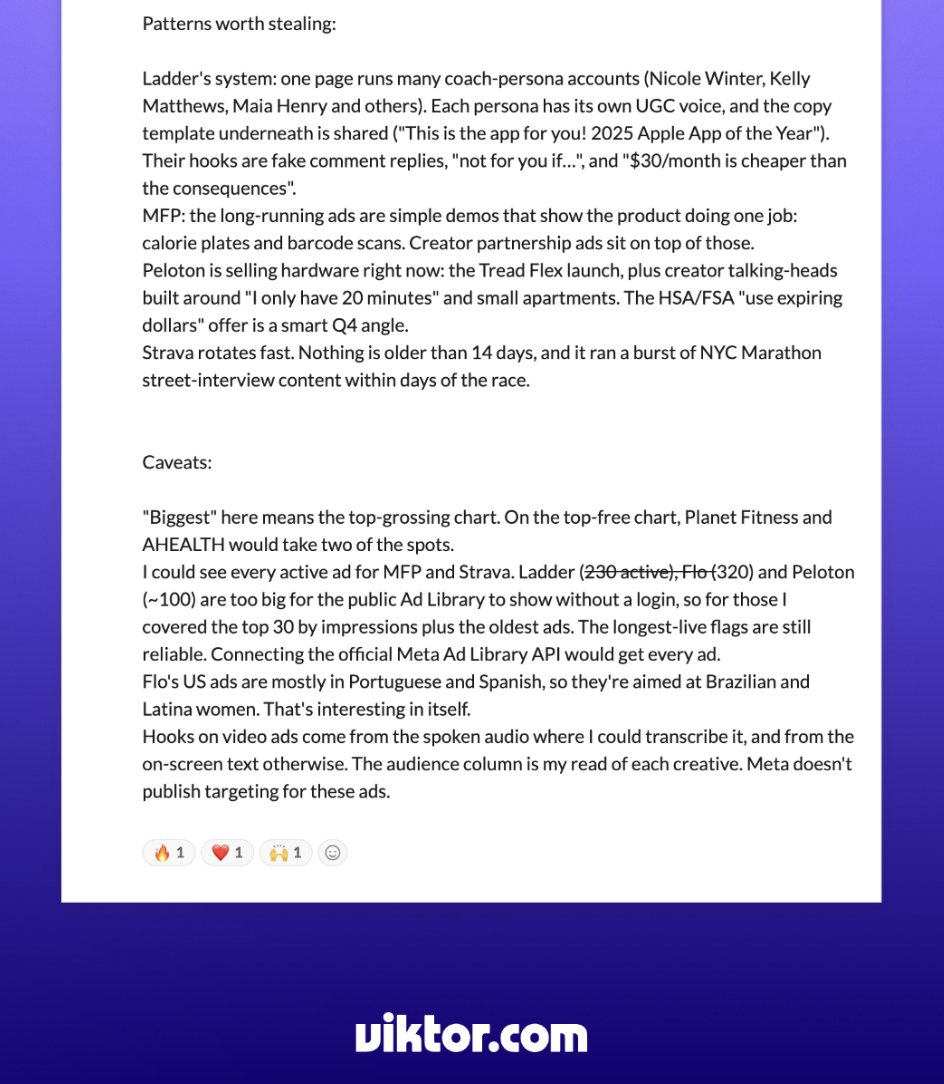
It didn't all work the first time. Ladder, Flo and Peloton run more ads than Meta's public Ad Library shows without a login, so Viktor couldn't see all of them. He covered their top 30 by impressions plus the oldest ads, and told me that connecting the official Meta Ad Library API would get every ad.
Job 2 (Viktor): build on the winners
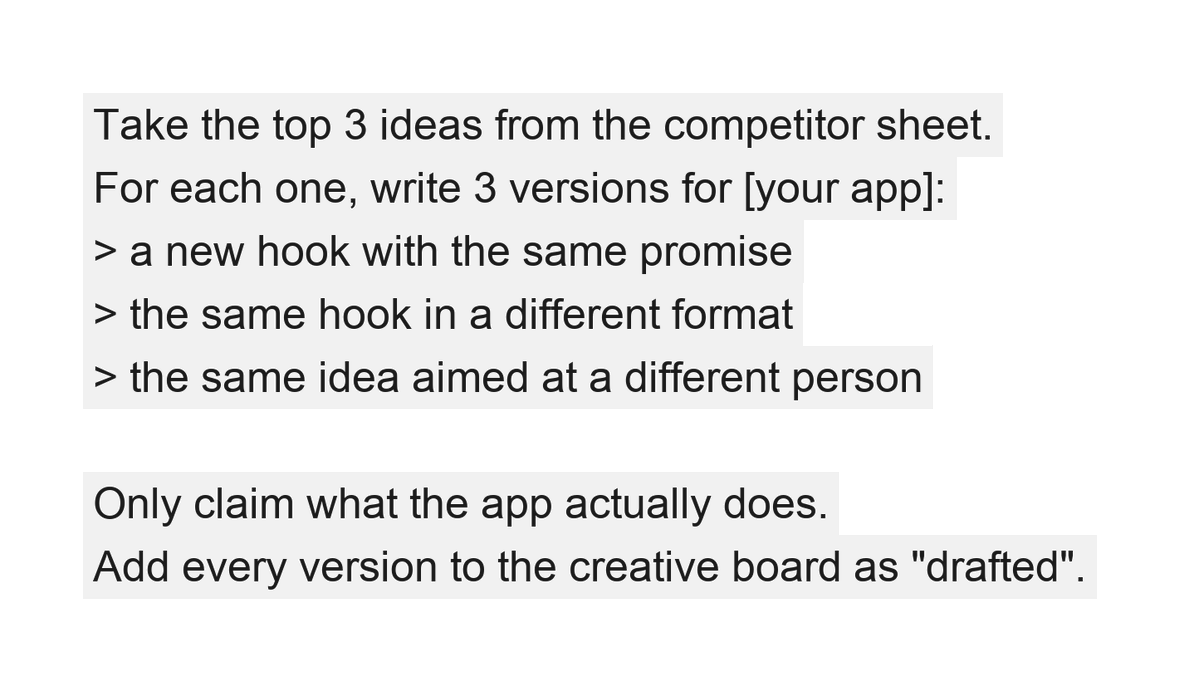
Borrow the angle and make the ad your own.
A winning ad is a hook, a format and a promise.
Change one at a time and you get ads that are yours, built on something that's already proven.
Run this prompt next to build on the winners:
Job 3 (Viktor): find the angle nobody's running
Here's the problem with only building on competitor ads…
Everyone in your niche ends up copying the same hooks and ads they find on the ad library assuming they will perform for their app too.
But the cheapest attention is in the angle nobody is using yet.
So I had Viktor look for the gap between what competitors say in their ads and what their users say in their reviews.
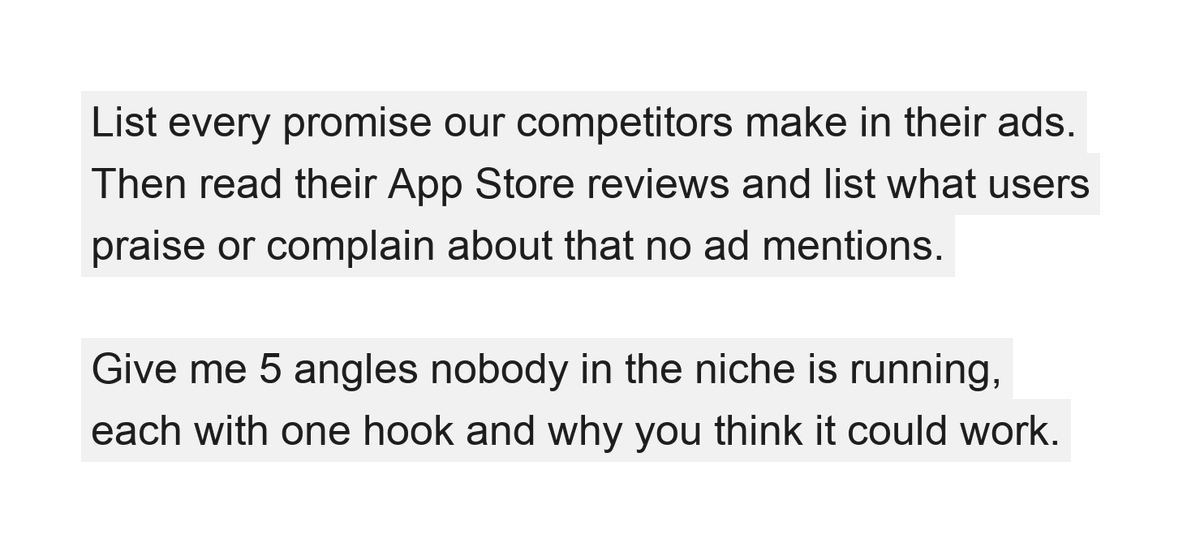
Then I pick the ones I believe in (human judgement is still vitally important at this step).
Viktor turns my picks into a creative brief and saves it to the folder for the next step: making the ads
Job 4 (Claude Code): make the ads
This is the one job I hand to Claude Code.
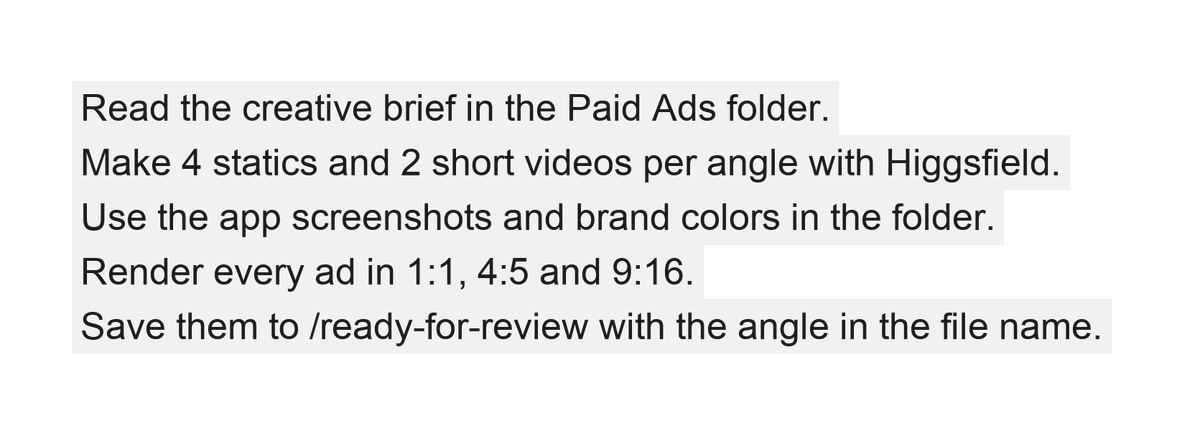
Viktor writes the brief, then Claude Code (with Higgsfield connected) makes the ads.
You generate, look, redo the ones that feel off, and render every size you need.
The bar I use is simple: does it stop the scroll for someone outside my consumer app bubble?
Here's the prompt I use:
When it's done, I tell Viktor and he posts the batch in #paid-ads with the angle and the copy for each ad.
I approve each one or send it back.
I upload the approved ones to Ads Manager, and Viktor marks them live on the creative board.
Job 5 (Viktor): check the account every morning
Once ads are live, the work can get boring.
So every morning Viktor checks the account and posts in #paid-ads.
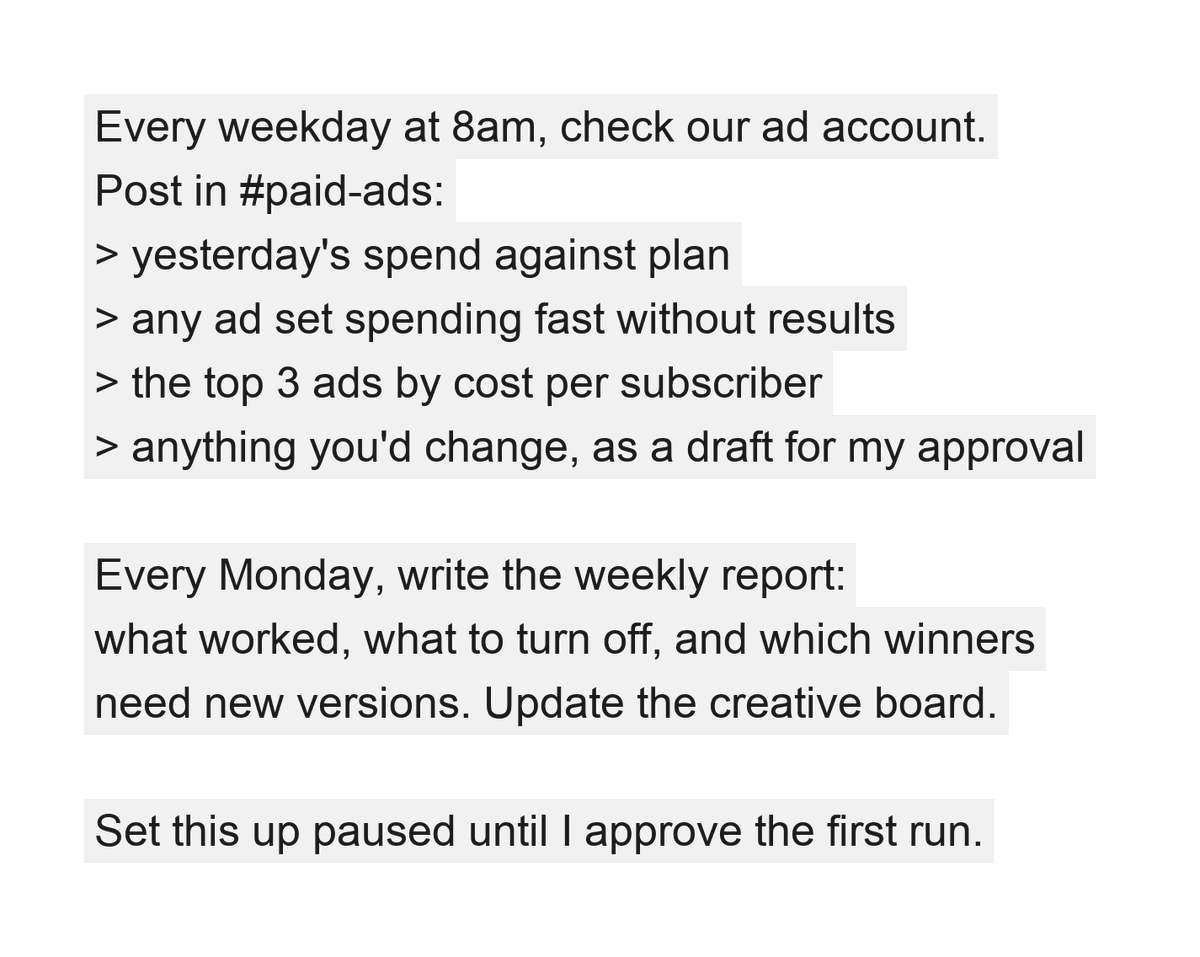
Run it once by hand, check the output, then turn the schedule on.
Viktor also keeps the creative board current.
Every angle, every version, and where each one stands: drafted, approved, live, turned off.
The Monday report feeds straight back into Job 2.
Viktor drafts new versions of the winners, and the loop starts again.
What still waits for you
Viktor does the daily work.
The calls are still yours:
> whether your app passes the 3 gates
> which angles you believe in
> every ad before it goes live
> every budget change, pause and launch
> when to scale
That's the part of paid ads that actually needs a human in the loop.
How I'd start this week
-
Check the 3 gates. If you fail one, fix that first.
-
Turn on search ads with your brand and problem keywords.
-
Hire Viktor and give him a #paid-ads channel and the folder.
-
Run Job 1 on the top 5 apps in your niche.
-
Pick 3 angles, make the ads, approve them, and test small.
-
Turn on the morning check once anything is live.
If it's Q4, do 1 to 5 now and save the real budget for January.
To recap:
> check the 3 gates before you spend a dollar on ads
> start with Apple Search Ads, scale on Meta
> Viktor finds what's already winning in your niche
> Viktor builds on it and finds the angle nobody's running
> Claude Code + Higgsfield makes the ads
> you approve every single one
> Viktor checks the account every morning and writes the Monday report
Hire @viktor_com for the daily side of your paid ads. Free to start, and code JAKE100 gets you $100 in credits. 70,000+ teams have already hired Viktor.
The full link is in the first comment.
-Jake
#AIemployee
Paid Partnership