how i make vox-style reels with claude (step by step)
文章目录
my last 2 vox-style reels got 154k views and 600+ "how??" comments.
here's the whole process from idea to final video, plus the mistakes so you don't repeat them.
what you need
-
claude code opus 5.5 (fable 5.2 optional)
-
yt-dlp (downloads your reference reels so claude can study them)
-
ffmpeg (cuts and renders the video)
-
python 3
-
whisper (turns your audio into timed captions)
-
image gen tool (i use google nano banana, needs an api key)
-
fish audio/elevenlabs for the voice
-
royalty free music ( i used epidemic sound for music and sound effects)
-
free textures from https://texturelabs.org/
-
3-5 reference videos you love
-
my paid manuscripter skill (optional but makes it quicker)
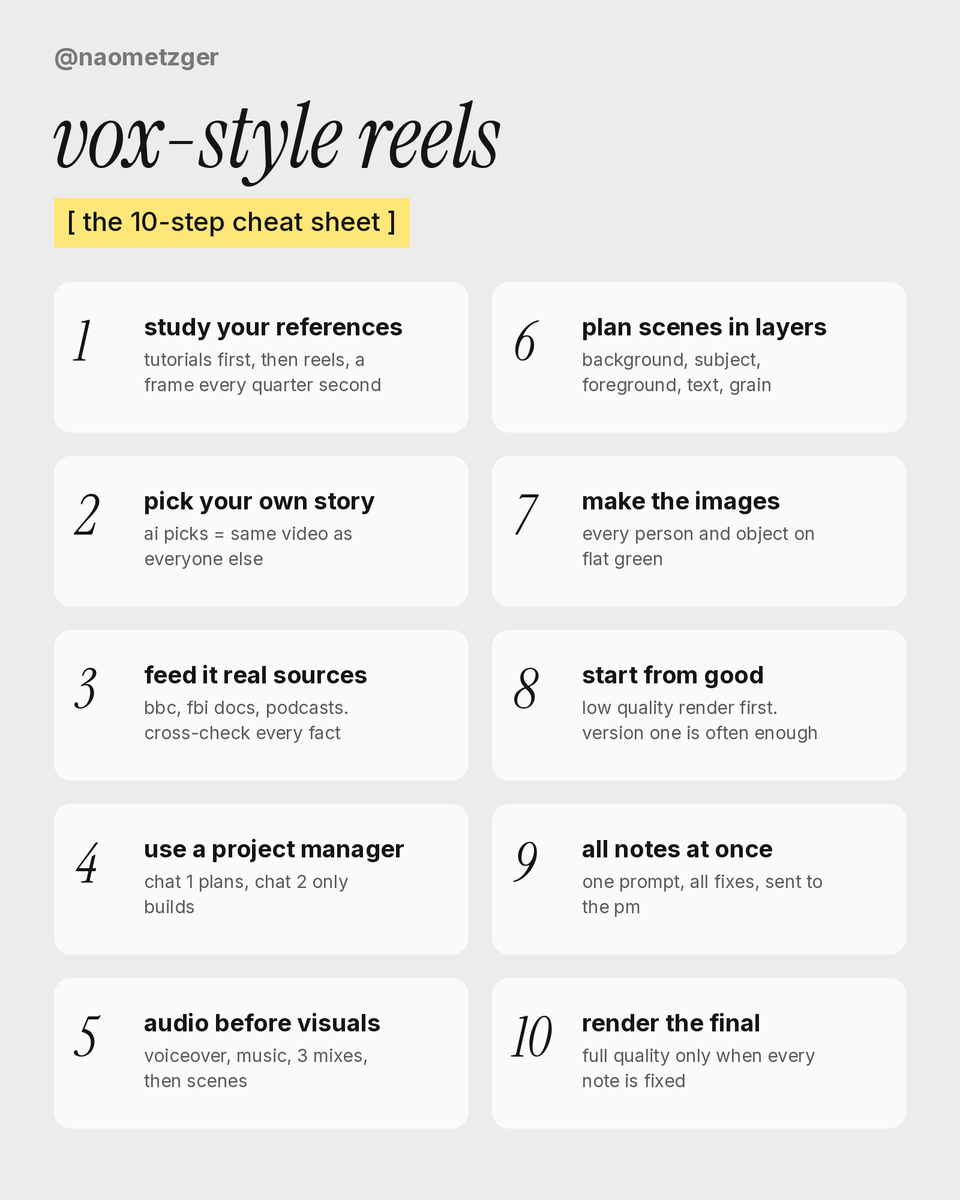
1. study your references first
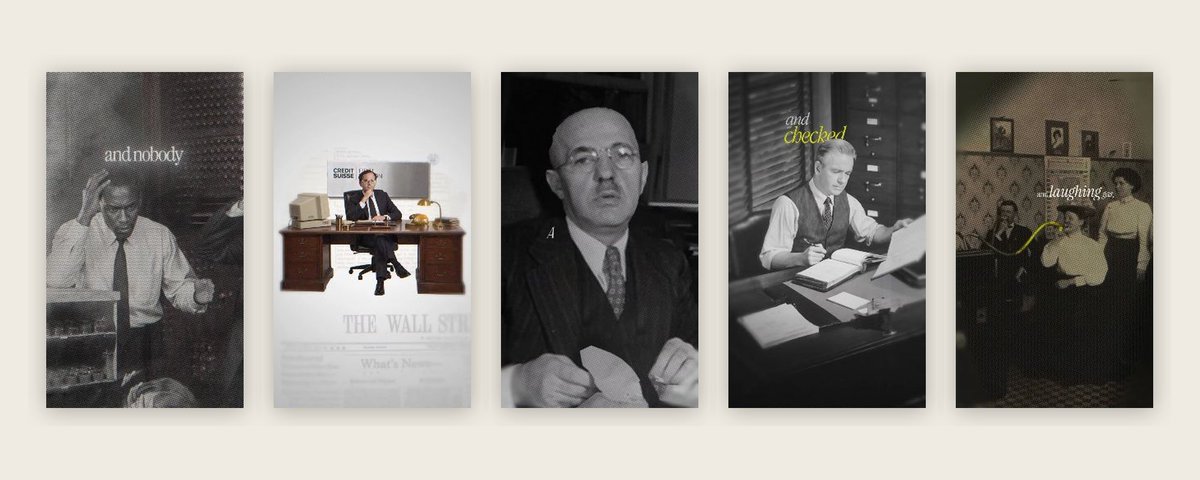
first i gave it tutorials, so it understood the look and animation style i was going for
then i asked: "what have you learned from this tutorial that you can actually use?"
tip: check youtube descriptions. loads of editors share their project files, and claude can read after effects files without you ever opening after effects.
then i gave it my reference reels, at first it skimmed and grabbed the wrong frames. so i made it go through every reel, a frame every quarter second. that's what got the look.
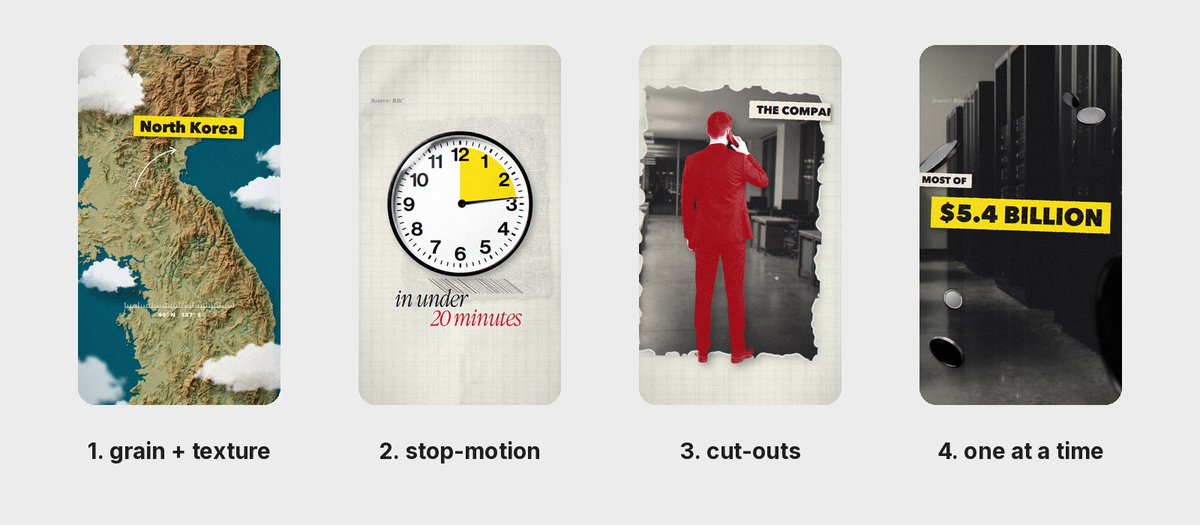
what makes vox look like vox:
-
grain and texture
-
stop-motion movement, not smooth
-
things that look cut out and placed in
-
things falling in one at a time
ask it to find the font in your references. ai-looking fonts can cheapen the look of the video.
2. pick your own story
don't let ai pick your story or topic, it's best if it comes from you or you will end up creating the exact same video as someone else.
3. feed it real sources, then fact-check
i gave it bbc articles, fbi documents and podcasts. then it did its own research (fable is great at this).
then i cross-checked everything with grok bot.
copy this:
"Check every fact in this story and give me a source for each one. Then write a 60-second vox-style script with me. Short lines, one idea per line, easy to say out loud."
4. use a 'project manager'
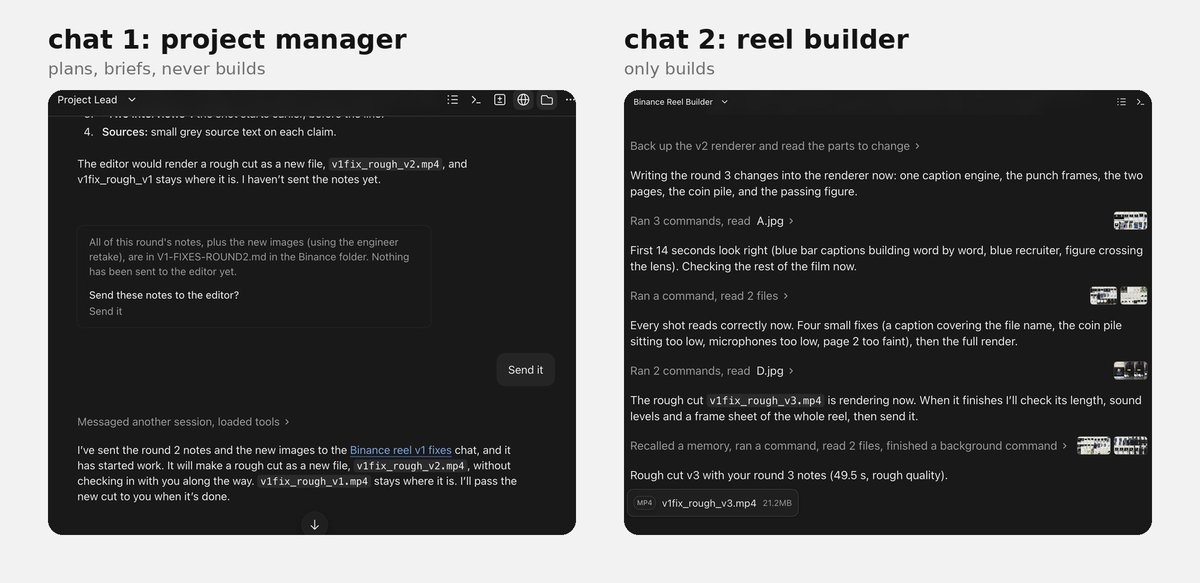
this helped me more than anything. my first chat maxed out, got confused and ignored my references. so i copied how i run grok bot, where one boss bot manages the others:
-
chat 1: project manager. turns my messy thoughts into a clear brief
-
chat 2: a fresh chat that only builds
the pm is my middleman. everything got smoother.
paste this into chat 1:
you're my project manager for a short documentary reel. don't build anything.
1. study my reference reels: [links]. pull a frame every quarter second and write down the look: pacing, captions, colours, backgrounds, how the camera moves, how shots change.
2. write a short locked brief: story, look rules, never-do list, length. only things i've said yes to.
3. when i give notes, turn them into a numbered fix list.
4. then write a handoff message for a fresh chat to build it.
paste this into chat 2:
read BRIEF.md and FIXES.md. build the whole rough cut in one go, no check-ins.
change only what's on the fix list. keep everything else exactly as it is.
before you show me, check every frame: who is this, why are they here, could this really happen?
save it as a new numbered file. never move, delete or overwrite an older version.
5. audio before visuals
this is how the cuts land perfectly.
-
make the voiceover once the script is done
-
if it's too long? ask it to trim the script
-
pick documentary music to fit i use epidemic sound
-
ask claude to mix 3 versions. it can't hear, so tell it to turn the music down
-
then it builds the scenes to the audio
6. plan your scenes in layers
vox doesn't use flat images. every scene is layers: background, subject, foreground, then text, texture and grain on top.
the layers move at slightly different speeds, which gives it depth. one flat collage cut apart looks papery.
ask claude what scenes and images you need.
pro editors use 30 to 60 images in one short video.
then ask claude to make a storyboard. one rough frame per scene, so you can check you're happy with each scene before it builds the video.
7. make the images
claude writes great image prompts once it has your references.
one rule saves hours: every person and object on a flat solid green background so the cut-outs come out clean.
this can all be done in claude code.
cheapest way to do this is using nano banana api key and loading up $5
ask claude how to do it if you're stuck!
8. start from good, not perfect
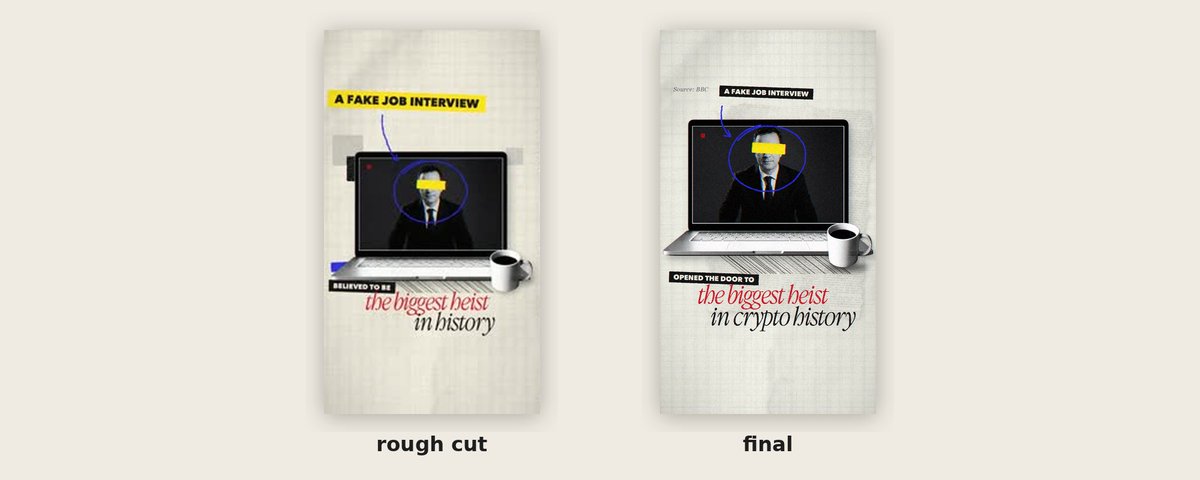
ask for a low quality render first. it will take minutes, not half an hour.
my first version took less than an hour and it was really good. then every change i asked for made claude rebuild the whole thing from scratch, and i ended up with 9 versions.
the fix: when you like a version, tell claude to keep it and only change what's in your notes
9. send all your notes at once
watch the whole thing and pause when something looks off. no timestamps needed. just say what you see:
in the office bit, the arms are floating the map looks weird there's a white shadow on the engineer's arm
put all your fixes in one message. if you send them one at a time, it re-renders after every single one, and that eats your usage and hours.
send your notes to the project manager chat, not the build chat. it turns them into clear steps for the builder.
paste this into chat 1 each round:
here are my notes on [file]: [notes]
add them to a new numbered fix list. ask me one question if anything is unclear. then write the handoff.
stuck on one scene?
screenshot it next to your reference and ask "what's the difference? what's missing?"
claude sees frame by frame, not movement, so tell it what you see.
10. render the final
when every note is fixed, ask for the full quality render.
tip: if you're posting to instagram ask it to make the captions and text in instagrams safe zone.
FAQS:
opus or fable?
start with opus. it follows steps closely and barely touched my usage. fable is better at research and reading references, the beethoven reel was made with opus and binance with fable.
get your flow down first, then try fable.
how much?
i'm on the $100 claude code plan. binance on fable took a full day of rebuilds and used 35% of my weekly usage. beethoven on opus didn't even dent my 5-hour usage.
nano banana images are around $0.11 each, so 30 images is about $3.
how long?
your first one will probably take a day. mine took 9 versions. with the steps above you'll skip most of my mistakes.
manuscripter makes it quicker. right now it gives you my black and white beethoven look, and the colour look is coming next.
me and claude making a banger vox reel
it works: people are already making their own
want it faster? my paid skill manuscripter does a lot of this for you
naomimetzger.com/manuscripter.
thanks for reading. i reply to every comment.
what should i break down next?
沿着这个主题继续读
从一篇文章,找到相关的教程、经验和阅读路径。