The Opus 5.5 Animation Masterclass
文章目录
how to make 10 viral video styles with claude
* DISCLAIMER: * every prompt in here is built + tested on claude pro w/ opus 5.5 on the free plan the shorter ones still work, but long builds (videos, multi-step stuff) can hit limits or stop half way if ur output looks different from mine, check which model u picked what u need: claude pro w/ opus 5.5 selected
code execution + file creation turned on in claude. claude does all the installing and rendering itself, u don't install anything on ur pc a reference video of the style u want
a voiceover for styles 7-11 (i use elevenlabs) an image model for style 8 only (i use gpt image) ur own sfx if u have them. if not claude makes the sounds w/ code patience lol.
a test run takes like a minute, a full render can take 10+ mins
on nov 9 i posted a 20 sec reel of balls getting crushed by these steel jaws
every single frame of it was python code
no aftereffects. no ai video model. no stock footage.
opus 5.5 wrote the code, ran the physics, made the sounds and rendered the mp4 by itself.
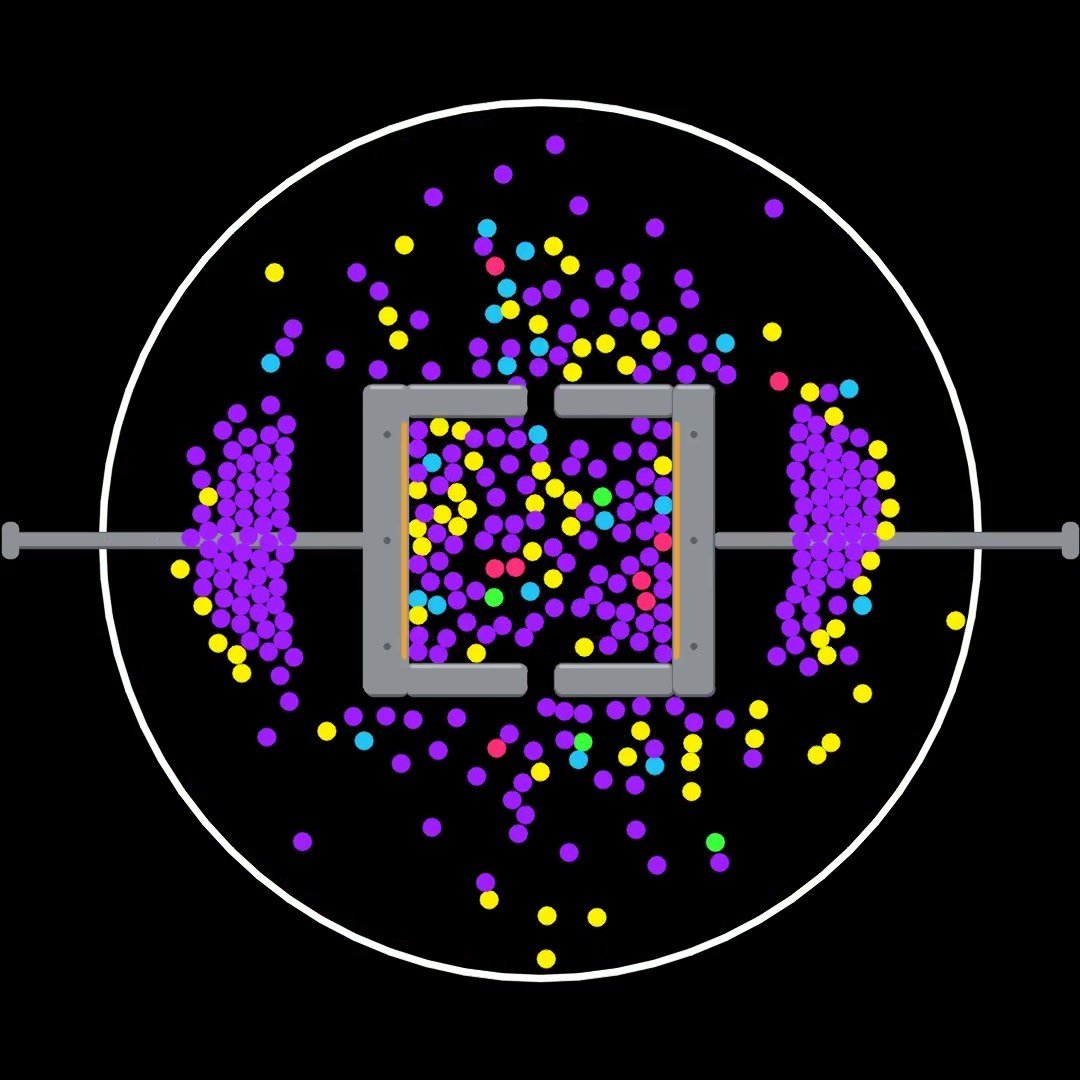
that was style 1
in the same 2 weeks i used the exact same prompt format to make a kurzgesagt style explainer about pirates, a 3d true crime short, a fake mobile game ad and an apple style launch video
so i sat down and counted. 12 styles, one method
am giving all of it here. the prompt format, the rules that make it look expensive, and the full master prompt for the first 6 styles
save this and come back to it later bc it's long
why code and not ai video
ai video gives u a different video every time u hit generate. u can't control it
code gives u the exact same video every time. and if u want a new one u change one number
this is why it's goated for faceless pages:
-
the physics is math so the chaos looks believable. my crusher script prints every single crush so i can check the numbers myself
-
the loop is perfect. last frame goes straight into the first one and ppl end up watching it 3-4 times without noticing
-
nothing glitches. no melting hands, no character face changing every shot, no watermark
-
a new video is one edit. change the machine or the colors or the story and boom that's tomorrow's post
same thing for the story videos. my pirate one is a single html file that can draw any frame on its own. so if second 34 looks off i fix second 34 and that's it, i don't re-render the whole thing
the prompt format (6 tags)
every one of the 12 styles uses the same 6 tags in the same order. each tag is something claude would just guess if u didn't tell it
<inputs> = what it asks u before starting (which machine, how many balls 1 ball turns into, how long, if u have ur own sfx)
<direction> = how it looks, in exact numbers (black #000000, white ring radius 438px, steel jaws #8E9198, 9 wave colors in order)
<structure> = the timeline beat by beat (first crush at 0.7s, a clamp every 2.4s, ring gets destroyed at 17s, loop at 19.9s)
<build> = the tech (python + pymunk + opencv, 10 physics substeps, exact 8x spawn rule, crf 17)
<gotchas> = every bug u already hit + the fix (balls getting stuck in the gaps and the waves dying out)
<start> = what to do first (ask me the inputs, test the physics, show me the log, then render)
when u switch styles u only rewrite <direction> and <structure> and swap the engine in <build>. the rest barely changes
and don't skip <gotchas> pls. it's the one that saves u the most time. every time a render breaks write down why + the fix in the prompt and it never breaks like that again
the rules (learned these the hard way)
every one of these is from a render that broke on me
-
numbers not adjectives. if u say "metallic jaws" u get clip art. if u say "brushed steel #8E9198, darker edge #5C5F66, 2px highlight #B9BCC2" u get exactly what u pictured
-
timestamps for everything. "crush at 0.7s then every 2.4s" comes out the same every single time. "the jaws clamp a few times" doesn't
-
every beat bigger than the last one. my waves go 8 → 8 → 16 → 32 → 88 → 264 → 880 and then the machine destroys the whole ring near the end. that's what keeps ppl watching till the end
-
end where u started. last frame flows into the first one, or the story goes back to its first line
-
give it a banned list. no text, no random camera moves, no ai images, no other creator's logo or name or characters. if u don't ban stuff claude adds decorations u never asked for
-
test before u render. crush log for physics, beat table for voiceover videos, storyboard for 3d. u catch a bad plan in 10 secs instead of after a 10 min render
-
render at 480p first. then the final in full size w/ motion blur
-
one sound per event, on its exact frame. i use my own sfx pack. if u don't have one claude makes them in code
-
on voiceover videos the voice decides the timing. claude timestamps every word and gives the important ones a visual. music goes about 8 dB under the voice
all 12 styles
they split into 2 groups
styles 1-6 are the satisfying physics loops. no voice and 1 prompt does all 6
styles 7-10 are story + ad videos. each one needs its own <direction> and <structure>
styles 1-6
all 6 have the same base: 1080x1920, 30fps, white ring on pure black, 1 ball at the start, a hit every 2-2.5s, every wave a new color and 8x bigger, the ring gets destroyed at the end and it loops. python + pymunk + opencv, sounds made in code
only thing that changes is the machine:
-
crusher: 2 steel jaws clamping every 2.4s. every ball that gets crushed turns into 8 new ones
-
sweeper arm: a gear w/ a curved arm sweeping round and pinning balls against the ring
-
laser blades: 5 neon blades spinning from the middle, slicing balls in half
-
rotating frame: a spinning square that squeezes shut every 2.4s
-
multiplier zones: an octagon w/ gates (x20, x5, BIG, SMALL and a skull) and gravity on. balls get multiplied or killed depending on the gate
-
split rings: 4 corner ramps tipping colored piles into 4 stacked rings
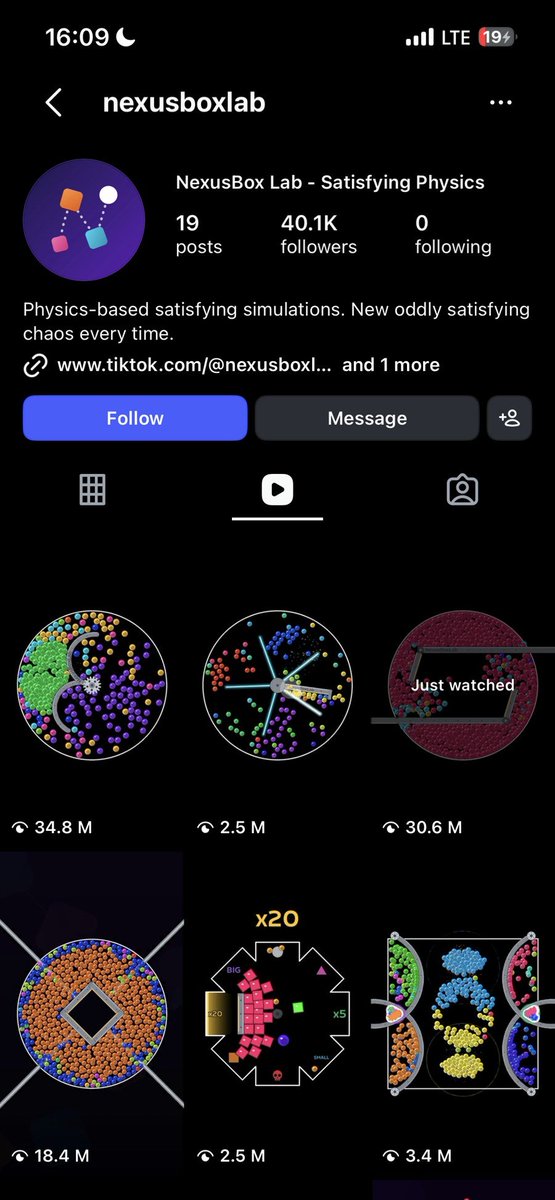
the account i got this from did 34.8M on the sweeper arm and 30.6M on the crusher. full prompt for all 6 is further down
styles 7-10
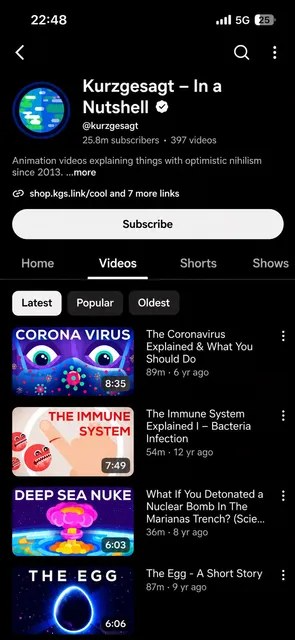
7. kurzgesagt style explainer
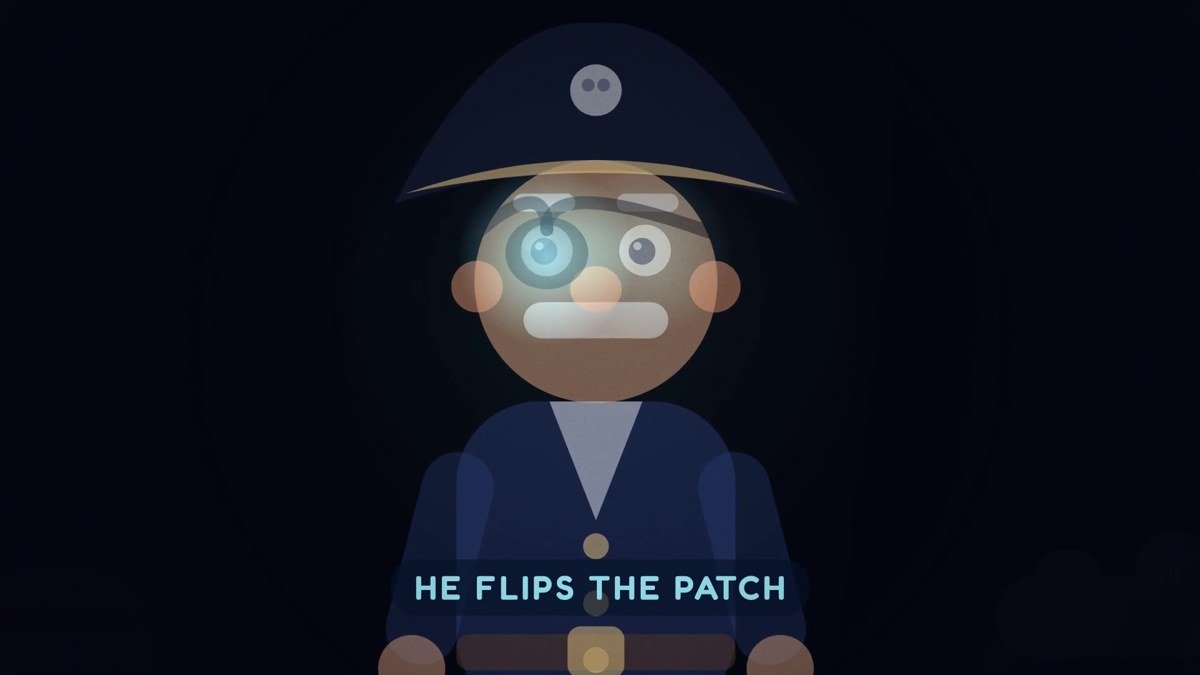
built in 1 html file. the voiceover decides the timing word by word. u need a little mascot for "you", captions in pills, bouncy spring motion, vignette and grain
mine: why pirates wore eye patches, about 60s
<inputs>
Ask me for: my voiceover file, the topic in one line, the format (default 1920x1080, or 1080x1920 for shorts), the mascot (default: a small round helmeted explorer who stands in for "you"), and whether I have my own sound effects (if not, synthesize them in code).
</inputs>

<direction>
A flat, friendly science explainer drawn entirely in code: one index.html with a 2D canvas plus a WebGL layer for big backgrounds (planet, ocean, sky). A pure function drawFrame(t) draws any moment from the time alone, so any second can be re-rendered on its own.
Look: flat vector shapes, no outlines, soft 2-stop gradients, rounded corners on everything, a gentle vignette and 3% film grain on top. Palette: navy #14213D, teal #2EC4B6, yellow #FFC857, coral #FF6B6B, off-white #F7F4EA.
Captions: 2-4 word uppercase phrases in Fredoka 600, white on a dark rounded pill (#1D2340 at 85%), rising 24px on a spring as they appear.
Motion: every element enters on a spring (stiffness 180, damping 14), nothing moves linearly, slow camera push-ins and fast dives between scenes.
Mascot: small and round with big glowing eyes, reacts on key words (eyes widen, jumps, sparkles).
Banned: stock images, AI images, any real channel's logo or characters, captions longer than 4 words, hard cuts with no motion.
</direction>

<structure>
The voiceover drives everything. Transcribe it with word timestamps and build a beat table: time, word, what happens on screen, caption. One visual beat per key word, roughly every 2-4 seconds.
Hook with the surprising claim in the first 3 seconds -> set the scene with the mascot as "you" -> show the problem (a counter, a meter, a map) -> the answer, with one big satisfying reveal -> the proof (a date, a test, a number slamming in) -> a modern-day callback -> the last line becomes the title card -> 8-second end screen with the mascot waving and empty space left and right for YouTube end-screen elements.
</structure>

<build>
1. Transcribe the voiceover with word-level timestamps. Print the beat table and wait for my OK before drawing anything.
2. One index.html, every number in a CONFIG object, drawFrame(t) carries no state between frames.
3. Render with headless Chrome: step t at 30fps, capture each frame, 4-sample motion blur on fast moves, pipe into ffmpeg.
4. Music: a soft pad and plucked melody synthesized in code, resolving on the title, about 8 dB under the voice.
5. Sound: one effect per event (whoosh on dives, pop on captions, thump on number slams), 4-10 dB under the voice, each on its exact frame. If I gave you my own sounds, use them.
6. Master to -14 LUFS, peaks -2 dB. Encode libx264 CRF 17, yuv420p, preset veryfast, AAC 192k. Also export an .srt from the transcript.
</build>

<gotchas>
Captions with the full spoken sentence look cheap: keep 2-4 words. If beats drift from the voice, the timestamps are wrong: re-transcribe instead of nudging by eye. Springs with damping under 10 wobble forever. WebGL may not draw in headless Chrome without a GPU: use software rendering (--use-angle=swiftshader). Check 6 frames spread across the video before the full render.
</gotchas>

<start>
Ask me the inputs, transcribe the voiceover, show me the beat table, then build and render.
</start>
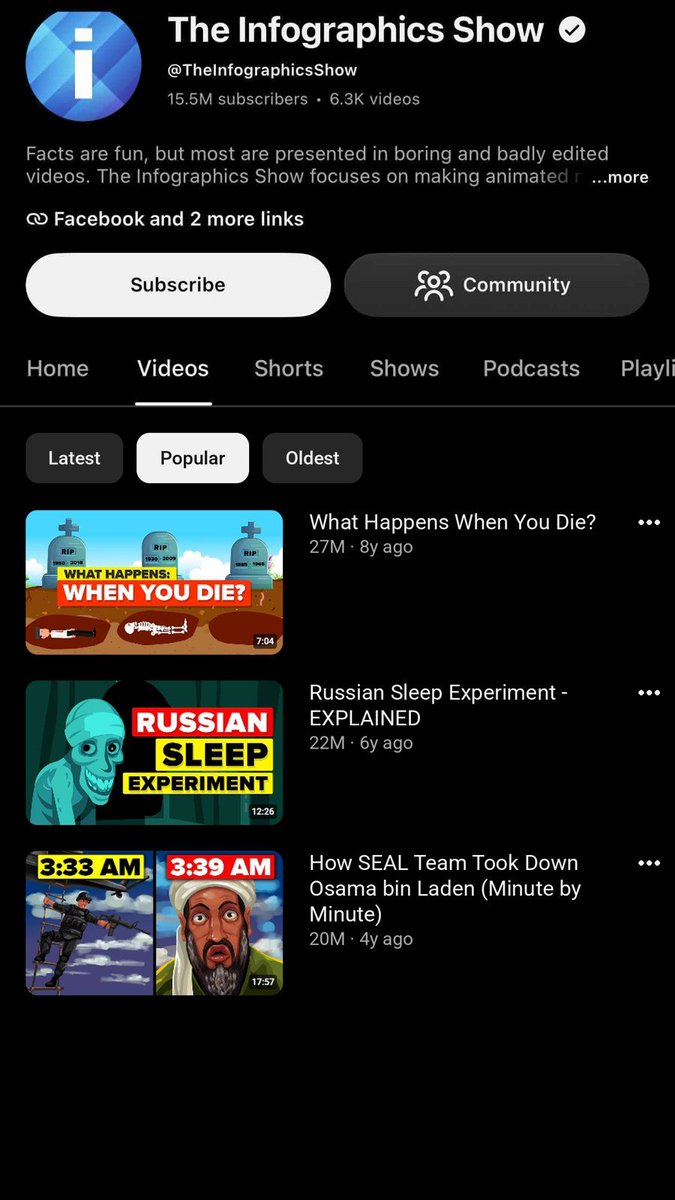
8. flat vector infographic explainer
code for the motion, an image model for the art. voiceover decides the timing. 1920x1080, flat vector scenes, bold color backgrounds
mine: what if the sun disappeared, about 60s
<inputs>
Ask me for: my voiceover file, the topic, the length, my image model (default GPT Image), and whether I have my own sound effects.
</inputs>

<direction>
1920x1080, 30fps. Flat vector infographic look: simple cartoon characters with simple faces, bold solid backgrounds, signs that carry the key word of each beat in Montserrat 800, navy text #1F2A44 on cream boards #F2EEE3. Transition cards: purple #5B3FA8 with soft gear shapes.
The art (characters and scenes) comes from the image model, one image per scene, all in one style: flat vector, thin outlines, one soft shade at most, no photorealism, no text inside the image. Everything else is drawn in code on top: camera moves, signs, labels, numbers, counters, time badges, transitions.
Motion: slow 3-6% zooms on every image, signs swing in on springs, numbers roll like a counter, transitions are quick 8-frame wipes or whip pans.
Banned: text inside generated images, real people, any real channel's logo or characters, photoreal art, more than 5 words on a sign.
</direction>

<structure>
Transcribe the voiceover with word timestamps and build a beat table: time, word, scene, sign text.
Hook question on screen within 2 seconds -> the first consequence -> the next ones (minutes, hours, days, weeks), each with a time badge in the corner -> a twist card on the purple transition -> the surprising answer -> the last line lands on a title card. A new visual every 3-5 seconds, no image on screen longer than 6 seconds without motion.
</structure>

<build>
1. Transcribe, print the beat table and the image prompts (one per scene, the same style line at the start of each). Wait for my OK.
2. Generate the images or ask me to upload them. Keep one character sheet so faces and clothes match across scenes.
3. One compositor (Python or html canvas): moves on each image, code-drawn signs, counters, badges and wipes, every number in a CONFIG.
4. Music synthesized in code about 8 dB under the voice, one sound per event on its frame (or my own sounds).
5. Master -14 LUFS, libx264 CRF 17, AAC 192k, plus an .srt.
</build>

<gotchas>
Image models put random text on signs: generate signs blank and write the words in code. Characters drift between images: put the full character description in every prompt and reuse a reference image. Zooming past 8% shows soft pixels: upscale images 2x first.
</gotchas>

<start>
Ask me the inputs, transcribe, show the beat table and the image prompts, then build and render.
</start>
9. cartoon story short
code animation or blender toon sets. ur script + voiceover decide the timing. 2d characters in 3d toon sets, music + sfx about half as loud as the voice
mine: the great emu war

<inputs>
Ask me for: my script or topic (if only a topic, offer 10 ideas and write a 30-45 second script), my voiceover file, my characters (or design original ones), and whether I have my own sound effects.
</inputs>

<direction>
Vertical 1080x1920, 30fps. Simple 2D cartoon characters (round heads, dot eyes, thick dark outlines #2B1D14, flat colors) inside 3D toon-shaded sets built in Blender with Python: low-poly props, warm soft lighting, painterly textures, slight depth of field.
Characters are flat cards in the 3D scene that always face the camera, with mouth shapes (closed, open, wide) switched by the voice's loudness and a blink every 3-5 seconds.
Captions: 1-2 words at a time, white with a thick black outline, centered in the lower third, popping in on each word.
Camera: slow pushes, quick whip pans between scenes, a small shake on impacts.
Banned: any existing show's or channel's characters, faces or logos, realistic humans, captions longer than 2 words, AI images or AI video.
</direction>

<structure>
The voiceover drives the cut. Transcribe with word timestamps and make a shot list: time, shot, set, characters, action, caption.
A one-line hook with the main character on screen in the first second -> 5-8 quick story beats, a new shot every 2-4 seconds -> the absurd turn -> the punchline shot -> a last shot that calls back to the first.
</structure>

<build>
1. Transcribe, print the shot list plus the list of sets and characters, wait for my OK.
2. Build the characters as 2D layers (head, body, eyes, mouth shapes) and the sets in Blender with Python, every prop built from primitives.
3. Animate in Blender (EEVEE, toon shading). Render a 480p test of 3 shots first, then the full video at 1080x1920.
4. Captions and lip-sync driven by the transcript and the voice loudness.
5. Music synthesized in code (or mine) plus one sound per event, both at about half the voice level. Master -14 LUFS, libx264 CRF 17, AAC 192k.
</build>

<gotchas>
Character cards that don't face the camera go paper-thin on whip pans: give them a track-to constraint. Blender renders are slow: always test 3 shots at 480p first. Lip-sync from loudness alone flaps on breaths: ignore anything under -35 dB.
</gotchas>

<start>
Ask me the inputs, show the shot list, render the 480p test, then the full video.
</start>
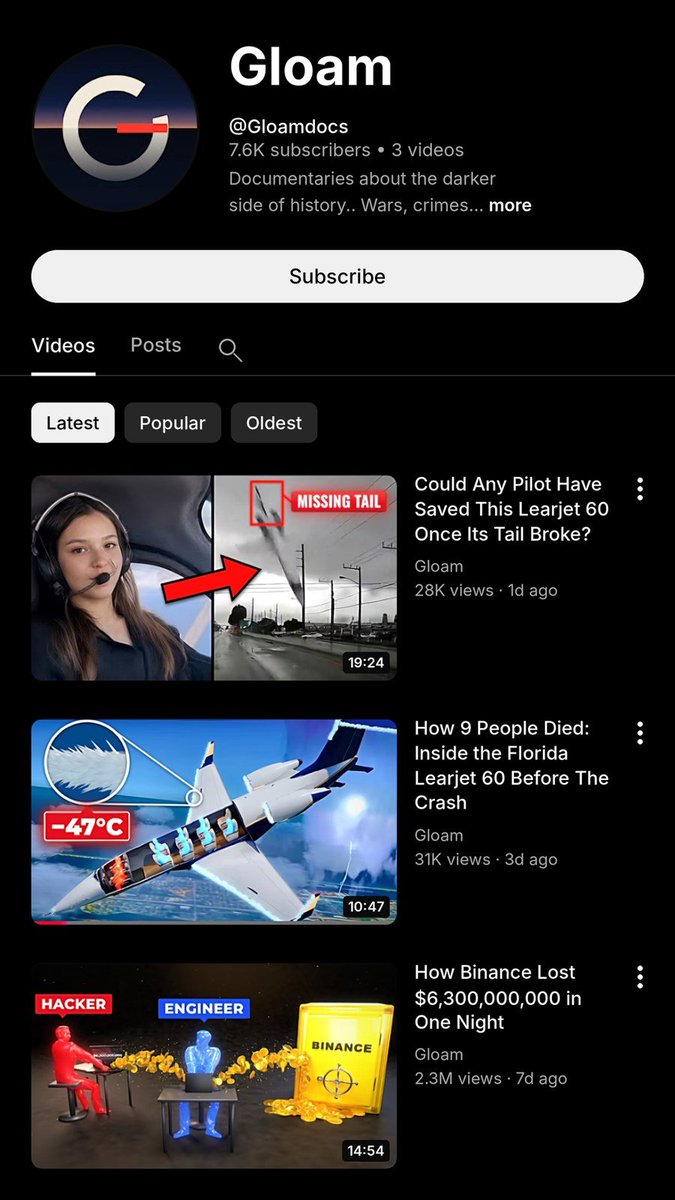
10. 3d documentary short
blender scripts, storyboard + voiceover. props built w/ python, characters only shown as hands and silhouettes, test in 480p then final in 1080p
mine: a made up zodiac case short, 26 shots
<inputs>
Ask me for: the story and my voiceover file, the format (default 1920x1080, or 1080x1920), and whether I have my own sound effects.
</inputs>

<direction>
A 3D documentary built entirely in Blender with Python. Every prop is modeled from primitives in code (no downloaded models), with clean PBR materials and cinematic lighting: one key light, a cool fill, a strong rim, volumetric haze in dark scenes.
The evidence is the hero: objects, documents, maps, money and machines carry the story. People appear only as hands, silhouettes, over-the-shoulder shots or faceless color-coded figures (red vs blue) for contrasts.
Labels: short uppercase tags in Montserrat 800, white on red #E0312B or blue #1F6FEB, pinned to objects in 3D space.
Camera: slow dolly moves, macro close-ups on evidence, one big pull-back reveal per act.
Banned: real people's faces or likenesses, company logos unless the story is about that company and I confirm it, downloaded assets, gore.
</direction>

<structure>
Transcribe the voiceover with timestamps and build a storyboard, about one shot every 2-3 seconds (a 60-second video is around 26 shots): shot number, time, what we see, camera move, labels.
Open on the most striking object or number -> the setup -> the moment it went wrong, slowed down -> the evidence piece by piece -> the reveal -> the aftermath and the final number.
</structure>

<build>
1. Transcribe, print the storyboard, wait for my OK.
2. Build every prop and set in Python, each in its own function, every size and color in a CONFIG.
3. Render a 480p test of 4 key shots (EEVEE), then the final at 1080p, saving frames to disk so a crash resumes instead of restarting.
4. Cut the frames to the voice with ffmpeg, add the labels, music about 8 dB under the voice and one sound per event. Master -14 LUFS, libx264 CRF 17, AAC 192k.
</build>

<gotchas>
Full renders can take hours: always resume from saved frames. Volumetrics multiply render time, use them only in the shots that need them. Primitive props look fake without a bevel modifier and some roughness variation.
</gotchas>

<start>
Ask me the inputs, show the storyboard, render the 480p test, then the full video.
</start>
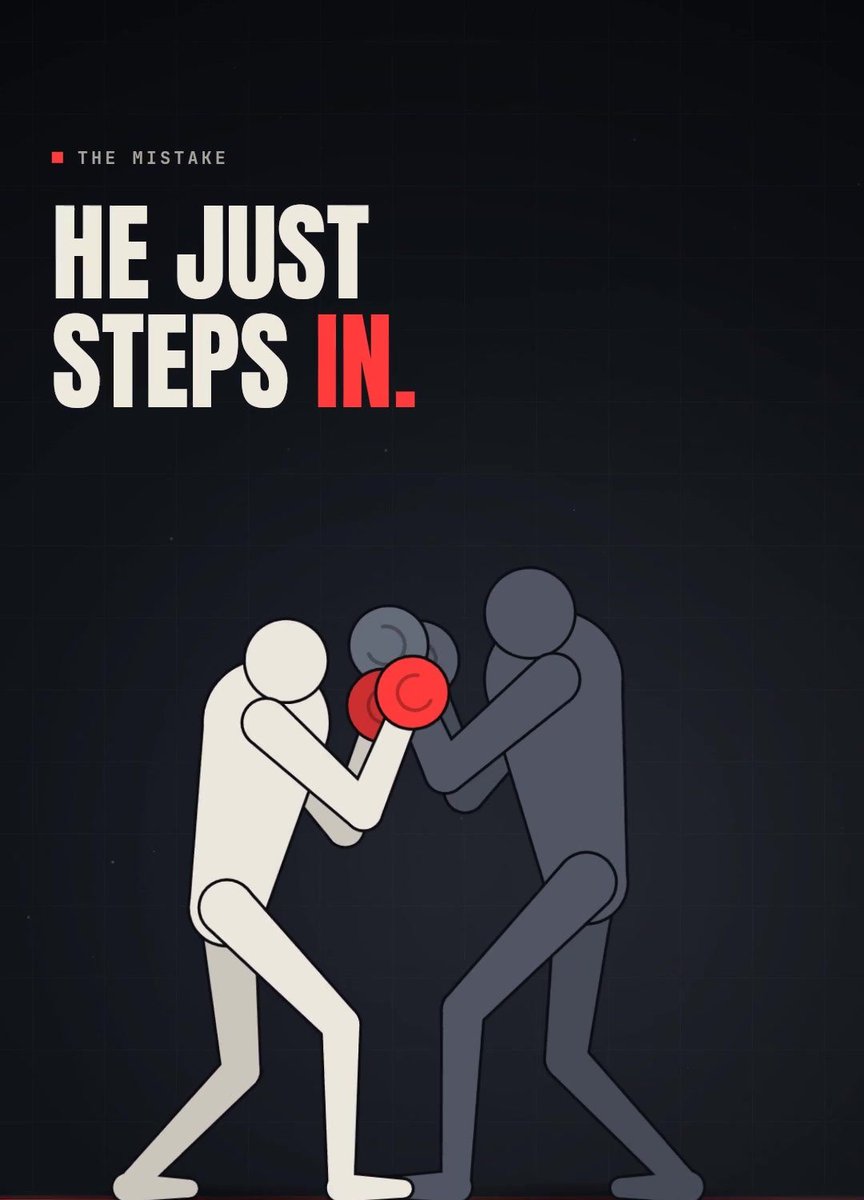
bonus: kinetic text breakdown
the master prompt (styles 1-6)
paste this in claude w/ opus 5.5 selected. it asks u 4 questions, tests the physics, shows u the crush log and then renders the video
<inputs>
Ask me for: the machine (default: Crusher; others: Sweeper Arm, Laser Blades, Rotating Frame, Multiplier Zones, Split Rings), how many new balls one hit ball becomes (default 8), the length (default 20 seconds), and whether I have my own sound effects (if not, synthesize them in numpy).
</inputs>

<direction>
An oddly satisfying physics short at 1080x1920, 30fps, drawn entirely in code with Python, pymunk and OpenCV, every shape anti-aliased with cv2.LINE_AA at sub-pixel shift 4.
Space: pure black #000000, no gradient, no stars. The arena is a white ring, radius 438px, 5px stroke, centred at 540,960.
The machine: brushed steel #8E9198 with a darker edge #5C5F66 and a 2px highlight line #B9BCC2 along its top, 6-7px rounded corners, three small dark bolts per plate and a thin orange pad #E9A23B on every face that touches balls. For the Crusher: a 16px steel rail from each jaw's outer side to the screen edge with a rounded end cap, and two C-shaped jaws "[ ]" facing each other, each a 42x312 back plate with top and bottom arms 118px long and 33px thick pointing inward. No rail between the jaws.
Balls: flat solid circles with no outline or shading, radius 9px, the first ball 17px. Each wave is a new color in this order: orange #FF8A1F, indigo #4B2BFF, green #3BFF3B, pink #FF2D7A, cyan #22C3F5, yellow #FFF000, purple #A01EFF, mint #1FF58A, red #FF3B1F. Old colors stay, so the ring marbles into a mix.
Draw order: ring, rail, balls, squashed balls, machine on top.
Finish: one white flash at 55% fading over 5 frames on the finale, nothing else.
Banned: text, captions, counters or watermarks on screen (except zone labels on Multiplier Zones), camera moves, gradients, glow on balls, gravity pulling down, balls spawning inside the machine, AI images or AI video, any other creator's logo or name.
</direction>

<structure>
20 seconds, the machine never stops moving and every crush is bigger than the last.
One orange ball sitting still left of centre at 400,955, jaws open (0s) -> the jaws start closing at 0.2s with an ease-in cubic slam over 0.5s, the ball gets swept in and squashed, pinch at 0.7s, 8 indigo balls shoot out both sides -> jaws ease back open over 1.2s and rest -> every 2.4s the same clamp: pinches at 3.1, 5.5, 7.9, 10.3, 12.7 and 15.1s, each crushing whatever drifted into the jaws and turning every crushed ball into exactly 8 of the next color, so the waves grow 8 -> 8 -> 16 -> 32 -> 88 -> 264 -> 880 and the ring fills up (0.7-15.1s) -> on the last close the ring itself gets pulled in and shrinks into a white capsule squeezed between the jaws (17.0s) -> pinch: capsule vanishes, white flash, deep boom, the red wave of 2,000+ balls bursts out and every ball blasts off screen at 600-1100px/s (17.5s) -> the empty jaws clamp once more on black at 19.9s so the last frame flows into the first.
For any other machine, keep the same shape: one lonely ball, the first hit before 1s, a hit every 2-2.5s with each wave a new color and 8x bigger, the ring fills, the machine destroys the ring at about 87% of the length, everything explodes off screen, the empty machine keeps moving into a seamless loop. Sweeper Arm: a 12-tooth gear with a 150-degree curved arm sweeping round, pinning balls against the ring. Laser Blades: 5 neon cyan blades spinning from a hub, slicing balls in two. Rotating Frame: a spinning square frame that squeezes shut every 2.4s, on two X rails. Multiplier Zones: an octagon with gates labelled x20, x5, BIG, SMALL and a skull, with normal gravity. Split Rings: four corner ramps tipping colored piles into four stacked rings with rotating gaps.
</structure>

<build>
1. One Python script. Every number in a CONFIG block at the top, a fixed random seed (default 4) I can change with an environment variable, raw frames piped straight into ffmpeg.
2. Physics: pymunk with zero gravity, 10 substeps per frame, 12 iterations, space.damping 1.0 so balls never slow down, ball elasticity 0.95, machine 0.6, wall 1.0, friction 0, speed clamped at 1100px/s. A gentle spring pull toward the centre (2.0 x distance per second squared) keeps balls drifting back into the machine. Switch it off when the ring breaks.
3. The ring wall is 160 static segments just outside radius 438. Every moving machine part is a KINEMATIC body: every substep set its position AND its velocity from the next substep's target, or balls tunnel through and don't get shoved.
4. The crush: once the jaws' arms overlap, the box is sealed. Balls inside leave the physics and are drawn squashed, keeping their x as a fraction of the gap and narrowing into ellipses. At the pinch they all count as crushed.
5. The multiply rule: spawn EXACTLY crushed x 8 new balls, no rounding, no fixed totals, safety cap 4000. Stream them out over 9 frames just outside the jaws, worked out from where the jaws are when each ball appears, flying away at 250-520px/s fanned over 110 degrees. Print one line per pinch: "pinch N: crushed X -> spawned Y (x8), total Z".
6. Sound: one effect per event kind (jaw whir rising 120 to 380Hz through each close, metal clunk on each pinch, a burst of 14 tiny pops 22ms apart on each spawn, a deep 1.6s boom on the finale), each peak-aligned to its frame. If I gave you my own sound effects, use them instead. Normalize the mix to -1.5dB peak and mux it with ffmpeg.
7. Encode with libx264 at CRF 17, yuv420p, preset veryfast, AAC 192k.
</build>

<gotchas>
With damping below 1.0, balls lose their energy and settle in the gaps above, below and behind the jaws, so nothing gets crushed and the waves die out. Without the centre pull the same thing happens: test it and you'll see crushes of 1, 0, 0, 0. Spawn positions must follow the jaws as they open, or the finale wave gets stuck inside the jaws. If fewer than 1 ball is crushed in each of the first 3 pinches, try another seed or raise the pull. If the cap gets hit before the finale, lower the pull. Run the physics once with rendering switched off, show me the crush log and a contact sheet of every pinch before the full render.
</gotchas>

<start>
Ask me the inputs, run the physics and show me the crush log with the wave sizes it gives, then build and render the video.
</start>
the crusher timings are from my own render. the other 5 machines i wrote from the reference videos so u might need to tweak a number or two
for styles 7-12 keep the same 6 tags and the same <build> stuff, just rewrite <direction> and <structure> using the list above
how i'd do it step by step
-
pick a style from the 10 and find a video in that style that did millions on ig, tiktok or shorts in the last 30 days
-
upload it to claude and tell opus 5.5 to break it down frame by frame. every color, size and timing
-
write the 6 tags. anywhere u were about to write an adjective put a number instead
-
add the banned list (other creators' names, logos, characters)
-
test run first. crush log, beat table or storyboard. read it before anything renders
-
render a 480p test and check the frames
-
add ur sfx
-
final render w/ motion blur. 1080x1920 30fps for shorts, 1920x1080 for youtube
-
change one thing for the next post (machine, colors, story, game) and post again tomorrow
if u make anything w/ this quote the article w/ ur video, i'll repost the best ones
DMs open for promo
沿着这个主题继续读
从一篇文章,找到相关的教程、经验和阅读路径。