From static Fab assets to modular, configurable ones, entirely inside UE

文章目录
Our look at AI projects ahead of MegaJam continues with Epic Solutions Architect Franck Debaene, who is using MCP and Claude Code to take static Fab assets and convert them into modular assets that can fit the needs and dimensions of each project.
Hi, my name is Franck Debaene, and I'm on the Solutions Architects team at Epic Games.
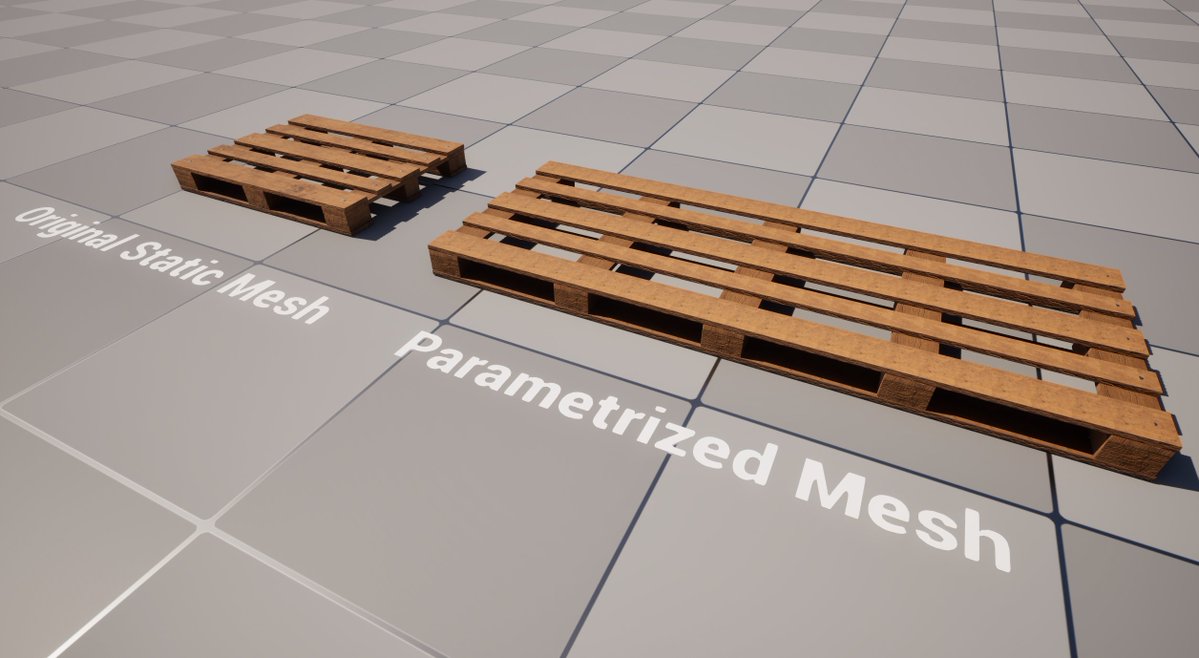
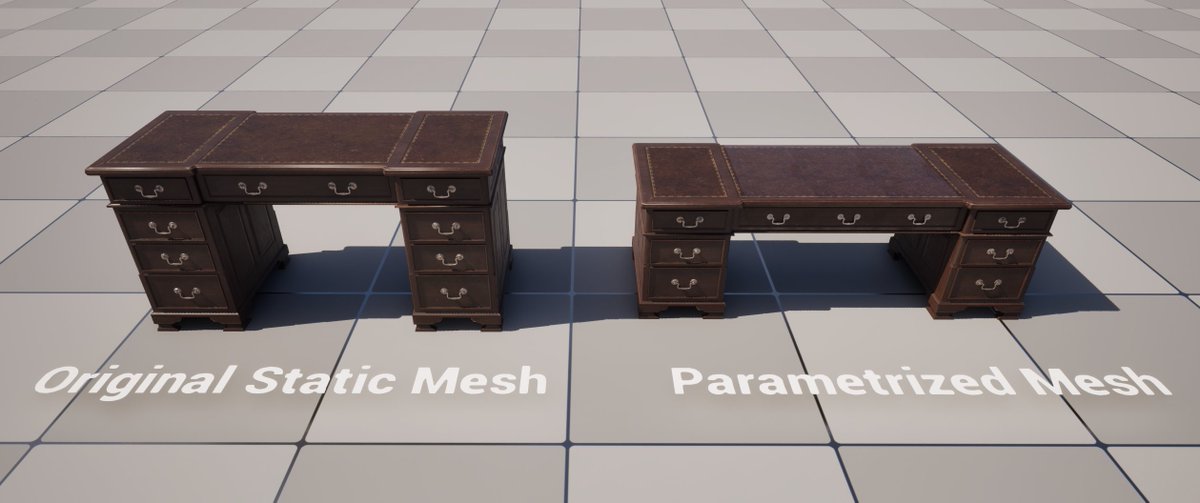
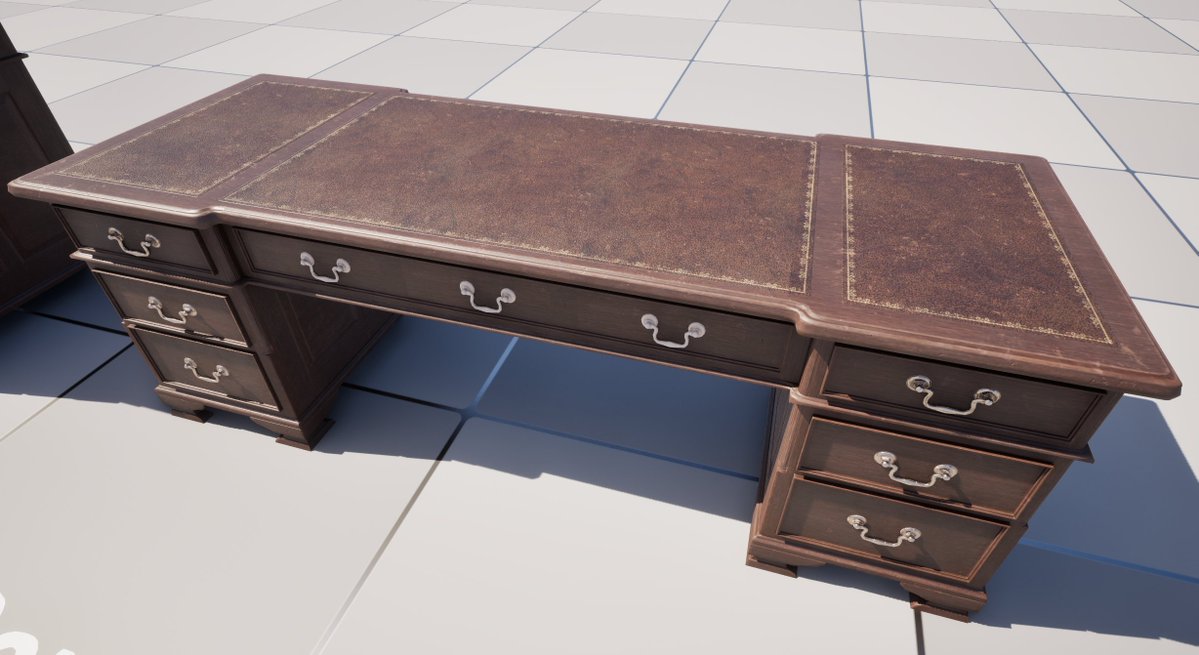
This experiment is about turning ordinary Fab assets into modular, configurable ones: a desk that grows taller by stacking drawers, a pallet that grows by adding more planks. Here is how it works.
The Goal
The idea started with building generation. 3D building facades are easy to find, but adapting one to a specific city block takes more than a simple resize. You need to repeat doors, windows, and other elements. Scaling works for small factors, but beyond that, it distorts the geometry in ways you would never see in a real city. Making the facade modular preserves the object's structural logic.
While thinking this through, I also tested the concept on simpler, repeatable objects: a pallet and a desk. It could easily extend to other objects, such as U- or L-shaped sofas, or even a full greenhouse. It was also a way to challenge Claude's spatial understanding of structure and pattern.
The Workflow
Start from a static Fab asset
Fab has a huge catalog of high-quality assets, but an asset rarely fits a project’s exact dimensions.
Every object in this experiment comes from Fab and is a single mesh.
Let the AI work inside the editor
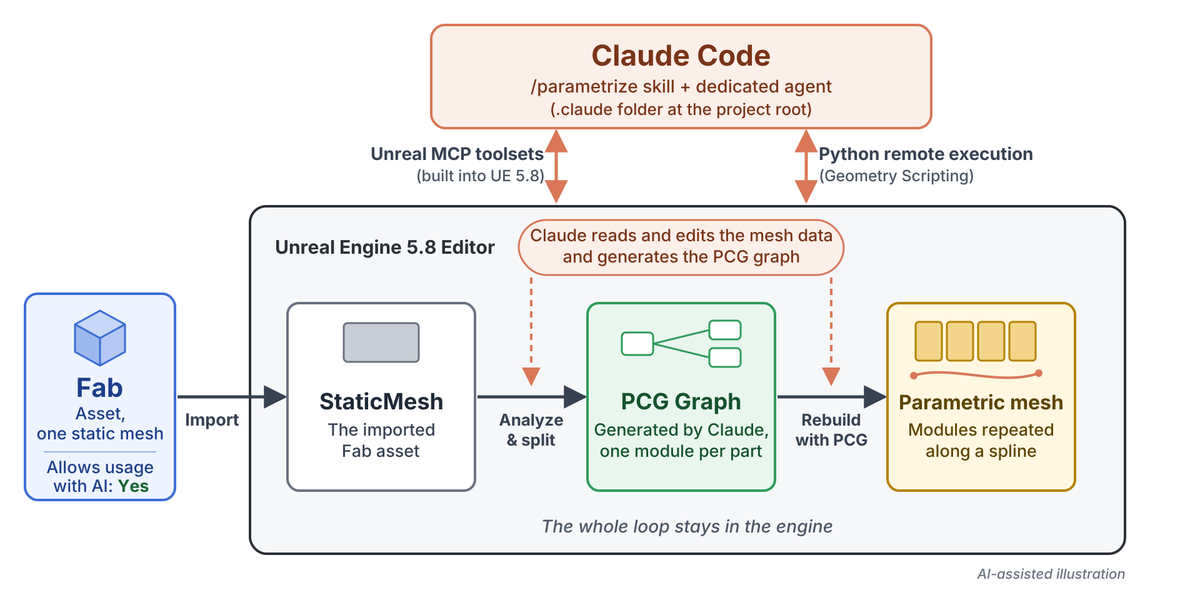
Unreal Engine 5.8 ships with an MCP server (Experimental) and toolsets that let an AI agent call editor functions directly. I use Claude Code with those toolsets and enable remote Python execution, enabling Claude to access Geometry Scripting as well. As a result, Claude can read and manipulate the internal data of 3D models.
Staying in Unreal Engine means no back-and-forth with an external content creation application: you edit, test, and iterate in the same place, and place variants of objects in a few clicks.
Describe the object in plain language
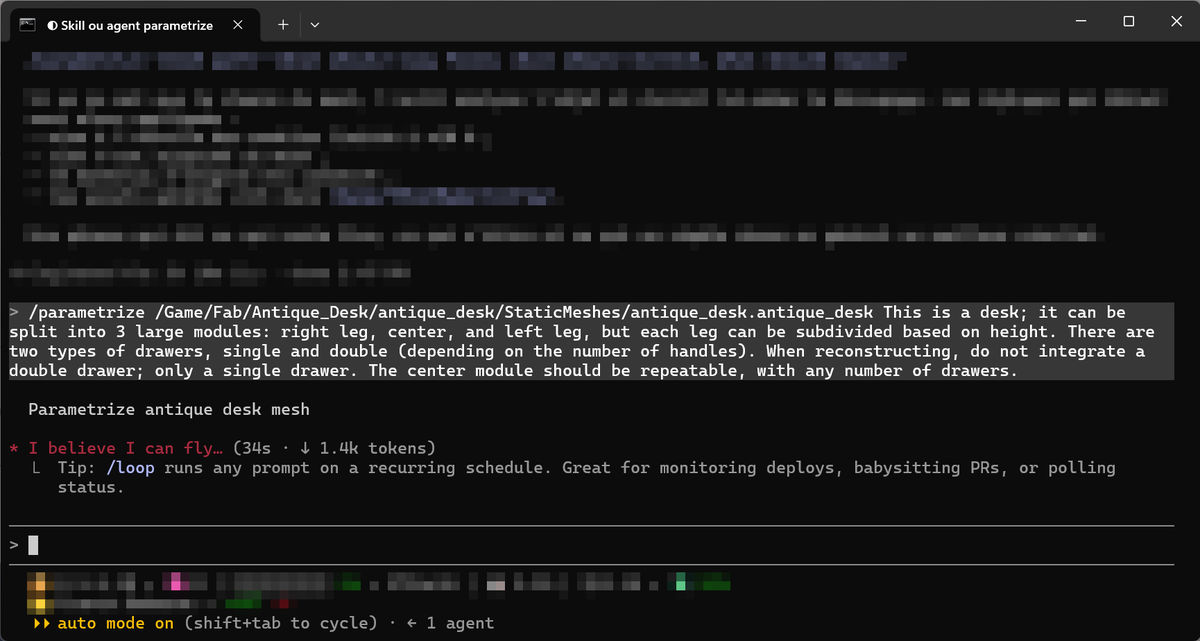
Everything is driven by a single command, /parametrize, followed by the mesh and a description of the object: what it is made of, which modules can be repeated, and what to leave out. For the desk:
/parametrize [mesh path] This is a desk; it can be split into 3 large modules: right leg, center, and left leg, but each leg can be subdivided based on height. There are two types of drawers, single and double (depending on the number of handles). When reconstructing, do not integrate a double drawer; only a single drawer. The center module should be repeatable, with any number of drawers.
Let Claude analyze the mesh and split it
Claude analyzes the mesh, finds patterns, and splits it into repeatable modules. On the desk, isolating the handles worked in one shot. Claude then categorizes the geometry by associating each vertex with a part: drawers, handles, top, and so on. Through successive prompt refinements, the process learned to close the holes left by the split automatically.
Rebuild it with PCG, driven by a spline
The modules are reassembled by a PCG graph that Claude generates, controlled by a spline. PCG is more flexible and faster than Blueprints for this job, and its grammar nodes are well-suited to describing an object’s spatial structure. The desk gains height by stacking drawers and widens by inserting drawers in the middle. The pallet grows by adding planks. Building the PCG graph and its source data takes about 10 to 20 minutes per asset. The results shown here are the direct output of the prompt, with no manual editing.
Capture the know-how as a skill and an agent
After many prompt corrections, I formalized the process as a skill that improved with each asset processed. The /parametrize skill hands the heavy lifting to a dedicated agent that knows the MCP tooling and the pitfalls of Geometry Script and PCG. Both are plain files in the project’s .claude folder, in the standard Claude Code skills and agent locations, and other LLMs should be able to interpret them as well. The same skill was used for every asset.
Parting Advice
-
Start with a clear intent. Describe the object, its modules, and what should drive it. Iterate on the prompt, then capture what works as a skill for reuse.
-
Let PCG do the assembly. It is more flexible and faster than Blueprints, and its grammar nodes help with spatial understanding of objects.
-
Do not be blocked by what MCP exposes today. If an Unreal Engine tool is not yet exposed through MCP, it is still reachable through Python scripts.
-
Keep it in the engine. Staying in Unreal Engine avoids iterations with an external content creation application.
You can find out more about Epic AI MegaJam 2026 here: https://epic.gm/epic-ai-megajam-2026
*The projects shown in this example are Antique Desk by mtcollings and **Warehouse Wooden Pallet *by AshenCut licensed under the CC-BY 4.0 license and modified for this experiment.