Claude SEO Second Brain: The Complete Guide
文章目录
I RUN ALL OF OUR SEO OUT OF THIS SETUP. HERE IT IS, FILE BY FILE, FOR FREE.
My Claude Code knows our site through a 128-line map, 17 skills and 171 memory files it mostly wrote itself.
Every session you start, Claude forgets your SEO.
Be honest. How many times have you re-explained your site to Claude?
Your money pages. Your target keywords. "No, never change the URL of a page that ranks." You fix it on Monday. On Tuesday you open a new session and it's gone.
That isn't a bug. Every Claude Code session starts with a fresh context window, and every correction you only typed in chat disappears when the session ends.
Most people re-brief the same SEO intern every morning, and almost nobody writes the brief down where Claude actually loads it.
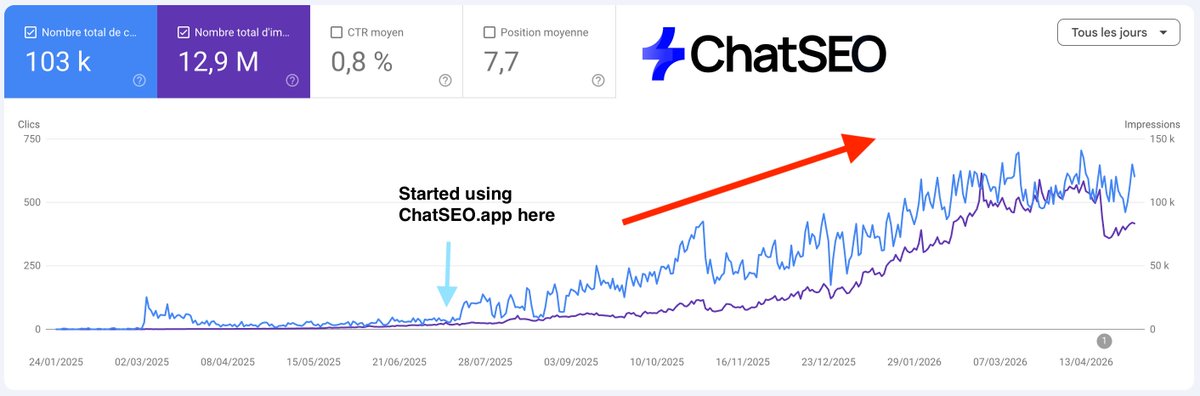
To get similar results for your business: Try CHATSEO.APP free for 7 days
Claude Code has four memory layers. Most SEOs use one, stuff it until Claude stops listening, and decide "AI can't do SEO."
It can. You just set up a quarter of it.
Reading time: 6 minutes. Setup: about 10. Every file and the one-prompt setup are copyable, so save this.
The Short Answer
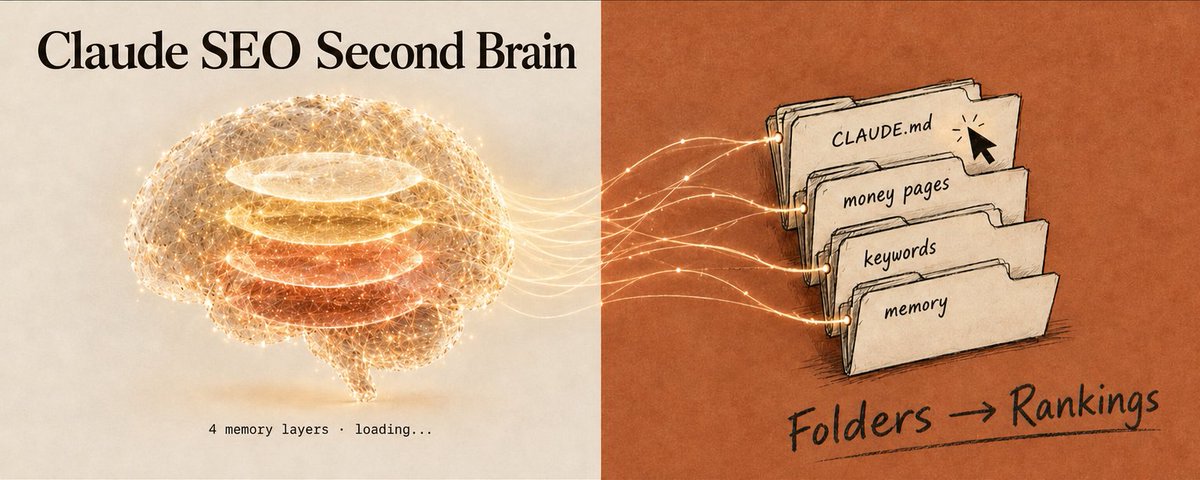
An SEO second brain in Claude Code is four layers, each loading at a different moment:
-
CLAUDE.md, the map. You write it. Loads every session. Your site, your audience, your money pages, the rules Claude needs every single time.
-
.claude/rules/, the reflexes. You write them. Load only when Claude touches matching files. Your blog rules, your landing page rules.
-
Skills, the playbooks. You write them. Load only when invoked or relevant. Your content brief, your page refresh, your monthly report.
-
Auto memory, the diary. Claude writes it. Loads every session (first 200 lines or 25KB). Every SEO correction you ever made.

The golden rule: put each piece of SEO knowledge in the layer that loads only when it's needed.
That's how your brain stays big while Claude's context stays small.
What You Need
-
Claude Code. Some features below need a recent version, noted where it matters.
-
One folder per site. Plain .md files.
-
Your Search Console. The brain stores what you know, the data tells it what changed.
-
10 minutes. You fill the rest in as you go.
No installs, no plugins, no database.
If you have never run SEO from Claude Code at all, start with the setup I published first:
First, the 2 Myths That Break Most SEO Setups
A lot of people built their Claude SEO setup on these two lines, and now wonder why Claude still rewrites their ranking URLs.
Myth 1: "CLAUDE.md is the system prompt, so Claude obeys it." The docs say CLAUDE.md content is delivered as a user message after the system prompt, not inside it. Claude reads it and tries to follow it, with no guarantee of strict compliance, especially for vague rules.
Myth 2: "Write 'never touch robots.txt' and you're protected." Anthropic is explicit: Claude treats memory files "as context, not enforced configuration." If something must never happen on your site, a polite sentence is not enough. Use a PreToolUse hook (Layer 4 shows ours).
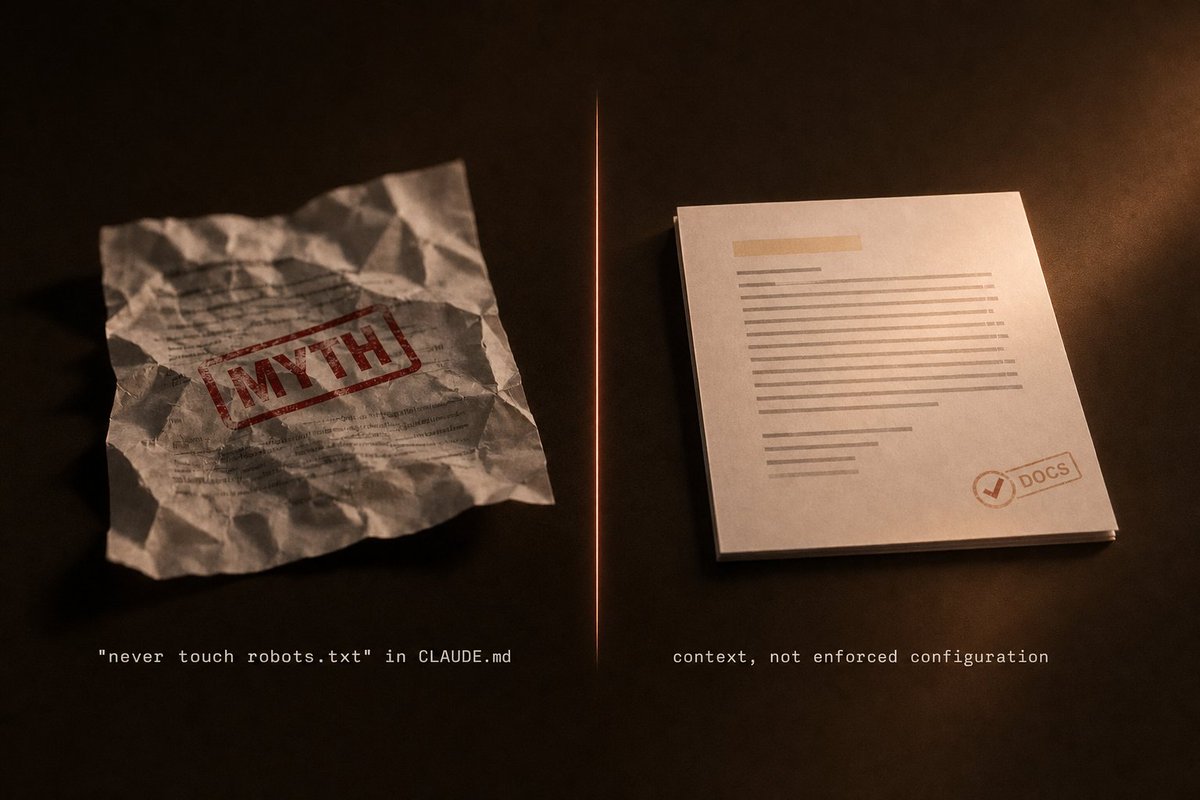
Translation: if your "never noindex the pricing page" lives only in CLAUDE.md, you're hoping, not protected.
Now let's build it properly.
The Skeleton
my-site-seo/
├── CLAUDE.md            # Layer 1: the map (keep under 200 lines)
├── CLAUDE.local.md      # your private notes (gitignore it)
├── decisions.md         # every SEO call you made, and why
├── strategy/            # audience, positioning, competitors
├── keywords/            # one cluster per file
├── pages/               # one money page per file: URL, target query, status
├── briefs/              # content briefs in progress
├── reports/             # monthly Search Console reviews
└── .claude/
    ├── rules/           # Layer 2: load only when needed
    │   ├── briefs.md    # paths: briefs/**
    │   └── pages.md     # paths: pages/**
    └── skills/          # Layer 3: playbooks
        └── page-refresh/
            └── SKILL.md
Layer 4 (auto memory) you don't create. Claude does. Open it any time with /memory.
One topic per file, always: best-crm-for-agencies.md, not keywords-2.md. Lowercase, hyphens.
Layer 1: CLAUDE.md, the Map (Under 200 Lines)
This is where every SEO overdoes it.
You get burned once by a changed URL, so you add a rule. Then a rule for titles. Then one for internal links. Six months later CLAUDE.md is a 600-line wall, and Claude follows less of it than when it was 50.
That's the docs, not paranoia: their target is under 200 lines per CLAUDE.md, because longer files "consume more context and reduce adherence."
Ours is 128 lines, and it runs content, email and outbound for a whole company.
# my-site.com: SEO map
<!-- For humans: last cleaned 2026-11-02. Keep under 200 lines. -->

## The site
- Sells: project management software for agencies
- Reader: agency owners, 5 to 50 people
- Money pages: /pricing, /features, /vs/* (never change their URLs)

## Where things live
- keywords/: one cluster per file, with the target page
- pages/: one file per money page, current position and last refresh
- decisions.md: every SEO choice, with the reason

## How to answer
- Real data before opinions: ask for Search Console numbers, never guess volumes
- Quote the file you used. If no file covers it, say so.

## Always in focus
- This quarter: @strategy/now.md
Three tricks hiding in that example:
-
HTML comments cost zero tokens. Block-level <!-- --> comments are stripped before CLAUDE.md is loaded. Leave notes for your team for free.
-
Imports organise, they don't save. The @strategy/now.md line loads that file every session. Imports "don't reduce its context cost", so import only what must always be in focus.
-
Backticks turn an import off. Wrap the path in backticks and Claude reads it as plain text.
Don't want to write it from scratch? Run /init and Claude drafts a starter CLAUDE.md from your folder.
Personal layer: CLAUDE.local.md sits next to it, for you only. Global layer: ~/.claude/CLAUDE.md applies to every site on your machine.
Layer 2: Rules That Load Themselves
If all your SEO rules live in CLAUDE.md, every one of them loads in every session.
Your brief rules load when you fix a typo. Your landing page rules load when you write a blog post. You pay for all of it, every time.
Put Markdown files in .claude/rules/ with a paths: field, and each rule loads only when Claude reads or edits a matching file.
.claude/rules/pages.md:
---
paths:
  - "pages/**"
---
# Money pages
- Never change a URL that has clicks in the last 90 days
- One target query per page. Check keywords/ before adding a new one
- Every edit gets a line in decisions.md with the date
.claude/rules/briefs.md:
---
paths:
  - "briefs/**"
---
# Content briefs
- Start from the top 10 results for the query, not from memory
- Say what the page adds that the top 10 don't. No answer, no brief
- Never invent a statistic. Real number or none
Ask about /pricing and the page rules switch on. Ask for a brief and the brief rules switch on. Ask about your sitemap and neither one loads.
Rules without paths load at launch, like CLAUDE.md.
Layer 3: Skills, the Playbooks
CLAUDE.md is for facts. Anything that is a procedure belongs in a skill.
Skills "only load when you invoke them or when Claude determines they're relevant to your prompt." We run 17 of them, from our article pipeline to our newsletter.
The one every site needs is the page refresh, because pages already ranking are the cheapest clicks you will ever get.
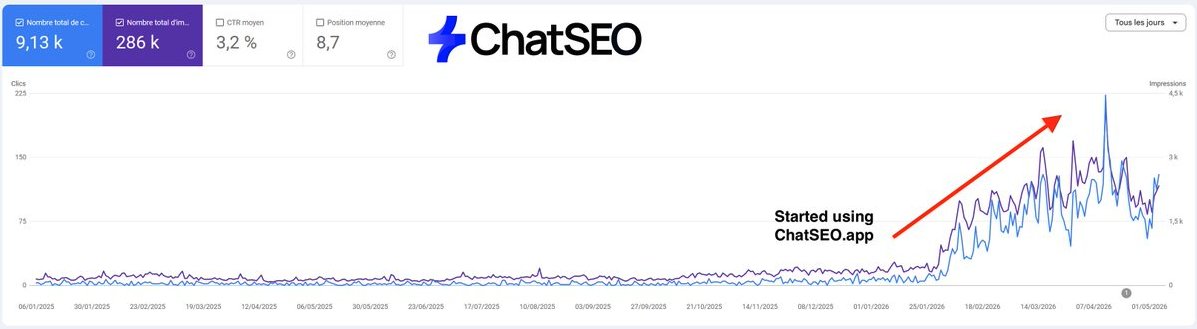
To get similar results for your business: Try CHATSEO.APP free for 7 days
.claude/skills/page-refresh/SKILL.md:
---
name: page-refresh
description: Use when I ask to refresh a page, or which pages are losing clicks.
---
1. Pull the last 90 days vs the previous 90 from Search Console for the page.
2. List the queries that lost clicks, and the ones with impressions but no clicks.
3. Read pages/<page>.md and the matching rules before changing anything.
4. Propose the edits: new sections for the missing queries, title and meta only
   if CTR is below the site average for that position. Never touch the URL.
5. Log the change and the date in decisions.md.
Now "refresh /pricing" runs the whole routine, and the other 29 days of the month those steps take zero context.
Step 1 is where most people stall, because exporting Search Console by hand kills the habit. We plug ChatSEO into Claude through its MCP server, ChatSEO reads the Search Console data, and the step becomes one line: "which of my pages lost clicks over the last 90 days?"
Layer 4: Auto Memory, the Brain That Writes Itself
This is the layer most SEO setups miss, and the one that hurts most to miss.
Think of every time you corrected Claude on your site and it said "got it." Without auto memory, "got it" lasted until the session closed.
Claude Code keeps auto memory: notes Claude writes itself from your corrections and preferences. It loads every session, it's per repository, and it's plain Markdown you can read, edit or delete.
How to feed it:
-
Say "remember that we never target India". Claude saves it to auto memory.
-
Say "add this to CLAUDE.md". It goes into your map instead.
-
Run /memory. See every memory file, toggle auto memory, open the folder.
Rule of thumb: you write the map, Claude writes the diary.
Ours has 171 files today. 63 of them are corrections, things like "never invent a number" and "every link carries our tracking tags."
Where it broke on us
Here is the part nobody warns you about.
Auto memory loads the first 200 lines or 25KB of its index, whichever comes first. Our index grew to 213 lines and 32.5KB.
-> 52 lines were silently cut. Every session. The oldest notes, about playbooks we had already shipped, simply stopped existing for Claude.
No error. The only trace is a warning line appended to the loaded index, which no human reads.
The rule I took from it: keep every index entry to one line, put the detail in the topic file, and check the index size once a month.
The "never" that actually holds
Our one real "never" is a PreToolUse hook: several Claude sessions share one Chrome, and the hook lets only one drive it at a time. It doesn't ask Claude to behave. It blocks the call.
For an SEO site, the same pattern protects robots.txt. In .claude/settings.json:
{
  "hooks": {
    "PreToolUse": [{
      "matcher": "Edit|Write",
      "hooks": [{ "type": "command", "command": ".claude/hooks/protect.sh" }]
    }]
  }
}
And .claude/hooks/protect.sh exits with code 2 (blocked) when the file path contains robots.txt. We tested it: Claude tried to overwrite robots.txt, the hook blocked the write, and the file stayed untouched.
The One-Prompt Setup
Too lazy to build it by hand? Open Claude Code in an empty folder and paste this:
Set up an SEO second brain for my site in this folder, following the Claude Code memory docs:

1. Create folders: strategy/, keywords/, pages/, briefs/, reports/.
2. Create CLAUDE.md under 200 lines: what the site sells, who the reader is,
   the money pages (never change their URLs), where things live, and
   "ask for Search Console data before giving an opinion, quote the file
   you used, say so if no file covers it". One HTML comment at the top for humans.
3. Create .claude/rules/pages.md with paths: "pages/**"
   (never change a URL with clicks in the last 90 days, one target query
   per page, log every edit in decisions.md).
4. Create .claude/rules/briefs.md with paths: "briefs/**"
   (start from the top 10 results, say what the page adds, never invent a statistic).
5. Create .claude/skills/page-refresh/SKILL.md with name and description
   frontmatter: compare 90 days vs the previous 90 in Search Console,
   list lost queries and zero-click impressions, propose edits, never touch the URL,
   log the change.
6. Create decisions.md and strategy/now.md, and import @strategy/now.md from CLAUDE.md.
7. Create CLAUDE.local.md for my private notes and add it to .gitignore.

Then ask me 5 questions about my site to fill CLAUDE.md. Don't invent anything.
Then run /context and check that CLAUDE.md shows up under "Memory files".
How Claude Actually Loads All This
Knowing the load order is what separates an SEO brain from a junk drawer.
-
At launch: every CLAUDE.md and CLAUDE.local.md from your folder and every folder above it. Files are concatenated, not overridden.
-
Also at launch: rules without paths, plus your auto memory index.
-
On demand: a CLAUDE.md inside a subfolder, and path-scoped rules, load the first time Claude touches a matching file.
-
After /compact: your root CLAUDE.md is re-read from disk. Rules you only typed in chat are gone. That "never change the URL" you explained an hour ago? Compacted away.

If it matters for your rankings, write it down.
The 5 Commands That Keep It Healthy
-
/init: drafts a starter CLAUDE.md.
-
/memory: lists and opens every memory file, toggles auto memory.
-
/context: shows what actually loaded, under "Memory files".
-
/doctor prompt-audit: finds outdated or contradicting instructions and changes nothing until you ask Claude to apply its proposed edits (Claude Code v2.1.283 or later).
-
"remember …": saves a preference straight into auto memory.
Run /context once after setup. If a file isn't listed, Claude can't see it.
Common Pitfalls
-
A huge CLAUDE.md. Less adherence, more context burned. -> Under 200 lines, the rest in rules and skills.
-
Your whole keyword list imported with @. Imports load every time. -> Keep clusters in keywords/ and let Claude read the one it needs.
-
Two files that disagree on a page's target query. Claude "may pick one arbitrarily." -> One page, one file, one query.
-
"Never noindex X" written in CLAUDE.md. It's context, not enforcement. -> PreToolUse hook.
-
An SEO rule typed only in chat. Gone after /compact. -> Write it in CLAUDE.md or a rule.
-
An auto memory index past 200 lines. The tail silently disappears. -> One line per entry.
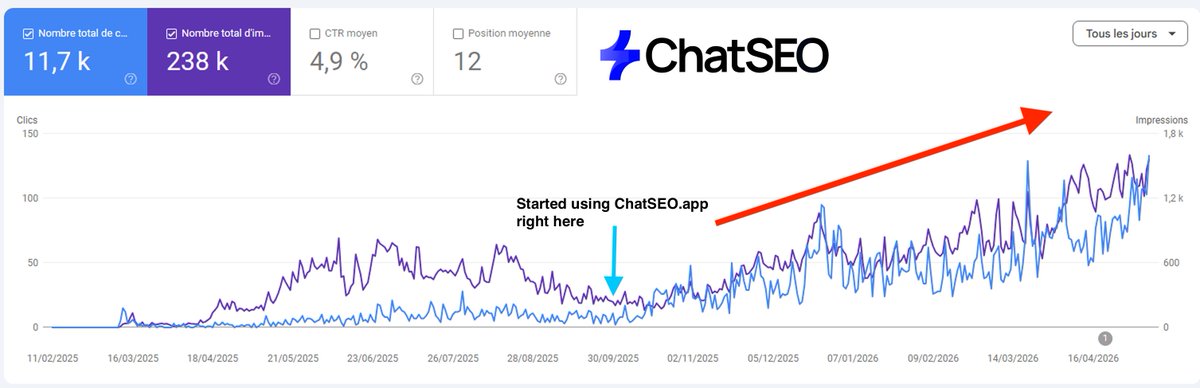
To get similar results for your business: Try CHATSEO.APP free for 7 days
None of this replaces the data. The brain keeps your decisions, Search Console keeps the score.
The 60-Second Audit: How Much SEO Are You Losing Right Now?
Don't build anything yet. Open your site's folder and answer five questions. Every "no" leaks out of every session you run.
-
Does Claude even see your CLAUDE.md? Run /context. Not under "Memory files"? Then none of your SEO rules has ever reached Claude.
-
Is it under 200 lines? If not, you pay every session for a map Claude follows worse.
-
Is your auto memory on, and under 200 lines? Run /memory. Empty means every correction is gone. Too long means the oldest ones are.
-
Where does your most important "never" live? If it's a sentence, it's a wish. A hook is the only version that can't be ignored.
-
Does each money page have one file and one target query? If two files disagree, you'll never know which one Claude picked.

Three or more "no"? You don't have an SEO brain. You have a notes folder Claude glances at.
Where This Is Overkill
One honest caveat before you build.
This is our setup on one company's sites. A sample of one, and I'd rather say it than read it in the replies.
We also started with an unfair advantage: Paul, my co-founder, runs an SEO YouTube channel, so our rules were good before they were written down.
If you touch your site once a month, a 30-line CLAUDE.md is enough. The four layers pay off when Claude works on the site every day.
What generalises is the placement rule. What doesn't is our exact files, so write yours from your own corrections.
Two Versions of Tomorrow Morning
Without it: you open a new session. Claude doesn't know your money pages, your target queries, or your "never touch that URL." You type the same three paragraphs as yesterday, and it makes the mistake you corrected last week.
With it: you type "refresh /pricing." Claude already knows the page, the rules that apply to it, and every correction you ever made. Nothing you taught it is lost.
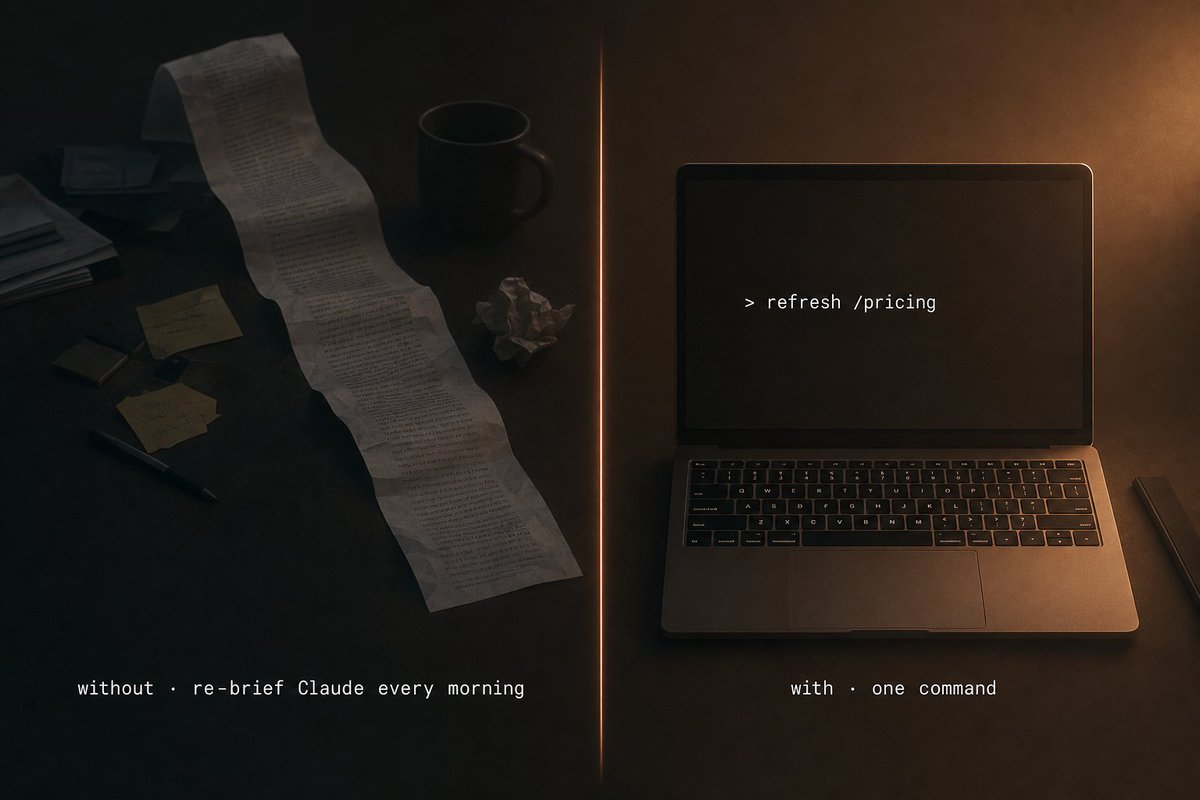
Same Claude, same price per token. The only difference is the 10 minutes you spend tonight.
Paste the One-Prompt Setup before you close this tab, then:
-
Run the audit and reply with your number of "no".
-
Bookmark this, and run the audit again in a month.
-
Read the next step, where the brain starts running jobs on its own:
Thanks for reading!
🎁 If you want to hire your first AI SEO employee (for free) you can click here
沿着这个主题继续读
从一篇文章,找到相关的教程、经验和阅读路径。