How to Reply to Your Website Visitors From Telegram With Knocket (Full Setup)
文章目录
Live chat fails for one reason.
You forget to check the dashboard. The visitor who found you on Product Hunt waits, gives up and leaves.
And the one person who wanted to talk is gone.
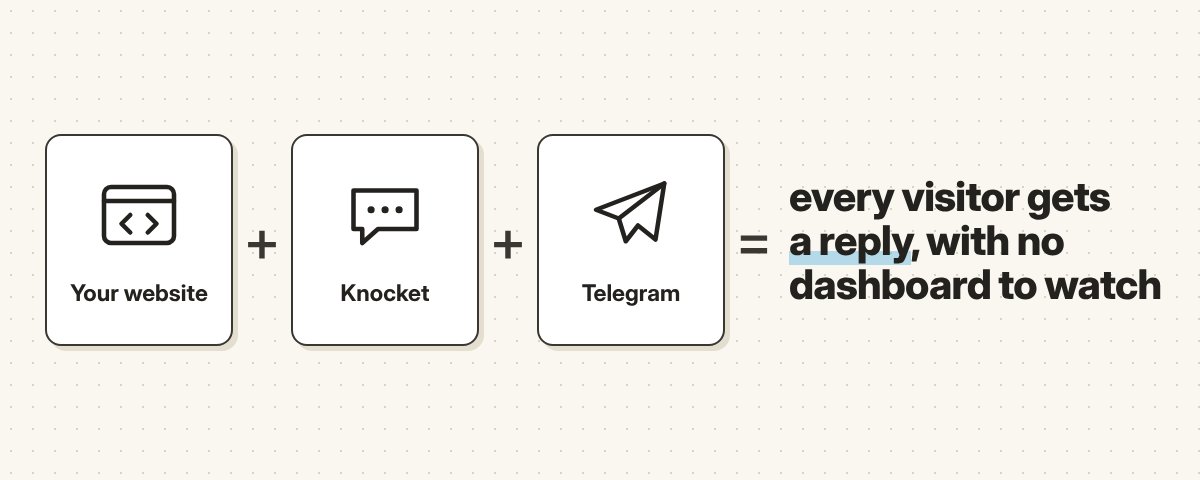
Knocket's fix is simple: send those messages to Telegram, an app you already check all day.
I wanted to see if that actually works end to end. So I set it up, sent a message as a visitor, and replied from Telegram.
It worked. Here's exactly how, step by step, plus what I liked and what still needs work.
What's in this guide: → what Knocket actually is → the 6 steps I followed, from setup to first reply → what I liked → what could be better → who should try it
The problem it solves
Most early founders don't need a big customer-support platform.
They need something much simpler: a way for people to ask a question, and a way to actually see it and reply.
The problem with most live-chat tools is the dashboard. It's one more tab you have to remember to check. Miss it for a day and that visitor is gone.
Knocket's answer is to send those messages to an app you already check all day.
What Knocket is
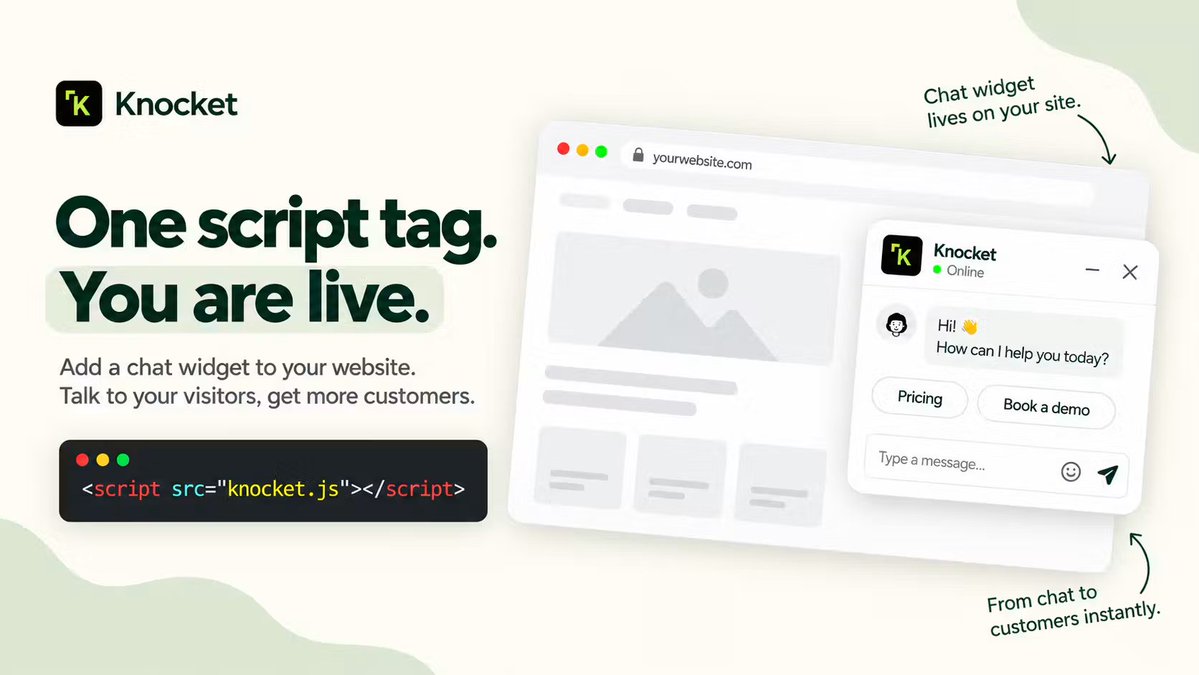
Knocket is a free live-chat and contact layer for websites, apps and personal links.
It gives you a few ways to talk to visitors:
→ a Contact Page you can share anywhere: your social bio, GitHub README, email signature or a QR code
→ a Web Widget you add to a website with one script tag
→ a WebView-based Mobile Widget for iOS, Android, React Native and Flutter apps
→ one unified inbox for conversations from all of them
→ Telegram notifications, so you can reply without going back to the Knocket dashboard
The simplest way to put it: live chat for your website, app or link, and you reply right from Telegram.
For my test I used the Contact Page. Here's what I did.
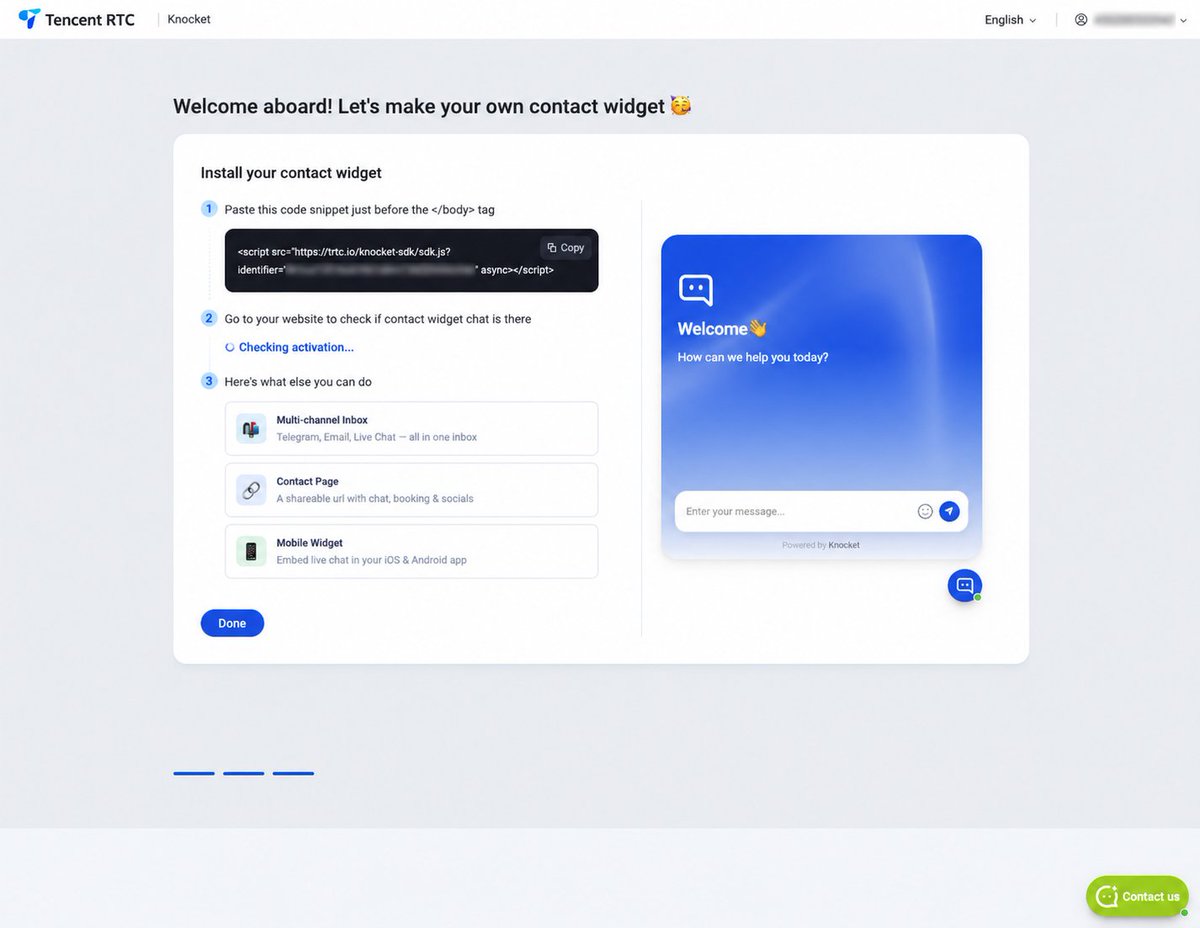
Step 1: Grab the website widget code
Right after creating an account, Knocket shows you a script for its chat widget. It goes just before the closing body tag on your site.
The same screen has a live preview, so you can see what visitors will get before you publish anything. You can change the welcome message, colors and look from the dashboard.
The nice part: you don't build any chat backend yourself. Knocket handles the conversation layer and just hands you the code.
For this test I didn't install the widget on a live site. I went with the Contact Page instead, which you can use even if you don't have a website at all.
Step 2: Create a shareable Contact Page
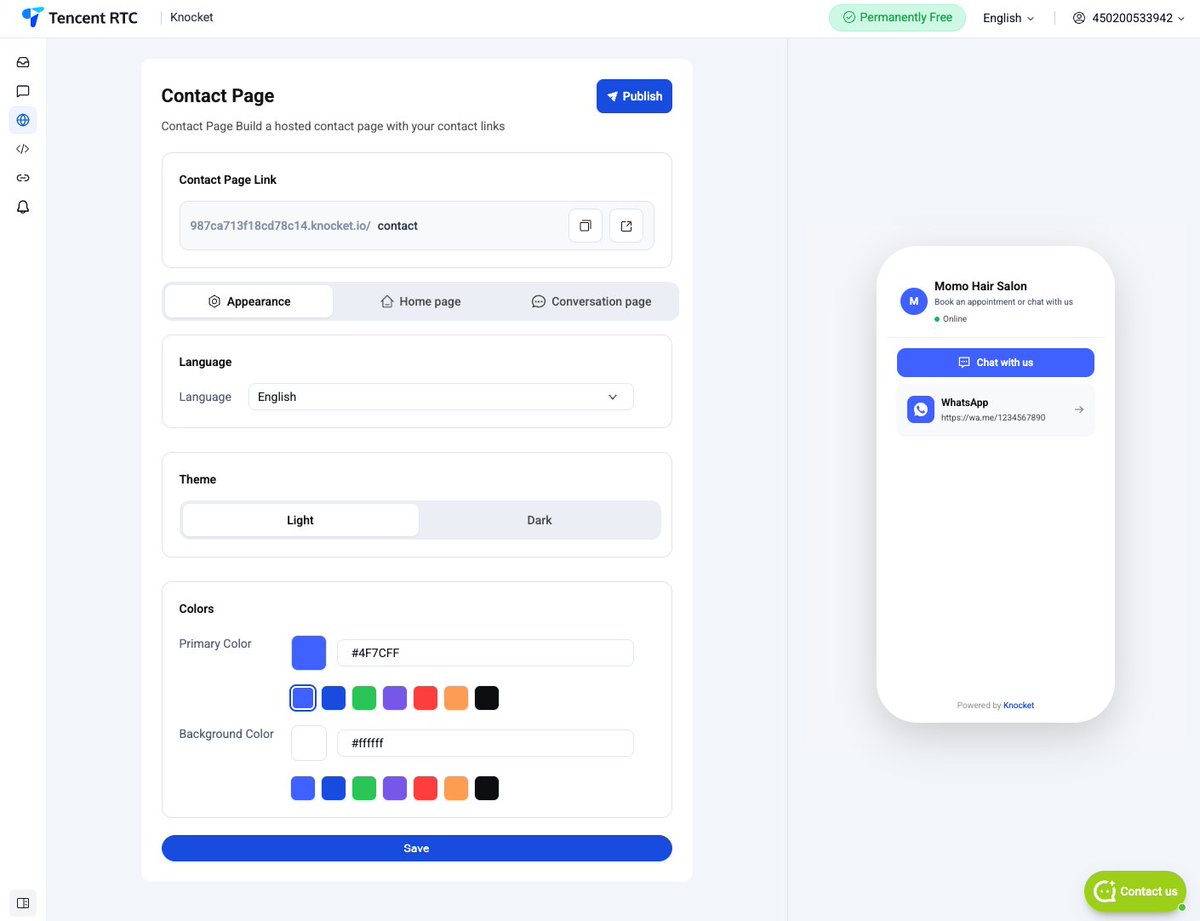
You don't need a website to use Knocket.
I made a test Contact Page for a fictional hair salon. The editor let me pick a light or dark theme, change the main colors and add contact options. The preview updates on the same screen, so it's easy to see how the page will look on a phone.
This is the part I think creators will like most. It works like a link-in-bio page... except a visitor can actually start a conversation instead of just tapping links.
A few ways to use it:
→ a founder collecting early feedback → a freelancer taking project enquiries → an open-source developer putting it in a GitHub README so users can ask questions easily
Step 3: Connect Knocket to Telegram
This was the most important part of my test.
Right now Knocket supports two integrations: Telegram and email. WhatsApp, Instagram, Messenger and Facebook show up as planned, but they're not available yet.
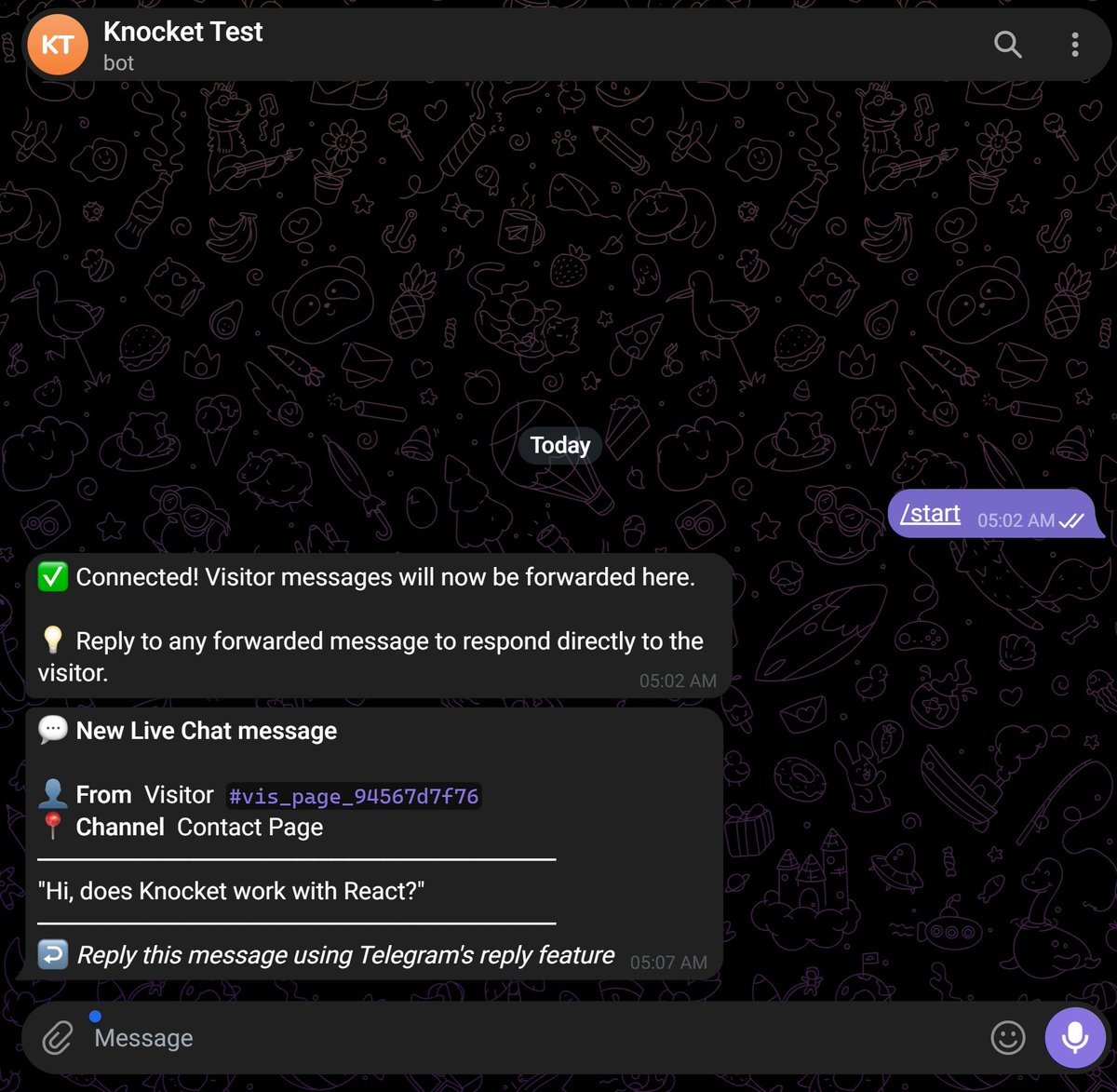
To connect Telegram, you create a Telegram bot and paste its token into Knocket. Knocket then gives you a QR code or a direct Telegram link. I opened the bot, pressed Start, and the connection was confirmed.
The bot told me that visitor messages would now be forwarded to Telegram, and that I could answer using Telegram's normal reply feature.
It worked, but I'll be honest: making a Telegram bot and handling a token can feel a bit technical if you've never done it. Knocket has a guide for this, and it helps.
Quick tip: don't share your activation screen publicly. It contains your QR code and connection details.
Step 4: Send a message as a visitor
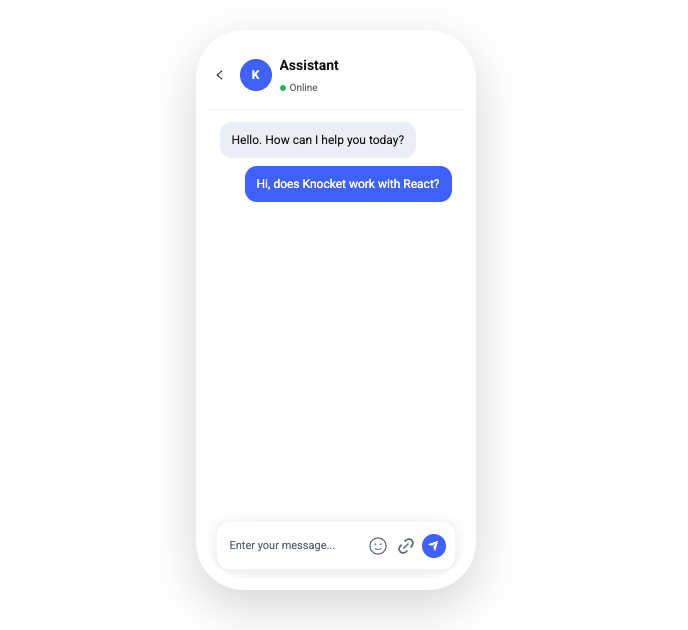
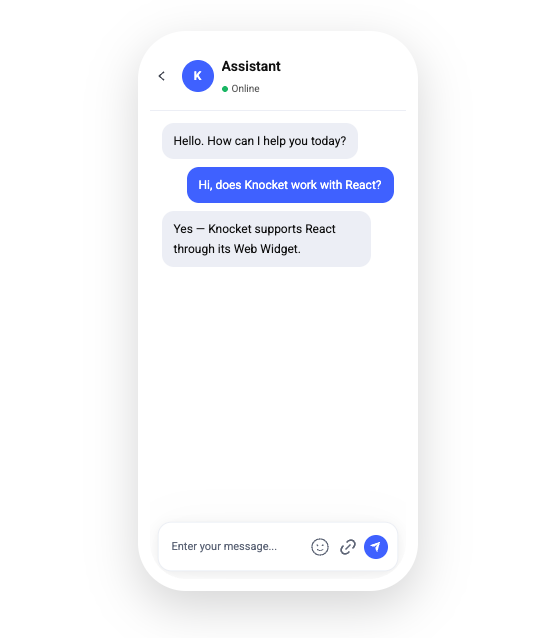
After publishing the Contact Page, I opened its chat as if I were a visitor and asked:
"Hi, does Knocket work with React?"
The message showed up in the visitor's chat straight away.
Simple test, but it's exactly the kind of question someone asks right before trying a product.
Step 5: Reply from Telegram
The same message arrived in my Telegram bot.
The notification showed it came from the Contact Page and included the full question. Knocket asked me to use Telegram's reply feature to respond, so I did:
"Yes, Knocket supports React through its Web Widget."
No opening the dashboard. No searching for the conversation. No copying answers between tools. I just replied in the app I already use.
That was the best part of the whole thing for me.
Step 6: Check the visitor got it
I went back to the visitor's chat, and my reply was there.
Contact Page → Telegram → back to the visitor. Full loop, done.
What I like
The Telegram workflow is the main reason I find Knocket useful.
A chat widget isn't worth much if you forget to check it. Sending messages to Telegram fixes that, because the notification lands somewhere most founders and creators already look all day.
I also like that you get both a Web Widget and a Contact Page:
→ the widget makes sense when you already have a website
→ the Contact Page works when all you have is a social profile, a GitHub project, an email signature or a QR code
Both feed into the same conversation system.
And it's free to start. Knocket doesn't ask for a credit card, and visitors don't need an account to send you a message.
What could be better
The Telegram setup works, but it's more technical than connecting a normal social account. You create a bot, copy its token and activate it. A more guided setup inside Knocket would really help people who've never made a Telegram bot.
The integrations are also limited for now. Telegram and email work today. WhatsApp, Instagram, Messenger and Facebook are still marked as planned. That's probably fine for developers and Telegram users, but if your audience lives on WhatsApp or Instagram, keep that in mind.
Who should try it
I think Knocket makes the most sense for:
→ indie developers talking to their first users
→ creators who want more than a static link-in-bio page
→ freelancers collecting project enquiries
→ open-source maintainers who want to be easier to reach
→ small teams that aren't ready for a big support platform
It's not trying to replace an enterprise support system. It's a lightweight way to put a real conversation behind your website, app or link.
Final thought
A lot of products right now are trying to take humans out of customer conversations.
But when you're building something new, those conversations are gold. They show you what people don't understand, what they actually need, and why they're hesitating.
Knocket makes those conversations easier to start, and lets you answer them from Telegram instead of babysitting another dashboard.
Knocket just launched on Product Hunt and is currently #2.
You can check it out and share your honest feedback here:
https://www.producthunt.com/products/knocket-ai
More details: sc-rp.tencentcloud.com:8106/t/FX