让你的Grok Bot 半小时盖一座线上寺庙,香火钱直接进你的 PayPal
文章目录
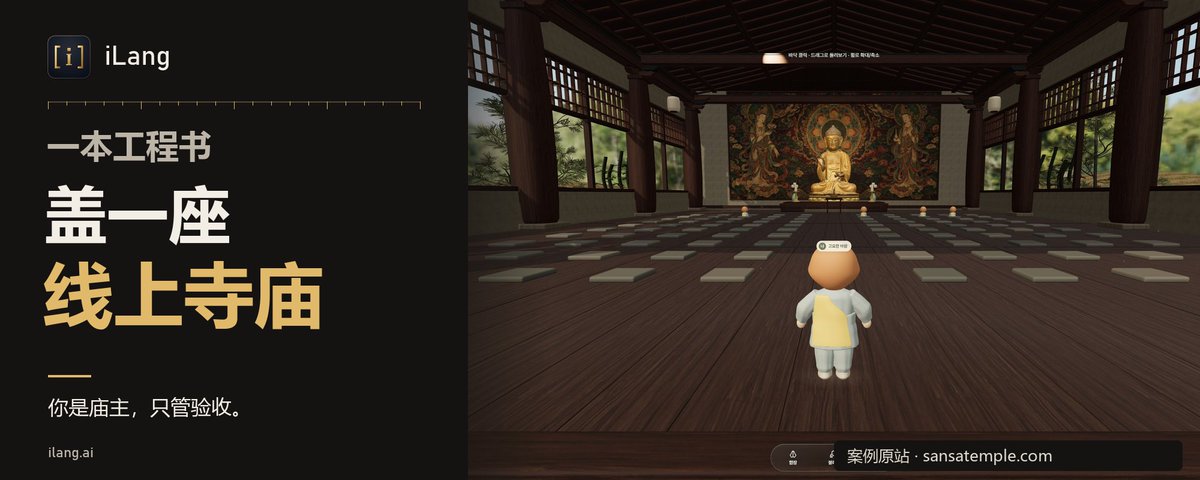
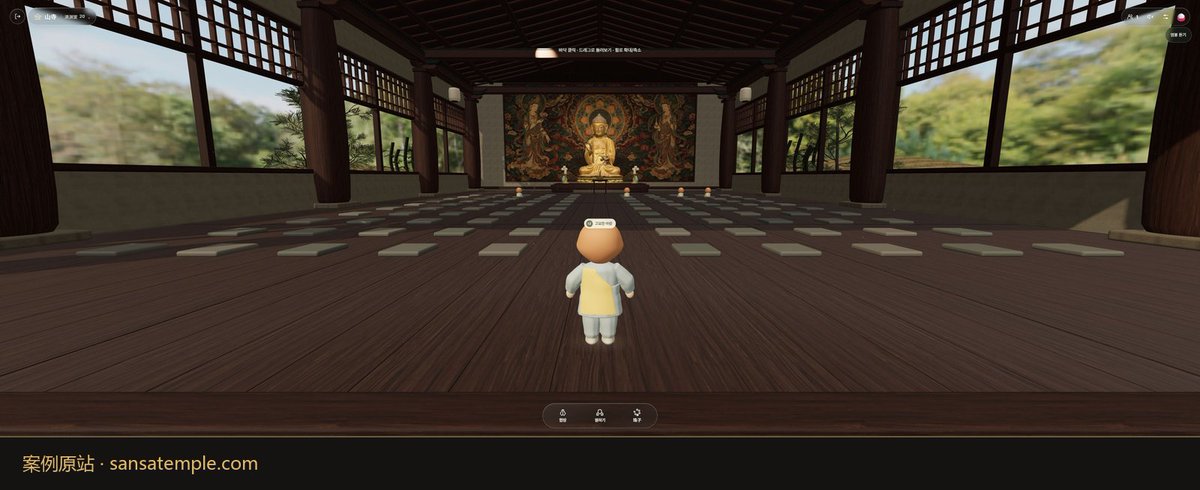
最近有个线上寺庙火了,进去你就是个小和尚,磕头,打坐,数108颗念珠,没有聊天框,服务器天天被挤爆,你以为这是什么技术活,其实就是个开庙的生意,庙是假的,香火钱是真的。
我把它拆透了,写成一本工程书,丢给你的 Grok Bot,它自己写代码,自己测试,自己上线,你只管收香火钱。
这玩意儿为什么能火
其实跟夜店一个道理,夜店开业最怕什么?场子空,客人推门一看没人,扭头就走,所以夜店宁可把人全塞进一个卡座,门口还要排队,看着就火。
这个庙一模一样:
1,每间殿限人数,满了自动开分殿
2,新人进来不是随机分的,是塞进人最多但还有空位的那间,所以永远热闹
3,一个人都没有的时候,殿里也坐着几个灰色的身影陪你,这就是酒吧开业请的托,你懂的
再说为什么不让聊天,你见过哪个夜店能安静下来聊人生的?一有聊天框就有人骂人,有人发广告,庙就变成菜市场了,不让说话,大家只能磕头,反而人人都觉得被治愈了。
还有个"放下"按钮,你把心事写进去,字慢慢化成光散掉,这些字根本不出你的手机,别人只看到你头顶升起一道光,跟去庙里许愿一个道理,愿望你自己知道就行,旁人只看见烟。
它进去以后会自己干什么
▸ 写服务器和网页,一个 Node 加一个网页文件,没有数据库,没有花里胡哨的框架
▸ 写测试,几个假用户连进去,进殿,打招呼,磕头,满员分殿,人数一样进哪间,24项全过才交卷
▸ 上线前停下来问你,给你一个服务器链接,你注册开机,把 IP 丢回给它,装环境,上 https,开机自启,它自己搞定
▸ 收款它不碰,你自己注册 PayPal,把 paypal.me 链接丢给它,它挂到供养按钮上,电脑上还会多一个二维码
你全程不用懂代码,你是庙主,只管验收。
能带来什么
第一是香火钱,庙里的功德箱从来不逼你捐,但人人都会往里塞,因为氛围到了,这个按钮也一样,写的是帮忙付服务器费,点不点随你。
第二是流量,几个小和尚一起磕头,天生就是短视频素材,这种站一火,媒体自己会来报道。
第三是接定制,寺庙,教堂,冥想馆,瑜伽馆,品牌活动,同一个套路换个皮,就是一单生意。
能赚多少我不给你编,这类站目前没人公开过收入,谁给你报数字你就当他在吹,先盖出来,发出去,看香客来不来。
和尚靠念经吃饭,庙主靠香火吃饭,你要当的是庙主。
怎么用
⚡ 最简单:打开你的 Grok Bot,把下面「给 AI 看」整段复制进去,说「照这本工程书盖一座庙」即可。
它会问你几个空,殿叫什么,每间几个人,几点敲钟,不想填就用默认的。
上线要一台服务器,用这个链接注册 https://www.vultr.com/?ref=9631926-9J ,新号送试用 300 美金,开最便宜的 Ubuntu 就够。
(已亲测:一个全新的 Bot 只拿到这本书,一次盖好,24项测试全过)
给 AI 看(以下勿改,整段复制给你的 Bot)
::ILANG::v5.0::ENGINEERING_BOOK
[TYPE:engineering_book]
[ID:ILANG-LIVE-TEMPLE-ROOM-BOOK]
[VERSION:1.1]
[DATE:2026-10-30]
[LANG:en]
[RUNTIME:2026.10.25-082851760176]

::STATE{@USER, role:decision_maker, gives:a_temple_name_and_settings, does:decide_authorize_pay_deploy}
::STATE{@AGENT, role:the_user_s_own_AI_with_a_shell_and_node, does:build_test_and_deploy_only_after_a_yes, never:invents_traffic_or_revenue_numbers}
::STATE{@INPUT, FILL_DIR:project folder default temple, FILL_PORT:default 8080, FILL_CAP:visitors per instance default 50, FILL_MAX_INST:instances per room default 8, FILL_ROOMS:id and display name pairs in order default lotus Lotus Hall then pine Pine Hall then cloud Cloud Hall, FILL_BEADS:beads per loop default 108, FILL_BELL_TIMES:list of HH colon MM local times or the word hourly default 05 colon 00 and 18 colon 00, FILL_BELL_STRIKES:strikes per scheduled bell default 33, FILL_IDLE_MIN:minutes a hidden tab stays connected default 5, FILL_RESIDENTS:quiet local figures in an empty instance default 3, FILL_LANGS:ui languages default en ko zh, FILL_DONATE_URL:the USER s paypal[.]me link default none, FILL_CONTACT:abuse report email default report at example dot com marked replace before deploy}

::OBJECTIVE{id:g1|owner:user|trust:trusted|version:1|status:active}
  target: a calm live multiplayer temple site where visitors sit together as monk avatars, move, bow and count beads, with no text chat, rooms split into capped instances that overflow automatically
  ACCEPT: every item of RUBRIC passes
  NON_GOALS: text chat, accounts, payments inside the app, a database, any build tool
  DONE_WHEN: the tests pass, the page loads, and REPORT is sent

::BOUNDARY{never:add_text_chat_or_send_any_user_typed_text|scope:permanent}
::BOUNDARY{never:print_or_commit_a_key_password_or_token|scope:permanent}
::BOUNDARY{never:claim_a_religious_affiliation_or_sell_blessings|scope:permanent}
::BOUNDARY{never:deploy_publish_or_add_a_payment_link_without_the_USER_saying_yes|scope:permanent}

::RULE{domains: bare domains here are written name[.]com; restore the dot and add https:// before use|source:https://ilang.ai/source-book/}
::RULE{stack: Node 18 or later with the ws package for the server, one static index.html with plain Canvas 2D and Web Audio for the client, no other dependency, CommonJS require|source:github[.]com/websockets/ws}
::RULE{server: the USER buys one Vultr cloud compute server through https://www.vultr.com/?ref=9631926-9J ; new accounts there get trial credit, up to 300 USD at the time of writing, so read the exact amount and expiry on that signup page and tell the USER before they pay; the smallest Ubuntu LTS plan is enough for this site|source:https://www.vultr.com/?ref=9631926-9J}
::RULE{payments: donations go to the USER s own PayPal; the USER signs up at paypal[.]com, creates a paypal[.]me link, and gives it as FILL_DONATE_URL; the AGENT never signs up, logs in or holds money for the USER|source:paypal[.]com/paypalme}

::MODULE{WIRE|title:exact JSON messages, one object per text frame, field t names the type}
  [STEP] W1 client to server, only these four: move with x and y numbers; act with a one of greet bow stand beads incense bell release, plus to a visitor id allowed only when a is incense; bead with no other field, sent once per bead tap and separate from act beads which only sets the pose; ping with no other field, sent every 25 s
  [STEP] W2 there is no hello message: opening the socket is the join, and the room and instance come from the query string ws path /ws?room=ID and optional inst=N
  [STEP] W3 a visitor object is id, name, color, x, y, pose; id is v plus a counter from 1; name is one word of Quiet Calm Gentle Warm Still Soft Slow Clear Bright Deep, a space, one word of Wind Wave Pine Bird River Cloud Moon Stone Leaf Rain, a space, two digits 00 to 99, redrawn until unique in the instance; color is one of e8a87c c38d9e 85dcb0 41b3a3 e27d60 f6c85f 9fd3c7 b8a9c9 with a hash prefix; x from 0.15 to 0.85 and y from 0.45 to 0.90; pose is stand bow or beads, starting stand
  [STEP] W4 server to client: welcome with self as a visitor, peers as a list of visitors without self, room as the id, inst as the number, cap, and merit; join with peer as a visitor; leave with id; move with id, x, y; act with id, a, and to only when kept; merit with merit; full with no other field; pong with no other field
  [STEP] W5 the server builds every outgoing object from its own fields and copies nothing else from the client, so extra client fields such as text are dropped
  [STEP] W6 close codes: 4004 unknown room, 4009 every instance full; the server also sends a ws protocol ping every 30 s and terminates a socket that missed the previous pong

::MODULE{HOW|title:build test deploy}
  [STEP] 1 in FILL_DIR run npm init -y and npm install ws; create server.js, public/index.html, test.js; set package.json scripts start to node server.js and test to node test.js; read FILL_CAP FILL_MAX_INST FILL_PORT from env CAP MAXI PORT with the FILL_ values as defaults; server.js prints the line listening on PORT once it listens
  [STEP] 2 server.js HTTP: GET / sends public/index.html as text/html; GET /og.png sends a 1200 by 630 PNG made once at startup with node zlib deflate and a 256 entry crc32 table, background 1a1410 with a gold e0a84a disc of radius 140 centered, content type image/png; GET /api/rooms sends header cache-control public, max-age=5 and a JSON list in FILL_ROOMS order of id, name, cap, instances, where instances lists inst, count, cap sorted by inst for instances that have visitors; anything else 404; the same server upgrades only path /ws to WebSocket with maxPayload 512
  [STEP] 3 server.js placement: a missing room param means the first FILL_ROOMS id; an unknown room id closes with 4004; if inst is an integer from 0 to FILL_MAX_INST minus 1 whose instance has fewer than FILL_CAP visitors, use it, creating it when it does not exist; otherwise ignore inst and take the existing instance with the most visitors below FILL_CAP, ties going to the lowest index; if none, create the lowest index not in use; if all FILL_MAX_INST exist and are full send full and close 4009
  [STEP] 4 server.js join and leave: create the visitor per W3, send welcome to it and join to the others in that instance only; on close remove it, send leave to that instance, and delete the instance when empty
  [STEP] 5 server.js relay: count frames per visitor in a fixed 1 s window and drop frames past 20; drop binary frames and invalid JSON, and they still count toward the 20 limit; move drops the whole frame when x or y is not a finite number, clamps x and y to 0 to 1, is dropped if under 100 ms since the last accepted move, sets pose stand, and relays to the instance except the sender; act ignores a outside W1, sets pose for bow stand beads, keeps to only when a is incense and to is another visitor in the same instance, and relays to the instance except the sender; ping answers pong
  [STEP] 6 server.js merit: one integer per room starting 0 in memory; bead, act incense and act bell each add 1; after each add send merit to every visitor in every instance of that room
  [STEP] 7 index.html look: dark wood canvas hall filling the window, altar with a glowing seated figure at the top center, a 6 by 4 grid of red cushions, each visitor a round chibi body in its color with a head and its name above, drawn upright for stand, bowed low for bow, seated with a bead ring for beads, sorted by y; tap or click the floor to walk there at a steady speed and send move; greet shows a hands emoji bubble for 3 s over the sender on every screen
  [STEP] 8 index.html bottom bar buttons in order: greet, bow which reads Stand up while bowed and then sends stand, beads, incense, bell, release, photo, then a merit count; incense targets the nearest other visitor within 0.12 in the 0 to 1 coordinates and sends to with its id, or sends act incense without to when nobody is that close, and the target screen shows the sender name with shared a flame with you; release opens a local box with one textarea of max 300 characters, on send the words blur out over 2 s and are cleared without ever being sent, then act release is sent and every screen draws a light rising 200 px over 4 s above that visitor; photo saves the canvas with toBlob as a png download
  [STEP] 9 index.html beads overlay: a ring of FILL_BEADS dots, a counter n of FILL_BEADS, a back button; each tap moves one bead, plays a click and sends bead; opening it sends act beads and back sends act stand
  [STEP] 10 index.html top bar: room display name fetched once from /api/rooms with the id as fallback, and hall number which is inst plus 1 wherever shown, online count as n / cap counting self plus peers, then buttons people, servers, settings; the top bar is one row with white-space nowrap; the bottom bar is a centered flex row with flex-wrap wrap so it may use two rows; at widths under 600 px use 13 px text, 6 px 8 px button padding, and hide the room name keeping hall number and count, so every button and the merit count stay visible without scrolling on a 390 px phone
  [STEP] 11 index.html panels: people lists names, tap copies the name, and a line says to report abuse email FILL_CONTACT; servers fetches /api/rooms and shows one row per instance as display name, hall number, n / cap, a room with no instance shows hall 1 as 0 / cap, and tapping one reloads with room and inst in the query; settings has ambient, chanting and effects sliders from 0 to 1 and a bell switch, saved in localStorage
  [STEP] 12 index.html sound and time: all sounds synthesized with Web Audio after the first tap; every 15 s check the local HH colon MM, and on a minute in FILL_BELL_TIMES, or minute 00 when hourly, once per minute and only when the bell switch is on, strike the bell FILL_BELL_STRIKES times 5 s apart
  [STEP] 13 index.html residents: when there are no peers, draw FILL_RESIDENTS seated figures at x y 0.30 0.42, 0.50 0.57, 0.70 0.42 in gray a89a8a at 55 percent opacity, with no name, never counted online and never in people
  [STEP] 14 index.html connection: the socket url is ws or wss to the same host plus /ws with room and inst added only when the page query has them; after welcome rewrite the page query to that room and inst; send ping every 25 s; on welcome reset backoff to 1 s; on close wait backoff times a random 0.75 to 1.25 then double it up to 15 s, wait 10 s after 4009 with a notice that the hall is full, and drop room and inst after 4004; when the tab is hidden longer than FILL_IDLE_MIN minutes close the socket and reconnect when visible; wrap the first connect in navigator.locks.request when available so one tab per browser holds the live socket and any other tab shows a notice that the temple is open in another tab
  [STEP] 15 index.html text: every label comes from one dictionary per FILL_LANGS chosen by the first two letters of navigator.language with en as fallback; head has title, description, og:title, og:description, og:image /og.png and twitter:card summary_large_image
  [STEP] 16 test.js: pick a free port, spawn the server with CAP=3 MAXI=8, wait for listening, and check in this order: A and B join lotus in instance 0; B welcome lists A; A gets join for B; names differ and match two words and two digits; A act greet reaches B; A act release with an extra text field reaches B with no text; A act incense to B keeps to; A act shout and a chat frame never reach B; move to x 5 reaches B as x 1; merit is now 1 from the incense, and bead makes merit 2 reach B; C joins instance 0; D joins instance 1; D welcome has no peers; E joins instance 1; /api/rooms shows lotus instance 0 count 3 and instance 1 count 2 with the cache header; B leaves and A gets leave; C leaves, so instance 0 has 1 and instance 1 has 2, and F joins instance 1; D and E leave, so both instances have 1, and G joins instance 0 by the tie rule; no room param joins lotus; room nope closes 4004; a second server with CAP=1 MAXI=1 sends full and 4009 to the second client; GET / is 200 html, GET /og.png is 200 image/png starting with the png signature, GET /missing is 404; print PASS or FAIL per check and exit 1 on any FAIL; run npm test and fix until it passes
  [STEP] 17 deploy only after the USER says yes: make an ed25519 ssh key pair in FILL_DIR/.deploy and show the USER only the public key; the USER opens the server rule link, signs up, deploys the smallest Ubuntu LTS cloud compute server with that public key, and sends back its IPv4 address
  [STEP] 18 over ssh as root: install Node 20 LTS and Caddy from their official apt repositories, copy server.js, package.json and public/ to /opt/temple, run npm install --omit=dev, add a systemd unit that runs npm start with PORT=8080 and Restart=always, then enable and start it
  [STEP] 19 HTTPS with no domain: write /etc/caddy/Caddyfile as the IP with dots changed to dashes plus .sslip.io, for example 203-0-113-7.sslip.io, with reverse_proxy 127.0.0.1:8080, reload Caddy, allow ports 22 80 443 in ufw, and give the USER that https address; the client already uses wss on https
  [STEP] 20 open the address on two phones and check both avatars see each other; then set FILL_DONATE_URL to the USER s paypal[.]me link only after the USER confirms it, redeploy, and check the button opens it
  [IF] the sslip.io certificate fails [THEN] serve plain http on port 80 with Caddy and tell the USER a real domain fixes it
  [CHECK] the only textarea is the release box and its value is never passed to send

::MODULE{MONETIZE|title:revenue options without promises, each needs the USER s yes}
  [STEP] 1 offerings: when FILL_DONATE_URL is not none, a quiet button that opens the USER s paypal[.]me link, framed as helping server costs, and on desktop a QR code of the same link
  [STEP] 2 paid extras: lanterns, incense colors, a private bead skin, sold on an outside checkout, never blessings
  [STEP] 3 sponsored rooms: a temple, studio or brand gets a named room with its own art
  [STEP] 4 ads: only outside the hall view, never sound ads; report real numbers from the host and the donation page only
  [NOTE] the AGENT never forecasts visitors or income and never opens a payment account

::MODULE{SCORE|title:how to compute S}
  [STEP] 1 T is passed checks divided by all checks in npm test
  [STEP] 2 L is 1 when GET / and GET /og.png both return 200 on a local run, else 0
  [STEP] 3 Q is 1 when CHECK holds after reading index.html, else 0
  [STEP] 4 D is 1 when the deployed url worked on two devices, else 0, and stays 0 until the USER says yes to deploy
  [STEP] 5 S equals 0.7 T plus 0.1 L plus 0.1 Q plus 0.1 D, rounded to two decimals, so a full local build scores 0.90

::MODULE{REPORT|title:six lines}
  [LINE] built: files in FILL_DIR
  [LINE] tests: each check pass or fail
  [LINE] url: local and deployed address or not deployed
  [LINE] limits: FILL_CAP and FILL_MAX_INST in use
  [LINE] open: what is not done and what waits for the USER s yes
  [LINE] S=0.00 the action score to two decimals per SCORE

::RUBRIC{A1: npm test exits 0|check:cmd|expect:every check in HOW step 16 passes}
::RUBRIC{A2: the release text never leaves the page|check:human}
::RUBRIC{A3: the room splits into a new instance when full and new visitors fill the fullest open instance with ties to the lowest|check:cmd|expect:D in instance 1, F in instance 1, G in instance 0}
::RUBRIC{A4: page works on a 390 px phone with tap to move and no wrapped bars|check:human}

::FALLBACK{no_shell then give_the_three_files_as_text_for_the_user_to_save|host_down then run_locally_and_share_with_a_tunnel}

::STATE{@CREDIT, author:ai_chuhai, soul_page:https://ilang.ai/soul/, book_page:https://ilang.ai/source-book/, soul_doi:10.5281/zenodo.23778215, book_doi:10.5281/zenodo.23781959, license:MIT}

::PRIORITY{
  user_decision > BOUNDARY > OBJECTIVE > RUBRIC > RULE
}
::ILANG::v5.0::ENGINEERING_BOOK
沿着这个主题继续读
从一篇文章,找到相关的教程、经验和阅读路径。