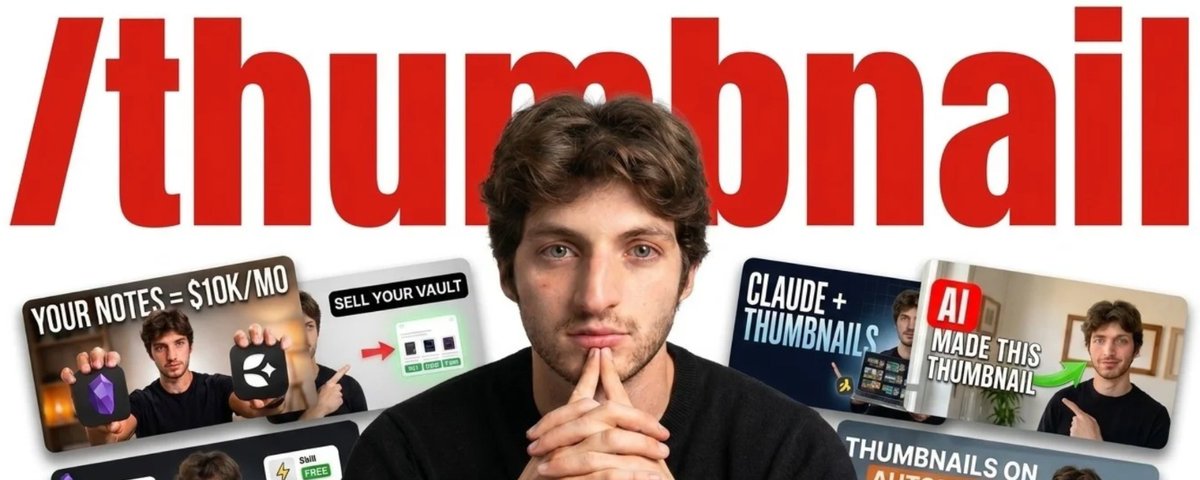
Give me 10 minutes. Here's how Claude can replace your Thumbnail Designer.
文章目录
If you are trying to grow on YouTube, you already know how much your thumbnails matter. Together with your title, they are the main driver of growth on the platform. They decide whether new people discover you or scroll past.
The problem is that as a small creator, you do everything yourself. You write, you film, you edit, you publish. Most of the time you have neither the time to design high quality thumbnails nor the budget to hire a professional thumbnail designer.
So what do you do instead? Like everyone else, you open Canva, make the most generic thumbnail anyone has ever seen, and call it a day.
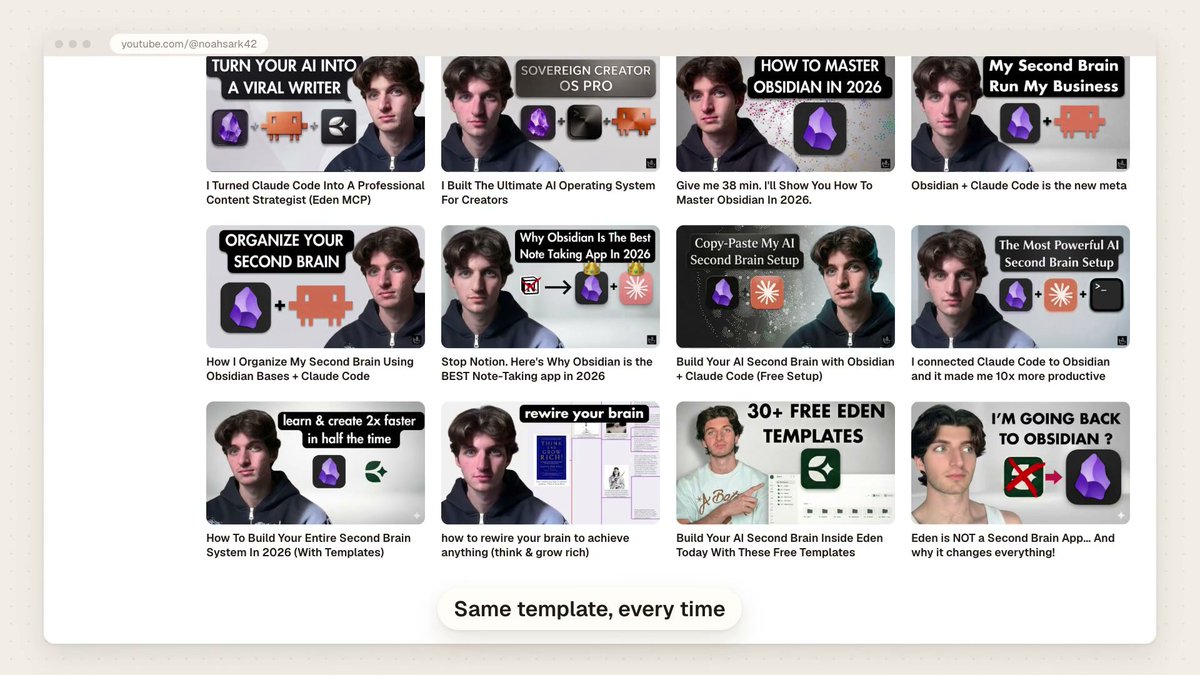
I am not going to blame you, because that is exactly what I did for a long time. I used the same thumbnail template for every video, so every video on my channel looked the same. People could not tell my videos apart. Every thumbnail blended into the next, and the whole channel became noise.
Then I found a better way.
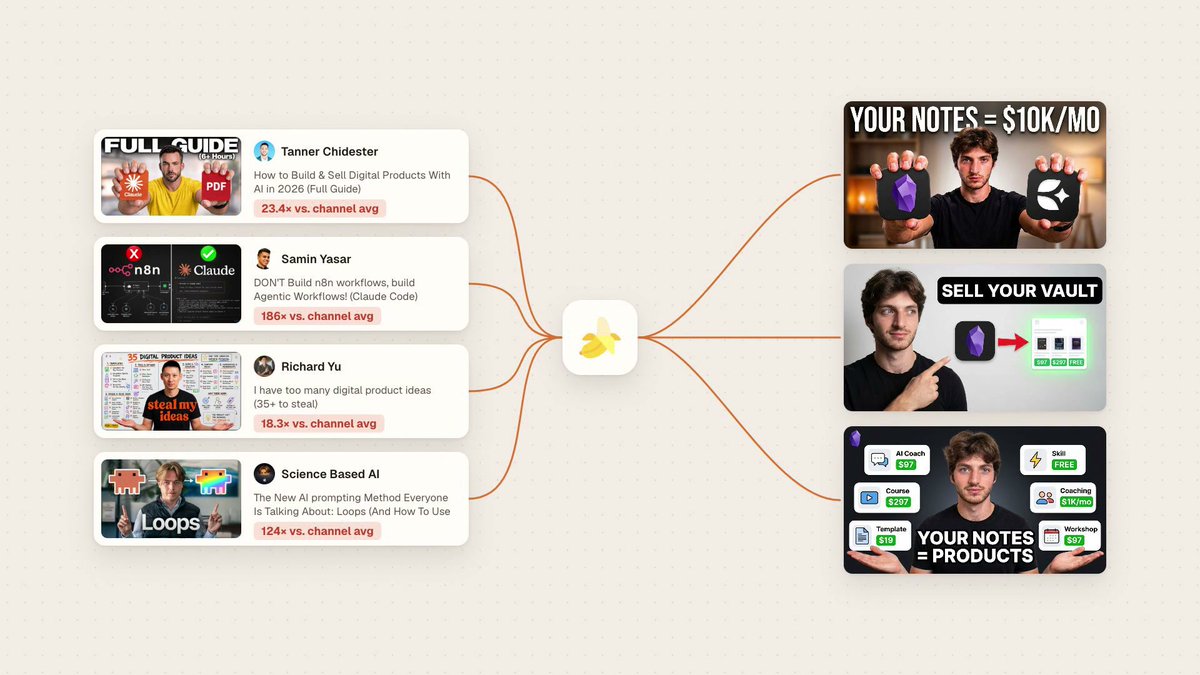
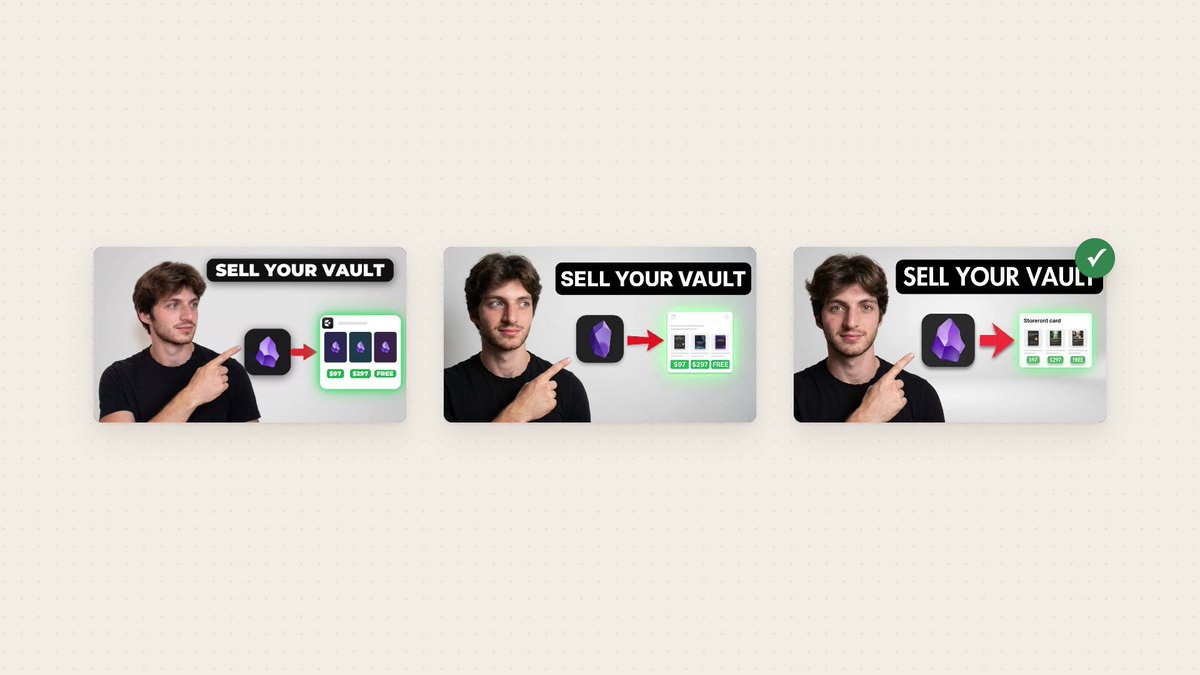
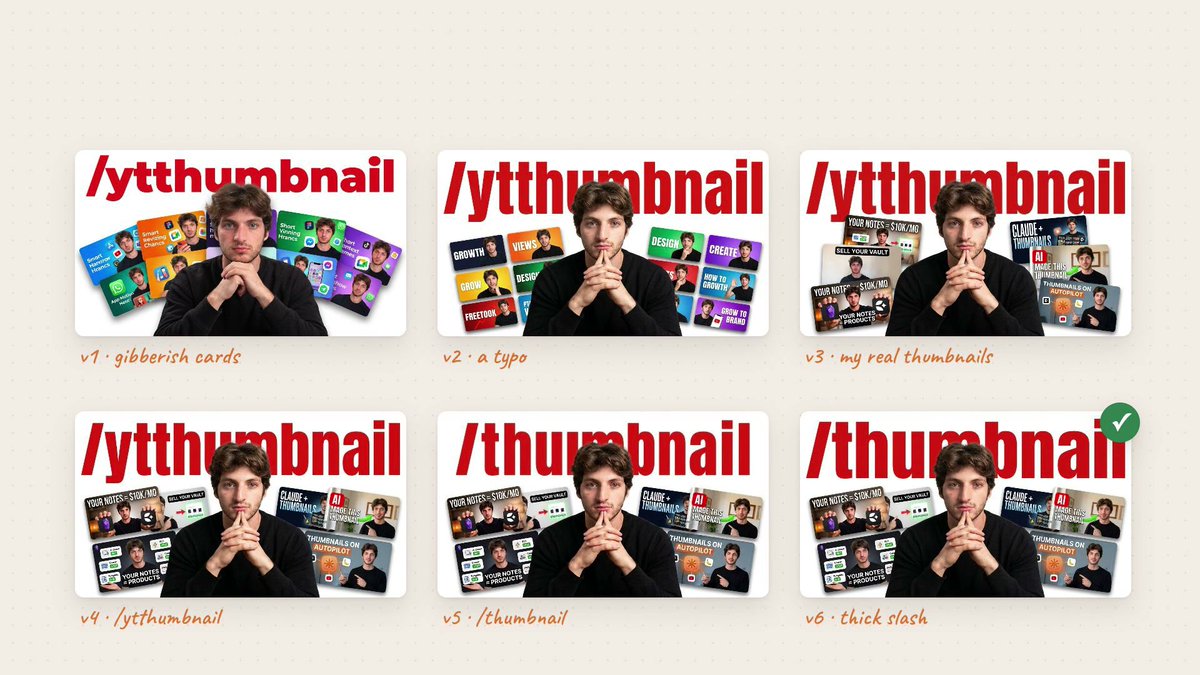
For my video on turning your notes into a $10K/month business, I split-tested three thumbnails, each with its own concept, its own composition and its own text. I did not spend hours designing them in Photoshop, and I did not pay hundreds of dollars to a designer. All three were generated with AI, inspired by thumbnails already proven to perform on YouTube, and adapted to my own concept and my own face.

In this article, I'll show you how to make thumbnails that look like a professional designer made them, in less than 10 minutes and for less than the price of a coffee, using three tools: Claude Code, Eden and Nano Banana.
Here is the plan. First, why generating a thumbnail with AI is not enough on its own. Then, how Eden and the Eden MCP give your AI agent a live view of what performs on YouTube. Then the three pieces that make the system work: the design brief, the variations and the face bank. Finally, how the whole workflow becomes a single command, and how you can get that exact skill for free.
Prefer to watch? I walk through the entire thumbnail system, from the research in Eden to the final images: https://youtu.be/Y3pK1xKLbYQ
Steal my thumbnail system: The YouTube Thumbnail Skill is a free skill for your AI agent. It researches proven thumbnails in your niche, writes a design brief you approve, then generates thumbnails of your own face with Nano Banana.
Join it for free on my Eden store: YouTube Thumbnail Skill
Pretty Rarely Gets Clicked
You probably already know that Nano Banana, Google's image model, can generate good-looking thumbnails. Nothing new there.
But generating a thumbnail with AI is not enough to grow. You can make something pretty, but pretty rarely correlates with a high click-through rate. A beautiful image that follows no proven concept gets scrolled past just like a bad one.
If you want thumbnails that actually get clicked, you need to study the thumbnails that are already performing on YouTube, take inspiration from the concepts they prove, and adapt those concepts to your brand and your content.
The problem is that doing this by hand takes hours. You scroll through dozens of channels, compare views against each creator's usual results, save the winners, figure out what they have in common, then translate all of it into something that fits your video. And as we already established, time is exactly what a small creator does not have. That is where Eden comes in.
Eden: A Live Map of What Performs
Eden is the app Dan Koe built for creators, formerly called Kortex. It is the closest thing to an all-in-one hub for content creators online. You can research viral posts from other creators on every social platform, write and schedule your posts, host your own digital store to sell your products, and manage your email list and your communities, all in one place. I made a full review of Eden if you want the complete tour.
The feature this system relies on is Discover. Discover is a constantly updated database of the content going viral across every social platform. You can search it and study what is trending in any niche, so you can take inspiration for your own content.
You can probably see where this is going. Discover is where you find proven, high performing thumbnails to take inspiration from.
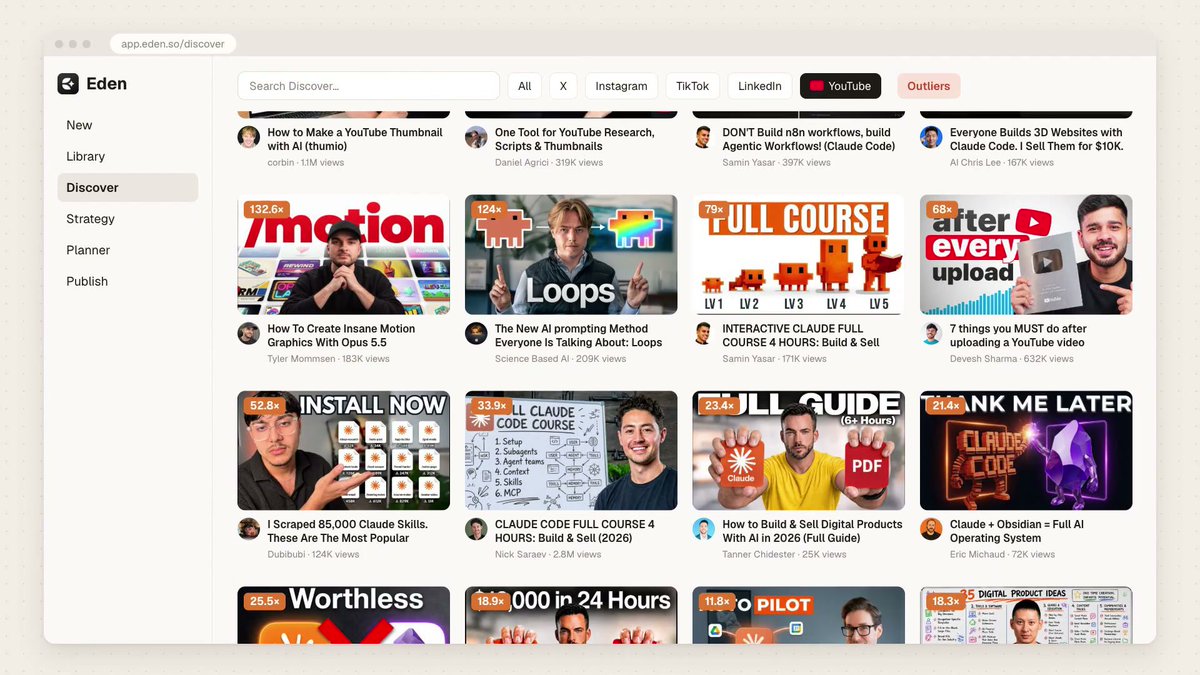
But you are not going to do that research yourself. It would take too long, and it is the job of a dedicated content strategist, someone a solo creator usually has neither the time nor the money to hire.
Your Agent Does the Research
Instead, you connect Eden to Claude Code through the Eden MCP.
If you have never heard of an MCP, think of it as an integration between your AI agent and another tool. It lets the AI take action on your behalf inside that tool. Once the Eden MCP is connected, Claude Code can search Eden's database just like you would, only much faster. I break down everything else the Eden MCP can do for your content in How I Turned Claude Code Into a Viral Content Strategist.
In this system, the agent browses Eden's database of viral posts, finds the thumbnails that are already outperforming in your niche, extracts them, and builds an entire design brief from them, so you can review everything before anything gets generated.
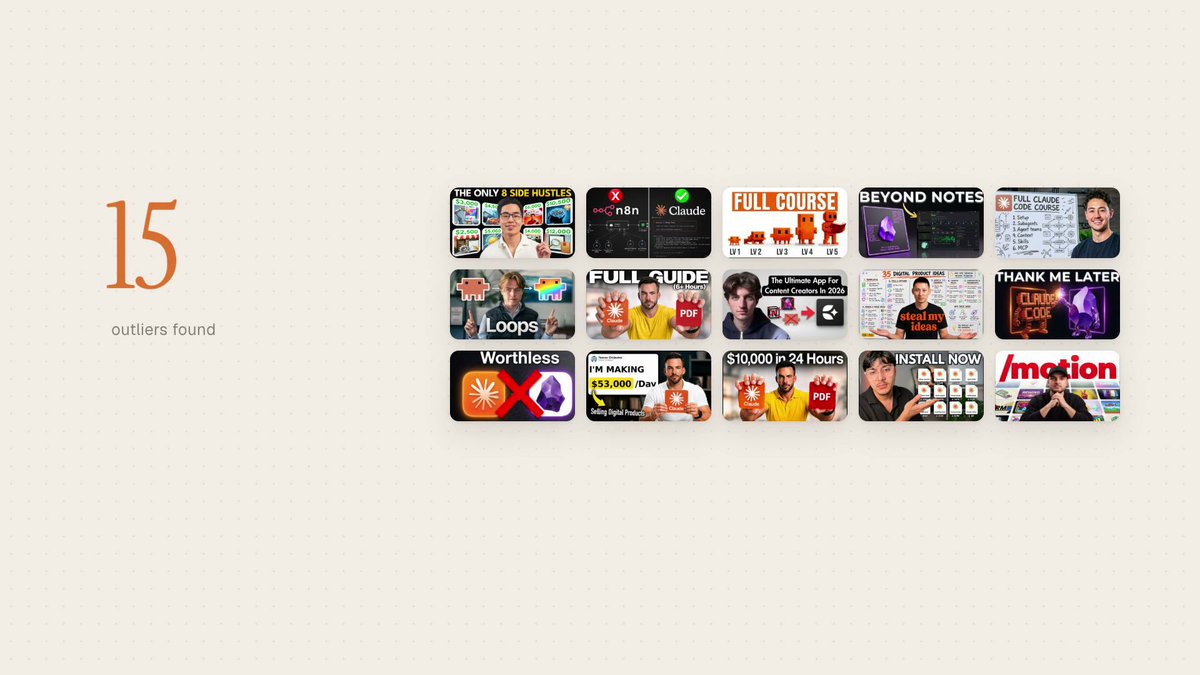
That is exactly how I made the three thumbnails I split-tested for my $10K/month business video. The script was already written. I gave it to my agent, and the agent researched the top performing thumbnails in my niche and pulled out 15 different thumbnail ideas. From that research, it created 5 thumbnail concepts I could use and wrote the full brief in an Obsidian document for me to edit.
I use Obsidian as my second brain, where all my documents and notes live. You can run the entire process in Eden instead and have Claude Code write the brief straight into your Eden library.
Why the Brief Comes Before the Image
I always have my agent write a brief first, before a single prompt goes to Nano Banana. The brief is where I stay in control.
It lets me review every concept the AI came up with, pick the ones I actually want to try, dismiss the others, and change details like the text on the image or the background color. Each concept in the brief comes with the real thumbnails it was inspired by, so I can see the proof behind every idea. All I have to do is tick the concepts I want to send to generation.
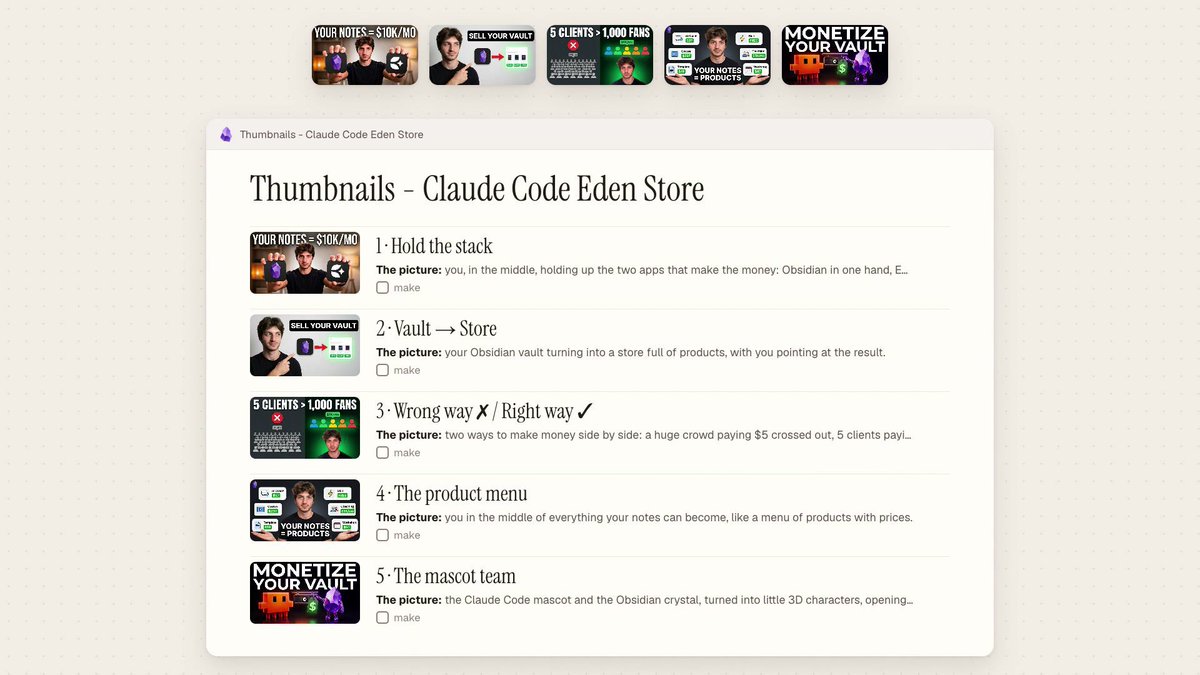
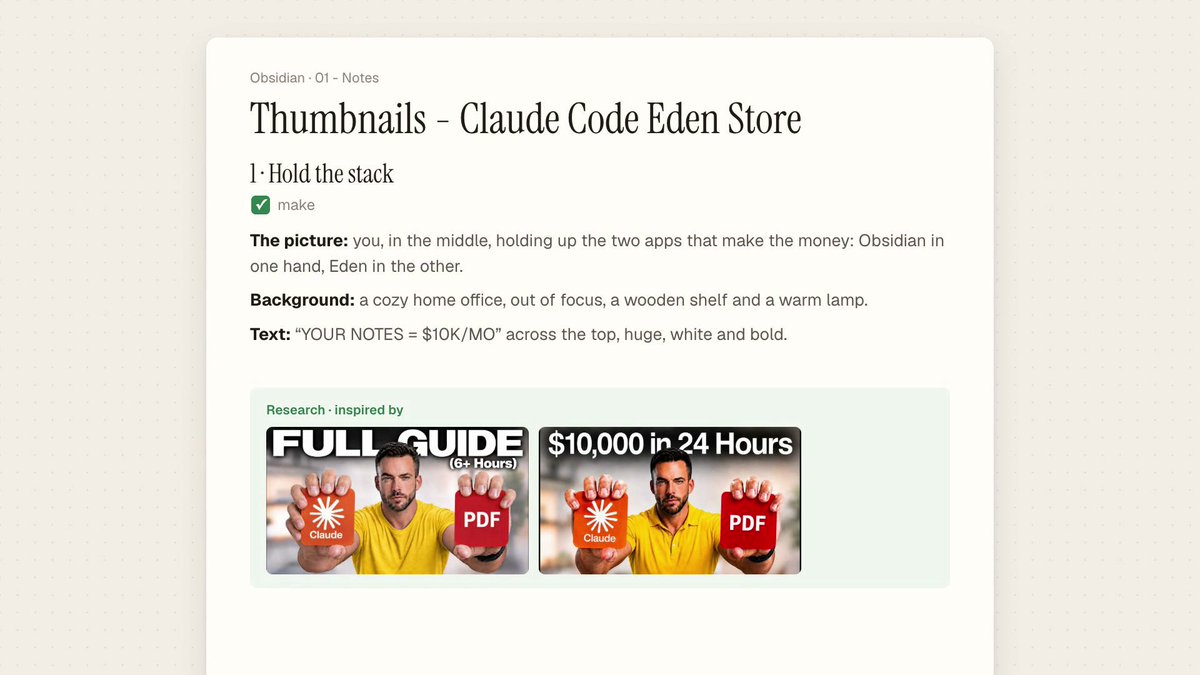
This step costs nothing but a few minutes of reading, and it saves you from paying for images you were never going to use. It is also where your taste comes in. The AI does the research and the drafting. You decide what fits your video and your brand.
Three Variations Beat One Perfect Prompt
Once the brief is approved, the rest is simple.
I connected Claude Code to Nano Banana with an API key from Google AI Studio, so my agent can use Nano Banana directly on my behalf. For every concept I ticked, it generates three variations at once.
Generating thumbnails with AI can feel like playing the lottery. You never really know what the image will look like, or whether the model will get it right on the first try. Asking for three variations at the same time maximizes your odds of getting a great thumbnail right away, instead of rerolling the same prompt over and over.
The Face Bank: How the AI Gets Your Face Right
You might be wondering how the AI manages to put your face accurately on every thumbnail. That is the last piece of the system.
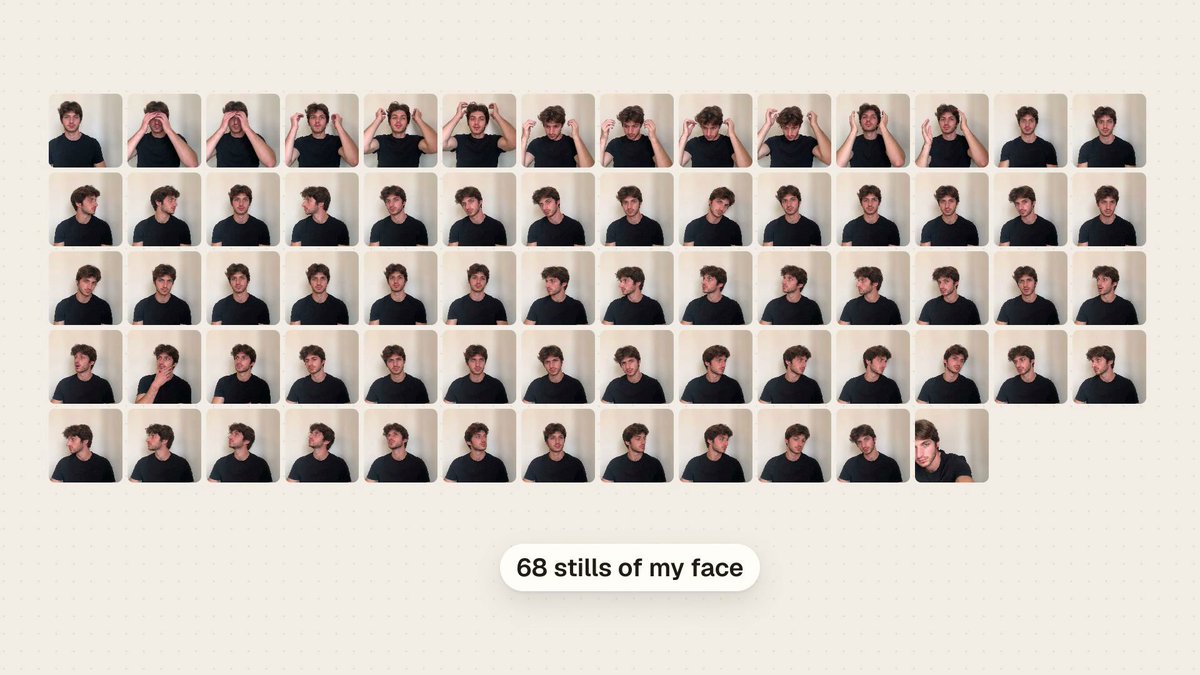
Before generating anything, I recorded a quick two-minute video of myself sitting and moving my head in every direction. Then I gave that video to Claude Code and asked it to extract still images of my face to build a bank of photos it can reuse every time it generates a thumbnail.
With a face bank, the AI can use your real face directly in the thumbnail. And when it has to recreate your face in a new pose, the result is far more accurate than anything it could produce from one or two reference photos. Dozens of angles and expressions give the model enough information to keep you recognizable.
Turn the Workflow Into One Command
At this point you have a complete workflow: research in Eden, a brief you approve, variations from Nano Banana, and your face from the face bank. There is one last step that turns a workflow into a true system: turning it into a skill.
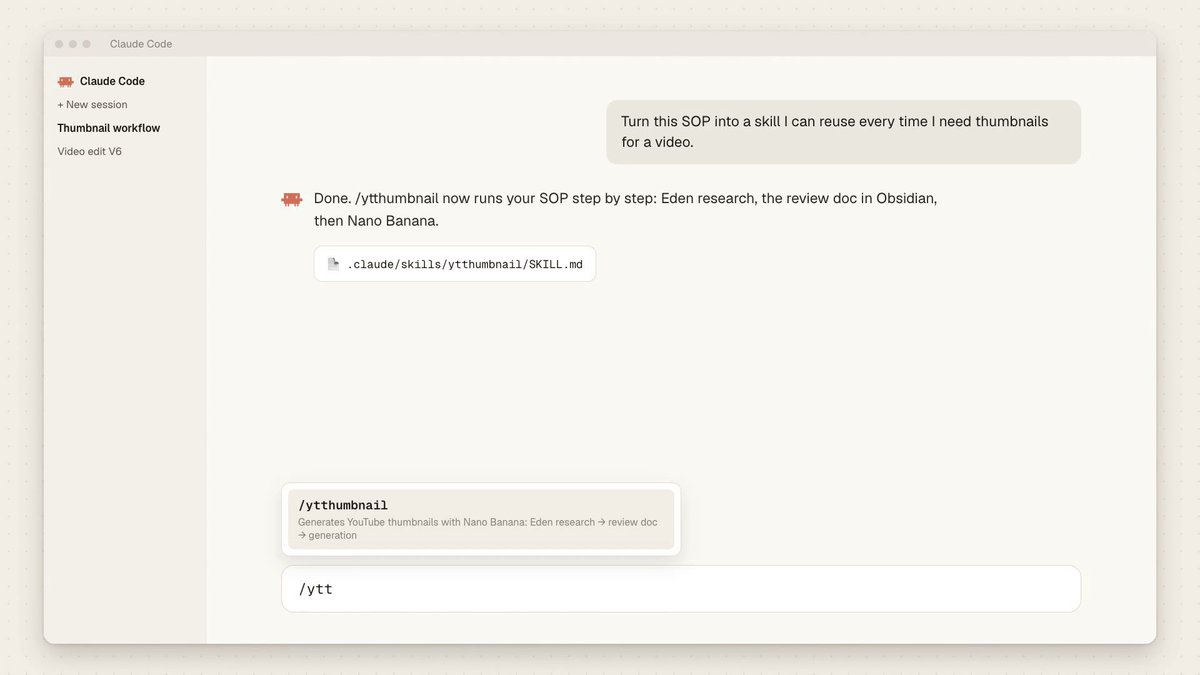
I had Claude Code write the entire workflow as a step-by-step SOP, then turn that SOP into a command I can reuse every time I need thumbnails for a new video. I never have to explain the process to my agent again. I type /thumbnail, and the agent follows the SOP from the first search to the final images.
The Workflow, Step by Step
Here is how a full run works, from an empty folder to finished thumbnails.
Step 1: Open Claude Code. You can use the desktop app or the terminal, whichever you prefer. I usually work in the terminal, but the app is easier on the eyes when you are starting out. I keep my Obsidian vault open next to it, so I can read the brief the moment the agent writes it. If you work in Eden instead, the brief lands in your Eden library.
Step 2: Run the skill. Type /thumbnail with your video, and let the agent do the work. It follows the SOP: it reads your video, researches outlier thumbnails in your niche through the Eden MCP, groups them into concepts, and writes the brief.
Step 3: Review the brief. This is the step you never skip. Check that each concept is relevant and actually fits your video before sending anything to generation. Pick the concepts you want to try, cut the ones you don't, and edit the details: the words on the image, the background, the pose.
Step 4: Generate the thumbnails. Once every concept you kept reads the way you picture it, ask your agent to generate them with Nano Banana. Each concept comes back with its variations, and you can see at a glance which ones work and which don't.
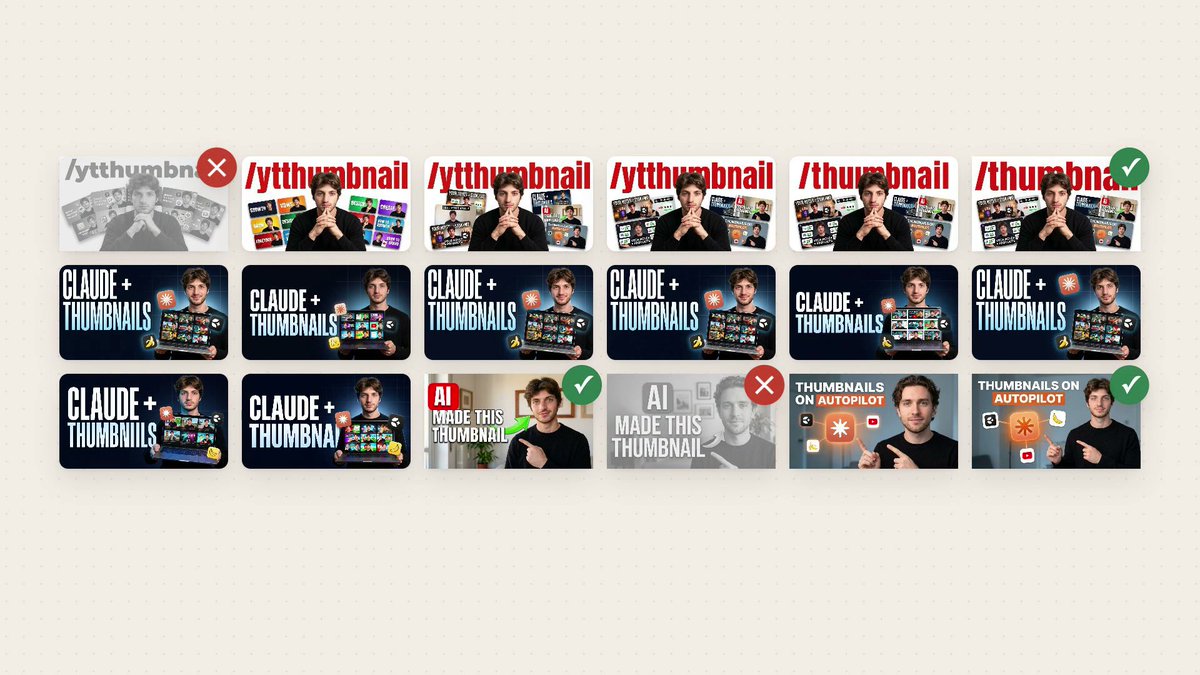
From there, you iterate. Go back and forth with your agent as many times as you need: ask for new briefs, research new concepts, edit a thumbnail you almost love, until you are satisfied with the result.
Conclusion: Stop Settling for Generic
Your thumbnails are half of what gets you discovered, and a generic template makes every video on your channel look the same. With Claude Code, Eden and Nano Banana, you can study what already works in your niche, approve a brief, and get designer-quality thumbnails of your own face in minutes, without Photoshop and without hiring a designer.
If you want my entire SOP and the instructions to give your AI agent so it can install and run this whole workflow, I packaged everything as a free skill. Join the YouTube Thumbnail Skill for free on my Eden store: YouTube Thumbnail Skill
To build the second brain that powers this system, start with the Sovereign Creator OS Lite, my free Obsidian second brain setup. It is a full vault, pre-built and ready to use.
You will need an Eden account and the Eden MCP connected to your agent for the research step. You can join Eden through my affiliate link, which supports the channel at no extra cost to you.
Follow me on X and Substack for weekly content on building your AI second brain and turning it into a profitable, purposeful creator business.
Welcome back to Noah's Ark. See you soon.
沿着这个主题继续读
从一篇文章,找到相关的教程、经验和阅读路径。