$990/year to show your startup’s logo in Gmail? Here's a $0 workaround
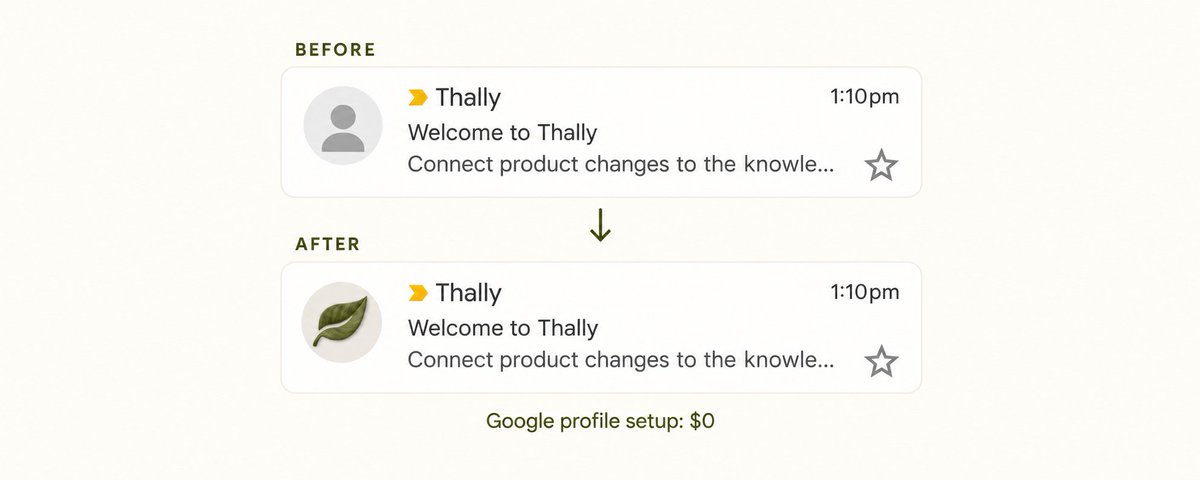
I wanted @thallyio’s logo to show beside our transactional emails in Gmail.
That little sender icon matters when you’re building a new product. I wanted our welcome emails, support replies, and updates to feel familiar, so people could recognize Thally in their inbox.
I looked into BIMI, the standard for displaying brand logos beside emails. Sectigo advertises the logo certificates from $990/year.
That’s a tough expense to justify when you’re bootstrapping
After some trial and error, I got our logo showing in Gmail using a free Google profile. The setup cost $0.
Our inboxes are hosted in Zoho, and Resend sends our transactional emails. Both stayed exactly where they were. You can use an address hosted by another provider, too.
Here’s what I did:
Create a Google Account using your sending address
Follow Google’s signup instructions. Choose “Create account” → “For my personal use.”
When Google asks you to choose a Gmail address, click “Use your existing email.”
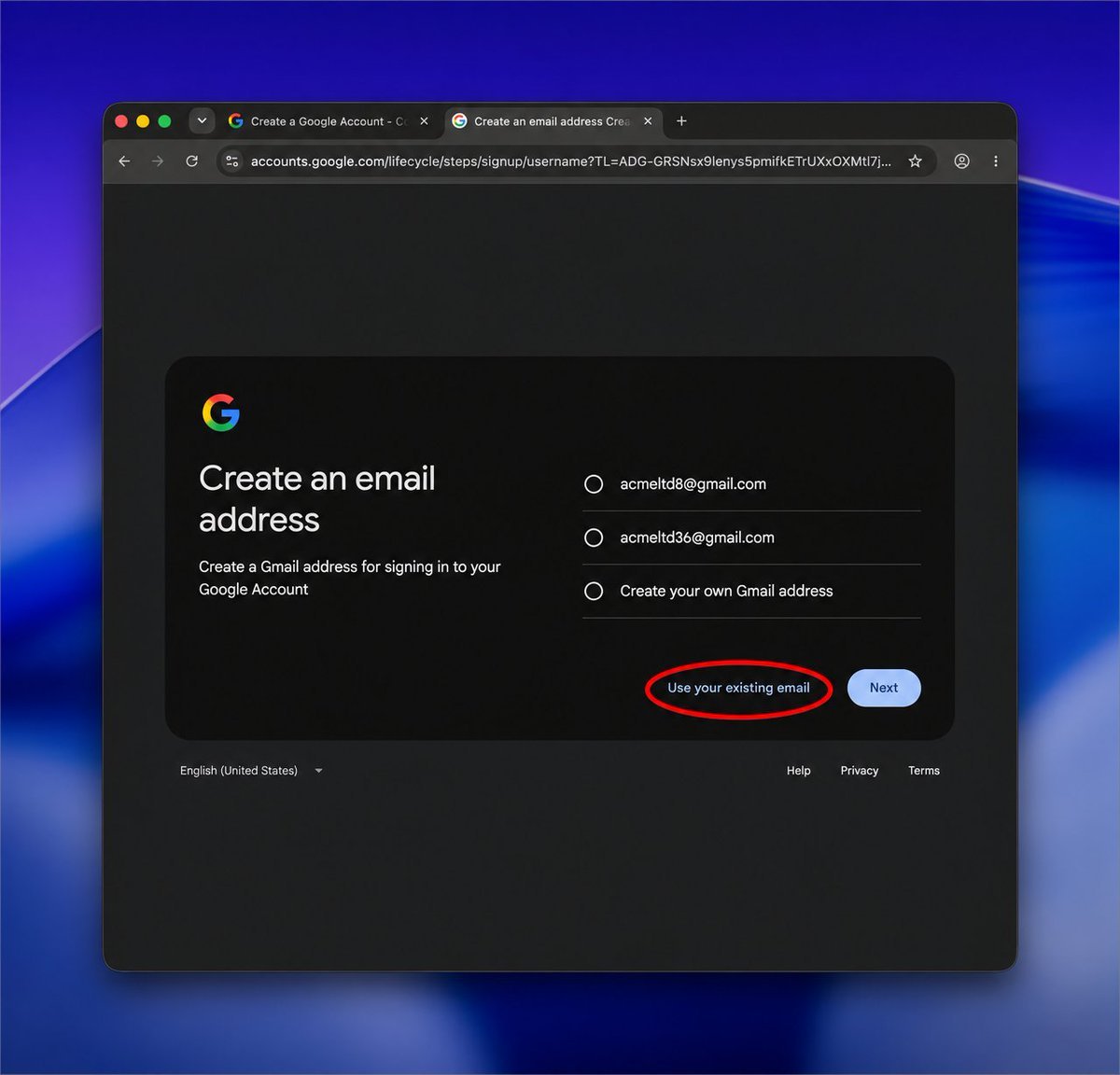
Enter the exact address your emails come from. If you send from `hello@yourstartup.com`, use that address.
Verify it using the code Google sends to your existing inbox, you may also need a phone number for the verification, then finish creating the account.
If the address already has a Google Account, sign into that account instead.
Add your product’s name and logo
Open your Google Account → Personal info.
Set the profile name to your product’s name and upload your logo as the profile picture.
Make the photo public
Under Personal info → Go to About me, check your profile photo’s visibility.
Set it to Anyone.
Turn on Profile discovery
Go to Personal info → Your profiles → See profiles → Profile discovery settings.
Turn it on and make sure your name and photo are shown. Google’s settings guide
This was the missing setting for us. Uploading the logo alone hadn’t worked.
Send a fresh test email
Send through your usual service to a Gmail inbox and check the sender icon.
We tested careers@thally.app and noreply@thally.app. Both displayed the Thally logo. Repeat the setup for each sending address you want to try.
Gotchas
This is a Gmail profile-photo workaround. It doesn’t provide BIMI certification or a verified checkmark, and the logo may not appear for every recipient.
But if you’re a solo or indie founder trying to make your product more recognizable, it might just save you a $1k bill.