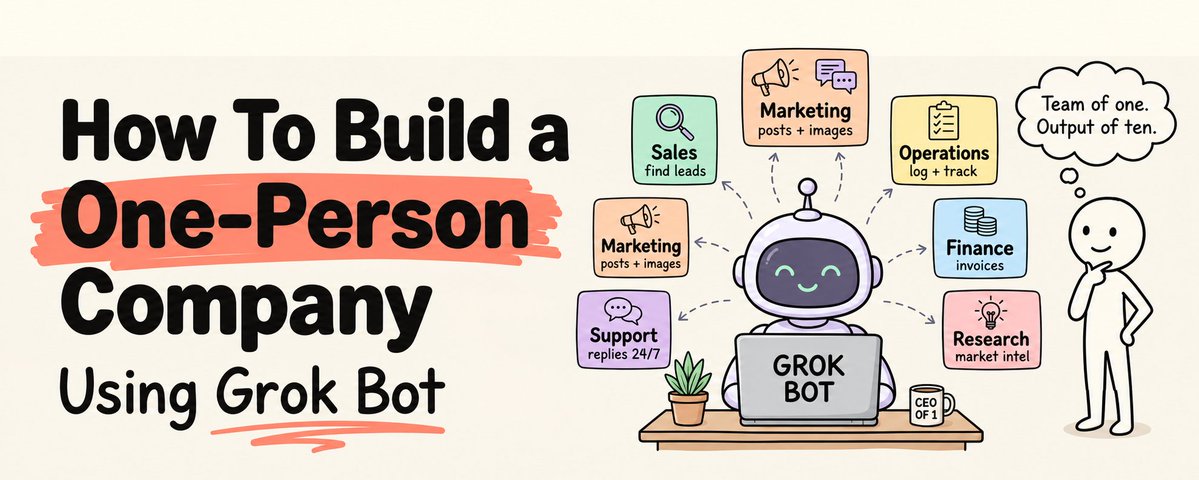
How To Build a One-Person Company Using Grok Bot
文章目录
You do not need to hire anyone this year.
Save this :)
Not a sales rep. Not a marketer. Not an assistant. Not an operations manager.
xAI did not start Grok Bot as a product. It started as an internal prototype that its own operation used for sales outbound, marketing, office operations, and bug fixes.
In August, they shipped it to the public.
On October 12th, it became part of a $30 subscription.
For roughly the price of one team lunch a month, you can now staff your company with always-on AI teammates. Each one has a name and a job. Each one gets its own screen on a persistent cloud computer with a browser, a terminal, and a filesystem. They run on schedules while your laptop is closed. They talk to each other in group chats. They come back to you when something needs your approval.
That is the closest thing to a staff a solo founder has ever been able to buy.
But here is what the hype threads skip.
Grok Bot is in beta. Every Bot on your account shares one computer, and xAI's own docs warn you not to treat them as separate security boundaries. Your usage comes from a weekly pool you share with Grok and Cursor. And a team of AI teammates with no structure is just an expensive way to manufacture chaos at machine speed.
This is the complete blueprint.
The plan to buy. The six Bots to hire. The company handbook they all read. The routines that run your week. The approval rules that keep you in control. The security setup nobody talks about. The real limits.
Save this. Then hire your first Bot tonight.
What Grok Bot Actually Is
Strip away the marketing and Grok Bot is a simple idea executed with real infrastructure behind it.
A Bot is a persistent, named AI agent that you message from the Grok Bot app, much like you would message a colleague. You pick a suggested role or define your own, give it a short name, one main job, and a description. xAI's guidance is to keep Bots focused, because a focused role gives the Bot more useful context over time.
Every Bot works on a cloud computer that xAI manages. It has a browser, a filesystem, and a terminal, and it persists between sessions: files, logged-in browser sessions, and command-line credentials stay put. Each Bot gets its own screen, and each screen runs one computer-use task at a time. Work continues when your laptop is closed.
Bots learn your processes through skills, reusable instructions with steps, decision rules, output requirements, and approval boundaries. Where the feature is enabled, you can also teach a task by performing a browser workflow while the Bot watches. Recordings are capped at ten minutes, and the Bot turns them into a draft skill that you review and test.
Bots run routines: workflows on a schedule or, where supported, triggered by an event.
Bots can work together. You can put two to six Bots in a group chat, where they message each other, hand off ownership, and keep work moving without you relaying information between them.
Bots reach your tools through connectors, plugins, and MCP servers. Third-party reviews of the docs list built-in connectors for Gmail, Google Calendar, Google Drive, OneDrive, Outlook, Microsoft Teams, SharePoint, and Salesforce, and xAI's September update added plugins for apps like Notion and GitHub. Bots can also log into websites through the browser, which covers tools with no integration at all.
And Bots ask before acting, through approval controls: allow once, deny, or always allow, plus an Auto Review layer that applies rules you set. Passwords, passkeys, two-factor codes, CAPTCHAs, and payment confirmations always require you to act directly.
It runs on xAI's models. xAI does not say which one.
What It Costs: The X Subscription
On October 12th, xAI and Cursor launched The X Subscription, bundling Grok, Grok Bot, Cursor, and X Premium into tiers:
Plan Price per month Includes Grok Bot Free $0 No Plus $8 No Premium $30 Yes Super $100 Yes, larger allowance Ultra $200 Yes, larger allowance
According to xAI's documentation, Grok Bot is included on Premium, Super, and Ultra. Plus does not include it. And Grok Bot usage draws from a weekly shared pool across Grok, Grok Bot, and Cursor, with Super and Ultra providing larger allowances. xAI does not publish exact numbers for the pool.
Three practical takeaways for a solo founder.
Start on Premium. $30 a month gets you Grok Bot plus Cursor for building your product. Run your company on it for two weeks and watch your usage before upgrading.
Your coding and your Bots share one budget. If you build your product in Cursor and run six Bots, both draw from the same weekly pool. Heavy coding weeks leave less for your Bots, and the reverse. Track usage on your Grok dashboard under Usage.
Read before you migrate. If you already pay for SuperGrok or Cursor, xAI's docs note that unifying onto the new subscription is permanent and cannot be undone, even by support. Compare carefully before you switch.
The Mindset: You Are the CEO, Not the Workforce
Every solo founder who fails with AI agents fails the same way. They use them like faster hands, stay involved in every step, and finish the week exactly as busy as before.
The shift is from doing to directing.
A CEO does not write every email. A CEO decides what matters, sets standards, reviews output, and makes the calls nobody else can make. That is now your entire job. Your Bots draft, research, update, categorize, summarize, and prepare. You decide, approve, sell, and build relationships.
One rule holds from day one: anything irreversible stays with you. Sending a message to a customer. Publishing a post. Issuing a refund. Signing a contract. Moving money. Your Bots prepare all of it. You press the button. Grok Bot already forces this for payments and logins. Your approval rules extend it to everything else.
Step 1: Secure the Computer Before You Hire Anyone
This step is missing from almost every Grok Bot tutorial, and it is the one that matters most.
All of your Bots share one cloud computer. xAI's documentation says plainly: do not use separate Bots as a security boundary. Any file one Bot can read, every Bot can read. Any account one Bot is logged into, every Bot can use. Third-party reviews also note that deleting a Bot removes its profile, conversations, and routines, but files and logins on the shared computer may remain.
Design for that reality.
Give Bots their own accounts, not yours. Create a separate email address for your Bots, a limited user seat in your CRM, a restricted login to your help desk. If something goes wrong, you revoke one account instead of rebuilding your digital life.
Grant the minimum access each job needs. A Bot that reads support tickets does not need your bank. A Bot that drafts posts does not need publishing rights to your accounts. Prefer read access, and add write access only where the job requires it.
Keep money rails off the computer. No banking logins, no payment admin credentials, no card details. Grok Bot already requires you to confirm payments directly, and that is a feature to lean on, not work around.
Never paste secrets into chat. xAI's guidance is to avoid sending passwords or one-time codes in ordinary messages. When a login is needed, Grok Bot hands the sensitive step to you.
Ten minutes of setup here saves you from the single worst failure mode: one Bot's mistake becoming every account's problem.
Step 2: Build the Company Handbook
Before your first hire, write the thing every Bot will read.
A company handbook is a small set of plain documents that describe your business: what you sell, who you sell to, how you sound, what you charge, what you never do, and when to escalate. Every Bot pulls from it, so your company behaves consistently no matter which Bot is working.
Keep the source of truth in storage you own, such as a Google Drive folder, a Notion workspace, or a GitHub repository, and connect your Bots to it. There is a practical reason. Third-party reviews report that Grok Bot's memory cannot currently be inspected, corrected, or exported item by item. Your business knowledge should live in files you control and can edit, not only in a memory you cannot see.
Here is the structure:
handbook/
  company.md        # what we sell, to whom, at what price
  voice.md          # how we write, with five real examples
  never.md          # phrases, claims, and topics we never use
  faq.md            # every customer question with our approved answer
  policies.md       # refunds, response times, escalation rules
  customers.md      # ideal customer profile in detail
And here is what a strong company.md looks like:
# Company Handbook

We sell a monthly analytics service to independent e-commerce stores doing
$10k to $200k per month. Price: $49/month. 14-day money-back guarantee.

Voice: direct, warm, specific. Short sentences. No hype words. See voice.md.

Never: promise revenue results, mention competitors by name, or offer discounts
beyond the published annual plan. See never.md.

Escalate to the founder: refunds, angry customers, anything legal, and any
question not answered in faq.md.

Nothing is sent, published, refunded, or deleted without founder approval.
Two habits make it work. Write concretely: "no exclamation marks, answer in the first sentence" works, "be professional" does not. And every time you correct a Bot twice for the same thing, add the fix to the handbook. A correction that only lives in a chat is a correction you will repeat forever.
Step 3: Set the Approval Rules
Your approval rules are your company's constitution. Set them before any Bot does real work.
Grok Bot asks for decisions per action: allow once, deny, or always allow, which saves a matching rule. Its Auto Review layer applies the rules you set, and xAI's documentation notes two important details. "Require Approval" rules override "Always Allow" rules. And Auto Review is meant to complement explicit approvals, not replace them.
A starting rulebook for a one-person company:
Require approval, always:
-
Sending any email, message, or DM to anyone outside the company
-
Publishing, posting, or scheduling content on any public channel
-
Issuing refunds, credits, or discounts
-
Deleting any file, record, or contact
-
Changing anything in production systems or live product settings
-
Submitting any form with legal, financial, or contractual effect
Always allow:
-
Reading the handbook, documents, and reports
-
Reading inbox, CRM, and help desk records the Bot has access to
-
Writing drafts to the drafts folder
-
Searching the web and summarizing public information
-
Updating internal notes and research files
The pattern is simple. Reading and drafting flow freely. Anything that leaves the building, spends money, or destroys information stops for you.
Step 4: Hire Your Six Bots
Here is the team. Each Bot gets a name, one job, the tools it needs, its routines, and a clear line where your role begins.
Bot 1: Chief of Staff
The job: keeps the company coordinated. Writes your morning brief, runs the weekly review, chases open items, and coordinates the other Bots in the group chat.
Tools: read access to email, calendar, the handbook, and every other Bot's output folder.
Routine:
Every weekday at 07:00 my time:
Read yesterday's reports from Research, Sales, Marketing, Support, and Ops.
Check my calendar and inbox for today.

Send me one brief, under 200 words:
1. Anything that needs my decision or approval today, first.
2. Today's meetings, each with a one-line prep note.
3. Key numbers: new leads, open tickets, content scheduled, cash notes from Ops.
4. Anything that looks off.

Do not take any action. Report only.
Your role: read the brief, make the decisions, approve the queue. Ten focused minutes instead of an hour of tab-switching.
Bot 2: Research
The job: market research, competitor tracking, prospect research, and answering any question that needs digging.
Tools: web browsing, the handbook, write access to a research folder.
Routine:
Every Monday at 06:00:
Check the websites, pricing pages, and changelogs of the companies listed in
handbook/competitors.md. Note anything new: launches, price changes, features.
Search for recent discussion of our category on public forums and social media.

Write research/weekly.md with:
- What changed, with links
- What customers in our space are complaining about
- One opportunity worth my attention, with the evidence behind it

Cite a source for every claim. Mark anything you could not verify.
Your role: decide which findings matter. Research tells you what changed. Only you decide what the company does about it.
Bot 3: Sales
The job: prospect enrichment, CRM updates, follow-up drafts, call prep, and proposals. CRM updates from call transcripts are one of the example workloads in Grok Bot's own launch material.
Tools: limited CRM seat, the Bot email account, the handbook, write access to drafts.
Routine:
Every weekday at 08:00:
For each new lead in the CRM from the last 24 hours:
1. Research their business from public sources.
2. Add a two-line summary and a fit score to the CRM record.
3. Draft a personalized first message in drafts/outreach/ that references something
   specific about their business. Follow handbook/voice.md.

For every call on my calendar today, put a one-page prep brief in drafts/calls/.

Never send anything. Drafts only.
Your role: sending, calling, and closing. Relationships do not scale through automation, and the people you sell to can tell the difference. Every outbound message leaves your hands, not the Bot's.
Bot 4: Marketing
The job: content repurposing, drafting posts and newsletters, updating website copy, and tracking what performs.
xAI's own example of a Marketing Bot captures the right workflow: the Bot makes a content update, it passes review, and the Bot posts a preview link for final sign-off. The Bot does the work. A human approves before anything goes live.
Tools: the handbook, especially voice.md and never.md, a drafts folder, read access to analytics.
Routine:
Every Friday at 10:00:
Take this week's long-form piece from content/source/.
Turn it into:
- a newsletter section
- one thread
- three standalone posts, each with a different angle and original wording
- one short video script

Match handbook/voice.md. Avoid everything in handbook/never.md.
Save everything to drafts/content/ with a preview list for my review.
Never publish or schedule anything.
Your role: the ideas and the final edit. A Bot can write in your voice. It cannot have your experiences, and the posts that perform are the ones only you could have written.
Bot 5: Support
The job: triage incoming tickets, draft replies from your FAQ and policies, and escalate everything sensitive.
Tools: limited help desk seat or support inbox access, the handbook, drafts.
Skill:
Skill: Handle a support ticket

Steps:
1. Read the ticket and the customer's history.
2. Find the answer in handbook/faq.md and handbook/policies.md.
3. Draft a reply in our voice. Answer the question in the first sentence.

Decision rules:
- If the ticket mentions a refund, a legal issue, or anger, do not draft a reply.
  Write an escalation note for the founder instead.
- If the FAQ does not answer the question, escalate. Never invent a policy,
  price, or promise.

Output: a draft reply in drafts/support/, or an escalation note in drafts/escalate/.
Approval boundary: never send. The founder sends every reply.
Your role: approve routine drafts with a glance and personally handle every escalation, which are exactly the tickets that deserve your attention.
Bot 6: Operations
The job: invoice processing, expense categorization, payout reconciliation drafts, renewal tracking, and admin. Invoice processing is another workload xAI highlighted at launch.
Tools: read-only access to exports from your payment processor and accounting tool, a reports folder. No banking or payment credentials.
Routine:
On the 1st of every month at 09:00:
Read last month's exports in ops/exports/.
Categorize every expense using ops/categories.md.
Reconcile payouts against invoices and flag every mismatch.
List subscriptions renewing in the next 30 days.

Write ops/monthly.md with revenue, costs, mismatches, and renewals.
Compute every total with code in the terminal, then check it against the source files. Never estimate a number.
Your role: and your accountant's. Ops prepares your books. It does not file your taxes, move money, or give you legal advice. It gets you to those conversations organized, which saves real money on professional fees.
Step 5: Put the Team in a Group Chat
Six Bots working in isolation are six assistants. Six Bots that hand off work are a company.
Grok Bot lets you put two to six Bots in a group chat, where they message each other, pass ownership, and continue work without you copying context between chats. That turns workflows that span departments into something the team handles itself.
A real flow that crosses four Bots:
-
Research finds that a competitor raised prices by 30% and posts it in the group chat.
-
Marketing drafts a comparison post and an email to past trial users, and puts both in drafts for your review.
-
Sales flags every open deal that mentioned that competitor and drafts a follow-up for each.
-
Chief of Staff puts all of it at the top of tomorrow's brief, with one line: "Competitor price increase. Five drafts waiting for your approval."
You wake up to a coordinated response, not a news alert.
One caution. Multi-Bot workflows consume a lot of usage. A hands-on test of a Bot swarm by a third-party reviewer got stuck mid-task when it hit the weekly limit. Use group chats for work that genuinely crosses departments, not as a default for everything.
Step 6: Turn Your Processes Into Skills
Routines decide when a Bot works. Skills decide how. A skill is a reusable procedure with steps, decision rules, output requirements, and approval boundaries, like the Support skill above.
Write a skill for every process you do more than twice. The format that works:
-
Steps: the procedure in order, specific enough that a capable stranger could follow it.
-
Decision rules: what to do in each branch, especially the edge cases.
-
Output: exactly what gets produced and where it goes.
-
Approval boundary: the line the Bot never crosses on its own.
For browser processes that are hard to describe in words, use teach a task where it is available. Perform the workflow once while the Bot watches, in under ten minutes, and Grok Bot drafts a skill from it. Treat that draft like a new employee's notes: review it, correct it, and test it on a real example before relying on it.
Step 7: Schedule Your Week
Here is a complete operating rhythm for a one-person company, built entirely from routines.
When Bot What happens Every weekday, 07:00 Chief of Staff Morning brief: decisions, meetings, numbers, anomalies Every weekday, 08:00 Sales New leads enriched, outreach drafted, call prep ready Every weekday, 09:00 Support Overnight tickets triaged, replies drafted, escalations flagged Monday, 06:00 Research Competitor and market report Wednesday, 15:00 Sales Follow-up drafts for every stalled deal Friday, 10:00 Marketing Week's content repurposed into drafts Friday, 16:00 Chief of Staff Weekly review: what shipped, what stalled, next week's priorities 1st of month, 09:00 Operations Monthly books, mismatches, renewals
Your own calendar becomes simple: approve the morning queue, do the work only you can do, review Friday's summary. The company runs on a rhythm instead of on your memory.
Step 8: Talk to Your Team
Since October 14th, Grok Bot's voice mode runs on Grok Voice 3.0. For a solo founder, this changes when you can manage the company. Driving, walking, or between meetings, you can ask your Chief of Staff what needs approval, have Research dig into a question, or dictate a correction to the handbook.
Keep the same rule on voice as anywhere else: approvals for anything irreversible still go through your approval controls, not a casual spoken "sure, go ahead."
Step 9: Manage the Weekly Pool
Your Bots do not have an unlimited budget. Their usage comes from the weekly pool you share across Grok, Grok Bot, and Cursor. Treat it like payroll.
Watch it weekly. Check the Usage page on your Grok dashboard every Friday. Learn which Bots and which routines consume the most.
Match routine frequency to value. A morning brief every weekday earns its cost. A competitor check every hour does not.
Reserve group chats for cross-department work. Multi-Bot coordination is powerful and expensive.
Keep instructions tight. A Bot reading your entire drive to answer a narrow question burns usage. Point routines at specific folders and files.
Upgrade on evidence. If you hit the pool limit consistently and the work is valuable, move from Premium to Super. If you hit it because routines are bloated, fix the routines first.
Step 10: The Day You Hire Your First Human
A one-person company does not have to stay one person forever. When you hire, Grok Bot grows with you.
On September 28th, xAI launched Team Bots in public beta on Teams and Enterprise plans. Team Bots share context, tools, skills, and memory across a team, while each person's conversations with a Bot stay private. Each Team Bot can have its own Slack handle and be invited into channels, so your new hire can ask the Sales Bot a question in the same place they talk to you. xAI's examples include a Data Bot that remembers query corrections, so its answers improve for everyone.
The handbook and skills you wrote for yourself become your new hire's onboarding. Their first day starts with a team of Bots that already knows how your company works.
Your 30-Day Launch Plan
Do not hire six Bots on day one. Build in the order that returns the most time first.
Days 1 to 3: Foundation. Subscribe to Premium. Create the separate Bot accounts. Write the handbook. Set your approval rules.
Days 4 to 7: Chief of Staff. Hire your first Bot. Run the morning brief for a week and refine it until it is the first thing you want to read every day.
Days 8 to 12: Support. The safest, fastest win. Repeated questions, existing answers, drafts only. Measure how many minutes it saves.
Days 13 to 17: Marketing. Set up the Friday repurposing routine around one piece of content per week.
Days 18 to 22: Research and Sales. Add the weekly market report and the daily lead enrichment.
Days 23 to 27: Operations. Run the monthly books once manually with the Bot, checking every number, before trusting the routine.
Days 28 to 30: The group chat. Connect the team, test one cross-department flow, and review your weekly usage.
The Limits Nobody Mentions
Grok Bot is impressive, and you should still go in with clear eyes.
It is a beta. xAI says so. Features roll out gradually, behavior changes, and enterprise access is still rolling out. Build processes that tolerate surprises.
The shared computer is not a security boundary. Every Bot can reach everything any Bot can reach. Design access accordingly.
Memory is not yours to inspect. Reviews of the docs report you cannot currently inspect, correct, export, or delete individual memories. Keep your knowledge in files you own.
Usage is capped weekly. Heavy routines and swarms can exhaust the pool mid-task.
The web fights back. Browser automation can be blocked, and sites may require CAPTCHAs or human confirmation. Prefer connectors and plugins over browser automation whenever they exist.
Platforms are limited. At launch, the desktop app supported macOS and Windows, with an iPhone companion app. Linux desktop, Android, and iPad were not supported. Check the current docs for updates.
You do not choose the model. Grok Bot runs on xAI's models, and xAI does not disclose which one.
None of these are reasons to wait. They are reasons to build carefully.
The Mistakes That Sink One-Person Companies
Hiring six Bots on day one. Each Bot needs tuning. Add one at a time and get each one right.
No handbook. Without shared context, every Bot invents its own version of your company.
Logging Bots into your personal accounts. One shared computer means one mistake reaches everything. Separate accounts, minimum access.
Always-allow on anything that leaves the building. Sending, publishing, refunding, deleting: require approval, every time.
Swarming everything. Group chats burn the weekly pool. Use them where work crosses departments.
Trusting unreviewed skills. A skill drafted from a ten-minute recording is a first draft, not a policy.
Letting the Bots own judgment. Bots can tell you what customers said. They cannot decide what your company should become.
The Honest Truth About Running a Company With Grok Bot
AI did not make it easy to run a company alone. It made it possible.
The labor is now cheap: researching, drafting, updating, categorizing, summarizing, preparing. For $30 a month, it runs on a schedule, on its own computer, while you sleep. What is still expensive, and always will be, is knowing what to build, who to build it for, what to say, and when to say no.
Grok Bot gives a solo founder something no tool gave them before: a staff that works around the clock, coordinates itself, and comes back only when a decision needs a human. Used with structure, separate accounts, a real handbook, and approval rules that keep every irreversible action in your hands, it turns one person into a company.
Used without structure, it turns one person into a very busy approver of chaos.
Most founders will sign up, chat with one Bot, and wonder what the hype was about.
A few will write the handbook, lock down the computer, hire one Bot at a time, and build a company that runs on rhythm instead of willpower.
Same subscription. Same Bots. Completely different company.
Write your handbook tonight. Hire your Chief of Staff tomorrow.
Follow me @eng_khairallah1 for more AI courses, tools, and workflows. New content every week.
hope this was useful for you, Khairallah ❤️
沿着这个主题继续读
从一篇文章,找到相关的教程、经验和阅读路径。