From prompt to app: Build with Google Maps in AI Studio

文章目录
部分视频或图片暂未收录,已在正文保留提示;需要时可查看原文。查看原文 ↗
You can now build apps powered by Google Maps Platform in Google AI Studio. Create a wide range of apps from store locators and route planners to cinematic 3D flyovers and real-time air quality monitors—in minutes, at no cost, and with no credit card required.
Simply describe your idea for a new app and allow AI Studio to handle the configuration and API key management. All of Google Maps Platform’s spatial tools are available right where you prompt. Take our Google Maps products to places they’ve never been before. We can’t wait to see what you build.
How it works
-
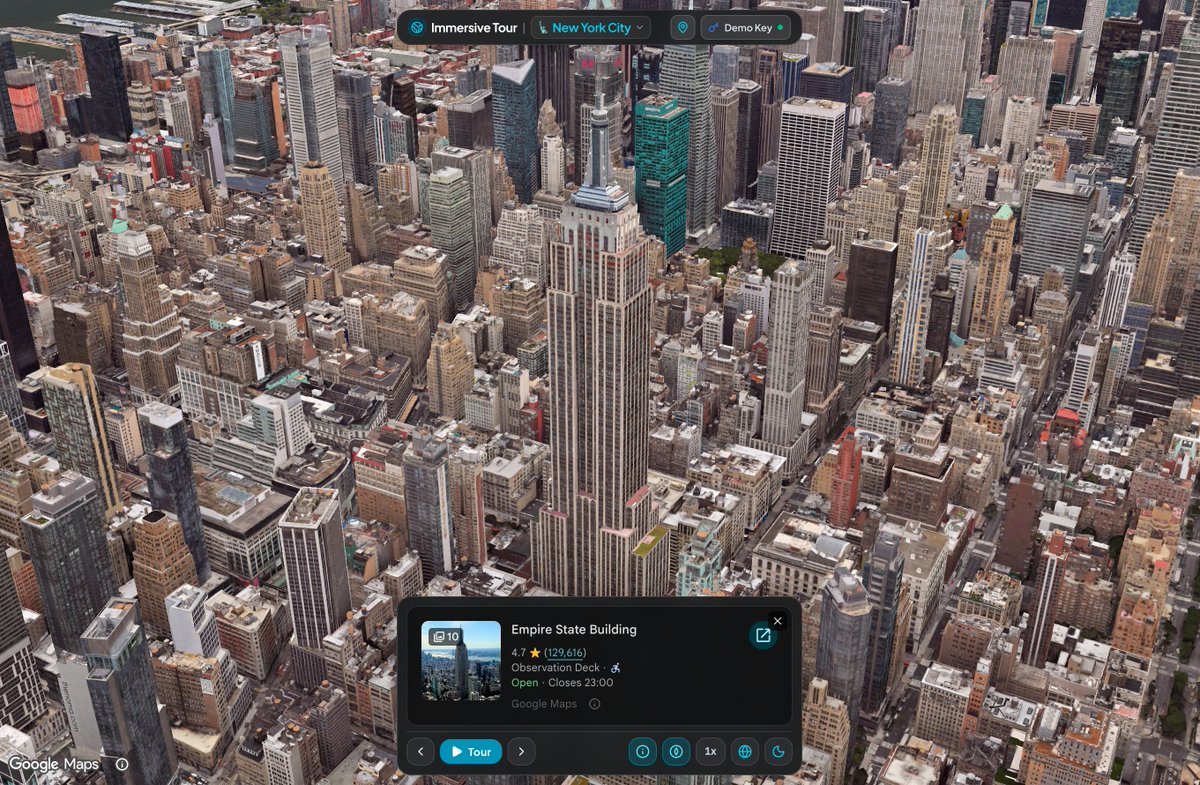
Describe your idea: Head to AI Studio and prompt Gemini with any real-world concept (e.g., "Build an interactive 3D tour of NYC showcasing iconic landmarks").
-
Enable Maps seamlessly: With zero redirects, AI Studio sets up Google Maps Platform instantly with no credit card required, or auto-connects your existing Google Cloud projects.
-
Watch it come to life: AI Studio securely adds Google Maps to your app and instantly loads a live, interactive map in the preview area.
What you can build
Get instant access to core Google Maps Platform APIs to bring real-world geospatial context to your apps.
-
Maps: Custom styled map interfaces, photorealistic 3D cityscapes, dynamic data overlays
-
Places:** **Conversational local search, rich place profiles, photo galleries, context-aware recommendations
-
Routes:** **Multi-stop road trip itineraries, commute calculators, transit-aware day planners
-
Environment:** **Clean-air route finders, live pollen alerts, hyper-local environmental monitors
Inspiration to get started
You can explore and remix these working examples directly in the AI Studio gallery to jump-start your own build.
City Immersive Tour Display interactive 3D city maps with custom flyover camera paths, variable playback speeds, and data markers for places.
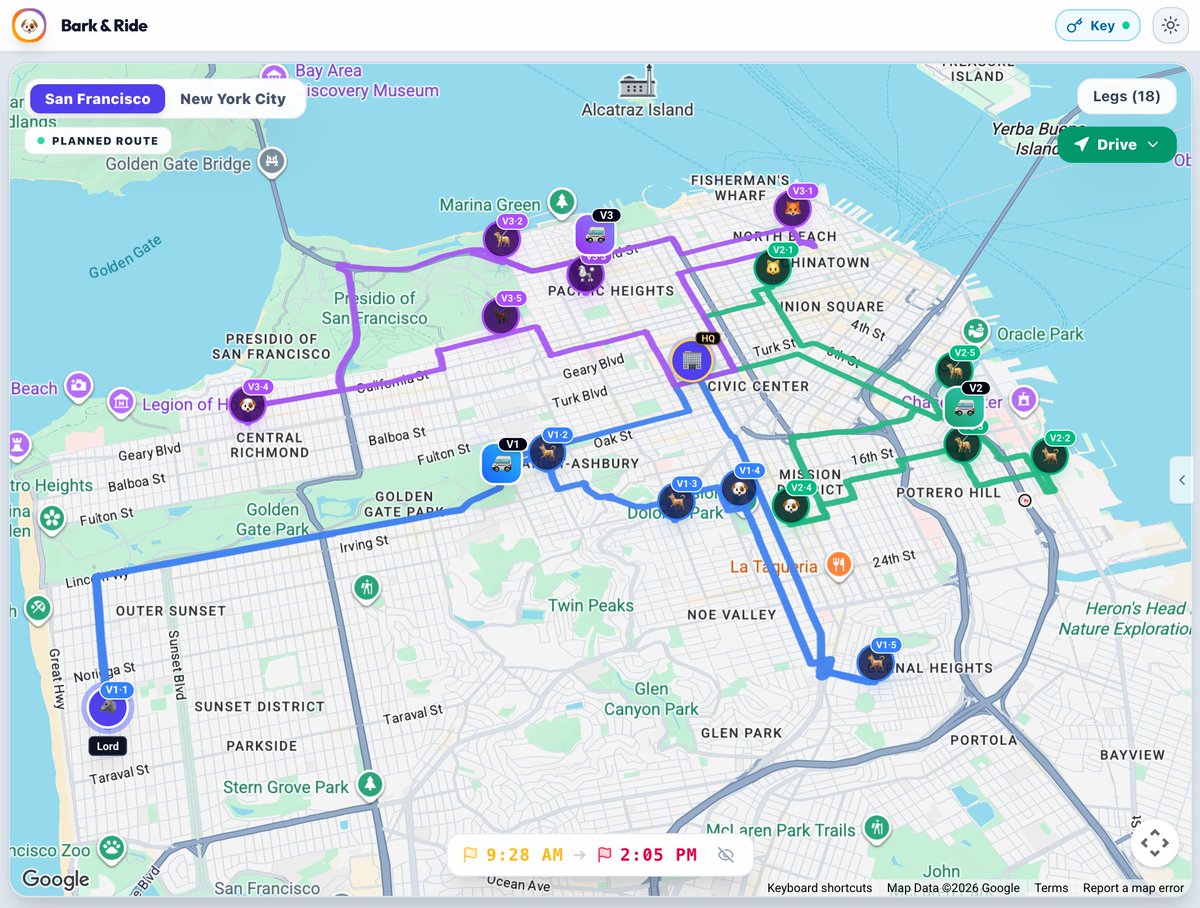
Pet Grooming Route Optimizer Calculate and visualize multi-stop routes for mobile service fleets using the Routes API. It accounts for fixed appointment times, priority stops, and driver shift limits, complete with route timelines and simulated driving progress.
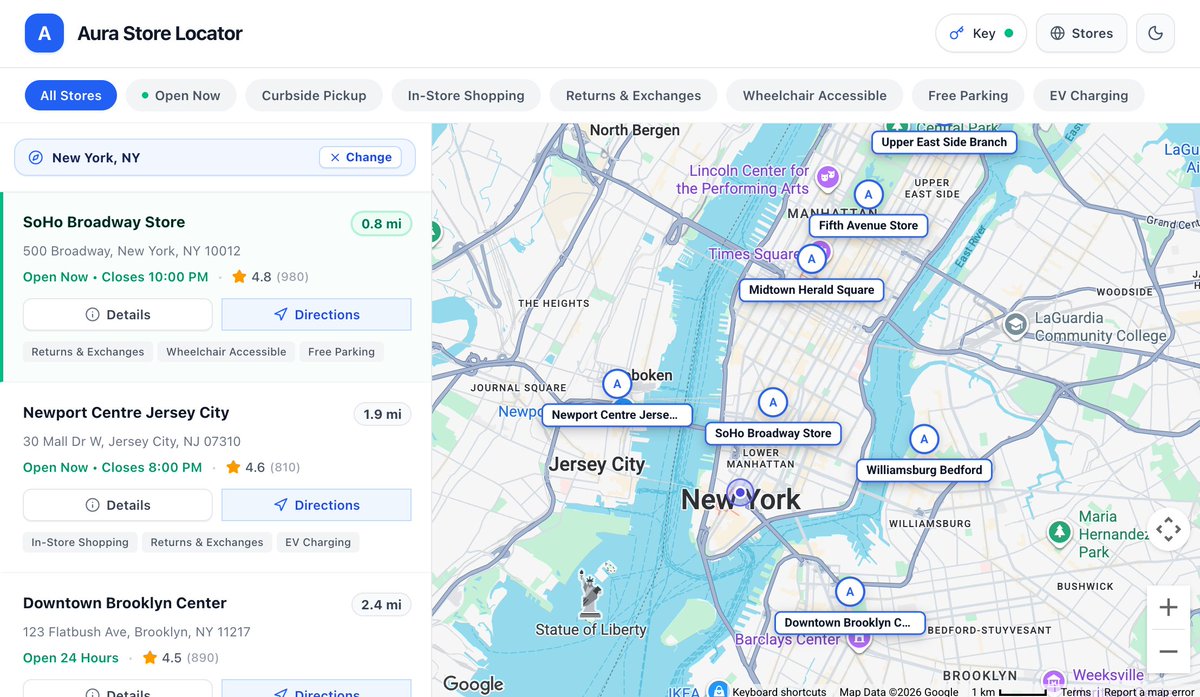
Store Locator & Near Me Finder Set up a searchable store finder using vector maps and the Places API (New). Users can filter locations by distance, check opening hours, and inspect branch details via simple search queries.
Build without friction, scale when ready
-
Worry-free app building: Built-in sandbox quotas help protect against unexpected charges while experimenting. Daily quotas (100 calls/day, per API) for the demo key reset every 24 hours and no credit card required. Users with billing already enabled in their projects will continue to the Google Maps Platform free tier.
-
Seamless upgrade to production: When you’re ready to launch or need higher capacity, you can link a standard Google Cloud billing account to unlock full production quotas.
Ready to build? Head to AI Studio and try prompting your first app powered by Google Maps today. To learn more about demo quotas and supported APIs, check out the Google Maps Platform documentation.
Try for free up to the daily quota limits. Quotas automatically reset daily (every 24 hours). Learn more. Paid Cloud billing account required for production.