This skill made my slides so much better

文章目录
Forget AGI. I’m looking for PowerPoint AGI. I make a lot of slides for a living.
Training. Use case discovery. Skills “sprints.”
But I have this recurring problem. My slides are bad.
Thankfully, I can make up for this deficiency with good storytelling, delivery and splash of humor.
Yet I really wish that I could match the vision in my head with the deliverable that my clients receive.
So I decided to turn to the GOATs at McKinsey for an answer.
And then turned their wisdom into a repeatable Claude skill.
1. Researching McKinsey-style slide construction
I started out with a lazy prompt to understand what made consulting slides so special.
I want to get better at creating slides, especially the structure to communicate the information better. I want to learn from uh, consulting best practices. Uh, give me a few light frameworks and mental models to think of and uh, remember I do more teaching versus heavy research based.
What ensued was a long back-and-forth on the Pyramid Principle, SCQA and MECE.
(And you thought finance people created a lot of acronyms.)
During my follow-up chat, I asked about adapting this approach for materials that are less dense (and specifically training presentations).
The discussion then moved towards presenting the key information in a visually effective way. Here were some of Claude/McKinsey’s tips:
-
Match the message to the comparison
-
Declutter, then direct attention
-
For teaching, most of your “data” is concepts
-
If someone can’t guess the title within 5 seconds of looking at the visual, the visual isn’t doing its job.
2. Turning the approach into the skill
Once we nailed the structure of the slide it was time to turn it into a skill using the trusty skill-creator.
(If you’re unfamiliar with skills, I suggest using this approach: iterate through chat and at the end of the conversation ask Claude to turn it into a skill.)
Here’s the prompt:
Can you turn this approach into a skill? I give you a verbal dump, which will contain ideas both visual and written, key takeaways and random thoughts. You then turn around and ask the three highest-leverage questions to turn it into an HTML slide. Once the third question is answered, you give the option to ask another question to keep going, or I'll say, "Stop and turn it into a slide." You'll decide what the most important thing to focus on, but you'll think about slide structures, titles, framing, additional text, callouts, visuals, etc.
A few notes on this approach.
First, I wanted to build one slide at a time. I typically map out an outline on paper and then fill in the slides one at a time.
Second, the interview method remains one of my most tried and tested prompting strategy for getting high quality outputs.
Finally, I used HTML because I think I’m ready to abandon the PowerPoint ecosystem. HTML slide decks are so clean, fast and easy to share and I want to lean into this.1
3. Reviewing the skill structure
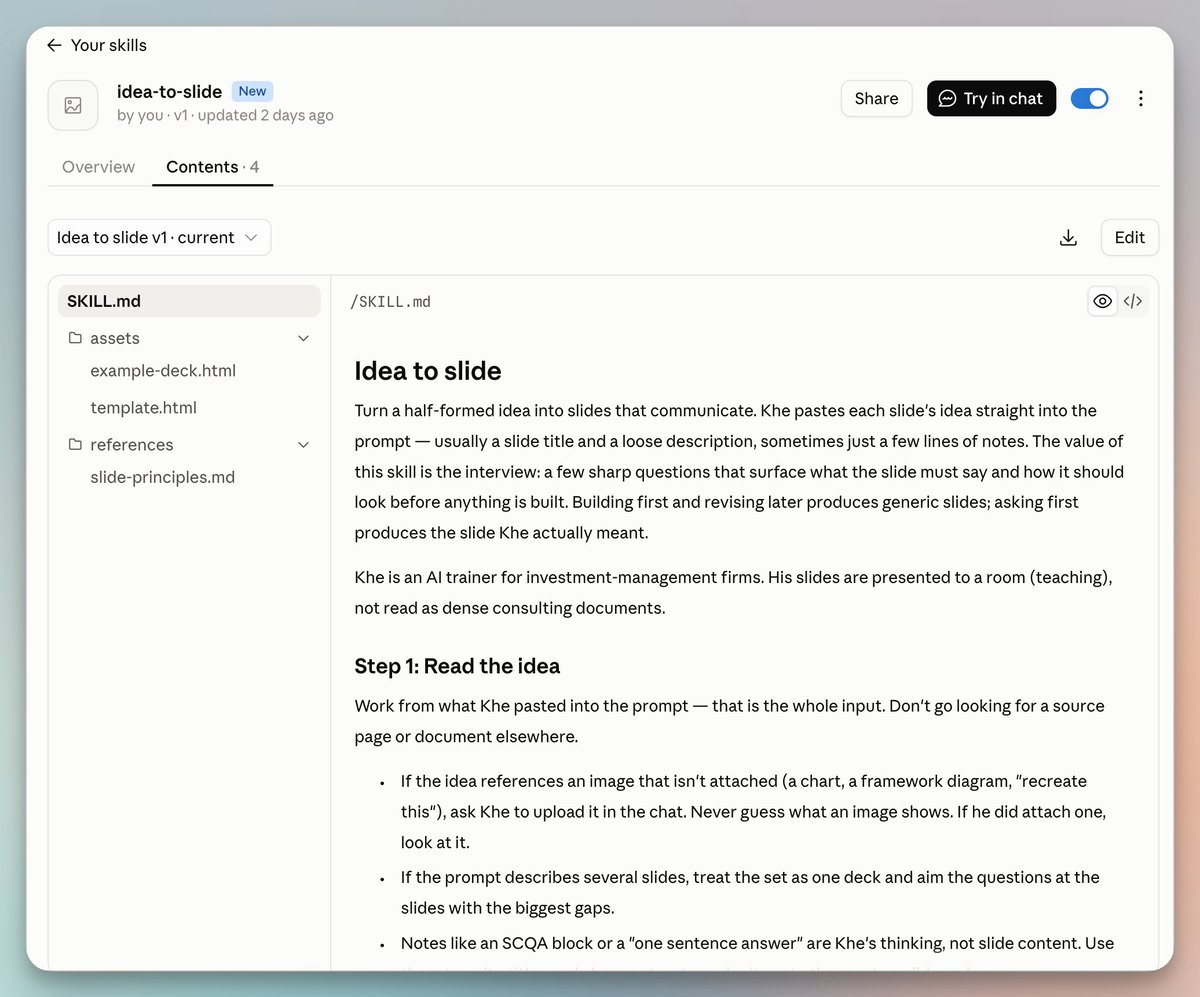
Here’s a peek into the skill structure:
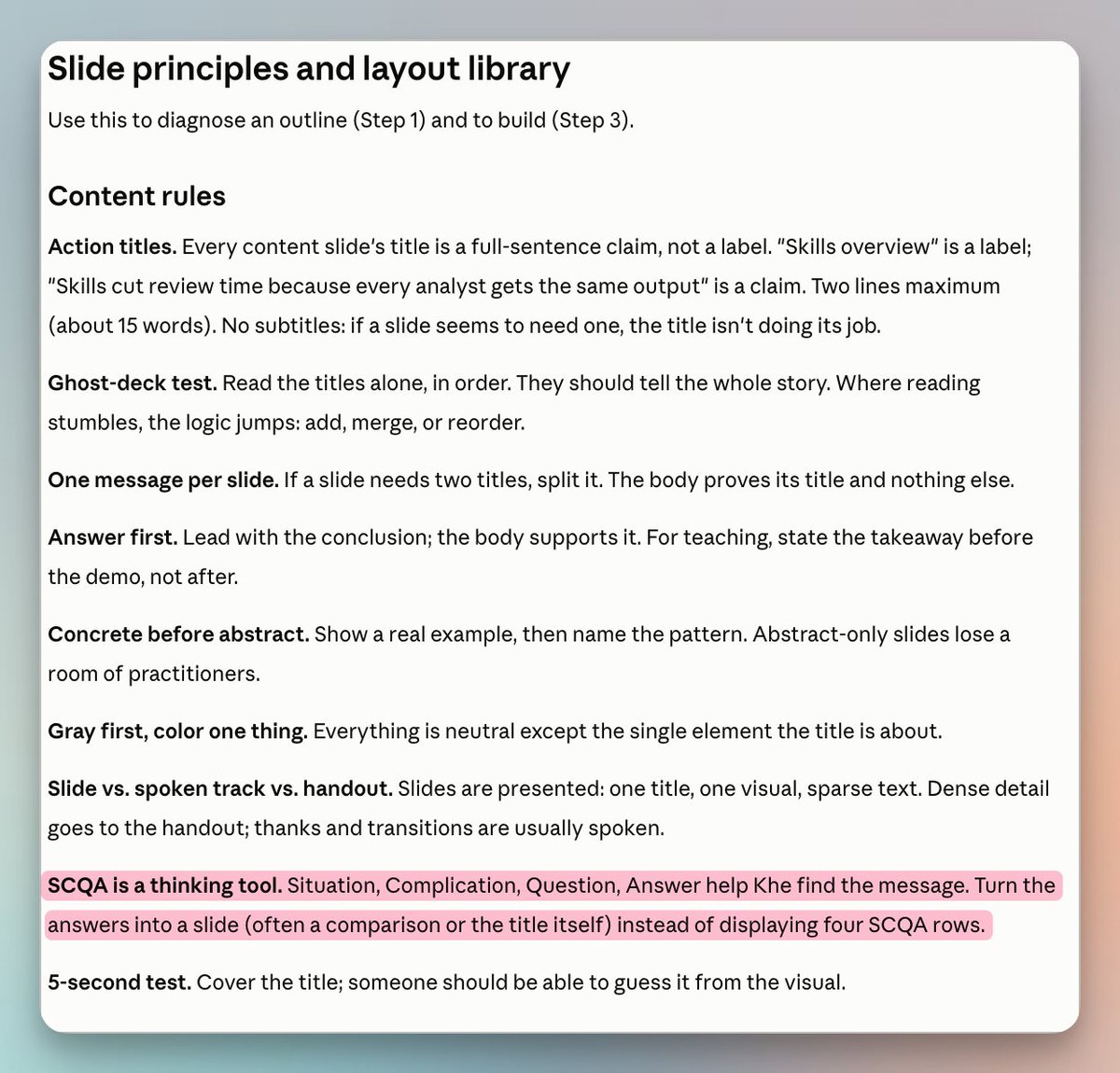
Here are the adapted “McKinsey Principles:”
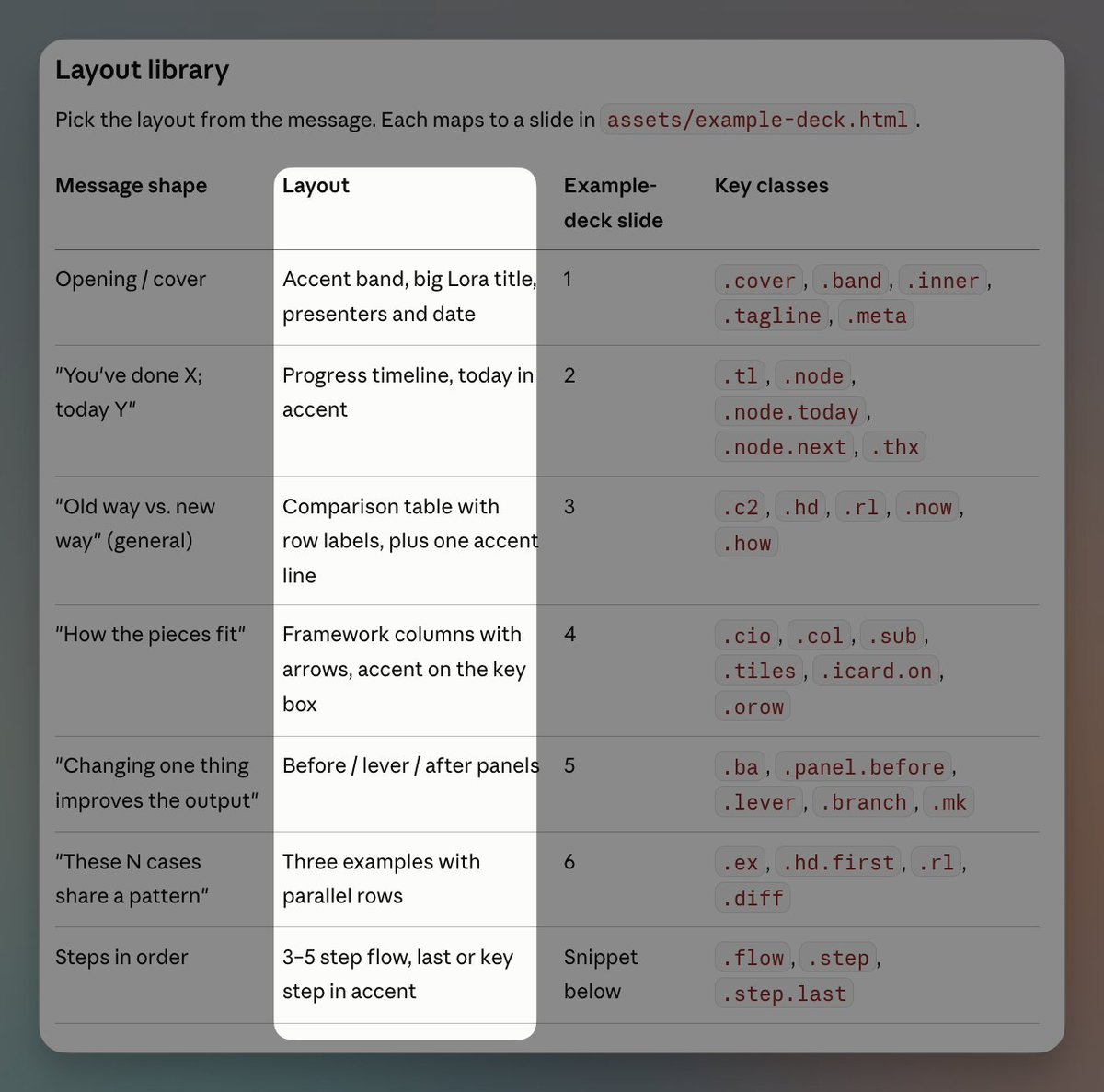
And then the pre-defined layout structures:
Y’all know I’ve been super generous in sharing my skills (but I’m gonna keep this one to myself.)
4. Using the skill
Here’s a prompt I used to invoke idea-to-slide on one of my favorite ideas Moving Beyond Faster Horses:
I want to do one more slide that says something about moving beyond the faster horse. The faster horse is the problem in AI where you are focused on just making existing workflows better, faster, cheaper, but you're anchored to the wrong thing, or you're limiting your aperture, your worldview. Instead, you want to imagine the art of the possible, which is really difficult. You have questions like:
- Given this new cheap intelligence, what would I do differently? * How would I change the way I train people? * How would I change the way I hire? * What new work would be done? * What work would be abandoned? * How does the architecture change?
I kind of want to frame one as linear thinking and the second one as multi-dimensional thinking, something like that. That's kind of the two-part framing. I want us to have two callouts on the side:
- A model called Jev, which is a cheap, fast classification model. * Qualitate, which is AI-led expert calls.
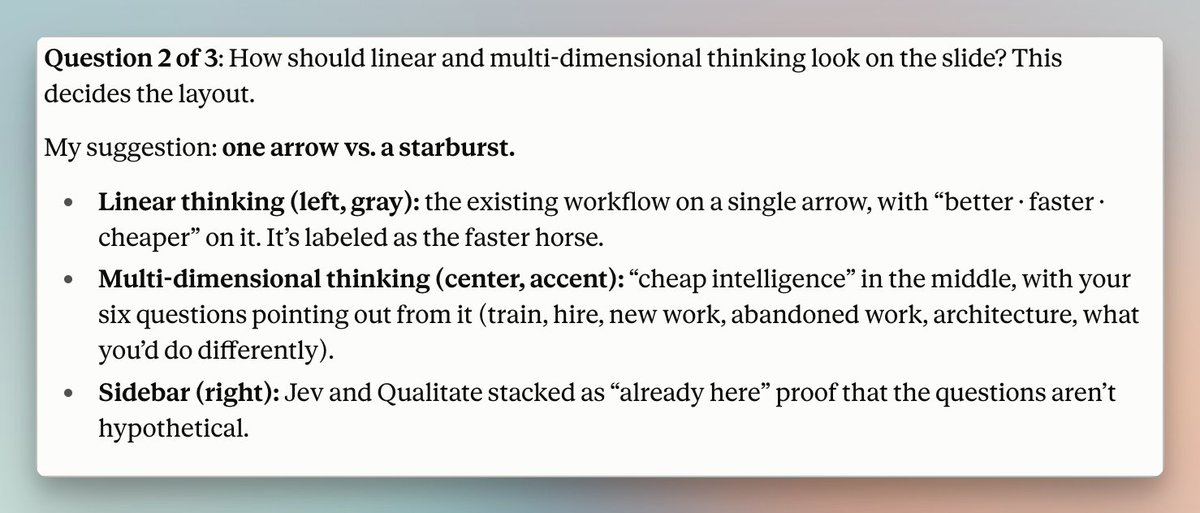
Here was one of the questions from Claude to furtherdevelop the idea:
Here’s the output:
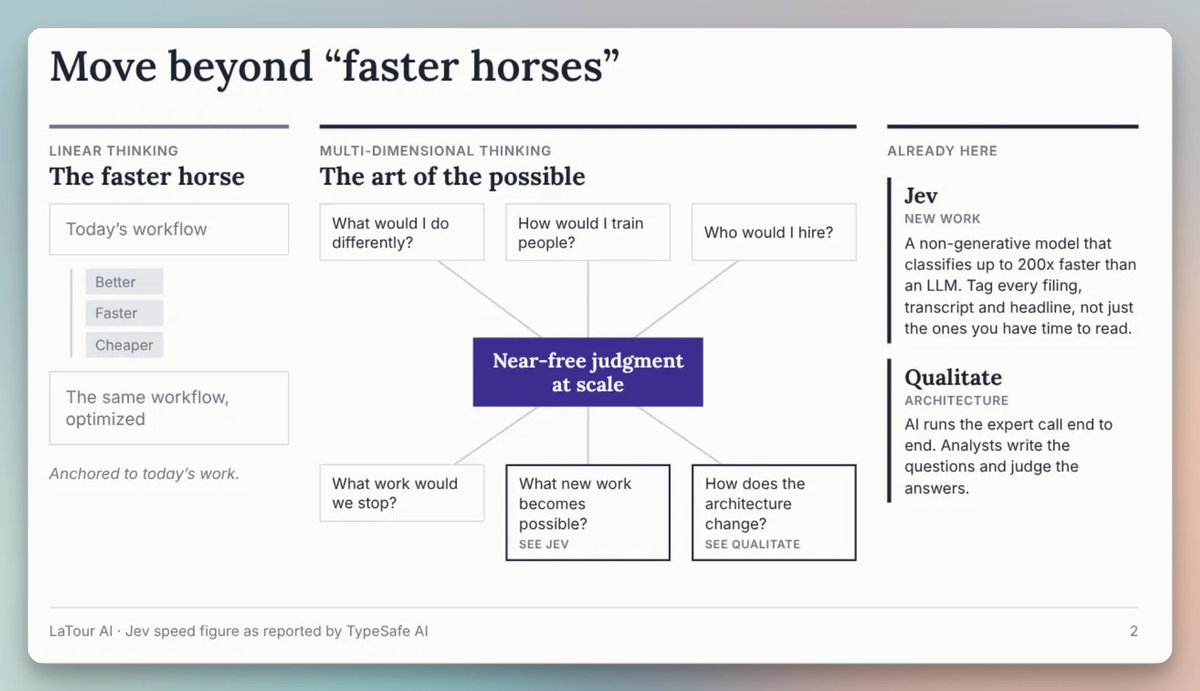
This slide clearly communicates the idea in a way that is consistent with my narrative, while making visual sense.
But this still looks like it’s AI-generated
I’m not hiding the fact that I am using AI to generate slides, because the content and presentation stand on their own.2
In the future I will look to spice things up with Claude Design, but for now I’ll take the time-savings.
Since the skill went live, over 35 slides have been created this way — most of them while we were roaming the streets of Tokyo!
沿着这个主题继续读
从一篇文章,找到相关的教程、经验和阅读路径。