How I modeled my entire Airbnb with Opus 5.5
文章目录
部分视频或图片暂未收录,已在正文保留提示;需要时可查看原文。查看原文 ↗
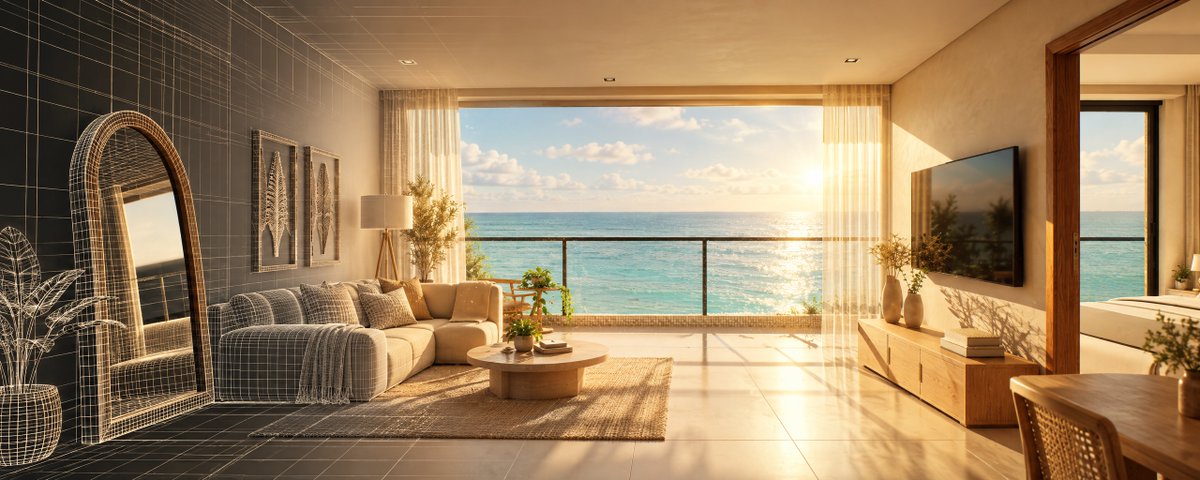
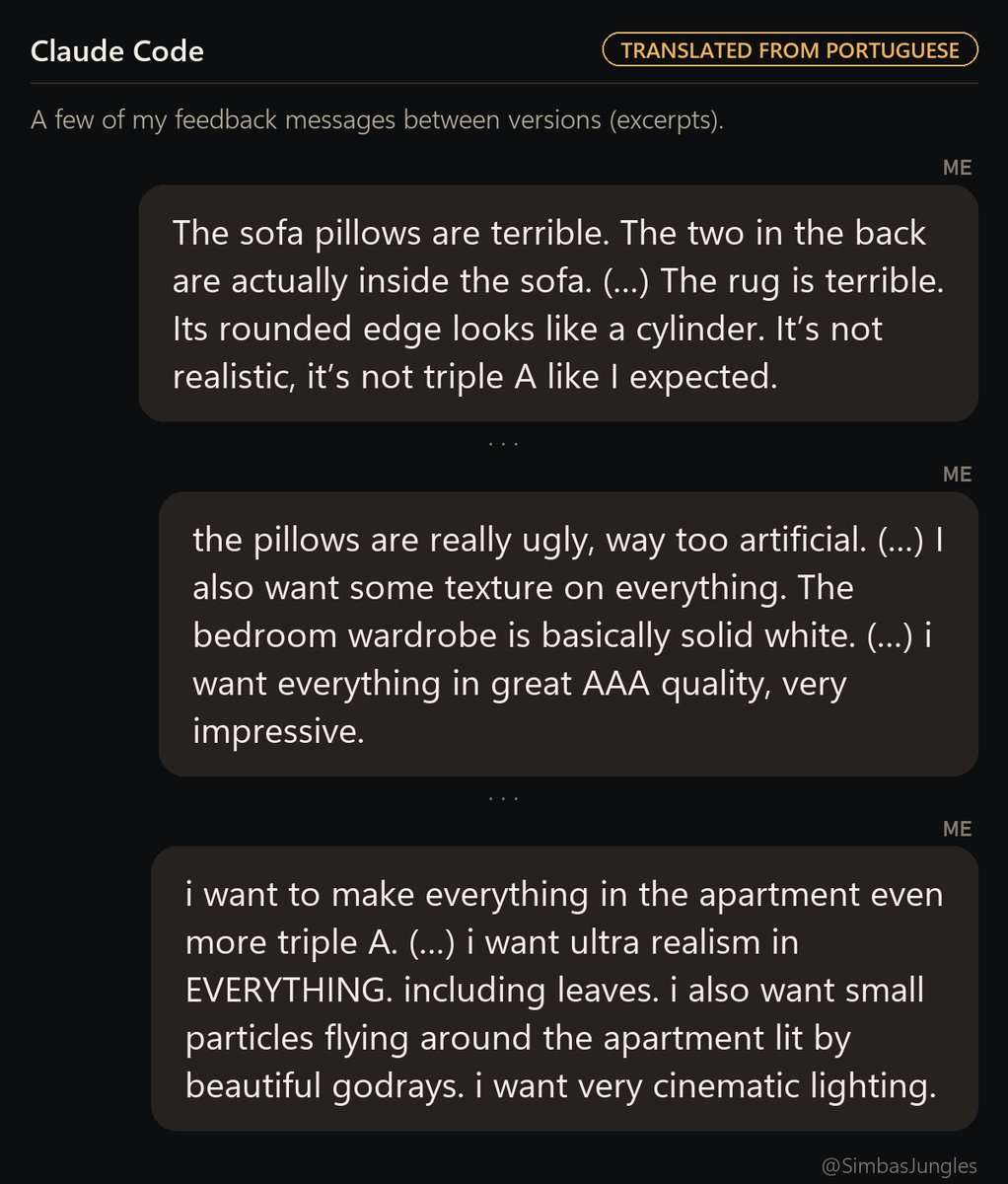
My last post, a walkable 3D version of my Airbnb, got a lot of questions. So here's the whole process: what I gave it, my actual prompts (translated from Portuguese), every iteration, and what really made it look like this.
What I gave it
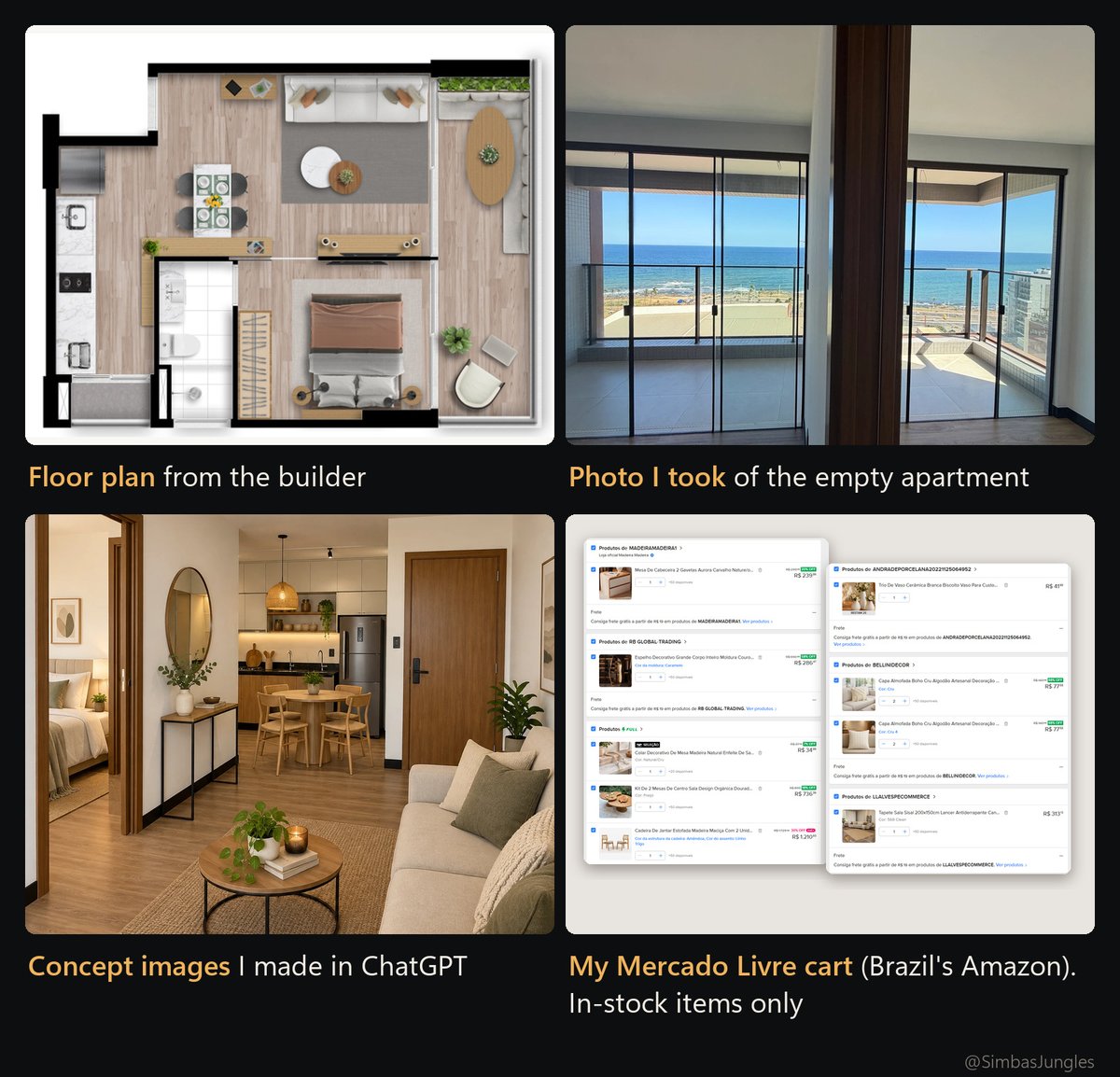
The builder's floor plan, two photos I took of the empty apartment, a few reference images (concepts I made in ChatGPT, plus some Pinterest), and screenshots of my Mercado Livre cart (basically Brazil's Amazon).
One rule: every piece of furniture and decor had to be something in stock that I could actually buy.
The prompt
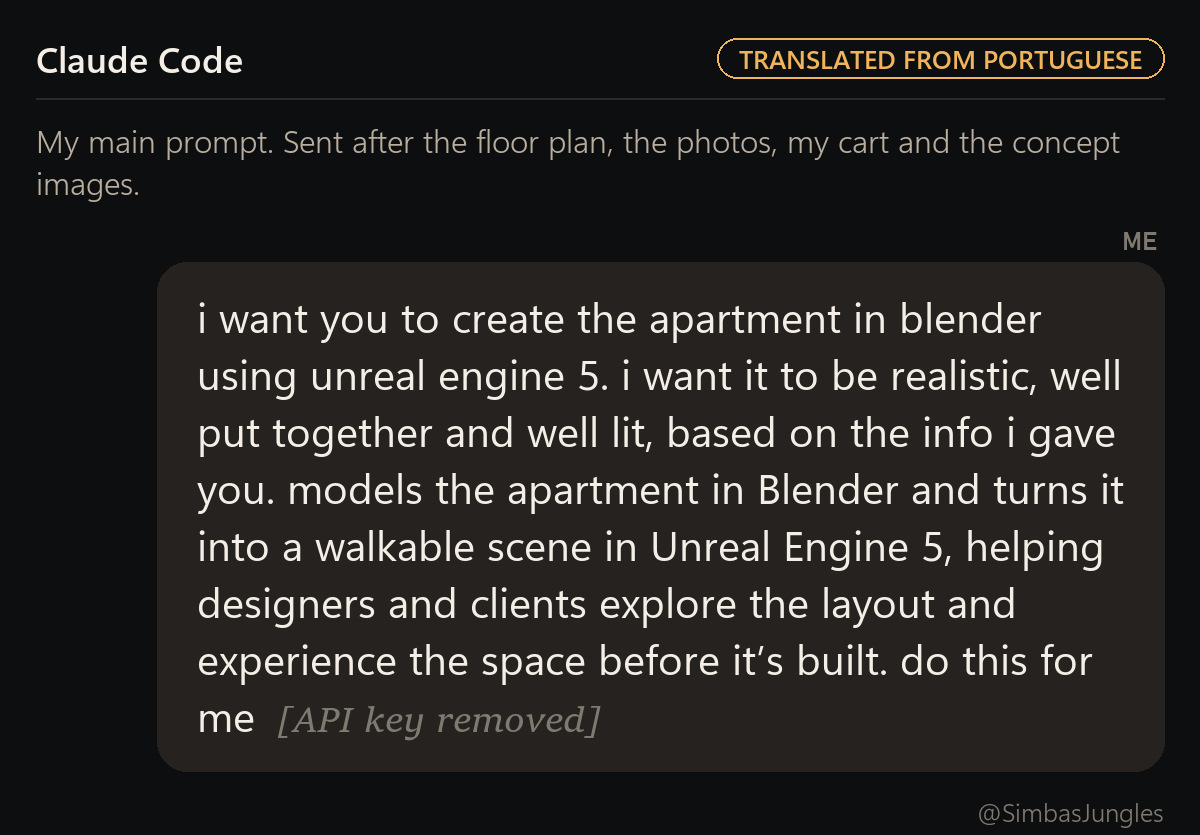
I'd love to share a highly detailed one-shot prompt, but truth is this took 4-5 small iterations.
You would probably be surprised by how simple my prompts are. I didn't specify anything besides the Blender + UE5 workflow. This was the main one:
Ultrarealistic, again and again
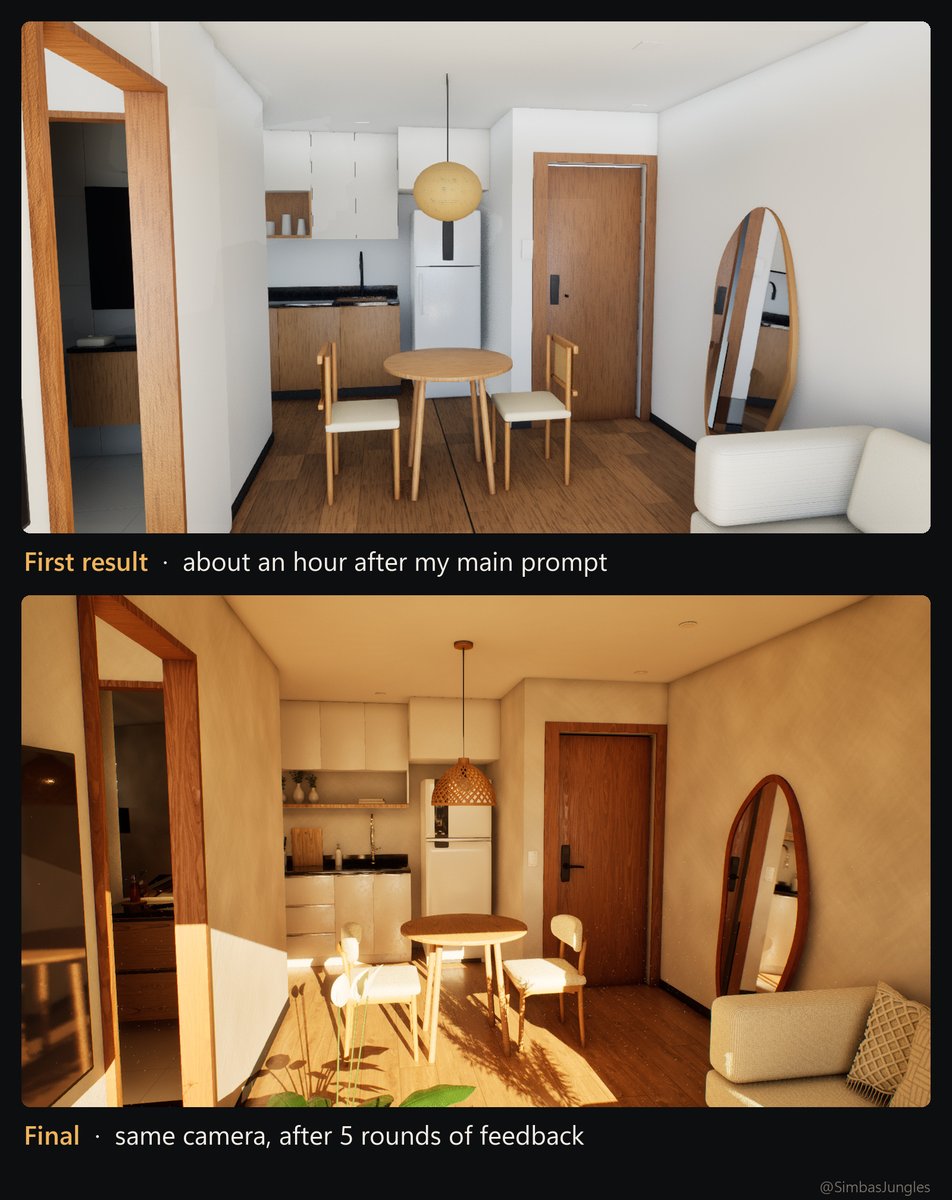
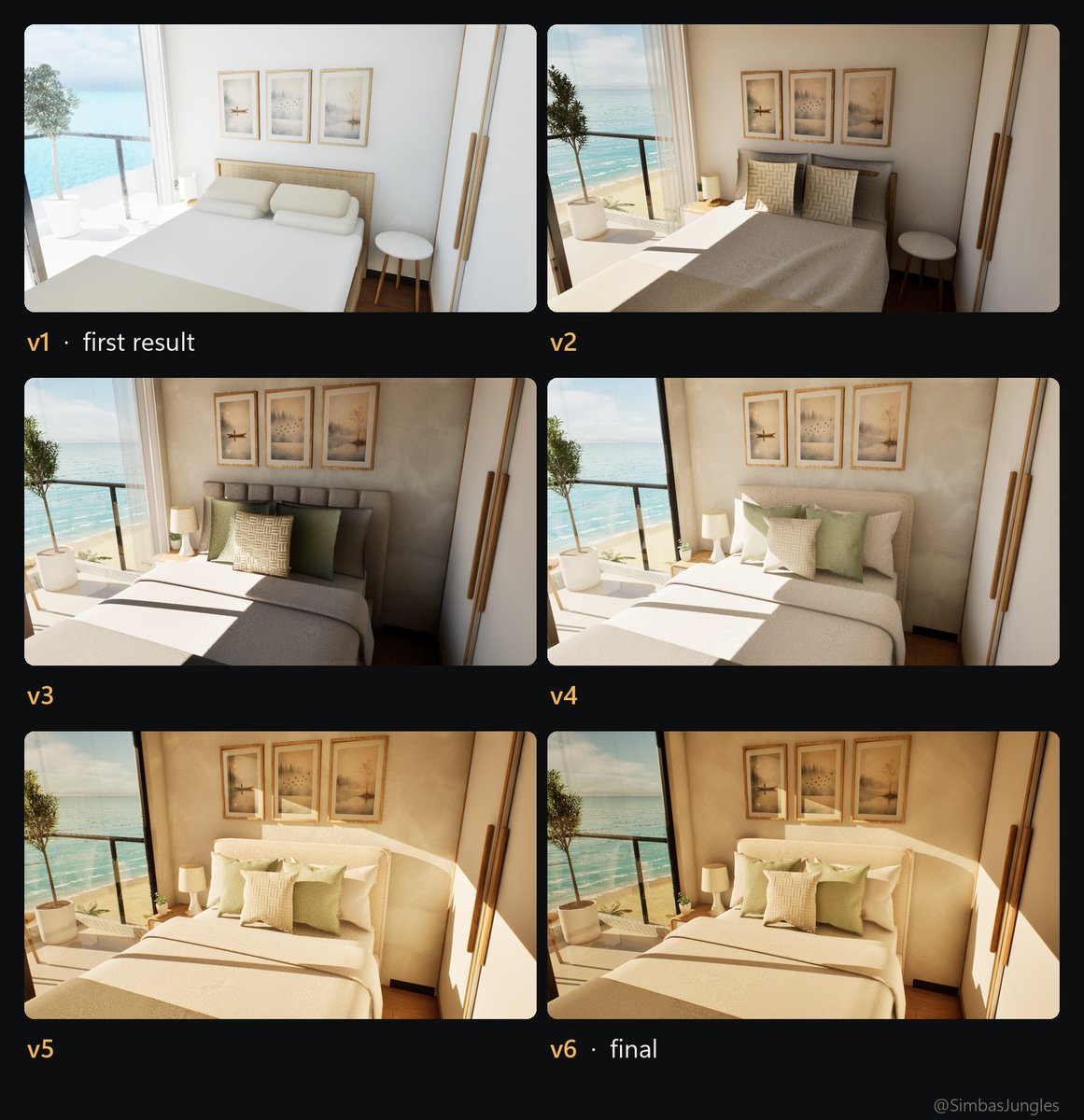
The first result was good enough, but lacked polygons and texture on most of the furniture. So I basically kept repeating to Opus to go "ultrarealistic" again, and again. And oh well, it definitely understood.
Same room, same camera, every version:
Overkill on lighting
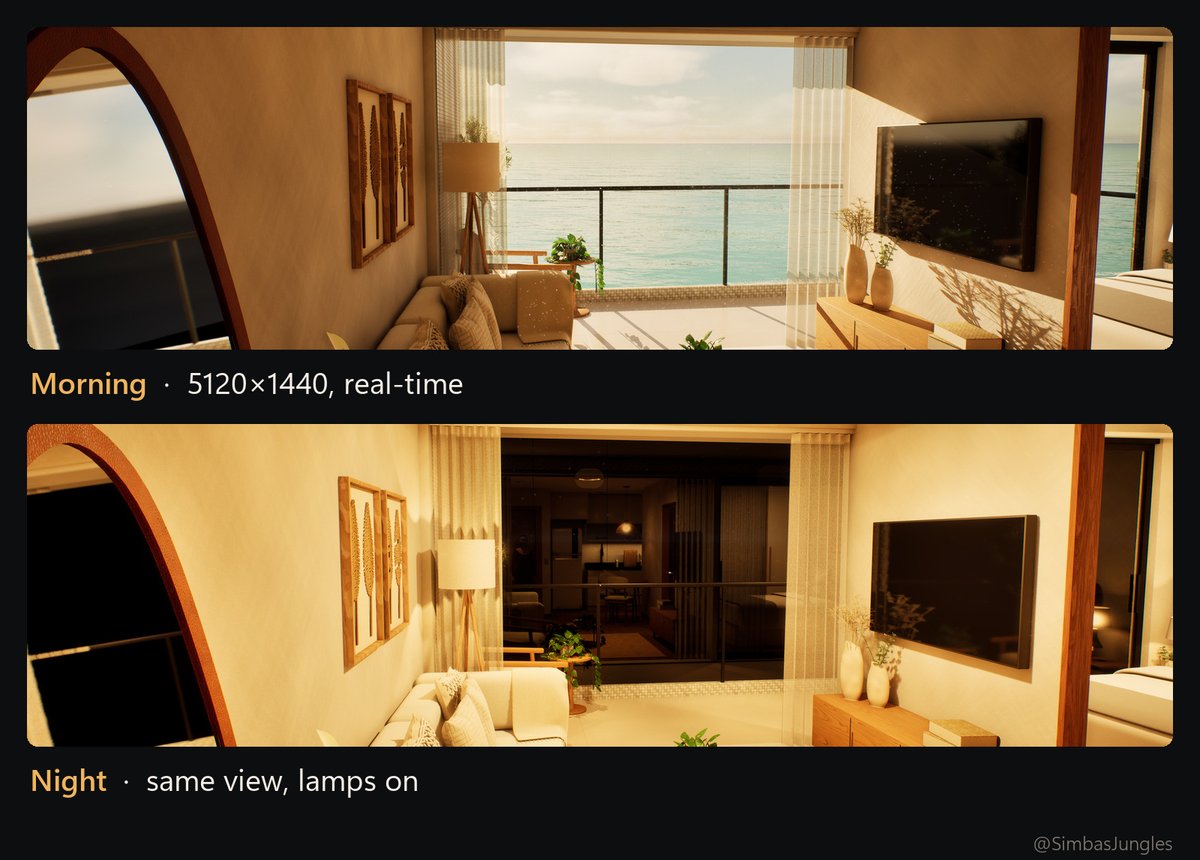
One thing I was specific about, and I do believe this is why the post blew up, was for Claude to go overkill on cinematic lighting and shadows. As well as cinematic effects. That's where the god rays, the particles floating in the air, motion blur, dynamic vignette and lens aperture come into play.
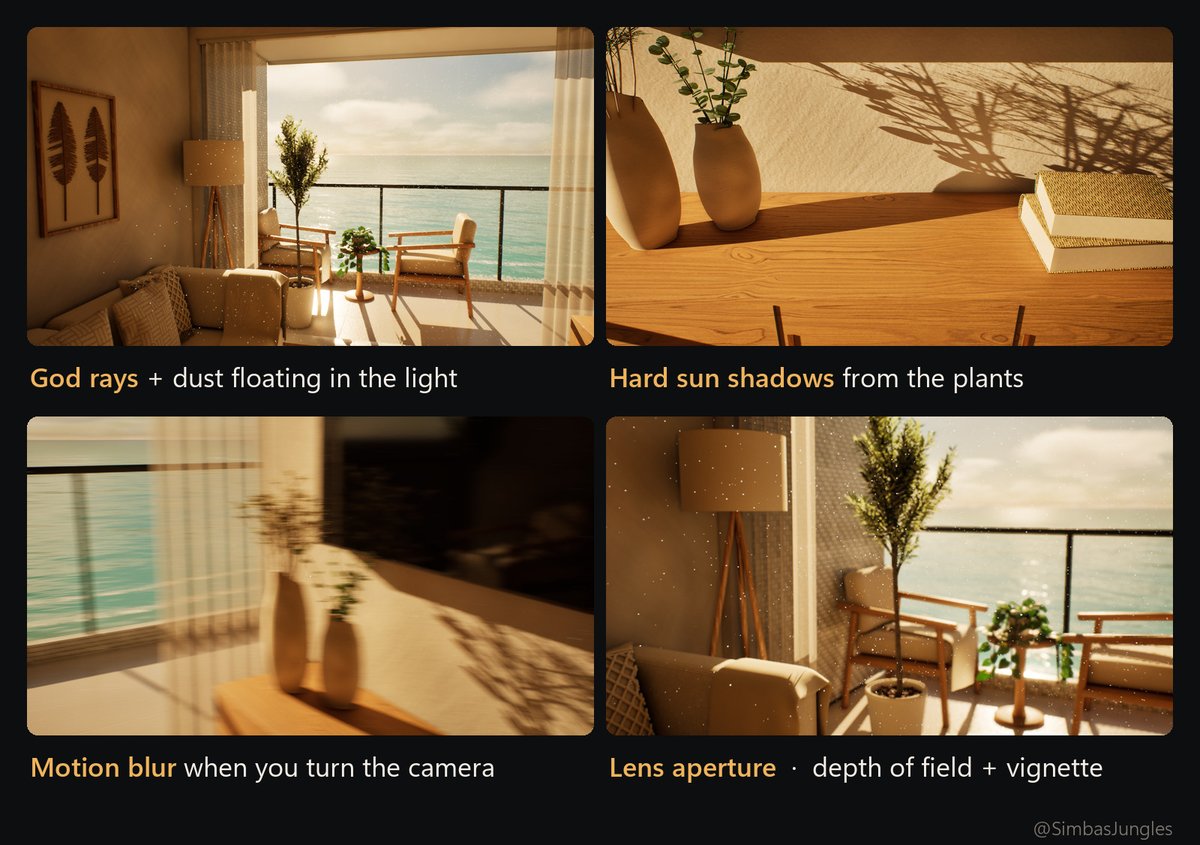
My favorite detail: the dust only glows inside the sunbeams, like real dust. Getting the beams to show up at all took some digging. In UE 5.8, local fog volumes only render 10 m or more away from the camera by default, and the whole apartment is about 8 m wide. Claude tracked that down and fixed it.
60 FPS without compromising the graphics
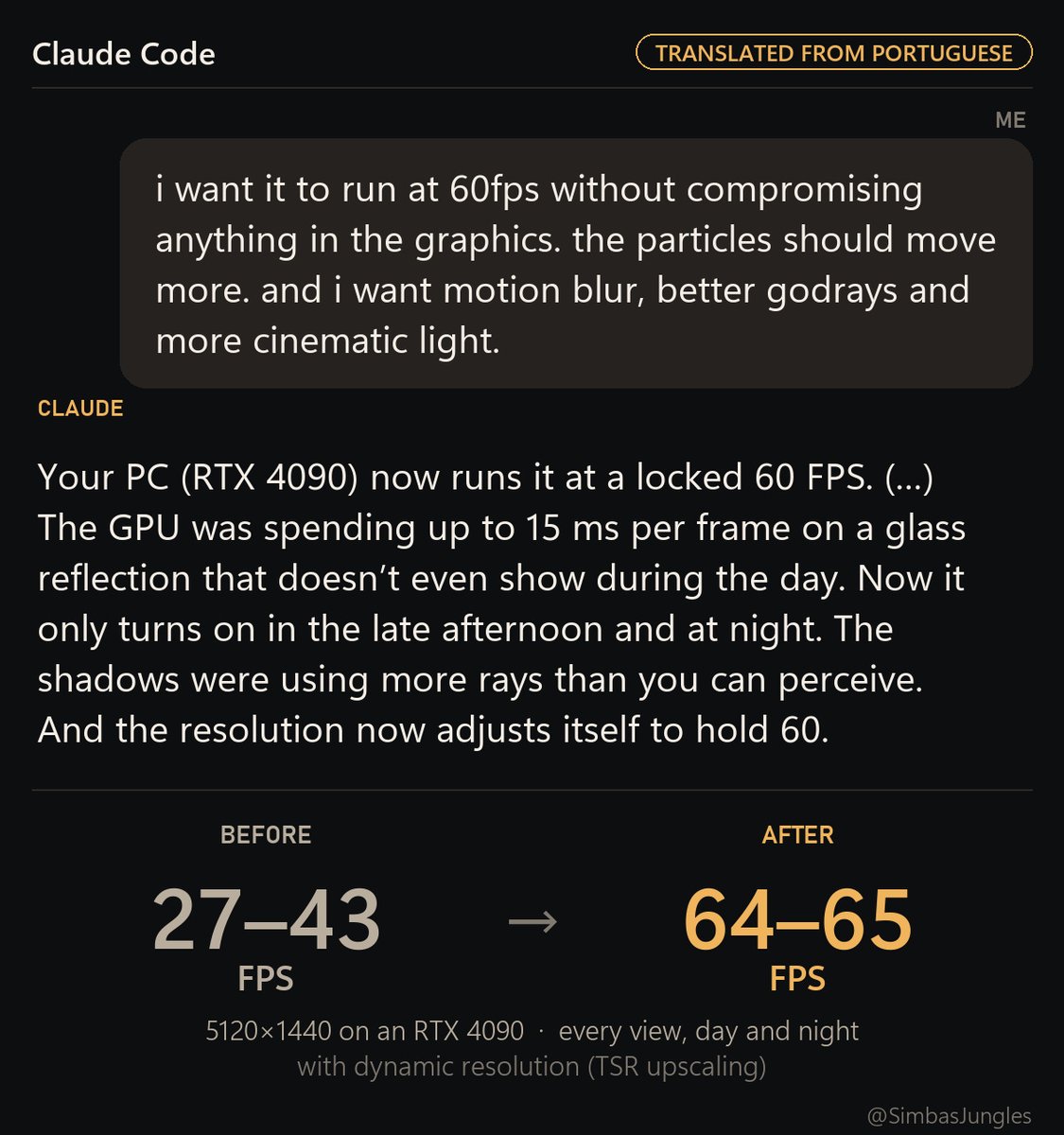
Then I asked for 60 FPS without compromising anything. It profiled the frame and found the GPU spending up to 15 ms on a glass reflection you can't even see during the day. Now that reflection only turns on at dusk and at night. It also cut shadow rays nobody can perceive, and the resolution now scales itself to hold 60.
On my RTX 4090 at 5120×1440: 27–43 FPS before, 64–65 FPS after, in every view, day and night.
It's not a render, it's playable
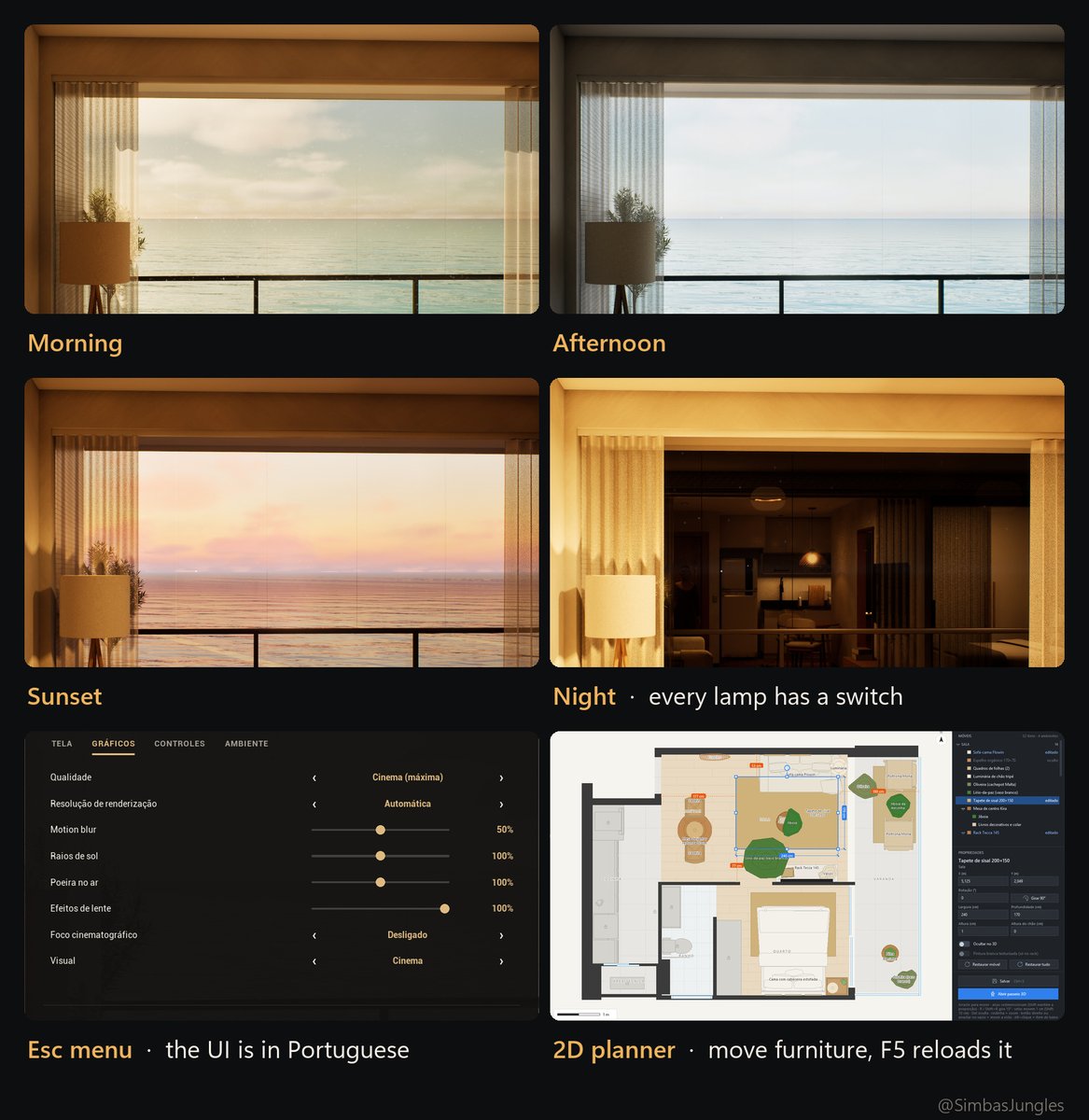
You walk around, switch between 4 times of day, turn every lamp on and off, and there's an Esc menu with FOV, sensitivity, motion blur and so on. I also asked for a separate 2D planner: move the furniture there, press F5 in the game and it reloads.
No external assets
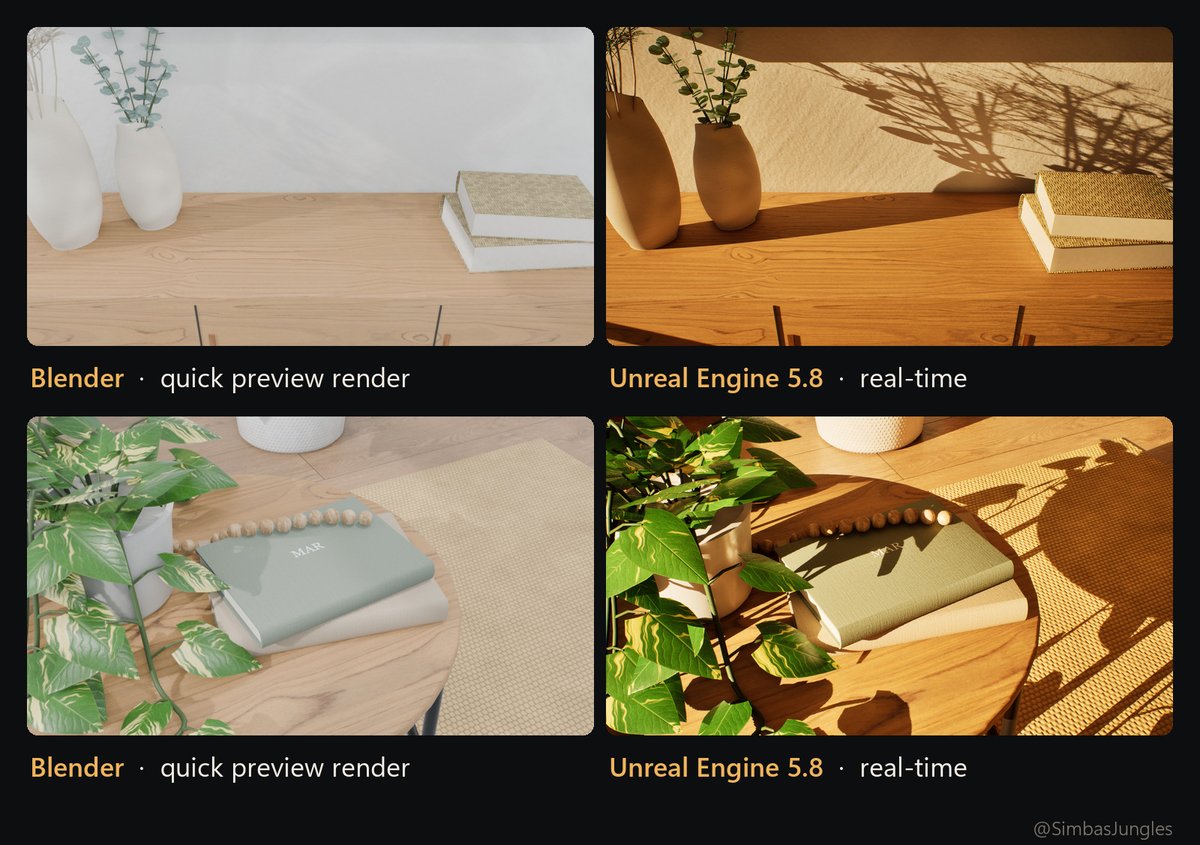
I didn't use any external 3D asset. Even though Opus is impressive at 3D modeling, if you take each piece of furniture at face value, it's no better than any free kit you can find online.
The real secret here was leveraging UE's lighting and shadows to compensate for the lack of polygons. Same models, same camera:
Do you need to know Unreal?
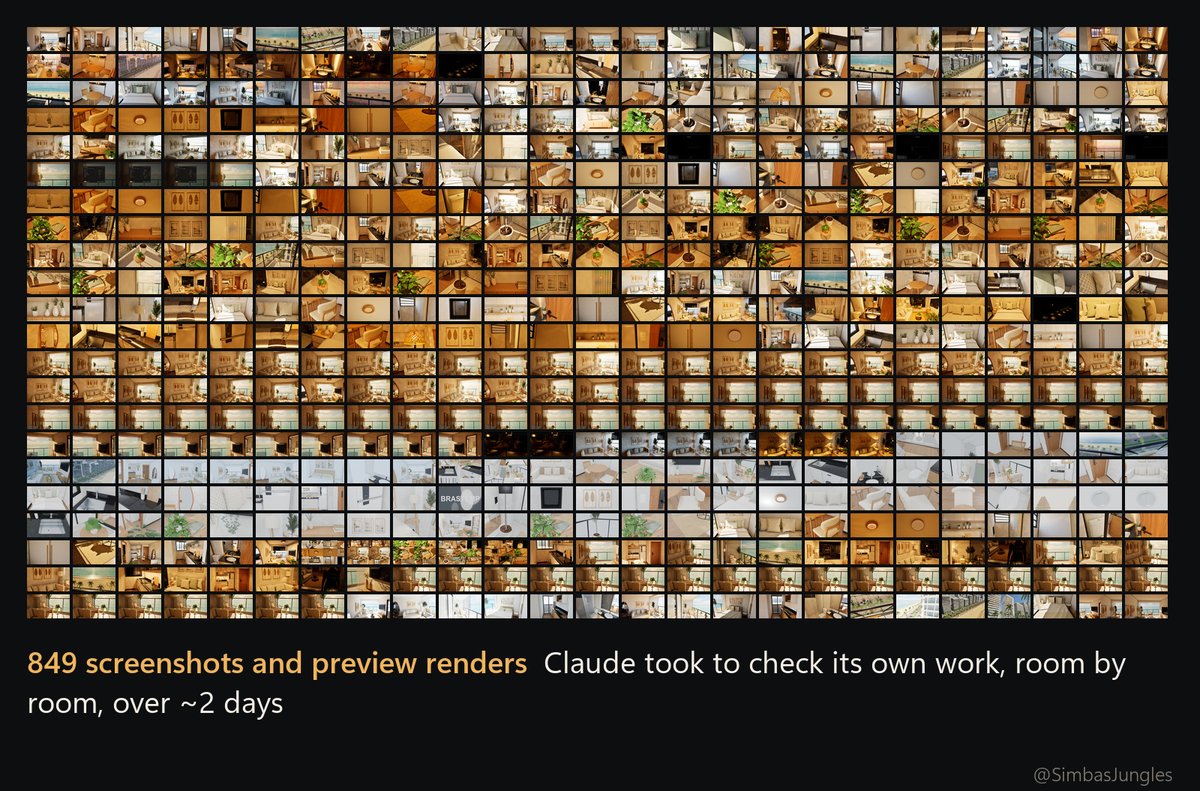
Not really. Claude Code drove everything through scripts: Python builds the whole apartment in Blender and exports it to Unreal. Then it screenshots every room, spots what looks off and fixes it. Over about 2 days it took 849 screenshots and preview renders to check its own work.
Stack
-
Claude Code with Opus 5.5
-
Blender 5.2 + Unreal Engine 5.8
-
RTX 4090
-
About 3 hours, ~15% of my weekly Max 20x limit
-
No external 3D models. A few textures are free CC0 scans (Poly Haven), the rest were generated in Python.
沿着这个主题继续读
从一篇文章,找到相关的教程、经验和阅读路径。