How To Build A One-Person AI Video Studio
文章目录
部分视频或图片暂未收录,已在正文保留提示;需要时可查看原文。查看原文 ↗
today i'll walk you through how to run ad creative on your own with AI: researching what your customers actually care about, turning it into angles and scripts, producing the ads, testing them and building a loop that makes every batch better than the last one.
you'll find prompts and examples throughout, so you can follow along with your own product.
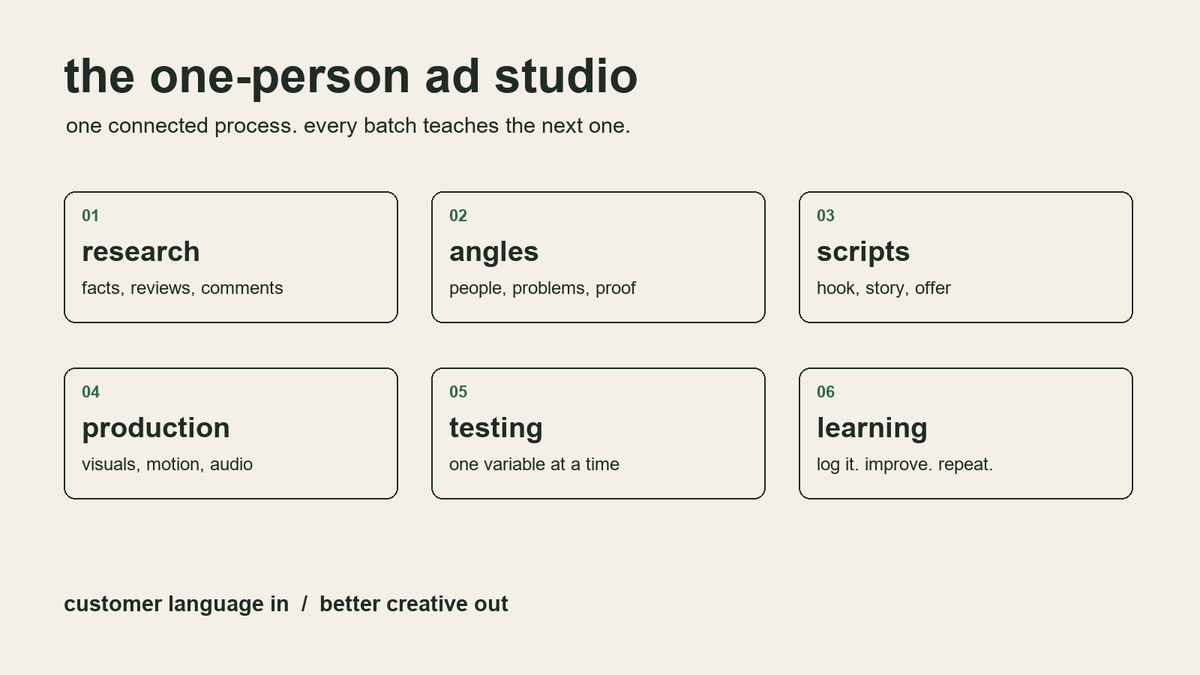
the process: research, angles, scripts, production, testing and learning.
let's start with the stack
the stack
we'll use Claude for the thinking work: research, angles, scripts and reviewing results. a spreadsheet keeps track of every ad and what it taught you. the rest are sources and production tools.
here's the setup:
Claude (a Project): storing the brand knowledge, research, angles, scripts and analysis
Meta Ad Library and TikTok Creative Center: seeing what's running in your niche
your reviews, support inbox and comments: the real language your customers use
MotionVid: producing motion graphics and explainer ads (section 4)
your usual video editor, optional: combining assets and adjusting the final cut
a spreadsheet: logging every ad, its result and what it taught you
for the examples i'll use a made-up brand: Brewline, a cold brew concentrate
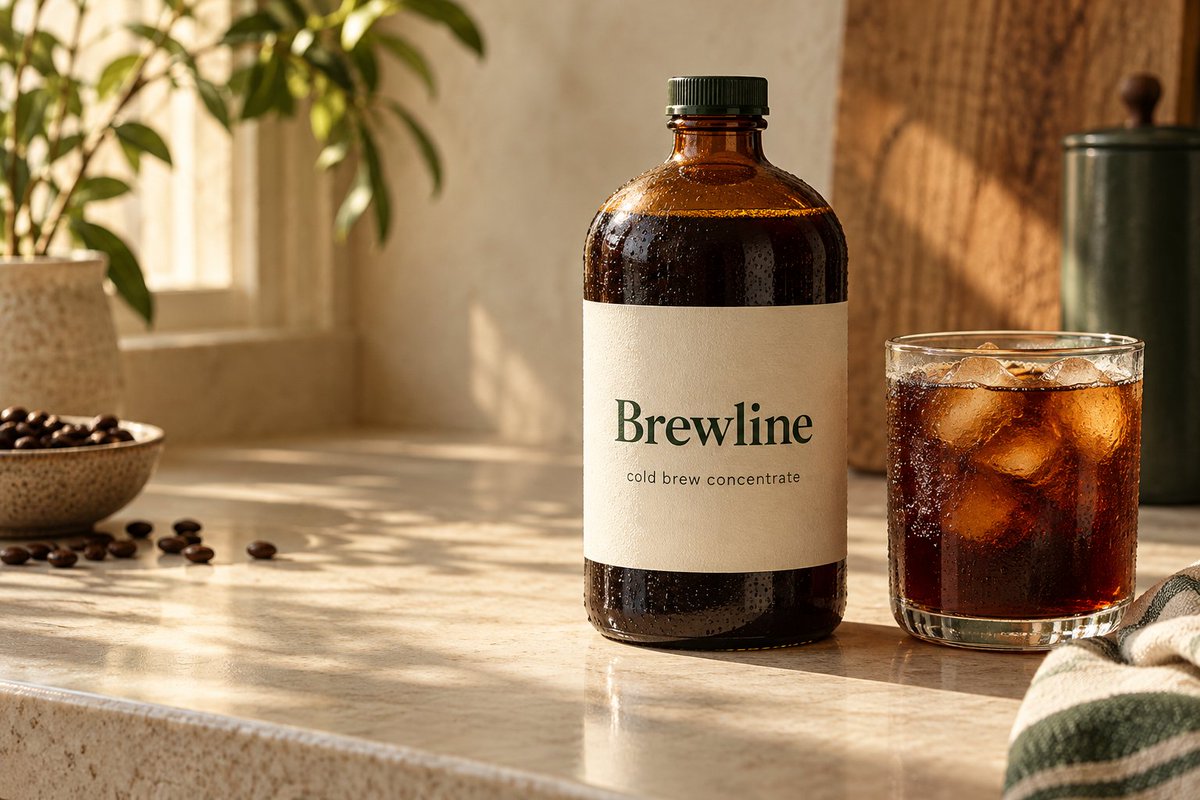
Brewline - a fictional brand used throughout this guide
start by creating a Claude Project for the brand. everything we collect in the next section goes into its knowledge, so you don't have to explain the product again in every chat.
add these project instructions:
You're the creative strategist for Brewline, a cold brew concentrate. Use the files in this project as the source of truth: product facts, reviews, customer research and past ad results. Never invent product claims, numbers or reviews. If something isn't in the files, say so and ask. Quote customers word for word when you use their language. Plan first. Only write final copy after I approve the direction.
research
the order matters here: research first, then the knowledge base, then prompts. the output can only be as good as what you put in.
you need four things.
product facts. what it is, how it works, the price, the offer and what you're allowed to claim. keep it to one page.
reviews. export them from your store, Amazon or wherever you sell. include the bad ones. complaints are some of the best material you'll find.
comments. open your best performing posts and ads, and a few viral videos in your niche, expand all the comments and paste them into a document. people describe their problem in their own words there, and they tell you exactly what they don't believe.
ads in your niche. search Meta Ad Library and TikTok Creative Center for your category and competitors. save the ones that interest you with a link and a note on why. keep in mind these libraries show what's running, not what's profitable, so treat everything you find as a candidate, not a proven winner.
put all of it into the project, then ask Claude:
Read the reviews and comments in this project. Give me:
- the 10 most common problems people describe, with exact quotes
- the objections and doubts people have before buying
- the words and phrases they use for the product and the problem
- what they tried before and why it didn't work
- what life looks like for them once the problem is solved Quote word for word. Don't summarize the quotes. Mark how often each theme comes up.
read the output yourself, and then read the raw reviews too. AI is good at sorting, but the ideas usually come from the one sentence a customer wrote that nobody summarized well.
then build the people you're talking to:
From the research, build 3 customer profiles. For each:
- a name, age and situation
- the main problem and how it shows up in a normal day
- the strongest emotions around it
- what they've tried already, with quotes
- what they want instead
- what would make them doubt an ad Base everything on the research. Mark anything you're assuming.
for Brewline, one of them could be someone who buys a cold brew on the way to work most weekdays, knows it adds up, and doesn't believe home coffee will taste as good.
angles and scripts
an angle is the argument of the ad: the problem it starts from, the desire it speaks to and the reason to believe. the same product can have ten angles, and they don't perform the same.
before writing anything, figure out how much your audience already knows. this decides where the ad has to start.
unaware - they don't see a problem - an interesting fact or story
problem aware - they feel the problem - naming the problem clearly
solution aware - they know the options - why this way is different
product aware - they know you and competitors - why you over them
most aware - they're deciding on price - the offer
an ad has to take people through every stage above where they start. if you open with someone who's unaware, the same ad needs to get them to the problem, the solution, your product and the offer.
now ask for angles:
Using the research and profiles, give me 10 ad angles for Brewline. For each:
- the profile it's for
- the problem or desire it speaks to
- the awareness level it starts from
- the opening line (under 8 words)
- the proof: a review, a product fact or a number
- how to show it on screen, not just say it Make the angles different from each other in substance, not just in wording.
that last line matters. ad platforms now group ads that look and say the same thing, so five versions of one idea mostly count as one ad. different angles give the algorithm different people to find.
pick three or four you could explain in one sentence. then write the hooks.
a few rules for hooks:
the hook has to stop the right person, not everyone. a clickbait opening that has nothing to do with the problem brings in people who won't buy.
put the hook text on screen from the first frame. people decide in a second, and many will never hear the audio.
specific beats general. "$5.50. every morning." does more than "save money on coffee."
intrigue works, confusion doesn't. the viewer should want to know what happens next, not wonder what they're looking at.
Write 10 hooks for the angle "$5.50 every morning". Mix different types: a number, a question, a callout to the viewer, a customer quote, a before and after, a contrarian statement. Under 8 words each. Each must be supported by the research or product facts. For each hook, tell me which principle it uses.
then the script. a simple structure works for most short ads:
Write a 30-second script for the angle "$5.50 every morning". Structure:
- hook (0–3s)
- the problem, in the customer's words
- why the usual fix doesn't work
- the product as the answer, with one proof point
- the offer: 20% off the first bottle with code FIRST20 Return a table with: time, voiceover or on-screen text, and what we see. Keep it readable with the sound off. Use only numbers from the product facts.
expect the first draft to be about 80% right. go through it two or three times, and ask Claude which principles it used and why. if you don't know why a script is built the way it is, you won't know what to change when it doesn't work.
one more tip: when you ask for headlines based on reviews, the model tends to copy them too closely. tell it to treat the reviews as inspiration, not as text to rewrite.
producing the ads with MotionVid
for production we'll use MotionVid, it'll help us to automate stuff
connecting Claude
we'll connect them through MCP, which lets Claude use MotionVid's tools directly from the conversation. that way the same Claude Project that holds your research can also make the ads.
open Claude and go to Settings → Connectors → Add custom connector.
name the connector MotionVid and paste this address:
click Connect and sign in with your MotionVid account. the connector works on every paid plan.
before generating anything, set up a brand kit in MotionVid with your logo, colors and fonts. if you upload the logo as an SVG, it can animate the actual shapes in the file, which is useful for end cards.
once connected, try:
Check my MotionVid connection. Show my credit balance, my brand kits, available animation styles and narration voices. Suggest a style for clean product ads and a voice with relaxed, conversational delivery. Do not generate anything yet.
you can also put a URL in a prompt. MotionVid will read the page and carry its copy, colors and typography into the scenes, so linking your product page is a quick way to keep the ad on-brand.
the connector supports generation, status checks, scene previews, edits and rendering. the preview shows one frame per scene, so watch the finished ad as well to check movement and audio.
the explainer ad, Vox-style
remember the unaware row in the awareness table. those people don't see a problem yet, so a direct product ad won't reach them. what works is something that doesn't look like an ad at first: an interesting fact, explained well, that changes how they see something they thought was normal. the product comes at the end, as the logical next step.
an editorial explainer is a great format for that. MotionVid lists Vox among its styles, and it handles the things this format needs: diagrams, maps, charts, labels and paper cut-out scenes.
you can get started with a very simple prompt like this:
make a Johnny Harris style documentary about why a fifth of the world's oil squeezes through two narrow shipping lanes in the Strait of Hormuz
for Brewline, the question could be: where does the $5.50 for a cold brew actually go?
first, build the facts. this is an ad, so every claim needs a source:
Read the supplied sources and build a claim sheet about what goes into the price of a coffee shop cold brew. For each useful claim, include:
- what we can say
- the supporting source
- the date and context
- a visual that could explain it Flag uncertainty and anything that only applies to some cafes. Use only supported claims in the script.
check those sources yourself. a convincing animation can make an incorrect claim look very convincing too.
then the script:
Write a 45-second explainer ad answering: "Where does the $5.50 for your cold brew go?" Use only claims from the approved claim sheet. Structure:
- open with the question, no product
- break the price into its parts, one at a time
- the turn: most of what you pay for isn't the coffee
- Brewline as the answer: $29 for 16 cups at home
- offer: 20% off the first bottle with code FIRST20 Write 90–110 words in conversational English. Return a table with narration, matching visual and on-screen text. Do not generate the video yet.
read it aloud. if it feels rushed, cut words before adding scenes.
then send it to MotionVid:
Create a 45-second, 9:16 explainer ad using the approved narration and scene plan. Style: Vox-style editorial animation, warm off-white background, dark text and one accent color from our brand kit. A cup that splits into labeled price segments, built up as each part is introduced. Visual continuity: Keep the cup on screen while the price breaks down. Highlight only the part being discussed. Pacing: Let the viewer read each new label before the next one appears. Start moving in the first frame. Ending: The cup turns into a Brewline bottle, then an end card with the offer and our animated logo. Audio: Relaxed conversational narration, quiet instrumental music underneath. Motion Graphics only. Use the exact approved script and labels.
watch how the breakdown develops. the viewer should be able to follow it without pausing. if all the segments appear at once, ask for a staggered reveal. if the labels are too small, reduce the number of elements on screen.
the product and comparison ad
for people who already know the problem, go more direct. a comparison works well here, and it's where it helps that the numbers are rendered exactly.
Create a 15-second claymation explainer comparing coffee shop cold brew at $5.50 per cup with Brewline at $29 for 16 cups ($1.81 per cup). A friendly clay character presents both options using coffee cups and coin stacks, then saves the difference in a jar. End with “$3.69 saved per cup”.
Warm lighting, handmade plasticine textures, cream and burnt-orange palette. Clear price labels, relaxed English narration, subtle music. 16:9
you can create anything you want with this model, you just describe your animation in simple words and it builds it.
revisions and sizes
ask for changes in the same conversation, and be specific:
Scene 2 has too much text. Shorten its headline to "16 cups, one bottle" and make the product shot larger. Keep the opening, colors and final scene unchanged.
only the part you named gets rebuilt, which also makes hook tests cheap
keep the body, swap the first scene:
Replace the scene 1 headline with "cafe regulars, this one's for you". Keep the animation, the other scenes, the audio and the CTA unchanged.
once an ad is approved, ask for the other placements:
Render this ad in 9:16, 1:1, 4:5 and 16:9. In each size, keep the product, the price and the CTA large and inside the safe margins. Tell me if any scene needs a different layout for a specific size.
if you have a voiceover from a creator or your own recording, upload it and the animation gets timed to it. the same goes for your own music.
test and watch the right numbers:
hook rate (3-second views ÷ impressions): whether the opening stops people
hold rate or average watch time: whether the rest of the ad keeps them
CTR: whether the ad makes people want to know more
conversion rate: mostly about the landing page, not the ad
cost per result: whether it works as a whole
as a rough guide, a hook rate around 25% is average on Meta and 30% and up is strong. if it's under 20%, start with the first frame. benchmarks vary by niche, so your own account is the best comparison.
a low hook rate means work on the opening. a good hook rate with a low hold rate means the ad loses people after the hook. good watch time with a low CTR usually means the offer or the CTA is weak. a good CTR with poor conversions points to the landing page.
keep everything in a sheet:
batch: the week or batch number
angle: the argument of the ad
profile: who it's for
awareness: where the ad starts
format: explainer, comparison, product, UGC
hook: the exact opening line
test: what you're testing against what
results: hook rate, hold rate, CTR, cost per result
learning: one sentence on what it taught you
add a hit rate at the top: how many of your ads became winners. if you've tested twenty ads without one, something in the process is off, and the sheet usually shows where. every ad should leave a learning, including the ones that lose.
automation
once the process works, the repetitive parts can run on their own.
the easiest one is the weekly review. export your results from the ad account, add them to the sheet and ask Claude:
Review this week's ads and their results. Compare ads with similar spend, placement and format. Separate observations from possible explanations. Consider sample size and differences in reach. Tell me:
- which angles and hooks are working
- what the losing ads have in common
- what we learned this week, one sentence per ad Suggest three tests for next week. For each, change one main variable and explain what we'd learn.
then let the review feed the next batch:
Use the research, the sheet and this week's learnings to plan 5 new ads for next week. For each: angle, profile, awareness level, hook, format, a short script, required assets and the metric it's meant to improve. At least 2 must be new angles, not variations of existing ones. Flag anything that needs new research, data or assets. Do not produce anything yet.
review the plan and approve the strongest ones. after production, add useful corrections to the project files so they carry into the next batch.
if you want production to run on its own as well, you'll need a scheduler or backend outside the chat, and a production tool with an API. a simple version: take rows marked Approved, check the required assets are there, submit one job per row, save the job ID right away so a connection problem doesn't create duplicates, and mark the row Ready for review when the file is done. keep uploading to the ad account as a separate step you approve yourself.
choose one angle, make one complete ad, run it and log what it taught you. then use that to plan the next one
bookmark this article for later, thank you.
the best AI video systems & community: https://whop.com/aiadsmastery/ai-ads-mastery-3-0/