How I use Mobbin and Paper with Codex to explore layout ideas

文章目录
I asked Codex for 25 versions of the social-proof section on my portfolio, arranged in a 5×5 grid.
I'm rebuilding the site with Codex, and I still prefer making quick edits on a canvas before handing things back to my agent. For this demo, I wanted to explore different layouts while keeping my existing content and styles.
So I asked Codex to search @mobbin for references and build the variations in @paper. That gives me something I can compare, move around and keep working on myself.
After my post about using Paper and Mobbin together went viral, a lot of you asked for a tutorial. Here's the walkthrough:
Below is the setup and the prompt for the 25 variations. You can adapt it to a section of your own site.
Connect both tools to the same agent
I'm using Codex in this demo, but you can follow the same workflow with @claudeai or another agent that supports both the Mobbin and Paper MCP connections. MCP gives the agent access to tools outside the chat.
Mobbin lets it search real product interfaces and inspect reference images. Paper gives it access to the open design file, where it can read the existing layout and build new versions.
A Mobbin screenshot is a reference image. Codex still needs to build the editable layout in Paper.
To set it up:
-
Open Paper Desktop and connect Codex from its MCP panel. Open your file and select the social-proof section you want to explore. Follow the Paper setup guide.
-
Connect Mobbin to the same agent and authorize your account. Its MCP server requires a Pro, Team or Enterprise plan. Follow the Mobbin setup guide.
-
Check that the agent can read your selected Paper section and search Mobbin before asking it to build anything.
For another AI client, check that both connections are supported and working.
Give it room to explore the layout
For my portfolio, the starting point was the existing social-proof block. I wanted to see how the same content could work in different arrangements.
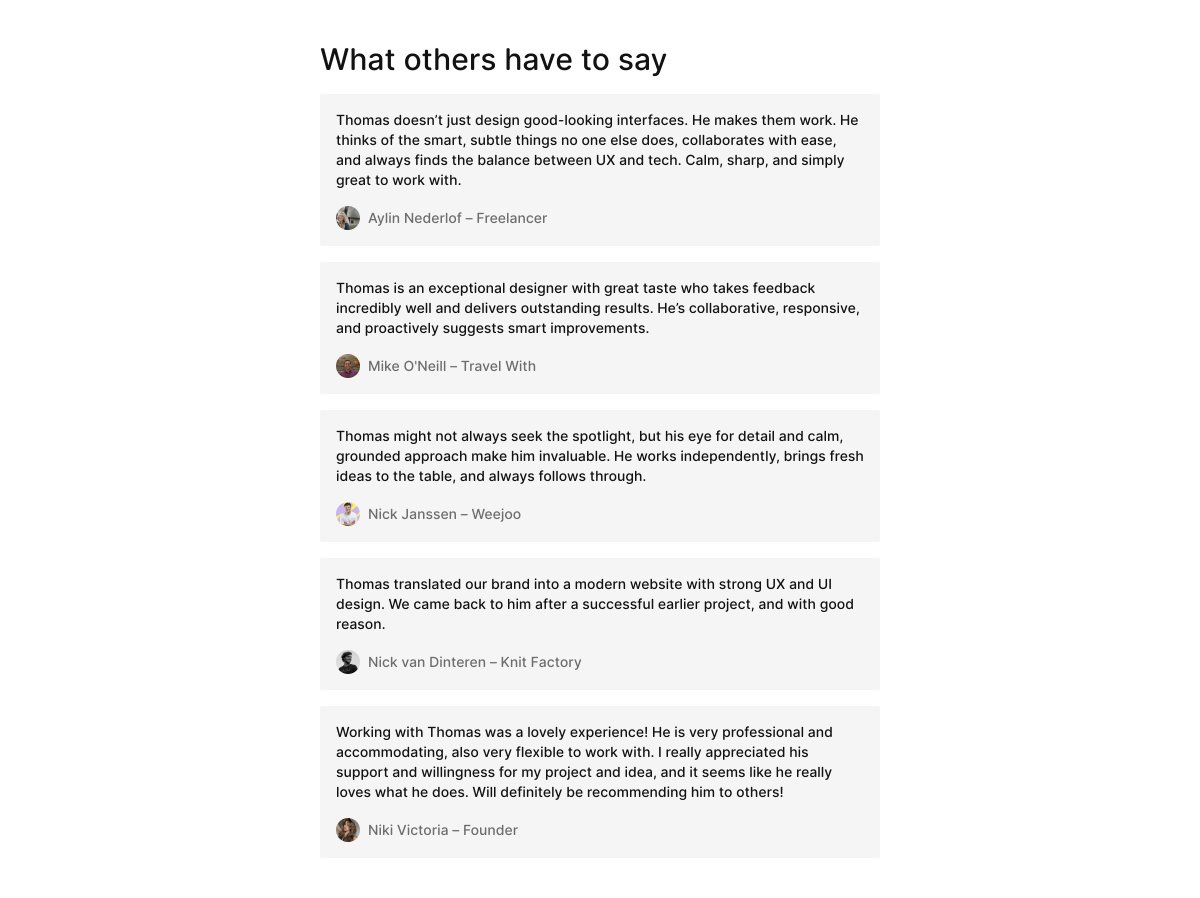
If the agent rewrites the copy and changes the fonts and colours too, I'm judging several changes at once. Keeping those fixed makes it easier to compare the layouts.
Here's the prompt for 25 variations in a 5×5 grid:
Use the selected social-proof section in the open Paper file as the reference. Inspect its content, assets, layout and visual styles first. If the selection is missing or ambiguous, ask me to select it before continuing.

Use Mobbin MCP to search for relevant web sections with testimonials, customer logos or other social proof. Inspect the reference images and use their composition and layout patterns as inspiration. Don't copy another product's branding or content.

Create 25 distinct layout variations of my social-proof section in Paper. Keep my existing copy, images, logos, fonts, type styles and colours. Preserve every quote, name and attribution exactly as provided, and keep each quote with its attribution. Don't invent testimonials, clients, ratings or results.

Explore composition, alignment, grouping, spacing and placement. Make the layouts meaningfully different while keeping the content readable.

Leave the original and all existing artboards untouched. Create new artboards at the reference width, with editable text and layout layers. Reuse my existing assets where possible. Name them Variation 01 to Variation 25 and arrange them in a 5×5 grid with enough space to compare them.

Work in batches of 5. Inspect each variation for overflow, overlap, missing assets and unwanted style changes before continuing. Report the actual number completed and any problems. Include the Mobbin reference links and explain which layout ideas you used.

Only change these new Paper artboards. Don't publish or change the live site.
Keeping the original untouched gives me a reference to compare the variations against.
You can ask for a smaller batch first. The 5×5 grid is the size of this demo, not a requirement for every section.
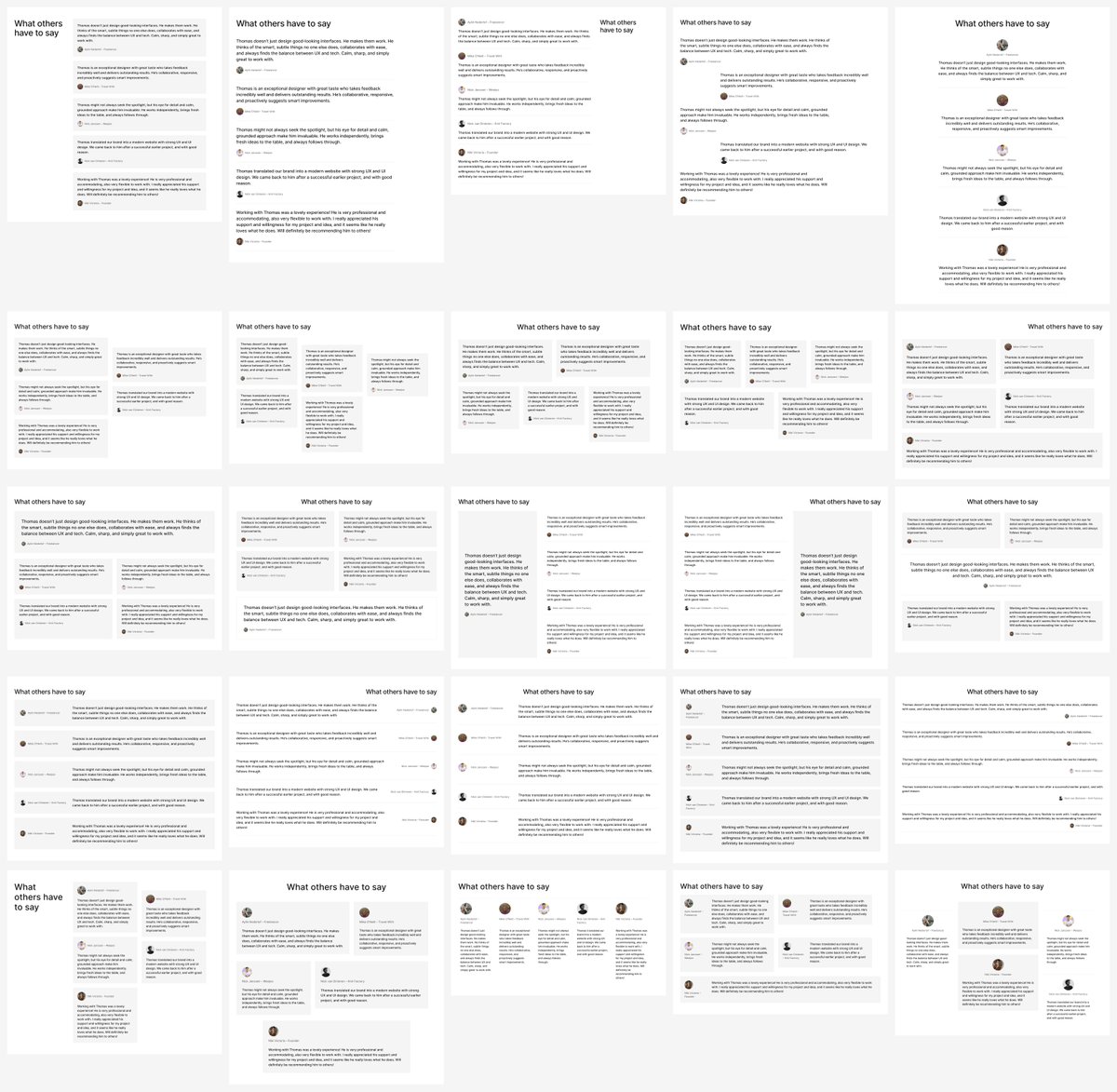
Find a direction worth continuing
With social proof, I'd look at whether the content is easy to read, whether it's clear who said what, and how the section fits into the rest of the page.
Having 25 variations gives me options to inspect. It doesn't tell me which one will work best for a visitor.
Once you've found a direction, tell the agent what you want to keep. A specific observation gives it more to work with than "I like this one."
For example, if you prefer how a version groups the content:
Use Variation [number] as the starting point. I like how it groups the proof and keeps each attribution easy to find.

Create 5 new variations exploring that direction. Keep the same content, assets and visual styles. Preserve the original and all previous variations.

Use new editable artboards. Check for overflow, overlap, missing assets and style changes, then explain the differences.
Replace that reason with what you actually see. If the layouts are too similar, ask for a wider range of compositions.
Edit it on the canvas, then hand it back
This is why I like keeping Paper in the workflow. I can make a quick edit myself and ask Codex to continue from that version.
Sometimes it's easier to move something into place than describe exactly where it should go. I still want that option while I'm building with an agent.
Before using a direction on the live site, I'd check smaller screen sizes, text fit, accessibility and how it works alongside the surrounding sections. These are ideas to refine and test.
Try it with one section you're already working on. Keep its content and styles, compare the layouts and take the direction you like back onto the canvas.