3 ways product designers use the Figma agent for craft, speed, and creative expression
文章目录
部分视频或图片暂未收录,已在正文保留提示;需要时可查看原文。查看原文 ↗
Here’s how teams at Uber, Granola, and Atlassian support high-quality, fast-moving work with the Figma agent, now generally available.
Since we first launched the Figma agent, we’ve watched teams harness a whole new way of interacting with the canvas. Across a variety of use cases—connecting to other tools, sharing skills, creating generative plugins and shaders—we started to see a pattern: teams using the Figma agent to automate busywork, document and maintain design systems, and boost expressivity.
Use guidelines to tell the agent how your team uses its design system. For example, you might say, “Only use red for actions like Delete, never just for decoration.” When a product builder asks the agent to design something using that library, it automatically gets those instructions.
Today, the Figma agent moves out of beta with a number of improvements, including output quality. The new agent is better at following instructions and handling longer-running tasks. In fact, it wins in ~60%+ of our human-graded evals with professional designers. In addition to improved quality, we’ve launched new capabilities that let you:
-
Add guidelines—markdown files that library owners can upload to a Figma library to give the agent additional context about how to use their design system.
-
Use the agent to find and insert Figma context from across the platform, like FigJam stickies, Figma Slides copy, or Figma Design frames.
-
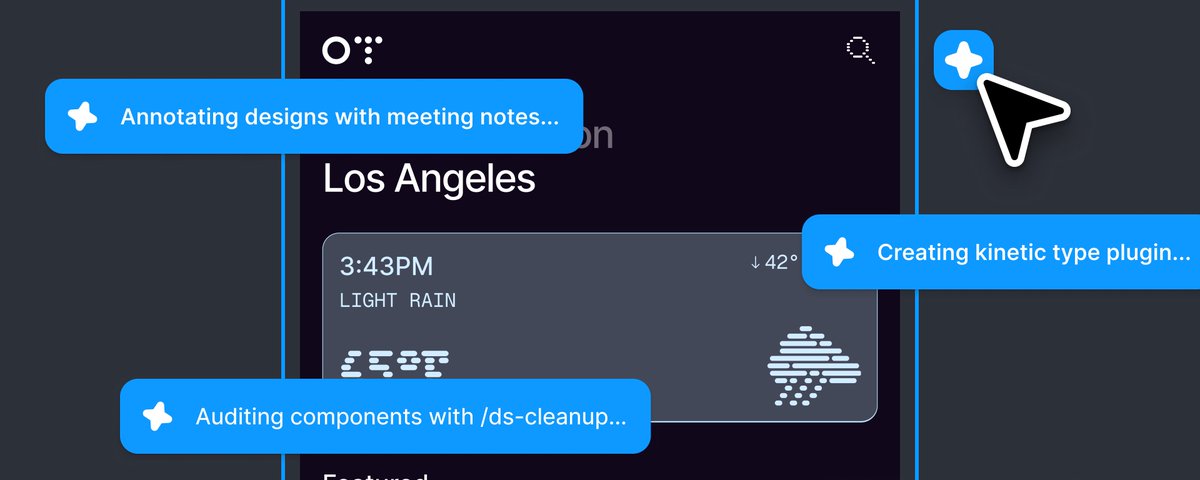
Follow your collaborators’ agents as they work on the canvas, for a multiplayer experience that reflects the way we work now.
Use the agent to find and insert the exact file you need from any Figma product.
Follow what your teammates’ agents are doing on the canvas.
As we’ve heard from teams at Uber, Granola, and Atlassian, having the agent where they already work means they don’t need to reinvent processes or toggle between tools, allowing them to move faster while elevating craft.
How Uber scales design systems documentation
Uber’s design systems team delivers components across seven platforms. The challenge isn’t just building them, but communicating them: When a single component can carry dozens of states, variants, slots, booleans, and enums, misreading the scope means rework down the line. So Staff Product Designer Ian Guisard and Senior Product Designer Niloo Bakhshi built a workflow that uses the Figma agent to document and maintain their design system—creating the precision that’s a precursor to speed.
Niloo’s work is deeply visual and “extremely focused on details,” she says. “I spend a lot of time in Figma making prototypes to show the vision for new components.” In the past, translating this work into actionable component specs was a slow and manual process. Now, Ian partners with her to create dev-ready documentation using the Figma agent and a suite of skills he built to help automate the work. /create-anatomy, for example, exposes component structure, while /create-color maps colors to their design tokens and flags hard-coded values. Running these skills saves engineers the trouble of digging through design layers and cuts down on back-and-forth across all the different platforms.
The /create-anatomy skill, available in Figma Community, creates an annotated visual of a selected component.
“These skills are published in Figma Community, so anyone can run them on their own components,” says Ian. “You create a task, let it run in the background, and keep designing. Beyond just engineers, the skills are useful for me as well: When I accidentally modified a hard-coded color, the agent clearly pointed out the issues. It’s a win-win not only for the handoff process, but for us as designers as a point of reference.”
Automating this work has helped the team make big efficiency gains. Documentation that once took multiple people months now gets published by a single designer in an afternoon. “It’s made us a lot more efficient, and allows us to ship higher-quality components in a fraction of the time,” says Ian. “With the agent in Figma, skills run where the work already happens. The component and its context are already in the file, so there’s no need to move the work into another tool or learn a separate workflow. That makes the skills intuitive to use and easy to share across a team.”
How Granola designs with confidence
The small, nimble team behind the AI-powered notetaking app Granola is defined by a culture of experimentation. “When you’re exploring, it’s so useful to be in Figma and have 10 versions of a design spread around on the canvas,” says Product Designer Paavan Buddhdev. Figma’s agent helps him rapidly iterate and incorporate his team’s feedback, allowing him to shift his focus to big-picture work. “It’s been a massive time saver,” he says.
With the Granola connector, Paavan asks the Figma agent to directly annotate the canvas with feedback pulled from meeting notes and transcripts. This is just as useful in routine design crits as it is in focused “Taste the Soup” sessions, when the whole team tests and gives feedback on working prototypes. “Before, I would be frantically typing notes during the meeting to keep a running to-do list,” says Paavan. “The magic of using the Granola connector with the agent is that I can be more present during the meeting and respond effectively. I’m still doing the design work, but it’s given me more confidence to know that I won’t miss anything important.”
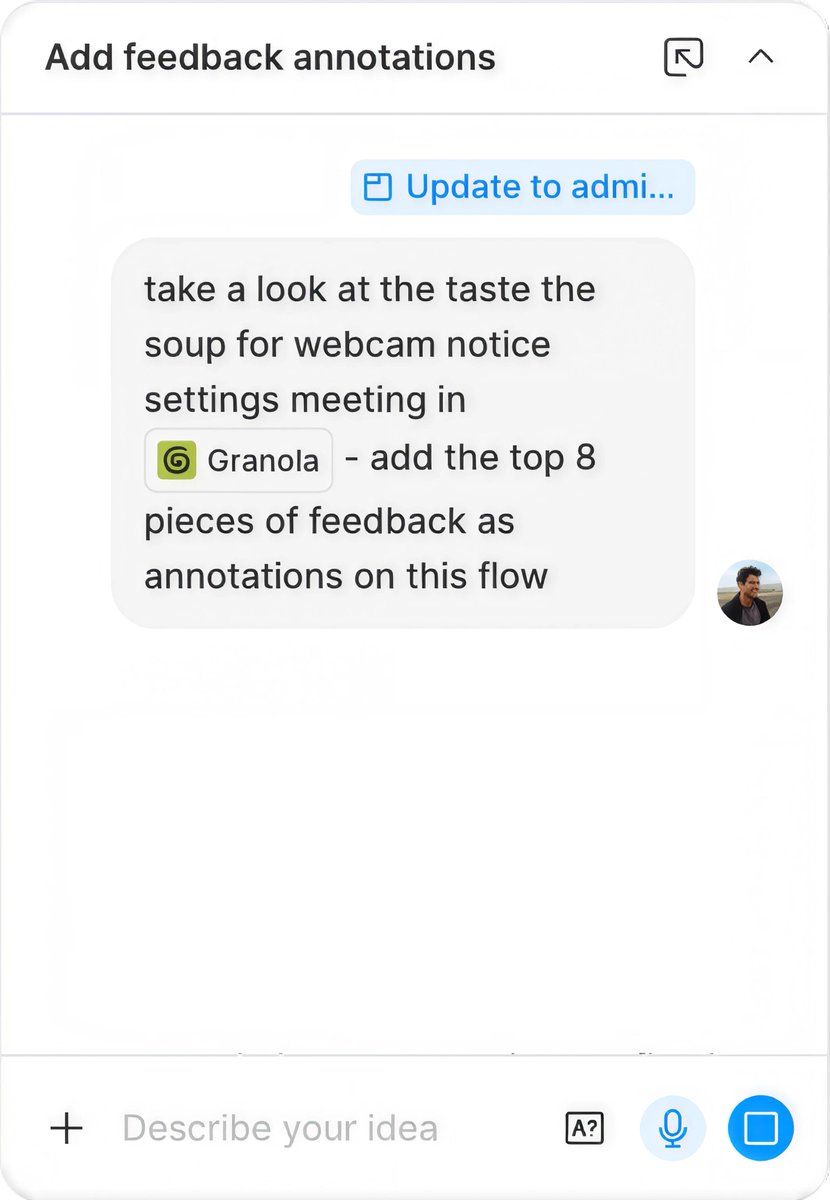
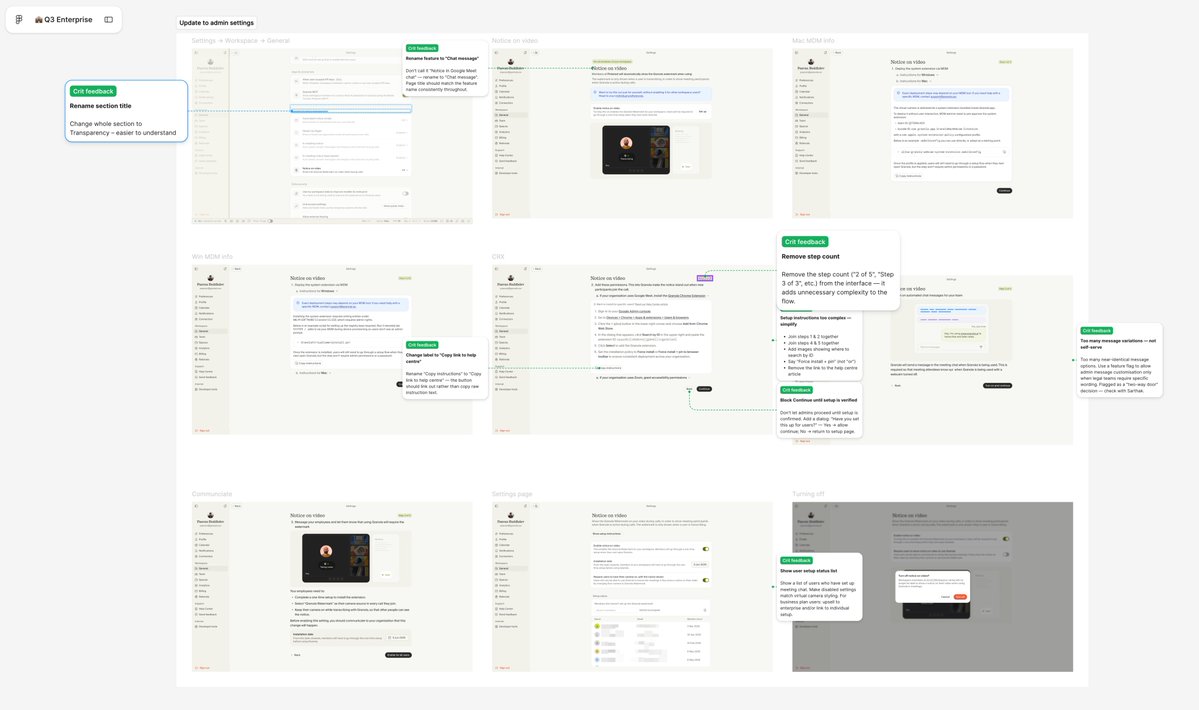
Paavan uses the Granola connector with the Figma agent to comb through meetings and add feedback on the canvas as annotations.
Paavan’s workflow also leverages automation to maintain momentum while designing. Using the Figma Chrome extension, he pulls in existing screens from the Granola app onto the canvas. Then, he asks the agent to clean up connections to Oats, their component library. Other times, he’ll ask for copy variations, like “Give me 30 ways to phrase this button text." “It helps you do the things that you don’t really want to do,” he says.
With the agent reducing tactical friction, Paavan has more time to explore different solutions, talk to users, and pressure-test his work. “The quicker you can get a design in front of a user, the better,” he says. “So everything I do with the agent is in service of that.”
How Atlassian operationalizes motion
Motion is core to Atlassian’s brand expression and user experience, but it doesn’t always get shipped. By turning motion assets into reusable components in Figma, Atlassian’s small motion design team scaled their expertise, with the Figma agent acting as an extension of that system. “It turns animated illustrations from a specialist handoff into a system capability for us, and helps us preserve the craft of motion,” says Senior Product Designer Alexandra Pereira.
Now, a designer working on an onboarding modal can choose from a library of animated illustrations to fill a component slot. If the context calls for something custom, the agent helps them iterate on easing and duration to match the design intent, while making sure the result uses the Atlassian Design System variables. “Being able to generate within guardrails really matters for enterprise systems,” says Alexandra. “It allows for consistency, accessibility, and implementation quality as much as speed.”
This means that designers less fluent in motion can produce work that’s both expressive and on brand. When Product Designer Davy Fung needed to animate a Slack communication banner, he told the agent what he wanted, then asked for feedback on what was working, and what wasn’t. “I wouldn’t normally be able to do this at all,” he says. “For designers working with static designs, our skillsets have increased.”
Davy used the agent to animate a header for an internal blog post about going from Figma to code.
With the broader team beginning to use motion tools on the canvas, it’s easier for everyone to get to a good starting point. “I think a lot of people are going to be able to refine their taste when it comes to motion by using these new tools on the Figma canvas, where they’re already used to making design decisions,” says Lead Motion Designer Maxwell Hathaway.
The Figma agent is available for Full seat users on Professional, Organization, Enterprise, and some Education plans, and limited availability on the Starter plan. Collab, Dev, and View seats can use the agent in their drafts. For an example of how to use the agent in your process, check out our latest Workflow Lab—then jump in and try it yourself.