How I Make 100 AI UGC Videos for $0 with Opus 5.5 (Full Course)
文章目录
部分视频或图片暂未收录,已在正文保留提示;需要时可查看原文。查看原文 ↗
last week i made 100 ugc videos for an app without paying a single creator, renting a camera, or opening an editor.
3 tools did all of it:
three tools did all of it, plus one for cleanup.
opus 5.5 (claude.ai) planned and wrote everything,
then gpt image 2.5 (chatgpt.com) built the characters
& turned them into video with krea (krea.ai) or seedance 2.5 (higgsfield.ai)
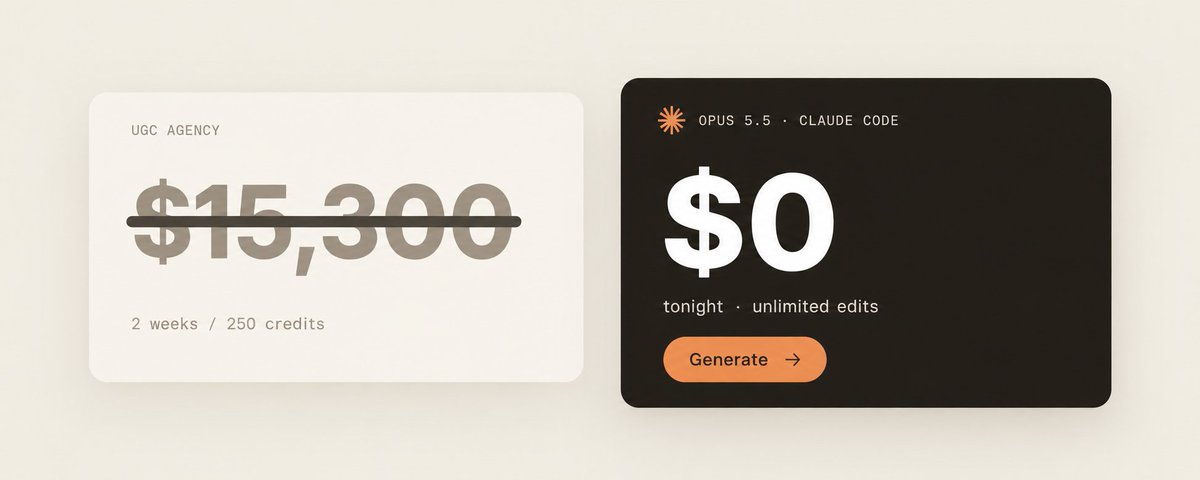
example: i literally spent $0 on this
below is every prompt i used, in the order i used them. copy it.
step 1:
let opus pick the characters
i used to guess who should be in the videos.
then i started asking opus, and the characters came out sharper than anything i'd have picked myself.
paste this into opus 5.5:
"my app is [app name]. it does [one sentence].

my user is [age, gender, where they live, what they struggle with].

give me 10 ugc characters who would realistically use this app.

for each one: age, gender, ethnicity, job, the exact moment in their day they'd open the app, where they'd be filming, and one physical detail that makes them recognizable (a mole, a scar, freckles, a gap in their teeth).

make them feel like people i'd scroll past on tiktok, not models."
that last line does a lot of the work. leave it out and opus hands you 10 attractive people with perfect skin, and perfect skin is the fastest way to get called out as ai in the comments.
step 2:
turn each character into an image prompt
next message, same chat:
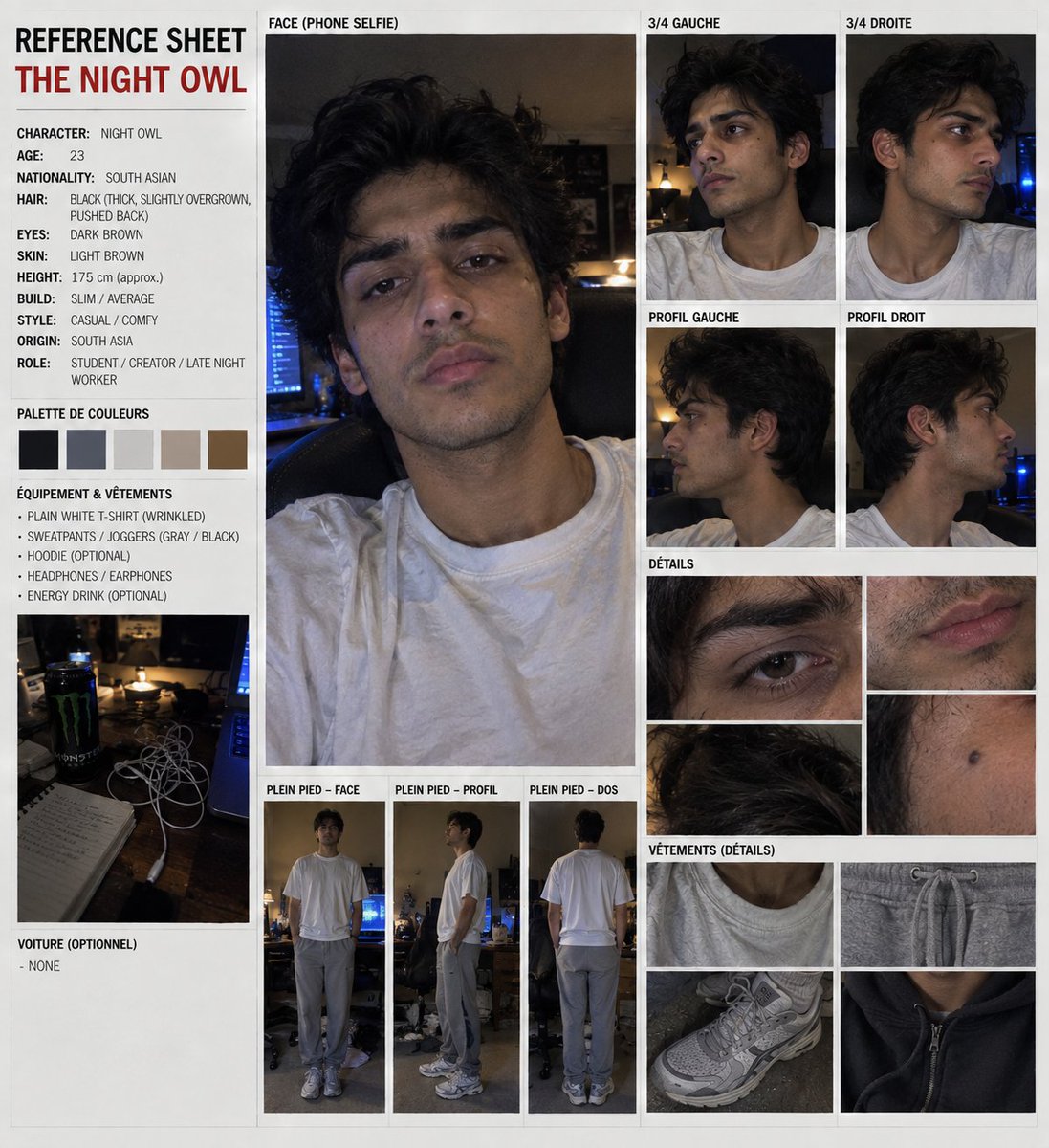
"write a gpt image 2.5 prompt for each character.

format: casual iPhone front camera selfie, their age, ethnicity, hair, eye color, skin tone with their identifying detail, makeup level, one outfit, no other jewellery, the location you picked, natural light, slightly off-center framing, phone-photo look, not studio.

add skin texture: visible pores, slight shine, under-eye shadows where it fits. hair should have flyaways or be a little messy. the room should have some clutter."
here's one it gave me, untouched:
"casual iPhone front camera selfie of a 27 year old woman, East Asian,

long straight black hair tucked behind one ear with a few loose

strands, dark brown eyes, light skin with natural texture and faint

freckles on the nose, no makeup, slightly chapped lips, wearing an

oversized beige cardigan over a white tank top, no other jewellery.

sitting by a window with an open notebook and a half-drunk coffee

mug on the sill, soft morning daylight, slightly off-center framing, calm

gentle expression, phone-photo look, not studio"
step 3:
generate in gpt image 2.5 and be brutal
run each prompt 5 times. keep the one that looks least like ai. that's the whole filter.
delete on sight: plastic skin, hair without a single stray, eyes slightly too big, a background clean enough to be a showroom, and any light that looks like a ring light.
then make the fullbody. upload the headshot you kept and run:
"the SAME person as the reference image, identical face, hair and

outfit, full body, standing in [same location], natural posture, phone-

photo realism"
10 characters, 2 images each. that's your cast, and you never touch those images again.
step 4:
get opus to write 10 scripts per character
go back to the same opus chat so it still remembers everyone:
"for each character write 10 ugc scripts for a 7 second clip.

22 to 28 words each, because people talk at about 3.5 words a second.

mix the openers: 4 confessions, 4 callouts, 2 offers.

no questions as openers. each script has to sound like that specific person talking, using words they'd use.

mention [app name] once, naturally, never like an ad."
100 scripts in one reply.
the word count rule saves you renders. seedance stretches whatever you give it to fill the clip, so a 40 word line in 7 seconds comes out rushed and a 12 word line leaves your character staring at the lens for 4 seconds.
step 5:
have opus write the seedance prompts
last opus message:
"turn every script into a seedance 2.5 prompt using this exact skeleton, filling in the brackets for each character:

authentic UGC clip, handheld front camera selfie, 9:16. keep the

character identical to the reference images. [location]. [he/she] is

already holding [his/her] phone with [app name] open. delivery: [one word].

[he/she] says exactly: "[script]". around second 5 [he/she] glances down at the screen, [small reaction], then looks back at camera. one continuous action.

exactly one phone in the entire scene. no text or captions. iPhone front camera 23mm equivalent, slight handheld drift, built-in mic, no music"
every piece of that skeleton is there because a render broke without it.
"already holding" stays in because the moment you ask the model to pick something up, you get a ixth finger or 2 phones.
one delivery word like "tired" gets you a performance, while a pile of adjectives leaves the face flat.
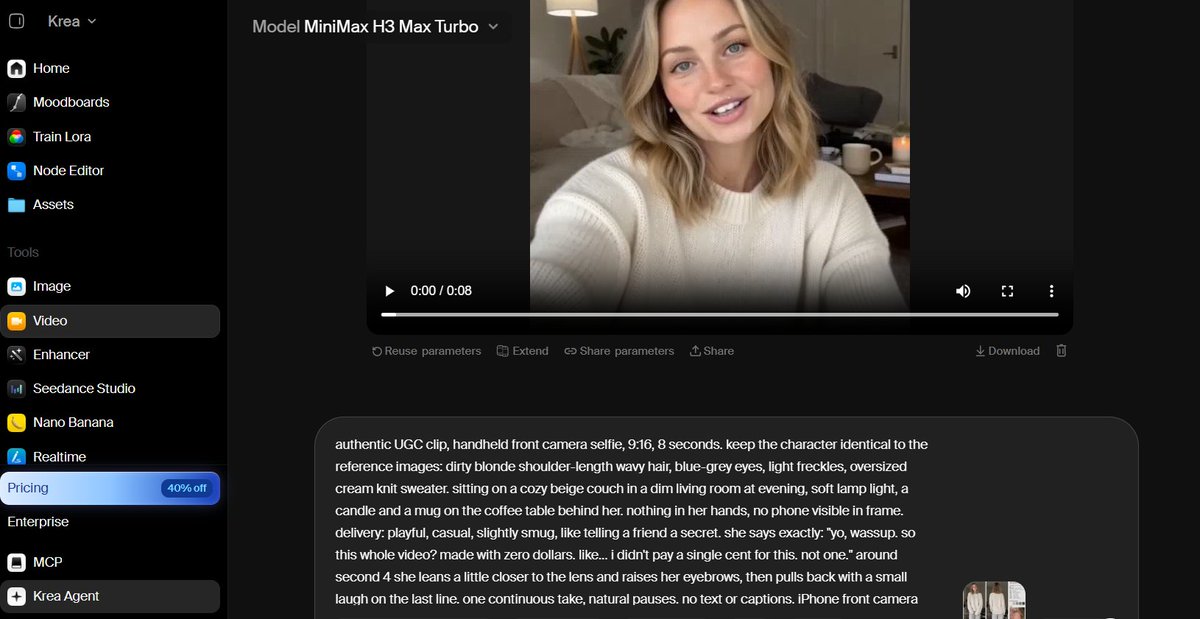
the glance at second 5 is the cheapest realism trick there is. nobody stares into their own camera for 7 straight seconds.
"exactly one phone in the entire scene" because seedance loves putting a second phone on a shelf behind them.
camera specs go last. put "iPhone" in the scene description and it'll render an iPhone into the shot.
P.S. tell ai to make everything natural: the look, emotions, words, strucutre, script.
step 6:
render one, then batch the other 99
don't render all 100 at once.
pick one clip per character and render it alone. check that the face matches the headshot and the voice fits the person.
if either is off, reroll now. finding out on clip 40 means 39 wasted renders.
once a character's first clip is right, save its audio and attach it as the voice reference on their other 9.
the voice stays identical across everything that character says.
then render the rest, with the headshot, fullbody, and voice file attached every time.
step 7:
post the videos across your accounts, 2 to 3 a day each.
if 90 of them dies quietly, that's normal, because you're hunting for the 3 or 4 that hit way above the rest.
when one hits, take the script back to opus:
*"write 20 variations of this exact script for the same character, keep the hook, change the details." *
then render those. just a single winner becomes a month of content.
what this costs
100 ugc videos the normal way runs anywhere from $1,500 to $20,000.
creators charge $15 to $200 a video depending on their following, and that's before usage rights, revisions, and the week of back and forth chasing deliverables.
this way, nothing goes to creators or editors, and nobody touches a camera.
you only pay pennies for render credits, and the whole batch of 100 comes out cheaper than a single mid-tier creator video.
(some platforms even cost $0 to render)
the second batch takes an afternoon, because the cast, the voices, and the opus chat are already sitting there.
> here is my AI UGC character pack open to use:
100 ready-to-post ugc videos is a great start, but it doesn't fix distribution.
our platform has pushed 5B shortform views for the rizz app, taking it from 0 to $400k/month even with 300+ copycats chasing the same audience.
if you want access to our 150k+ creators and want to run distribution at that scale through the same engine, book a call here:
link.affiliatenetwork.com/sleep
no flat fees. creators only get paid for results, around $0.50 per 1k views.
thanks for reading❤️
沿着这个主题继续读
从一篇文章,找到相关的教程、经验和阅读路径。