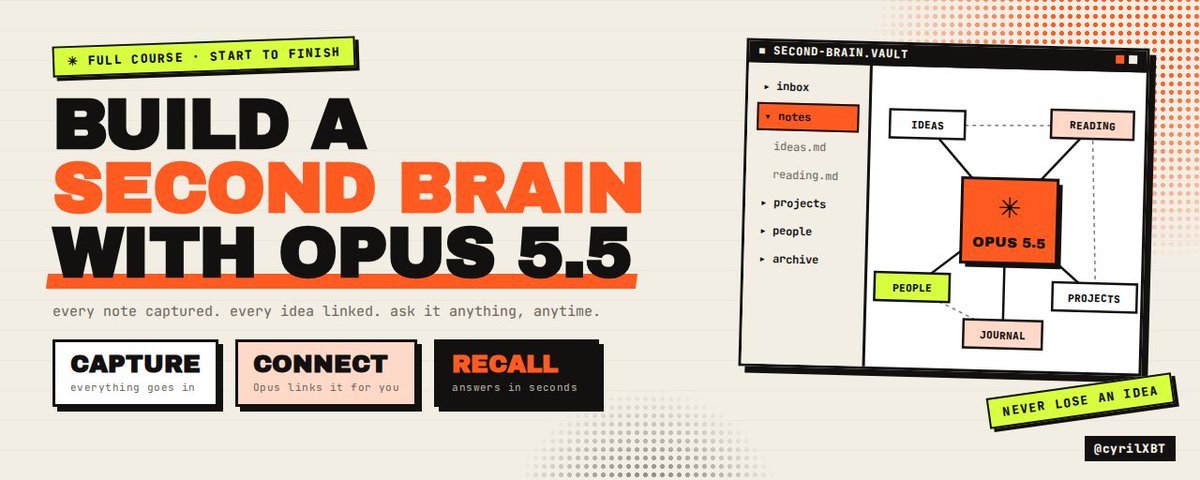
How to build a second brain with Opus 5.5 ( Full Course)
文章目录
I had 2,000 notes and I couldn't find a single one when I needed it.
Bookmarks I never opened. Highlights I never read again. Voice memos that died in my phone. Ideas I KNEW I had written down somewhere, gone.
That is not a second brain. That is a landfill.
Then I pointed Opus 5.5 at a folder of plain markdown files and gave it one job: run my notes like a chief of staff.
Now my inbox empties itself every morning. Every note links to the notes it belongs with. Every Sunday I get a review that tells me what I forgot, what I keep circling, and what I should ship next. And when I ask "what do I actually think about pricing?" I get an answer built from my own notes, with links to every source.
This is the full course. From scratch. No coding experience needed. No $1,000 course.
By the end you will have:
-
A vault of plain markdown files you own forever
-
Opus 5.5 wired in as the brain that reads, sorts, links and writes
-
Six commands that run the whole system with a single prompt each
-
A weekly review that resurfaces what you forgot
-
A pipeline that turns your notes into posts, articles and decisions
Save this. You will come back to it.
Module 1: Why every notes app you tried died
Every second brain dies the same way.
Week one you capture everything. Week three the inbox has 400 items. Week six you stop opening the app because opening it feels like guilt.
The problem was never capture. Capture is EASY. Every app on earth does capture.
The problem is the three jobs that come after capture:
-
Sorting. Where does this note go? What is it connected to?
-
Resurfacing. When should I see this again?
-
Using. How does this note become something real?
Those three jobs take judgment. Judgment takes time. Nobody has time. So the notes pile up and the system dies.
Here is the shift.
Opus 5.5 is VERY good at judgment work on text. Reading 50 messy notes and deciding where each one belongs is exactly the kind of task it handles well. It reads your context, it reasons before it answers, and it puts the answer first instead of burying it under paragraphs.
So you do the one thing only you can do. You capture.
Opus does the three jobs that kill every system.
That is the entire idea. Everything below is how to set it up.
Module 2: The architecture
Four layers. Keep it this simple.
YOU capture anything, anywhere, messy is fine | v THE VAULT (Obsidian) plain markdown files in folders on your computer | v THE OPERATING MANUAL (CLAUDE.md) rules for how your brain is organized | v THE BRAIN (Opus 5.5 inside Claude Code) reads, sorts, links, reviews, answers, writes
The vault is just a folder. Obsidian is a free app that makes that folder pleasant to read and browse, with links between notes and a graph view. But the files are plain text. If Obsidian disappears tomorrow, your brain survives. That matters.
The operating manual is one file called CLAUDE.md that sits in the root of the vault. Claude Code reads it automatically every session. It tells Opus how YOUR brain is organized, what your folders mean, how you name files, and what you care about.
The brain is Opus 5.5 running inside Claude Code, opened inside your vault folder. It can read every note, create new ones, move files and edit links. It works on your actual files, not a copy.
Why not just paste notes into a chat window?
Because a chat forgets. A chat can't move files. A chat can't run the same review every Sunday with the same rules. The vault plus Claude Code gives you something that compounds. Every note you add makes the next answer better.
Module 3: Setup in 15 minutes
Step 1: Download Obsidian. Free at obsidian.md. Install it.
Step 2: Create a vault. Open Obsidian, click "Create new vault", name it brain, put it somewhere simple like your Documents folder.
Step 3: Install Claude Code. Follow the install steps on Anthropic's docs for your operating system. You need a Claude subscription or an API key.
Step 4: Open Claude Code inside the vault. Open a terminal, move into the vault folder, start Claude Code.
cd ~/Documents/brain claude
Step 5: Pick the model. Inside Claude Code, type /model and choose Opus 5.5.
Step 6: Let Opus build the folders. Paste this:
Create this folder structure in the current directory. Do not create any other files yet.
00_inbox 10_projects 20_areas 30_resources 40_archive 50_daily 60_outputs _system _system/templates _system/maps
Then confirm the structure back to me as a tree.
Here is what each folder means:
00_inbox: Everything new. Messy. Unsorted. This is the only place you ever write raw.
10_projects: Things with a finish line. "Launch the newsletter." "Ship v2."
20_areas: Things you maintain forever. Health, money, content, family, your business.
30_resources: Topics you're interested in. AI agents, pricing, copywriting, design.
40_archive: Finished projects and dead ideas. Never delete, just archive.
50_daily: One note per day. Journal, log, what happened.
60_outputs: Things you made from your notes. Drafts, posts, articles, decisions.
_system: Templates, maps of content, and the commands that run everything.
The numbers keep the folders in order in the sidebar. The underscore keeps the system folder out of your way.
This structure is borrowed from the PARA method (Projects, Areas, Resources, Archive) with an inbox, a daily log and an outputs folder added. It works because every note has exactly one obvious home, and Opus can make that call reliably when the categories are this clear.
Step 7: One setting in Obsidian. Go to Settings, then Daily notes. Set the new file location to 50_daily and the date format to YYYY_MM_DD. Underscores, not dashes. Your filenames stay clean and sortable.
You now have a vault. Next we give it a brain.
Module 4: The operating manual (CLAUDE.md)
This is the most important file in the whole system.
Without it, Opus guesses. With it, Opus behaves the same way every single session, like a chief of staff who already knows how you work.
Create a file called CLAUDE.md in the root of the vault and paste this. Then edit the parts in brackets.
CLAUDE.md: Operating manual for my second brain
Who I am
I am [name]. I work on [your work in one line]. My current focus this quarter: [one to three priorities].
What this vault is
A personal knowledge system made of plain markdown files. You are my chief of staff. Your job is to sort, link, resurface and use my notes. I capture. You organize. I decide.
Folders
00_inbox: raw captures. Process these, never leave them sorted here. 10_projects: has a finish line. One folder per project. 20_areas: ongoing responsibilities with no finish line. 30_resources: topics I'm learning about or collecting. 40_archive: finished or abandoned. Move here, never delete. 50_daily: one note per day, named YYYY_MM_DD.md. 60_outputs: drafts and finished things made from notes. _system: templates, maps of content, commands. Do not move files out of here.
Note rules
- One idea per note. If a capture has three ideas, split it into three notes.
- Filenames are lowercase with underscores. Example: pricing_anchors_work_on_saas.md
- Every note starts with a one line summary in bold.
- Every note ends with a "Links" section listing related notes as [[wikilinks]].
- Tags go on the second line: #idea, #quote, #howto, #decision, #question, #person.
- Keep my words. Clean up typos and structure, but never rewrite my opinions into yours.
- If you are not sure where a note goes, put it in 30_resources and tag it #unsure.
Safety rules
- Never delete a file. Move to 40_archive instead.
- Never edit anything in 50_daily except to add links at the bottom.
- Before moving more than 20 files, show me the plan and wait for my yes.
- When answering questions from my notes, cite every note you used as a [[wikilink]].
- If my notes do not contain the answer, say so. Do not fill gaps with general knowledge unless I ask.
How I like answers
Answer first. Short. Then the evidence. No filler. No "great question".
Three rules in there do most of the work.
"One idea per note" is what makes linking possible. A note about three things can't link cleanly to anything.
"Keep my words" is what keeps the brain YOURS. The fastest way to ruin a second brain is letting AI rewrite every note into the same polished, generic voice. In six months you won't recognize your own thinking. Opus 5.5 follows instructions closely, so tell it exactly where the line is.
"If my notes do not contain the answer, say so" is what keeps the brain honest. You want to know what YOU think, not what the internet thinks.
Module 5: Capture (the only job that's yours)
Capture has one rule: make it frictionless.
If capturing takes more than 10 seconds you will stop doing it. So every capture goes into 00_inbox with zero formatting, zero decisions, zero filing.
Here is where captures come from and how to get each one into the inbox:
Thoughts at your desk: Obsidian, new note, type, close. It lands in the inbox if you set the default new note location to 00_inbox in Settings, Files and links.
Thoughts on your phone: Obsidian mobile synced to the same vault, or any notes app you paste from once a day.
Voice memos: Record, transcribe with any transcription tool, drop the text file in the inbox.
Articles and threads: Copy the parts that hit you plus the link. Paste into a new inbox note.
Books: One note per chapter with your highlights and a line on why each one mattered.
Meetings and calls: Paste the transcript or your rough notes. Opus will pull the decisions out later.
A capture can look like this. That's fine. That's the point.
pricing thing from the call w sam. people anchor on the first number they see so show the annual plan first?? also he said churn drops when onboarding has a win in the first 5 min. try this on the dashboard. link: (paste)
Messy. Two ideas in one. No tags. No home.
Your job is done. Everything after this is Opus.
Want a daily capture habit? Use the daily note. Open today's note in 50_daily and dump the day into it before bed. Opus will pull the ideas out of it later and leave the daily note itself untouched.
Module 6: Commands (one prompt runs everything)
Claude Code lets you save prompts as custom slash commands. You write the prompt once as a markdown file, and from then on you run it by typing its name.
Commands live in a .claude/commands folder inside the vault. Let Opus create it:
Create the folder .claude/commands in the current directory. I will add command files to it next.
We are going to build six commands:
-
/process empties the inbox
-
/connect finds links you missed
-
/review runs the weekly review
-
/ask answers questions from your notes
-
/draft turns notes into content
-
/decide turns notes into a decision
Each one is a file. The filename becomes the command name.
Module 7: /process (the inbox that empties itself)
This is the command that saves the system. Create .claude/commands/process.md:
Process every file in 00_inbox. Follow CLAUDE.md for all rules.
For each inbox file:
- Read it fully.
- Split it into separate notes if it contains more than one idea.
- For each idea, write a clean note: a. Bold one line summary at the top b. Tags on line two c. My original words, cleaned of typos and structured, not rewritten d. Any source link kept at the bottom
- Choose the right folder (projects, areas, resources). Use subfolders by topic if one already exists.
- Search the vault for 3 to 5 related notes and add them under a "Links" heading as [[wikilinks]].
- Add a backlink to this new note at the bottom of each related note.
- Move the original inbox file to 40_archive/inbox_processed.
When finished, give me a table: | Original capture | New notes created | Folder | Links added |
Then list anything tagged #unsure so I can decide.
Run it:
/process
That messy pricing capture from Module 5 becomes two notes:
People anchor on the first price they see, so lead with the annual plan. #idea #pricing
From a call with Sam. Show the annual plan first on the pricing page so the monthly price feels small next to it.
Source: (link)
Links
[[pricing_anchors_work_on_saas]] [[dashboard_pricing_page_v2]] [[sam]]
Churn drops when onboarding delivers a win in the first five minutes. #idea #onboarding
Sam said churn drops when new users get a real result within five minutes. Test this on the dashboard onboarding flow.
Links
[[dashboard_onboarding]] [[activation_metrics]] [[sam]]
Two clean ideas. Filed. Linked to everything they relate to. And the related notes now link back.
Do this every morning and your inbox is at ZERO every day for the rest of your life.
Cost tip: sorting is judgment work, but it's light judgment. If you're on the API and your inbox is large, run /model and switch to Sonnet 5.5 for /process, then switch back to Opus 5.5 for reviews and questions. Sonnet 5.5 is half the price of Opus at $2 per million input tokens versus $4. Use the expensive model where the thinking is hard.
Module 8: /connect (the links you didn't see)
The value of a second brain is in the connections. A single note is a fact. Two connected notes are an insight.
/process links new notes. But the old notes in your vault were never connected to each other. That's what /connect fixes.
Create .claude/commands/connect.md:
Find connections in my vault I have not made yet.
Focus on: $ARGUMENTS If no focus is given, scan the 40 most recently modified notes.
- Read the notes in scope.
- Find pairs or clusters of notes that relate but do not link to each other. Look for: the same idea in different words, ideas that contradict each other, an idea that answers a question in another note, a principle and an example of it.
- For each connection, explain in one sentence WHY they connect.
- Show me the list before changing anything.
- After I say yes, add the [[wikilinks]] in both directions.
Also flag:
- Contradictions: two notes where I believe opposite things.
- Clusters: 5 or more notes on one theme with no map of content yet.
Run it with a focus or without:
/connect pricing
The part I love is the contradictions. Opus will find the note from March where you said "never discount" and the note from August where you wrote "discounting the annual plan doubled conversions." That's not a bug in your thinking. That's your thinking evolving. And now you can see it.
Maps of content. When /connect flags a cluster, have Opus build a map: one note in _system/maps that links every note on a theme, grouped and ordered. Paste this:
Build a map of content for the theme "pricing" in _system/maps/map_pricing.md. Group the related notes under 3 to 6 headings that make sense for this topic. Under each heading list the notes as [[wikilinks]] with a one line summary each. At the top, write a 5 line summary of what my notes, taken together, say about pricing. Only use what is in my notes.
That 5 line summary at the top is something you could never write yourself without spending a full afternoon rereading everything. Opus does it in a minute.
Module 9: /review (your Sunday chief of staff)
This is where the second brain stops being a filing cabinet and starts being a thinking partner.
Create .claude/commands/review.md:
Run my weekly review. Read CLAUDE.md first for my current focus.
Read:
- Every note in 50_daily from the last 7 days
- Every note created or modified in the last 7 days
- Every project folder in 10_projects
Then write a review note at 60_outputs/reviews/review_YYYY_MM_DD.md with today's date and these sections:
What happened
5 bullets max. What I actually did, from my daily notes.
What I keep circling
Ideas, worries or questions that showed up more than once this week. Quote me.
What I forgot
Notes older than 30 days that connect to what I worked on this week. Link them and say why they matter now.
Stalled projects
Projects in 10_projects with no activity in 14 days. Ask me: continue, pause, or archive?
Open loops
Every unanswered #question and every promise I made to someone ("I'll send", "I'll check", "follow up").
One thing
The single highest leverage thing I should do next week based on my stated focus. One sentence, then why.
Rules: cite every claim with a [[wikilink]]. Be direct. If I am drifting from my focus, say so.
Run it every Sunday with Opus 5.5:
/review
Two sections do the heavy lifting.
"What I forgot" is the resurfacing job that kills every other system. You'll get notes from three months ago that suddenly matter, delivered right when they matter. This is the moment the second brain starts paying you back.
"If I am drifting from my focus, say so" is the line that makes it honest. You told CLAUDE.md your quarterly priorities. Opus will read your week and tell you, plainly, when you spent five days on something that isn't on the list. Uncomfortable. Necessary.
This is the job I use Opus 5.5 for and nothing cheaper. Reading a week of messy notes, spotting patterns across them and calling out drift is the hardest reasoning in the whole system. Thinking is always on with Opus 5.5, and here you want every bit of it.
Module 10: /ask (talk to your own brain)
Now the fun part. Your notes become something you can interrogate.
Create .claude/commands/ask.md:
Answer this question using ONLY my notes: $ARGUMENTS
- Search the whole vault for every relevant note. Check maps in _system/maps first.
- Read them fully, not just the titles.
- Answer first in 3 to 6 sentences, in plain words.
- Then list the evidence: each note as a [[wikilink]] with the line that supports the answer.
- Then tell me where my notes disagree with each other, if they do.
- Then tell me what my notes do NOT cover that I would need to know to be confident.
If my notes do not answer this, say "Your notes don't cover this" and stop.
Questions that work incredibly well:
/ask what do I actually believe about pricing a SaaS product? /ask what have I learned about getting followers on X? /ask what did Sam tell me across all our calls? /ask which of my project ideas have I mentioned more than three times? /ask what are the recurring reasons my launches underperform?
That last one is brutal. And it's the most useful question in the list.
Notice what this is NOT. It's not asking an AI what it thinks about pricing. It's asking your past self, across every note you ever took, with a perfect memory and links to the receipts. That's the actual promise of a second brain, finally delivered.
Step 6 matters too. "What do my notes NOT cover" turns every answer into a list of what to learn next. Your gaps become your reading list.
Module 11: /draft (from notes to content)
A second brain that never produces anything is a hobby. This is where notes turn into posts, articles, emails and scripts.
Create .claude/commands/draft.md:
Write a draft from my notes. Request: $ARGUMENTS
- Find every note relevant to the request. Use maps in _system/maps first.
- Build an outline from MY ideas, in the order that makes the strongest argument.
- Write the draft in my voice. Use my phrases from the notes where they are strong.
- Every claim must come from a note. If you add anything that is not in my notes, mark it [ADDED] so I can check it.
- Save the draft to 60_outputs/drafts/ with a clear filename.
- At the bottom of the draft, list every source note as a [[wikilink]].
- Add a link to the new draft at the bottom of each source note, under "Used in".
Run it:
/draft a 600 word newsletter on why onboarding matters more than pricing /draft 3 X posts from my notes on AI agents, short lines, strong hooks /draft an email to my team explaining why we are changing the pricing page
Three details make this work.
"Use my phrases from the notes." Your best lines are already in your notes. You wrote them fast, with conviction, before you started editing yourself. Opus can find them and put them to work.
The [ADDED] marker. Opus is a strong writer, and strong writers fill gaps. The marker shows you exactly where it went beyond your thinking, so you can check it, cut it or keep it. Nothing slips in unnoticed.
"Used in" backlinks. Every note now knows where it was used. Six months later you can see which ideas turned into content and which are still sitting there unused. Unused ideas with lots of links are your next posts.
Module 12: /decide (notes into decisions)
The highest value output of a second brain isn't content. It's better decisions.
Create .claude/commands/decide.md:
Help me make this decision using my notes: $ARGUMENTS
- Find every note relevant to the decision, including past #decision notes.
- Write a decision memo at 60_outputs/decisions/ with these sections:
The decision
One sentence.
Options
2 to 4 real options, including "do nothing".
What my notes say
For each option, the evidence for and against from my notes, with [[wikilinks]].
What I decided last time
Any past decision on a similar question and how it turned out, if my notes say.
Recommendation
Your recommendation in one sentence, then the reasoning. Be direct.
What would change your mind
The one piece of information that would flip the recommendation.
- Tag the memo #decision.
- Leave a section at the bottom called "Outcome" empty. I will fill it in later.
That empty "Outcome" section is a trap you set for your future self. When you fill it in, months later, the next /decide reads it. Your brain starts learning from its own track record.
Most people make the same mistake three times because nothing remembers the first two. Your vault does.
Module 13: Effort, models and what this costs
Opus 5.5 always thinks before it answers, and you can change how much effort it puts in. Match the effort to the job:
/process (Sonnet 5.5 or Opus 5.5): Light judgment, high volume. Sonnet is half the price on the API.
/connect (Opus 5.5): Spotting non obvious connections takes real reasoning.
/review (Opus 5.5): The hardest reasoning in the system. Never cheap out here.
/ask (Opus 5.5): Synthesis across many notes. Accuracy matters.
/draft (Opus 5.5): Voice and structure.
/decide (Opus 5.5): Highest stakes.
On a Claude subscription, Claude Code usage comes out of your plan, so you are not paying per token.
On the API, here is a rough monthly estimate for a heavy personal vault. These are my estimates, your numbers will vary with vault size:
Opus 5.5: $4 per million input tokens, $20 per million output, $0.20 cache reads Sonnet 5.5: $2 per million input tokens, $10 per million output
/process daily on Sonnet 5.5 20,000 input x $2/M = $0.04 4,000 output x $10/M = $0.04 $0.08 x 30 days = $2.40
/review weekly on Opus 5.5 80,000 input x $4/M = $0.32 4,000 output x $20/M = $0.08 $0.40 x 4 weeks = $1.60
/ask three times a day on Opus 5.5 20,000 input x $4/M = $0.08 1,500 output x $20/M = $0.03 $0.11 x 3 x 30 days = $9.90
Total = about $14 a month
Less than one lunch. For a chief of staff who reads everything you've ever written.
Your CLAUDE.md gets read at the start of every session, so keep it lean. Cached input on Opus 5.5 costs $0.20 per million tokens instead of $4, which is a 95% discount on anything repeated, so stable files like the manual and your maps get cheap fast.
Module 14: The 7 day launch plan
Don't try to build all of this in one night. Here's the order that works.
Day 1: Setup. Modules 3 and 4. Vault, folders, CLAUDE.md. Spend real time on the "Who I am" and "current focus" sections. Everything downstream reads them.
Day 2: Import. Dump your old notes into 00_inbox. Apple Notes exports, Notion exports, Google Docs, bookmarks, a list of your saved threads. Don't sort anything. Just get it in.
Day 3: First /process. Build the command from Module 7. Run it on 20 notes, not 2,000. Read the output. Tune CLAUDE.md where Opus filed things wrong. Then run it on the rest in batches.
Day 4: First /connect. Run it on your biggest topic. Build your first map of content. Open the graph view in Obsidian and look at your brain for the first time. This is the moment people get hooked.
Day 5: /ask. Build the command. Ask it ten questions about your own work. Notice which answers surprise you.
Day 6: /draft. Turn one cluster of notes into one piece of content. Post it.
Day 7: First /review. Build the command and run it. Read it slowly. Then add /decide the next time you have a real decision to make.
After week one, the daily routine is about five minutes:
Morning: /process During the day: capture into 00_inbox, nothing else Evening: dump the day into today's daily note Sunday: /review, then act on "One thing"
That's it. Five minutes a day for a brain that never forgets.
Module 15: The mistakes that kill it
I've watched people build this and break it. Same mistakes every time.
Mistake 1: Letting Opus rewrite everything. If your notes all start sounding like the same polished AI, you've lost the thing that made them valuable. "Keep my words" is in CLAUDE.md for a reason. Enforce it.
Mistake 2: Over engineering the folders. Forty folders with nested subfolders is procrastination dressed up as productivity. Start with the eight folders. Let Opus create topic subfolders only when a topic has ten or more notes.
Mistake 3: Running /process on 2,000 notes on day one. Run 20. Check them. Fix the rules. Then scale. Bad rules applied to 2,000 notes is a mess you'll spend a week untangling.
Mistake 4: Skipping the safety rules. "Never delete, archive instead" and "show me the plan before moving more than 20 files" protect you from the one bad command that ruins a year of notes. Also back up the vault. Obsidian Sync, git, or a plain copy to cloud storage. Pick one today.
Mistake 5: Asking questions your notes can't answer. If /ask keeps saying "your notes don't cover this", that's not failure. That's the system telling you to capture more on that topic. Listen to it.
Mistake 6: Never using the outputs folder. A second brain is measured by what comes out of it, not what goes in. If 60_outputs is empty after a month, you built a library, not a brain.
Mistake 7: Skipping the Sunday review. The review is the heartbeat. Skip it two weeks in a row and the system starts dying the way every other one did. Put it in your calendar now.
Module 16: Where to take it next
Once the core system runs, here are the upgrades worth making:
People notes. One note per person in 20_areas/people. Before a call, run /ask what do I know about [name] and what did we last talk about? You'll walk into every meeting remembering everything.
A reading pipeline. Every book or long article becomes one note of highlights plus one note of "what I think now." Run /connect after each one. Reading stops being consumption and starts compounding.
Content engine. Every Monday, run /ask which ideas have the most links but have never been used in an output? Those are your best unwritten posts, ranked by how much you actually think about them.
A quarterly review. Copy /review into /quarter, change 7 days to 90, and add a section called "How my thinking changed." Reading that every quarter is worth more than any course.
The real thing
Here's what nobody tells you about a second brain.
The value isn't in storing notes. Storage is free. Every app stores.
The REAL value is in the moment a note from four months ago walks back into your life exactly when you need it, connected to three other notes you forgot you wrote, and suddenly you understand something you couldn't understand before.
That moment used to need a perfect memory or an assistant reading everything you ever wrote.
Now it needs a folder of markdown files and Opus 5.5.
You capture. Opus sorts, links, resurfaces and writes. You decide.
Build it this week. Run the first review on Sunday. You'll never go back to a notes app again.
If this helped, follow @cyrilXBT. I post the systems I actually use to build with AI, every day, from scratch, no fluff.
Bookmark this so you have it when you sit down to build.
沿着这个主题继续读
从一篇文章,找到相关的教程、经验和阅读路径。