Grok Bot for GTM (pt 2)
I wanted to do a follow-up on Grok Bot for GTM as we've shipped countless improvements in the last few months, to ensure Grok Bot feels like a trusted teammate.
Here are some features we've shipped that I use every day in GTM at SpaceXSI:
Team Bots
Bots are now multiplayer, and our team has been hiring bots as teammates across the company. You can message these bots where you already work in Slack, and share these bots with others, similarly to how you'd share a google doc.
One of the things that has surprised me is that my most used team bots, were actually created by teams outside of GTM. It feels like hiring a specialized colleague, who is always available to lend their expertise. Two of my most used bots were created by our Design team, and Data Science team.
If you read my past article, you can see that I had previously created these types of teammates myself, but having access to team bots created by colleagues who specialize in these roles, has helped me leverage higher quality agents. My teammates who have experience in these roles, have far better context than I would on the right skills for the agents. We also are able to add team bots to our Slack channels, so as we work with team bots, they continuously improve with memory, and get better for the entire team.
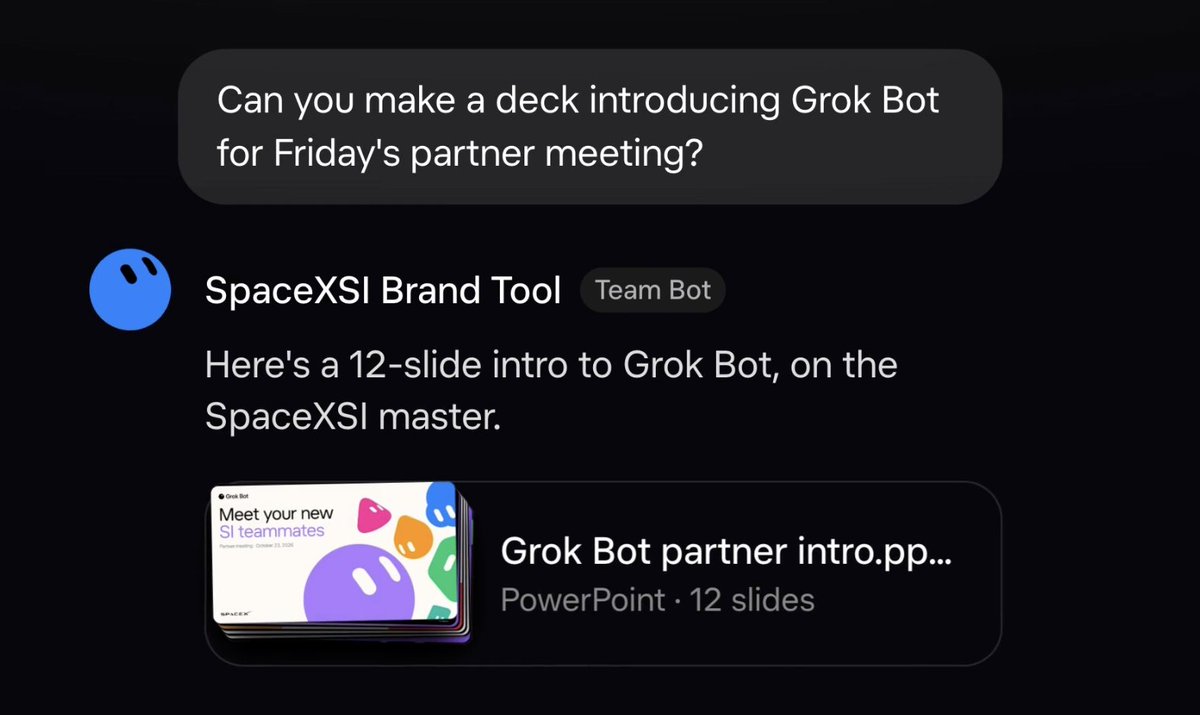
Design teammate
I work with the brand tool bot to create customer facing assets: renewal decks, one-pagers, case studies, ROI and value summaries, onboarding guides, and more.
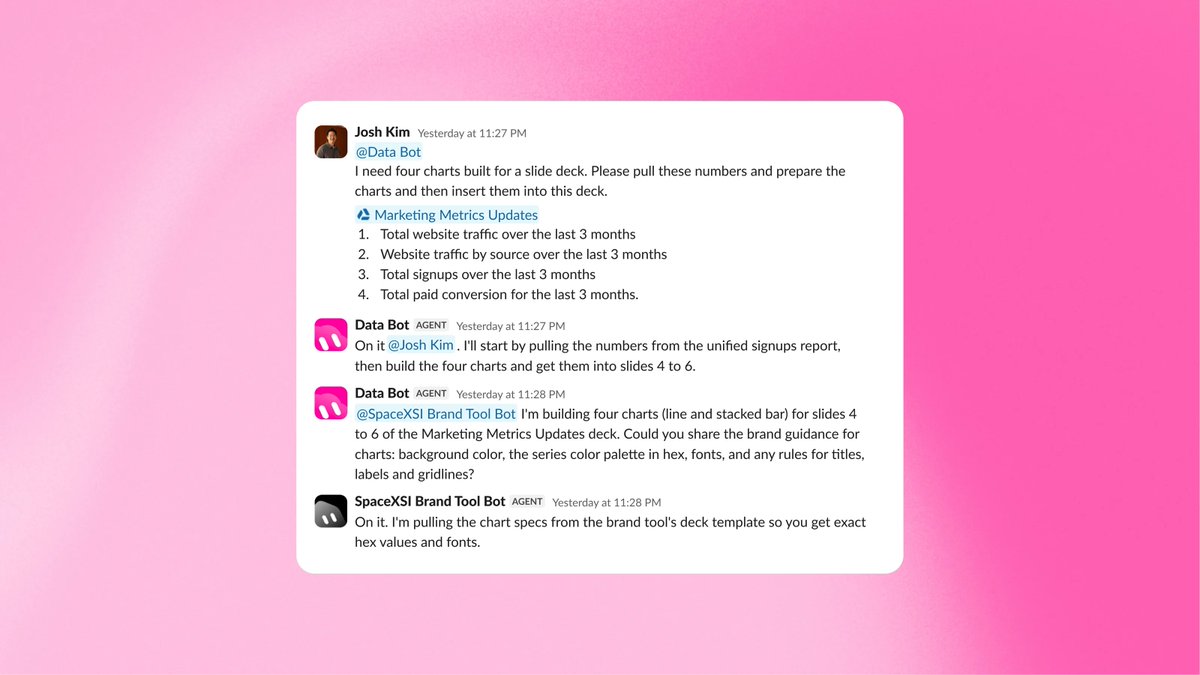
Data science teammate
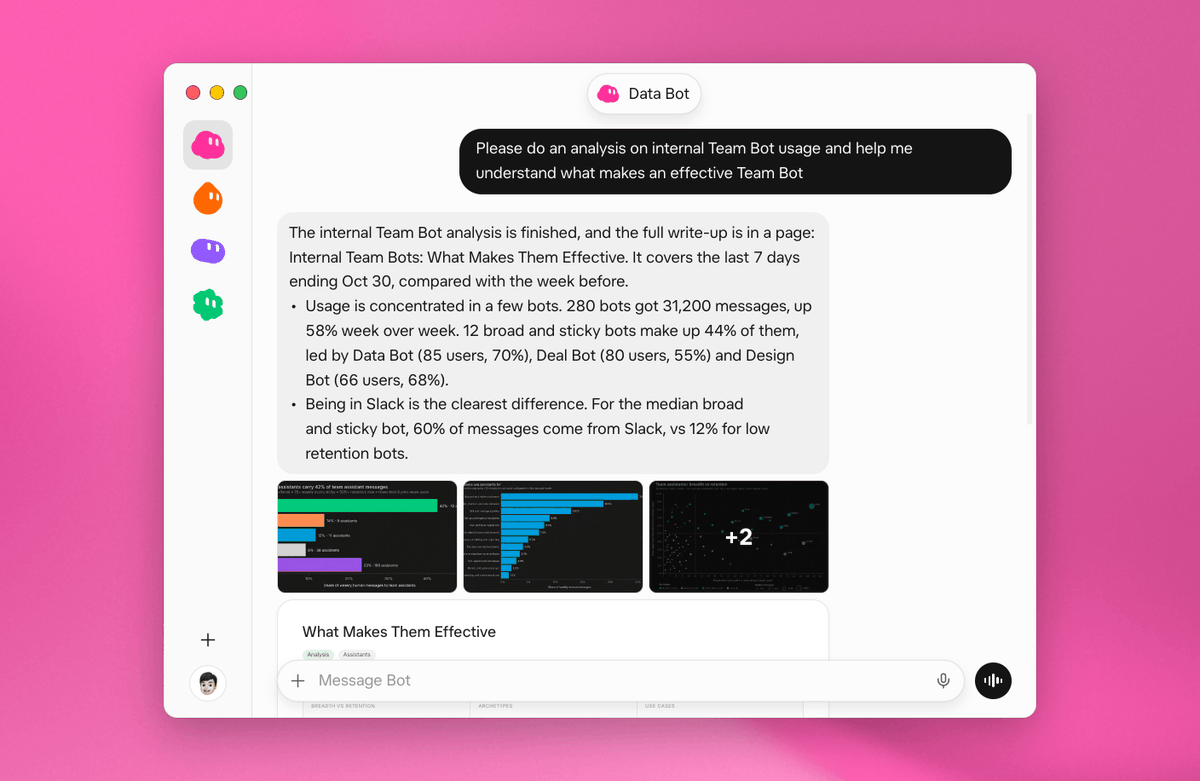
Data Bot keeps me up to date on my customers' adoption metrics and trends. It also pulls together renewal data, flags the features I should help customers adopt, builds weekly book-of-business snapshots, spots expansion signals and more.
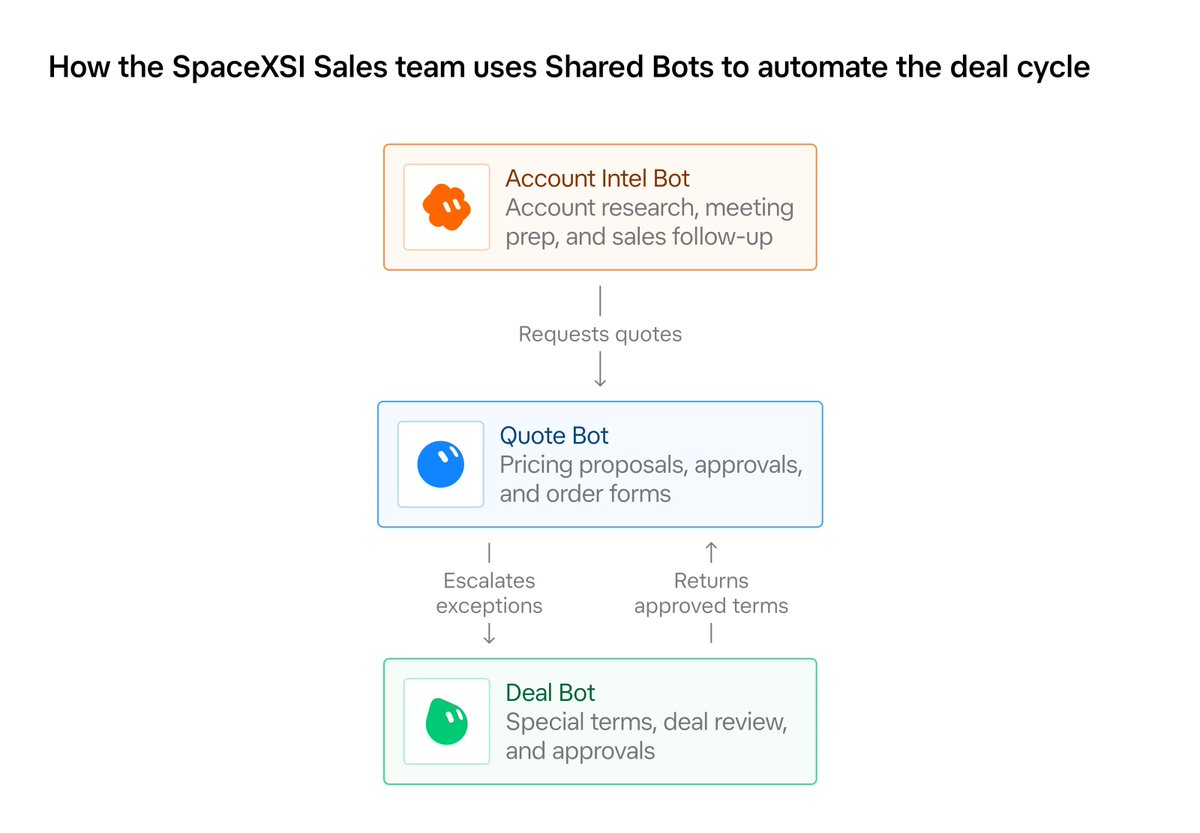
Our team has also been building sales-specific team bots.
Account Intel Bot
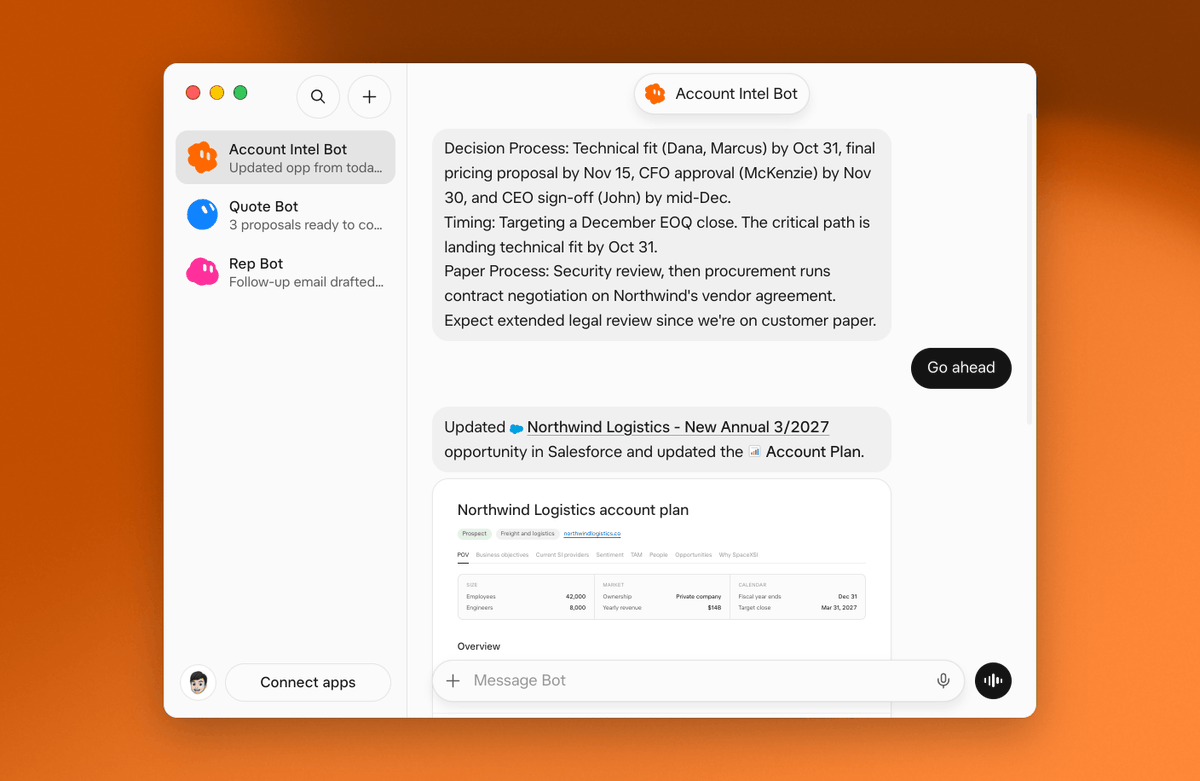
Account Intel Bot helps me identify prospects, prepare for customer conversations, and keep Salesforce up to date using context from Slack, Gmail, Gong, and Granola. It also flags deal risks and new stakeholders, suggests next steps and close date changes, and drafts follow-up emails, so my pipeline stays current without manual data entry.
Quote Bot
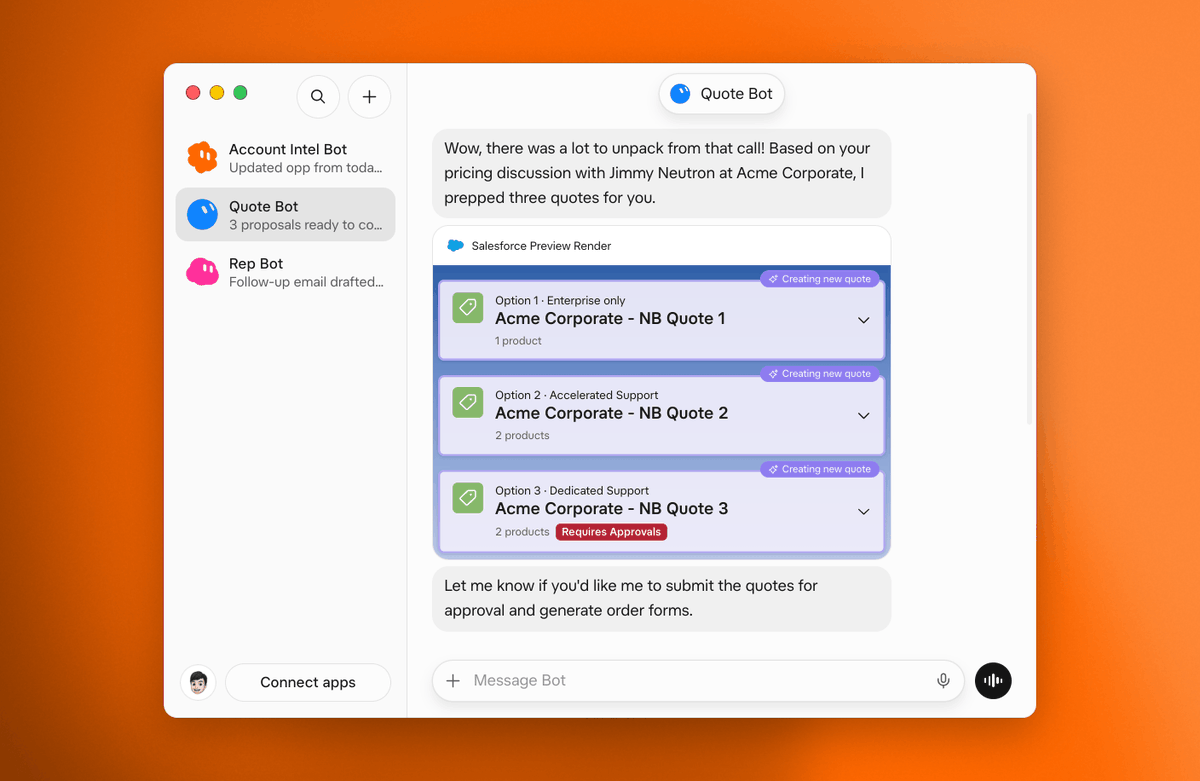
Quote Bot generates pricing proposals and prepares order forms using CPQ tools. Quote Bot enables me to move quickly, and starts putting together quotes as soon as I get off a call, by pulling from my Gong or Granola notes.
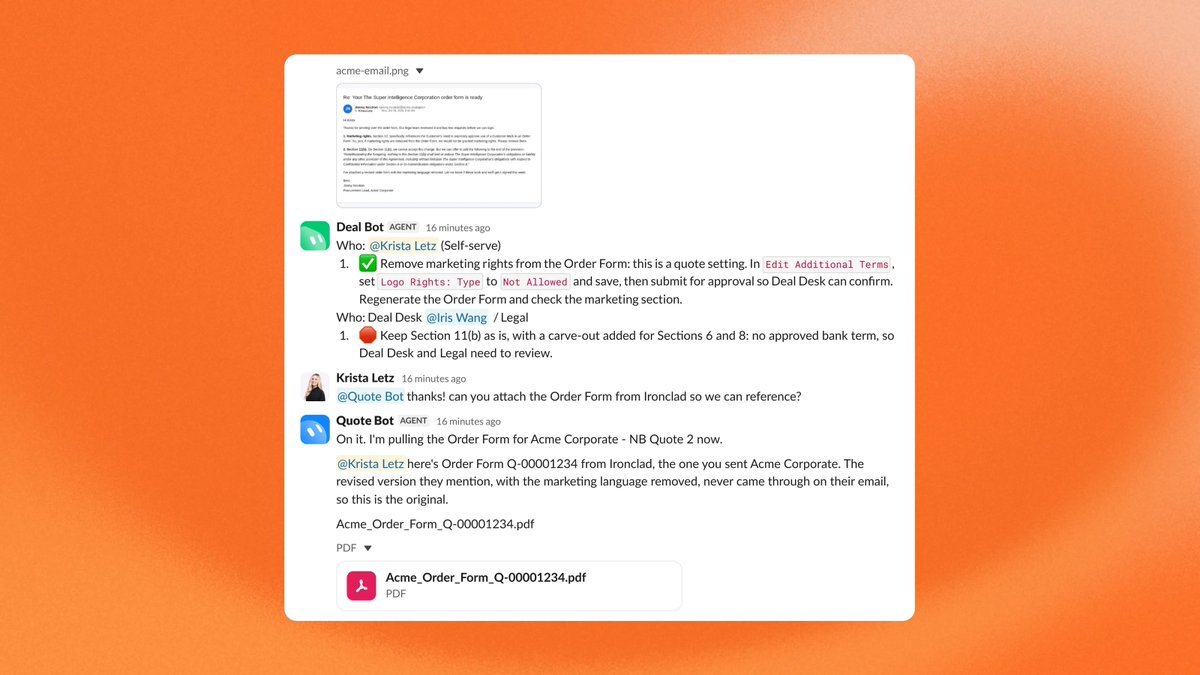
Deal Bot
Deal Bot helps our Deal Desk team review non-standard terms and approve deals, so we can get contracts out the door faster.
Team Bots have made it easier to share what's working, so other colleagues can pick them up and replicate the same efficiency gains across the team.
Proactivity
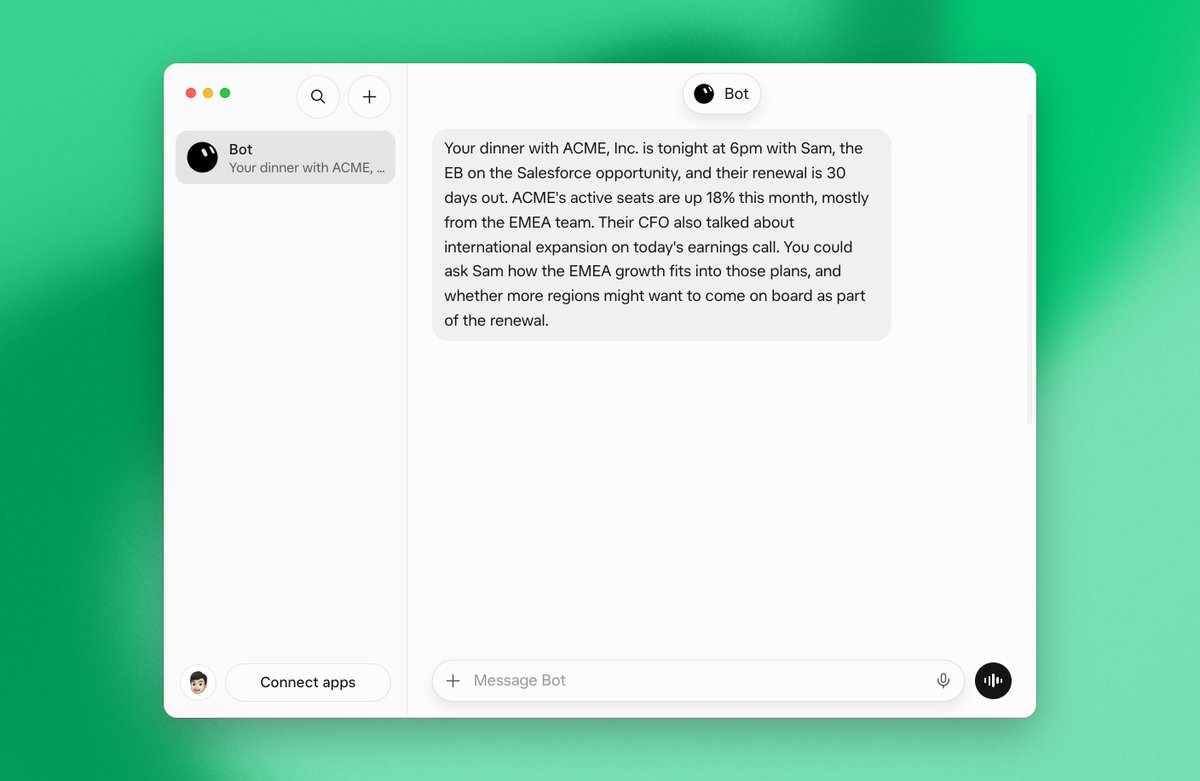
Grok Bot is now more proactive. It takes on work without you having to ask. The more you use it, the smarter it gets at spotting where it can take things off your plate.
X Bot
One of Grok Bot's biggest differentiators is its native connection to X, so I always have real-time information when I need it. Everything happens on X now. X Bot keeps me on top of what my accounts and their leaders are talking about, finds events they're attending or speaking at, flags buying signals, competitive mentions and industry news, and helps me show up to every call and draft every email with relevant context.
Pages
Grok Bot can build reports, memos, and dashboards. You can ask Bot for a page, edit it together, or have Bot keep it up to date. Some of my favorite use cases:
Account plans Account plans stay current without data/context going stale, and you can share them with other teammates working on the same account.
Customer pages Brings in our brand tool bot to build customized pages for customers and prospects, with our branding and theirs.
Dashboards Builds dashboards of pipeline, usage, and account health so I can check them without rebuilding the view each time.
Prospect research Pulls company context, stakeholders, and talking points into one place before outreach or a call.
Target account lists Ranked target account lists on a Page, with intent data, hooks, research, and outreach next steps. Automatically updates each week with refreshed research, POVs, and any new contacts.
You can now more easily draft emails, directly from Grok Bot, and approve every send.
Voice / Mobile
Talking to Bot is extremely useful. On the mobile app, I can delegate work to Grok Bot just by speaking. I use it on the go for iterating on decks, putting together data, updating Salesforce, and prepping for meetings.
We've partnered with all your favorite GTM tools, so your bots have everything they need to do their job.
Getting started
Tag your bot and ask it to suggest a few bots from this post, or find more sales bots on our marketplace. I'd also recommend Dr. Eggbot to help you build higher-quality bots, and using voice to talk through what you can hand off first to Grok Bot.
沿着这个主题继续读
从一篇文章,找到相关的教程、经验和阅读路径。