Google Flow- 5分钟带你入门 Vox 风格视频
文章目录
部分视频或图片暂未收录,已在正文保留提示;需要时可查看原文。查看原文 ↗
之前使用 Google Flow 制作了一个 Vox 风格的小视频,大家都非常喜欢。那今天就来拆解一下,这个 Vox 风格的视频到底是怎么做的。
常非常简单,五分钟一定可以搞定!!!
1. 前置的准备
大家可以用 去网上找一些自己比较喜欢的 Vox 风格内容,然后喂给 ChatGPT,让它去生成相应的首帧和尾帧图片。
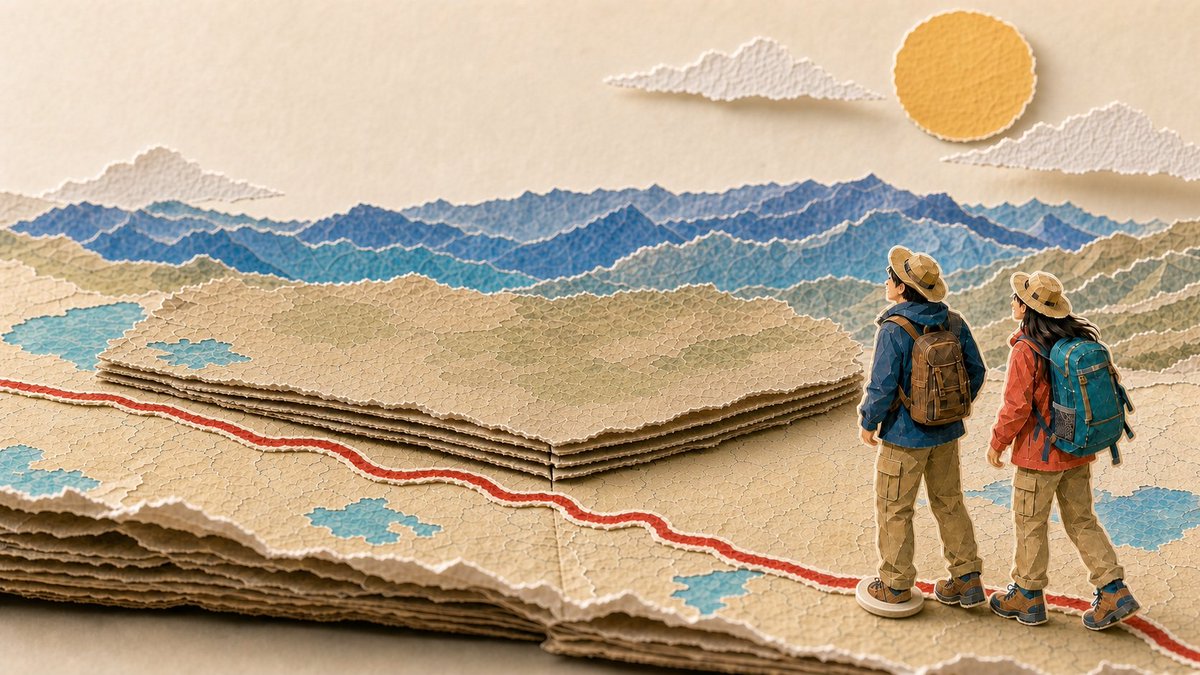
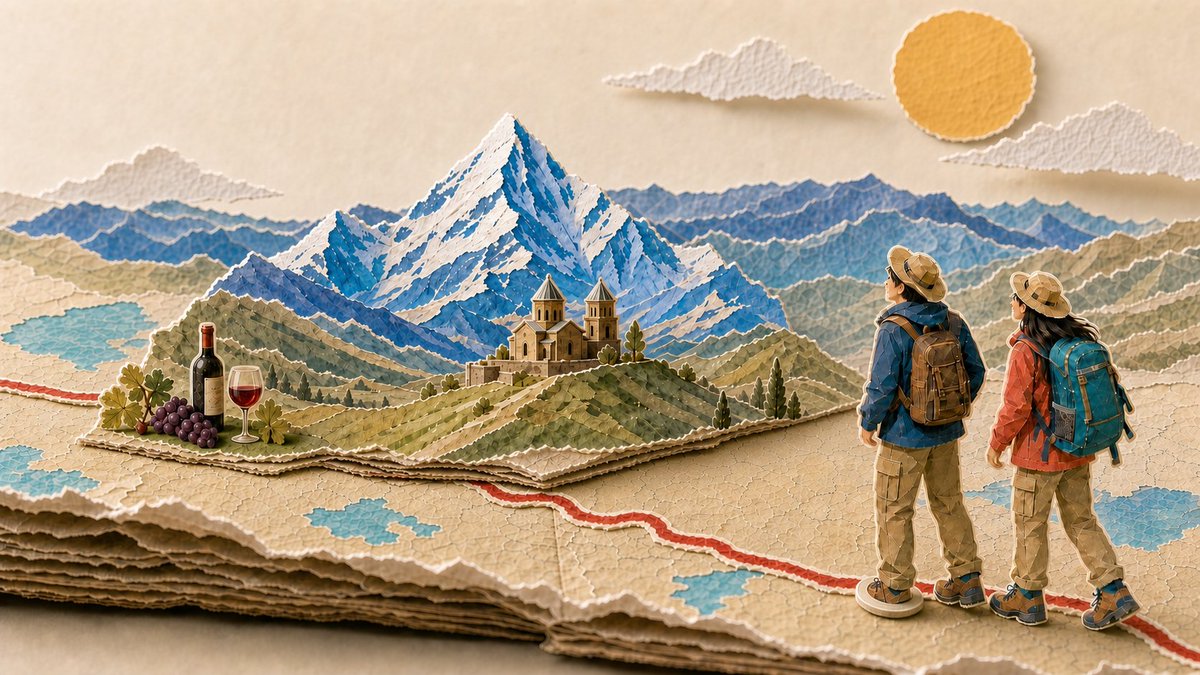
我个人的想法是,我很想做一个关于两个人去旅行的视频。我首先想到的场景就是格鲁吉亚的雪山、教堂,还有红酒。那我就找到一些我比较喜欢的图片,再加上我个人的描述,让 ChatGPT 生成这两张起始帧和初始帧的图片。
2. Google Flow
第二步,我们可以打开 Google Flow 的网站,然后用 Google 账号去登录。
网址:https://labs.google/fx/tools/flow
➡️如果你没有订阅账号的话,每天也会有 50 个点的积分,这 50 点积分可以生成 2 到 3 段视频,也是非常好的。
➡️如果你需要订阅的话,闲鱼上有一些以年为单位的套餐,真的是非常划算
首先登录 Google Flow,登录之后大家可以看到“新建项目”,我们点进去。
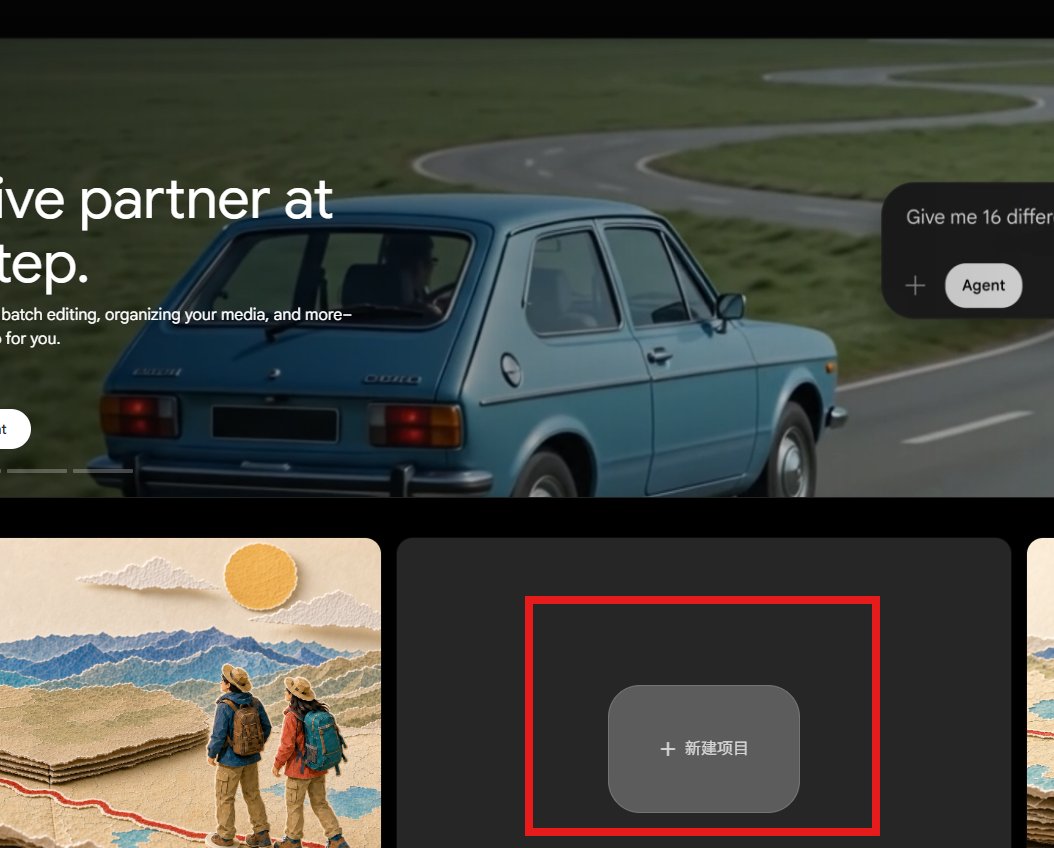
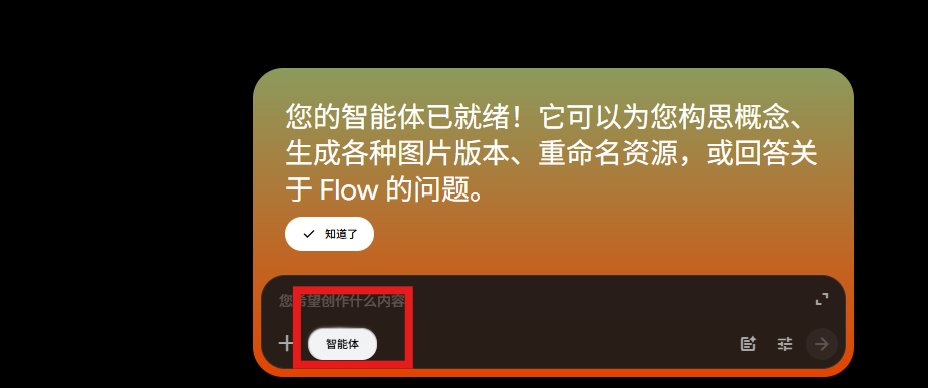
点进去之后,大家可以看到这儿有一个 Agent。Agent 的功能是让它帮你构思这个动画应该怎么走。对我个人来说,我希望它按照我的想象去呈现,所以我就把 Agent 关掉了。
2.1 使用智能体
大家如果要使用 Agent 模型的话,也非常非常的好。建议大家使用谷歌的最新模型 Omni
上面是 Agent 自己产生的一个动效。我觉得其实 Agent 产生的动效特别完美,但只不过重帧跟我想要的感觉不一样。
所以,使用 Agent 智能体然后加上 Omni 这个模型,也是非常推荐的
2.2 不使用智能体
然后我选择了 Veo 3.1 Fast 这个模型,因为它支持首帧和终帧。我把首帧和终帧的图片放到相应的位置上去,然后输入我跟 Codex 聊好的提示词,它的画面就会出来了。
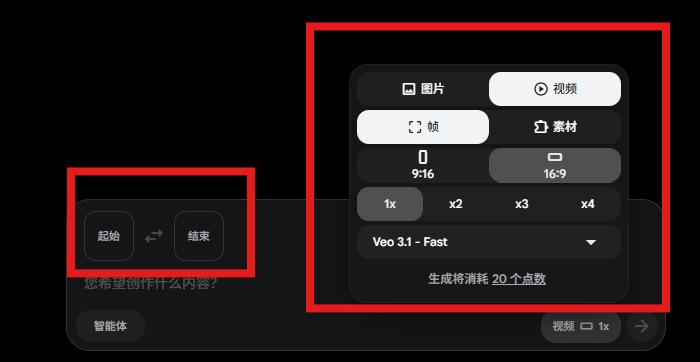
动效提示词:
Create a 4-second horizontal 16:9 locked-camera transition between the supplied START FRAME and END FRAME.

This is a physically plausible tabletop paper-diorama transformation, not a flat illustration and not smooth CGI.

The start and end frames depict the exact same Georgia map location, camera angle, paper map, route, sky, sun, clouds, and two explorers. Preserve their identity, clothing, scale, position, and direction exactly. Do not add, remove, redesign, or move the explorers.

ACTION AND FOLDING MECHANISM:
0.0–0.5s: hold the closed, flat Georgia terrain panel. The two explorers are already standing on the single existing arrival marker.
0.5–1.7s: the entire Georgia terrain rises from one long rear horizontal paper crease, like one large folded map-landform opening upward. The rear mountain layers unfold first, back to front, into the large Kazbegi mountain.
1.7–2.6s: the green middle terrain layer folds upward from its own attached crease and reveals the Georgian church as a connected paper pop-up.
2.6–3.2s: a small foreground paper flap at the lower-left opens toward the viewer and reveals the compact wine bottle, wine glass, and grapes in their final-frame position.
3.2–4.0s: all paper layers settle with a tiny realistic paper bounce and end exactly matching the supplied END FRAME.

MATERIAL AND REALISM LOCK:
Use thick handmade torn paper, visible paper fibers, rough white torn edges, multiple stacked paper layers, physically believable creases, contact shadows, and subtle depth-of-field. It must look like a real handcrafted paper sculpture photographed on a tabletop.
Do not use watercolor, flat vector art, generic cardboard, glossy 3D render, morphing objects, or melted shapes.

ROUTE LOCK:
There is exactly ONE red arrival marker, directly beneath the explorers’ feet.
Do not create any extra red dots, pins, markers, circles, or route branches.
The red route stays flat on the map and does not move.

SKY LOCK:
Keep exactly one round torn yellow paper sun and exactly three white torn-paper clouds.
The sun and clouds may drift extremely subtly, but must not change shape, number, size, or position noticeably.

No text. No narration. No camera pan, zoom, or reframing.
大概一到两分钟,就可以生成一个完整的动画效果。
如果不满意的话,还可以跟他聊,进行一定的调整。
3.总结
总结大家几个大家可以关注的Github仓库:
1️⃣vox-director
2️⃣vox-explainer-skill
3️⃣gbro-collage-broll
目前 Vox 风格在推特上非常火,包括国外博主在内,有些人已经把它商业化了,按分钟收钱,一个 Vox 视频有可能达到 60 人民币左右。
现在大家对 Google Flow 的视频生成模型关注得很少,但它真的把价格完全打下来了,而且做到了特别香的程度:
-
即使没有订阅,你每天也可以生成 2 到 3 个视频
-
有了订阅之后,每个视频生成的成本就更低了
所以我觉得 Google Flow 的视频生成模型真的是被低估了!
欢迎大家评论区教作业~
我是 Serena ,探索 AI × 自媒体 记录普通人如何拿回人生的主动权。希望这篇文章可以帮助到你!👏
沿着这个主题继续读
从一篇文章,找到相关的教程、经验和阅读路径。